-
-

Sign-Up Page
-

Sign-In Page
-
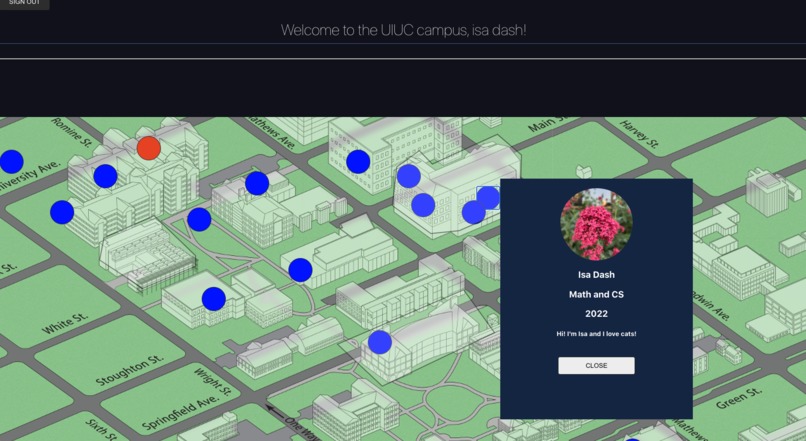
UIUC Map with other players (blue) with status popups, your own avatar (orange)
-
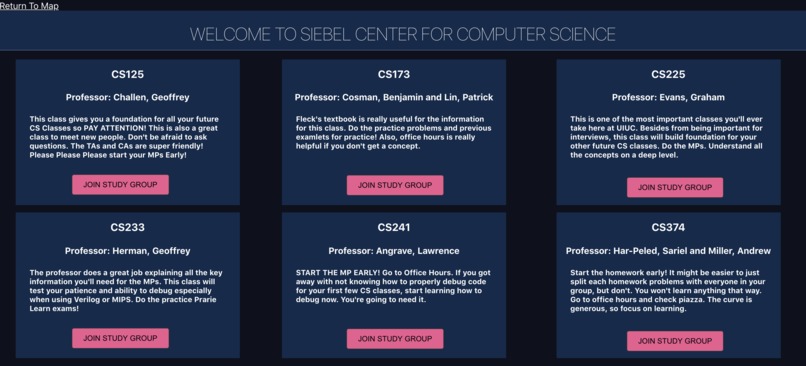
"Inside" an Academic Building
-
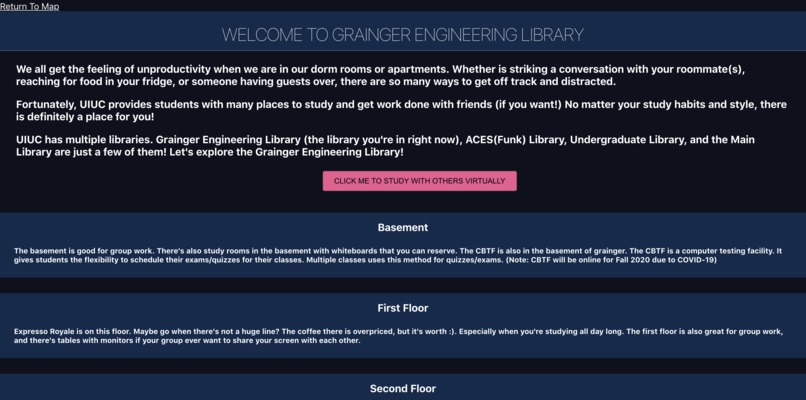
"Inside" a Library
-
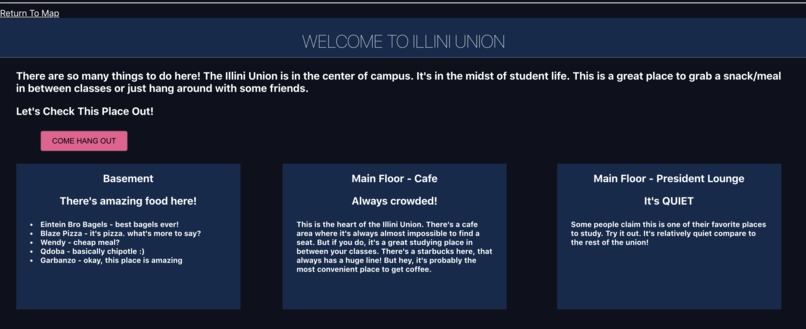
Explore Campus Life


Inspiration
Some of us are unable to return to our college campuses, meaning we lost a lot of experiences valuable to our education. Being on campus in person allows you to interact with people, meet classmates, form study groups, simply enjoy walking around campus, and much more. So why should we lose these capabilities in a virtual world?
Introducing UniStory: a virtual RPG (role-playing game) bringing the virtual university experience to students!
What it does
UniStory is a game that virtualizes being on campus, treating the semester like a regular old semester. Your "avatar" is an orange dot that you can move around the interactive campus map and you can view all other avatars (the blue dots) in real time! Click on buildings to explore, form study groups for your classes, get to know other students, and have fun!
How we built it
We built this fully functioning game entirely with React and Firebase. It is a lightweight web-app that can easily be deployed.
We used firebase authentication to handle sign up and log in, and firebase realtime database to render other players in real time! React was used to build the frontend and the backend is also in JavaScript.
Challenges we ran into
- Learning how to use firebase
- Connecting firebase components with frontend
- Using React components in an object oriented manner
- There were many different components/files we had to keep track off
Accomplishments that we're proud of
- Successfully build an interactive game with many different features.
- Render other player's location in real-time
- Sign in authorization works
- Clean, simple design
What We Learned
- Using different React Libraries
- Learning how to use firebase, and connecting it with frontend
What's next for UniStory
- Creating a list of "Things To Do" for the players to complete. Players can get points for completing certain tasks.
- Expand the number of buildings players can click into
- Allow the players to add new classes inside the academic building if their classes are not showing up.
- Add a clustering component to group similar students together
How to play the game:
- Your own avatar is orange, while the other player's avatars are blue.
- To move your avatar, click on your avatar and use the keys "A", "S", "D", "W" to move left, down, right, up respectively
- Click on the other players' avatar to get to know more about them
- Click on a building to go "inside" the building
- Clicking into an academic building lets the user see the main classes held within that academic building. Users can join the google meets meeting with other players as well.
- Clicking into a library lets the user learn more about the library. User can join the google meets meeting to virtually "study" with other players.
Built With
- css3
- firebase
- firebase-authorization
- firebase-realtime
- javascript
- react


Log in or sign up for Devpost to join the conversation.