-
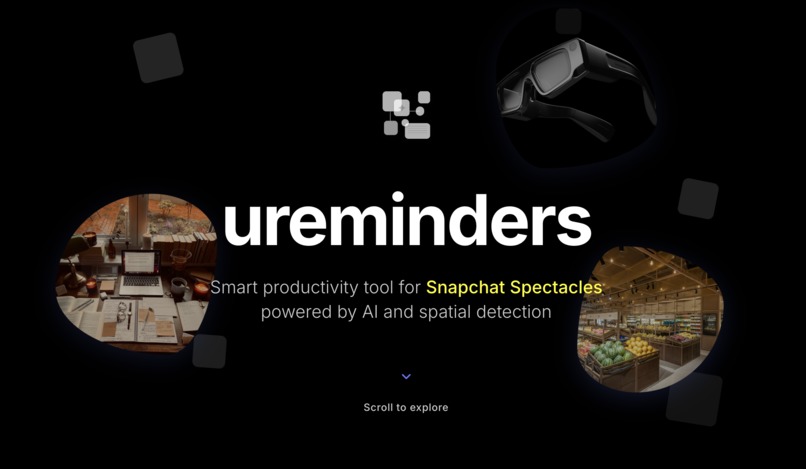
ureminders webpage

Inspiration
We were inspired by the way that the Spectacles can augment your view of daily life, and provide services that make everyday life easier to navigate. To that end, we felt that it would be very useful if we could use Spectacles to create a useful todo-list and collection of notes that displayed on the edges of the Spectacles display and changed based on different locations--what you'd need to get done at school, at the library, at the grocery store, and at home is completely different. The display would not intrude with regular vision, but would provide a great way to organize tasks.
What it does
ureminders provides tasks on the side of the screen, which change with each new location you enter. You can add new tasks through pressing an "add" button on the task bar, and then speaking the name of the task. You can also add notes through the form of written notes and voice recording notes.
How we built it
We diagrammed what we wanted to see on a whiteboard, then on Figma. Following those specifications, we coded the interface on JavaScript and TypeScript, and then implemented everything in Snap Lens Studio. We also made a website for our project using React, HTML/CSS/JS, and Node.js.
Snap Prompt
Our product uses the Snap Spectacles in order to make everyday life easier to navigate for its users. We use the Gemini AI to listen to background noise and suggest new tasks. Privacy is ensured for both users and their surroundings, as no audio or video is taken or saved after use. The product only processes the visual surroundings to see the boundaries of different spaces, and only processes audio to suggest new tasks.
Challenges we ran into
A challenge that we ran into initially was deciding on a project idea to use with the Spectacles. All of us were confident that we wanted to use the Spectacles, but not what would be a useful and novel idea to do with them. It took a good amount of brainstorming before we were able to land on our current idea. In addition, there was the issue of code we had written not being able to be transferred into Spectacles Lens Studio, at a time when people at the Snap booth had already left. We ended up rewriting code to be able to use it in Lens Studio.
Accomplishments that we're proud of
This is the first time working with Snap for each of us, so we're proud of the fact that we created a working Snap project. In addition, we're proud of being able to work together, and properly communicate our ideas and divide work without having major conflicts, which was a big factor in our success. Finally, we're proud of setting on an idea in the early hours of the hackathon and then spending the rest of our time focusing on that idea.
What we learned
On the technical side, we learned a lot about using and testing Snap AR and running projects in JavaScript and TypeScript. Otherwise, we learned about collaborating with a new team, putting out unexpected "fires" (reacting quickly to unexpected issues), and secret entrances to buildings on the UMich campus.
What's next for ureminders
Despite the time constraint of the hackathon, we had many ideas that could be implemented in the future to make the product even better, such as having priorities for different tasks, sorting notes in folders, having a timer, and having a map where you could see the tasks associated with different locations on the map. We also thought it would be useful if there were different kinds of tasks, such as "perpetual tasks" that stayed with the user no matter what location they were in.
Built With
- css
- figma
- html
- javascript
- node.js
- snap
- typescript
- vscode


Log in or sign up for Devpost to join the conversation.