-
-
App Logo
-
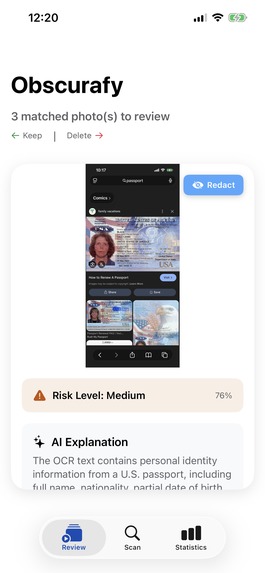
Main screen with current image view
-
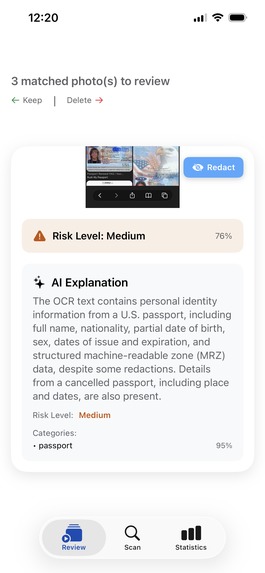
ML rating and Gemini assessment
-
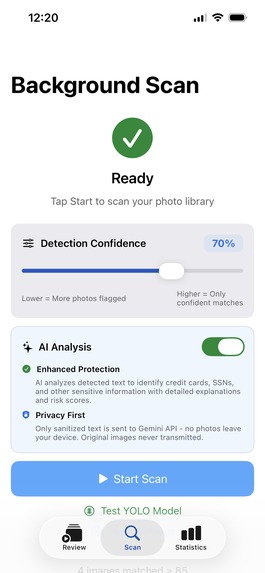
Background scanning functionality
-
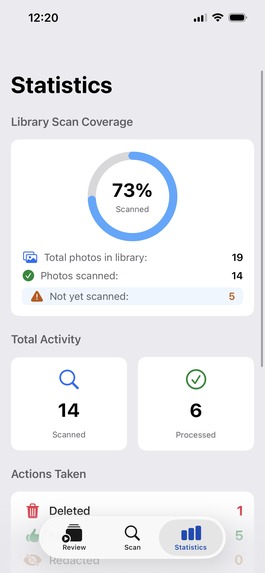
Aggregated Statistics
-
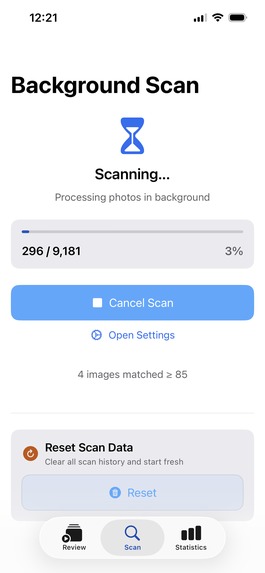
In-progress background scan


Obscurafy
Inspiration
People often share screenshots or photos without realizing personal information is visible. We wanted to create an app, focused on data privacy, that catches sensitive data in users' photo libraries before it is too late.
What it does
The app scans through your photo library to detect IDs, passports, credit cards, and other potentially sensitive personal information using a custom-trained computer vision model. The user can swipe left (keep), swipe up (redact/blur sensitive information), or swipe right (delete) each image in a tinder-like style. Users can also view information about why the image has potentially sensitive information. Our main selling point is that all sensitive data is kept private and on-device, and redacts personally-identifiable-information if using the AI explainer tool.
How we built it
- Frontend (iOS App): Swift, SwiftUI, Apple Photos API, and local CoreML integration.
- Backend: Swift server layer with Gemini API for text & content analysis.
- ML Model: For our custom-trained computer vision model, we used a YOLOv11 object-detection model trained & fine-tuned on PyTorch. We used Python to clean/process 8 open-source datasets containing images of IDs, passports, and credit cards, train & fine-tune our model, and convert the model to CoreML format for iOS integration.
- APIs & Frameworks: Gemini API, CoreML, VisionKit, and FileManager for secure data handling.
Challenges we ran into
- ML Model: There wasn't a single dataset combining all types of sensitive information documents, so one challenge we had was to unify & clean multiple datasets to train to a single model. Training the computer vision model from scratch was also a problem because of the time constraint of the hackathon, since we didn't have access to specialized compute resources.
Accomplishments that we're proud of
- Making the app truly privacy-first by making all sensitive information be processed directly on device. The machine learning model runs on your device (using iOS Core ML) so potentially sensitive/personal information is not sent anywhere via API calls. We also redact sensitive information before sending it to Gemini API so our explanation feature works.
- Training a machine learning model from scratch from a few messy open-source datasets and a limited amount of time + resources.
What we learned
- How to optimize a heavy PyTorch → CoreML workflow for mobile deployment.
- The importance of edge AI for privacy — user trust grows when AI works transparently and locally.
- That designing for user peace of mind requires empathy, not just engineering.
- How small UX choices (like swipe gestures) can make security tasks feel natural and intuitive.
What's next for Obscurafy?
We’re planning to expand Obscurafy beyond iOS and into a broader privacy ecosystem:
- 📱 Android version using TensorFlow Lite for on-device inference.
- 🔒 Secure Vault Mode to automatically encrypt and store flagged photos.
- 🧠 Advanced AI Explainer 2.0 — combining visual + OCR text analysis for deeper insight.
- ☁️ Enterprise Dashboard for journalists, legal professionals, and companies managing large-scale photo archives.
- 💬 Privacy Insights Reports to help users understand and improve their data habits over time.


Log in or sign up for Devpost to join the conversation.