-
-
Vitascan interface
-
User Data
-
Nutritional Data
-
Progress Bars
-
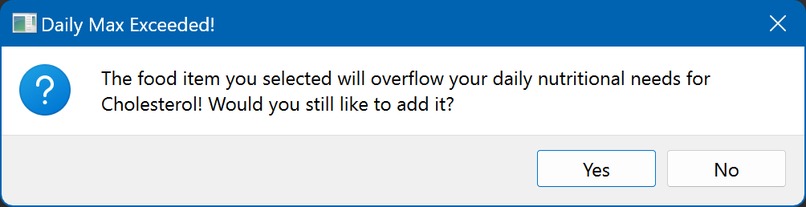
Sample Warning


Inspiration
Vitascan is an intuitive, user-friendly, and simple to use app that deciphers, logs, and teaches you about what you’re eating. We believe that you shouldn’t have to be a doctor to know what you’re putting in your mouth! With Vitascan, we aim to educate people about their diet to encourage healthy eating, and take the question marks out of healthy eating.
What it does
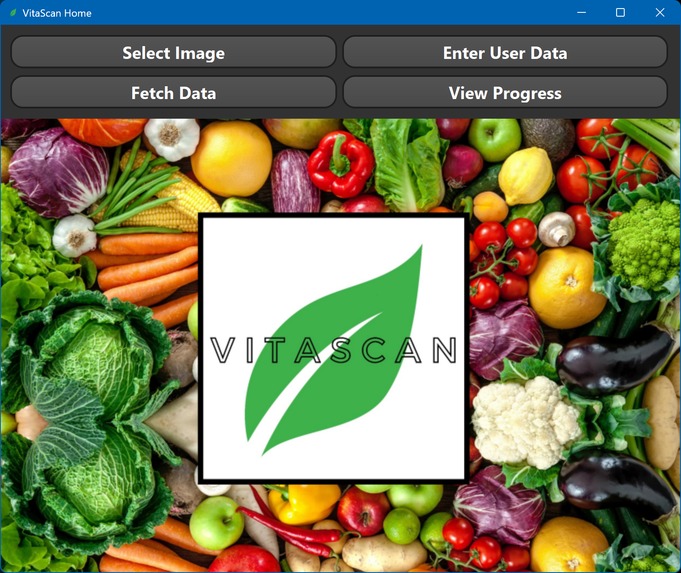
Here we see the easy-to-use interface for VitaScan, and it contains 4 main buttons. “SELECT IMAGE,” which lets users upload a picture of a nutritional label for a complete breakdown, “ENTER USER DATA,” which allows users to tell VitaScan about themselves for a customized experience, “FETCH DATA,” which allows users to log their nutrients, and “VIEW PROGRESS” which allows users to see how much of a food they’ve eaten.
Let’s go through these one by one.
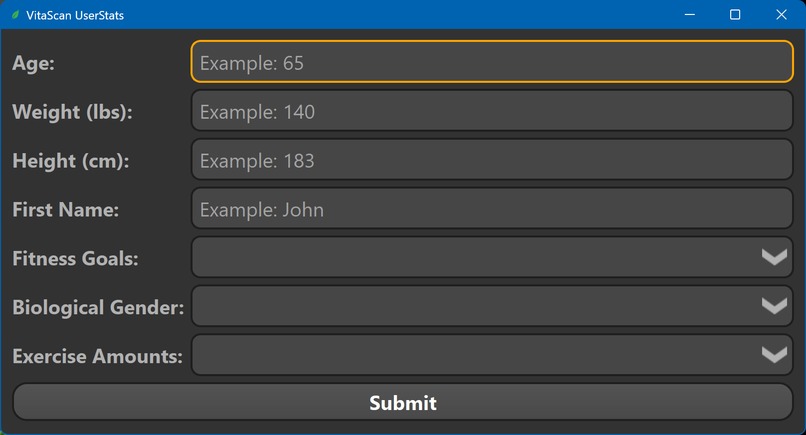
The first thing a user is required to do is to enter in their data and goals, via the “ENTER USER DATA” page. This gives the app an estimate of what food and how much food they must eat in one day, and allows for a customized eating experience, contrary to a standard nutrition label, which gives daily values for an incredibly generic range of people.
Now we’re ready to decipher a food label. So I’m gonna go back to the homepage, and then simply take a photo of the label and upload it to VitaScan, via “SELECT IMAGE”
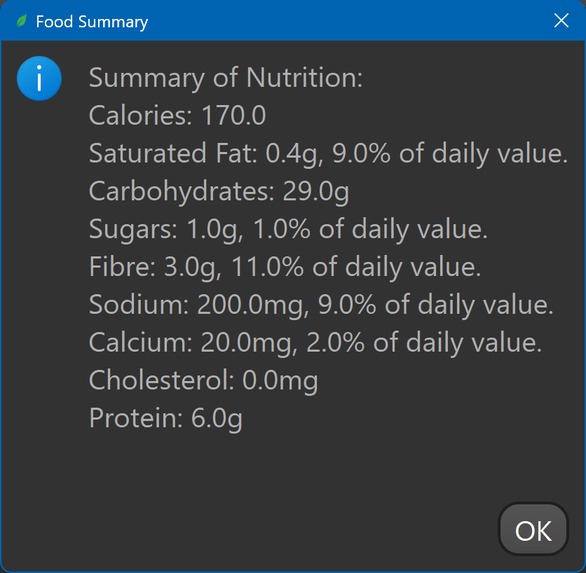
The app will then use AI to process the raw data, converting it to numbers and we see a nutrient overflow warning, indicating that "oh, instant noodles contain a lot of saturated fat." It’s been flagged by the app, and I can question myself if I really want to eat it. Finally, we see a simple, understandable readout for the user: The data, the daily percentage, and if it’s a lot or a little.
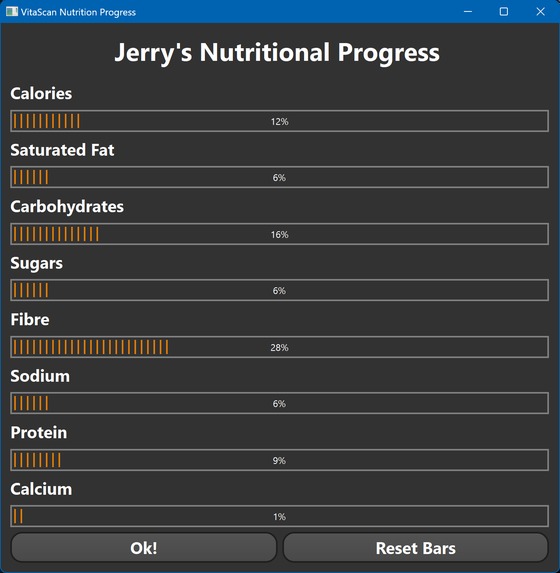
I can now view my progress of nutrients by pushing “SHOW PROGRESS.” Now, my progress is showcased by these progress bars. This really allows me to keep track of how much of a single nutrient I’m eating per day. The total is again, calculated based on the user’s data. I can also reset the data every day. If I want to understand what this means, I can hover over the nutrient which allows for a simple definition of the nutrient to be shown. No more confused Googling!
The other type of warning is a total-value warning, which basically means that throughout the day, if eating another food will exceed the cumulative value of a particular nutrient, the app basically prompts me, asking me if I really want to eat this much.
So, that’s the VitaScan interface. As you can see, it’s incredibly intuitive, easy to use, and will definitely help you make informed eating decisions: A direly needed function in today’s unhealthy society.
How we built it
We used PySide6/PyQt, which is a library for designing user-interfaces. We also used cv2 library to process the image and image_data. Finally, we used pytesseract for the ocr extraction. We also used vanilla CPython for the back-end user framework
Challenges we ran into
The OCR library did not work properly because it didn't read the characters properly. After some research we figured out that this was because we did not specify the proper PSM type (page segmentation mode) for the OCR. We originally used PSM 11 which is good for sparse, unordered text, but then I switched to PSM 4 which is good for reading a uniform column of text.
Another issue we encountered was that the images we used for testing were too blurry. This might be a recurring issue so we decided to sharpen the images. Sadly we did not know how to sharpen images so we did some research. Documentation for image sharpening is pretty rare, and it took a lot of digging to find out, including watching a 3blue1brown video on convolutions.
Accomplishments that we're proud of
Greatest accomplishment is the tracking and nutrition system. It is a modern looking high technology piece of software that logs user-data and tracks their progress. It also gives real-time personalized data based on the user statistics such as height and weight.
What we learned
How to effectively use many different python libraries to create a clean and effective app we also learned the use and definitions of many different nutritional values, and how they affect our lives. Furthermore, we learned how to calculate optimal nutritional value amounts based on personalized data.
What's next for VitaScan
Next, we will try to put this into a smartphone app for increased convenience. We will also add improved tracking features such as graphs.


Log in or sign up for Devpost to join the conversation.