-
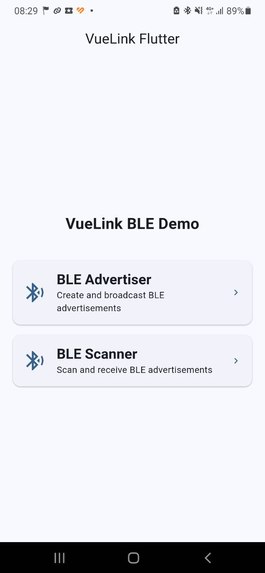
Start screen, here you can choose receive or send messages (can receive in the background, remember to disable it manually)
-
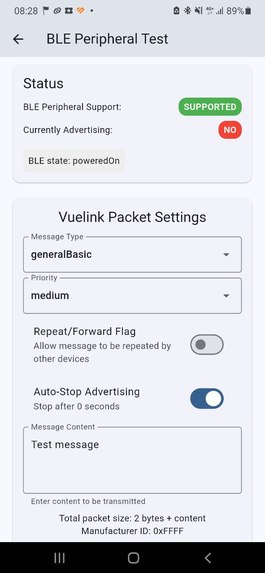
Send message screen, choose message category, priority, message text and other
-
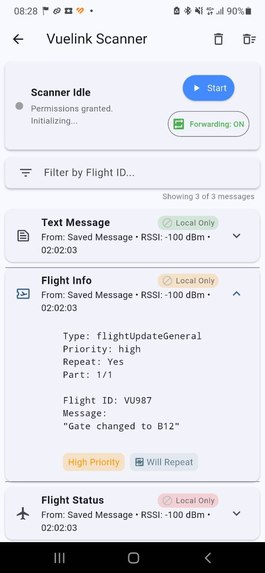
Scanner screen (receive messages). Visualises last 50 messages, can be filtered by flight ID. Remember to stop receiving!!!


Inspiration
My inspiration for this project stemmed from the widespread blackout situation that occurred across Spain. I believe that any tool enabling communication and information dissemination during such events can potentially save lives. Additionally, I was curious to push my personal boundaries, as I had never fully developed a mobile application before, let alone within the intense 36-hour timeframe of a hackathon.
What it does
Vuelink allows airline operators to inform passengers about their flights, even without traditional network connectivity.
- It creates a peer-to-peer mesh network using Bluetooth Low Energy (BLE), enabling devices to broadcast messages ("screams") to everyone nearby.
- For passengers far from the main group (outside BLE range), the app supports preloading messages via deep links. If a passenger has enough mobile signal to receive an SMS, they can get a link containing the latest flight updates.
- Passengers who are distant from the originators (like airport staff) and have no connection at all can still receive updates if any nearby Vuelink user does have a mobile connection and receives updates via deep links (as described in point 2). These updates then propagate through the local BLE mesh.
How we built it
I developed Vuelink using Flutter. To enhance productivity, I utilized Cursor with AI assistance (Claude / Gemini 2.5) and MCPs like Task Master for planning and ensuring code consistency. For BLE functionality, I integrated the flutter_reactive_ble package. The rest of the application relies on the standard Flutter development stack.
Challenges we ran into
- I had no prior experience with Flutter or Dart.
- iOS development requires a MacBook and Xcode, which I do not possess.
- BLE permissions are very strict on both Android and especially iOS.
- Finding suitable packages for setting up a reliable GATT server (for request-response BLE communication) proved difficult.
Accomplishments that we're proud of
- The app is designed to inform people anywhere, not just within the airport terminal.
- It currently functions and successfully sends small messages over the BLE mesh network.
- I am proud to have created this application solo within a short timeframe (though thanks are due to my teammates who lent their phones for testing and debugging!).
What we learned
Personally, I feel I learned a great deal:
- Flutter development fundamentals.
- The intricacies of how BLE operates on mobile devices.
- That while I can build something like this largely solo, having a supportive team is crucial, even if it's not immediately obvious.
What's next for VueLink
- Complete the implementation for supporting longer messages fragmented across multiple BLE packets.
- Significantly improve security, as the current implementation is vulnerable.
- Explore alternative methods for delivering deep links to reach the maximum number of people.


Log in or sign up for Devpost to join the conversation.