-
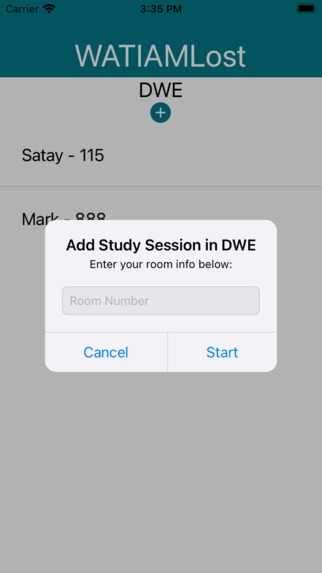
Starting a new Study Session
-
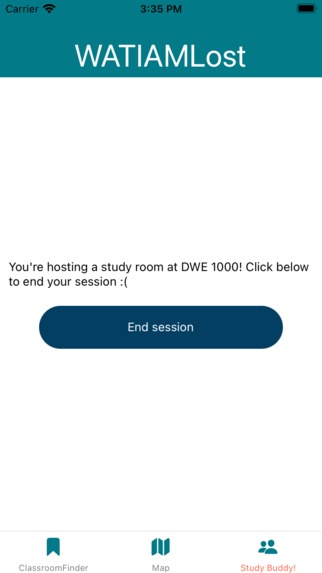
Study Session in Progress
-
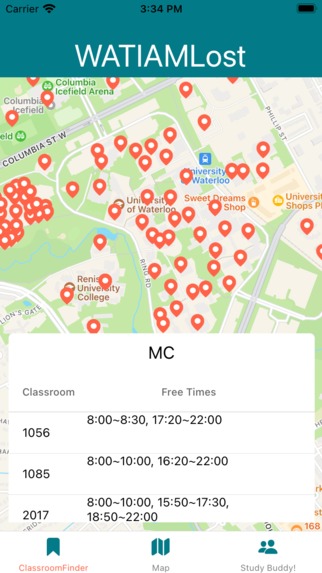
Classroom Finder
-
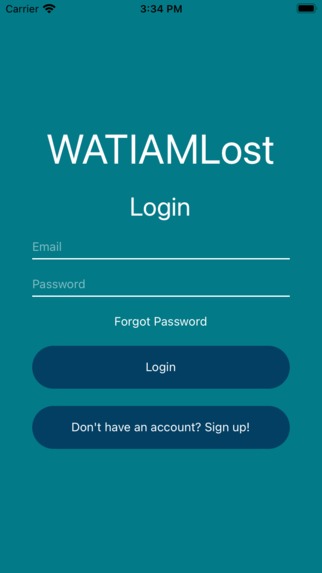
Login Screen


Inspiration
UW students have a tough time getting to meet new people and finding ways to navigate through campus. With the COVID-19 pandemic making the campus experience unfamiliar to many students, having a guide in your pocket has always been something that the population can benefit from given how much we already depend on our phones. So, the Codies want to enrich our backend, mobile and cloud development skills to solve these problems and prevent our fellow students from saying the phrase “What, I am lost!”.
What it does
Our app has three main functionalities:
A map of campus. This map allows you to search building codes (e.g., MC, STC, DC) and it'll show you exactly where it is on campus!
A free classroom finder. The classroom finder shows a list of classrooms and its free time of the the building that a user clicks on. We take the day of the week into account so the data is accurate.
A study buddy finder. The study buddy finder has a list of everyone who's hosting a study room, and so you can either join them or host one yourself!
How we built it
The frontend was built primarily with React Native and Typescript. These were used because of the consistency of development on Android as well as iOS. Testing was done using Expo Go, which allowed us to use emulators as well as our physical devices easily.
The backend was built using Typescript, MongoDB (specifically Mongoose), Express and Node, which we deployed using Google Firebase. Authentication was handled using JWT and Argon2 for secure user registration.
Challenges we ran into
One of the most infuriating challenges we ran into was connecting the frontend to the backend, since both were hosted on different platforms (frontend was hosted on our mobile devices, whilst the backend was hosted on our local PCs). Also, many times the emulators would not work because of connection errors that usually lacked a comprehendible description to solve them.
On the backend side, there were lots of issues with making sure the POST/GET requests were working as necessary, as certain parameters needed to be passed in in very specific ways for data to be interpreted correctly. These were especially hard for starting or ending study sessions, as multiple requests were nested within each other.
Accomplishments that we're proud of
We really liked the way our layout for the Classroom Finder Screen turned out. It is definitely the most clean part of the frontend, as it is very intuitive to use. Also, getting the Study Session requests working properly felt great as well, as we ran into issues described above.
What we learned
We learned lots of things on both the backend and frontend. On the frontend side, for some of us it was our first time working with React Native, so there were certain challenges of formatting different elements and sending requests using Axios. On the backend, we learned the practices of data management (error handling, laying out data in MongoDB and connecting to a cluster), as well as the necessity to make functions easy to use and call on the frontend side.
What's next for WatIamLOST
WatIamLost has lots of room to grow in many aspects. Some ideas we were thinking of include accessible navigation (guiding users through bridges), adding more information to the Study Buddy (e.g., listing everyone at the Study Session rather than just the host), using live location to detect when a Study Session could be ending and send push notifications asking if a session is done, and privacy features that allow for only specific people to see when a specified person is studying (essentially a friend group). In addition, we would like to improve the user interface design of the classroom finder screen, such as differentiating the marker of the location that user pressed so it can clarify which building they clicked.




Log in or sign up for Devpost to join the conversation.