-
-
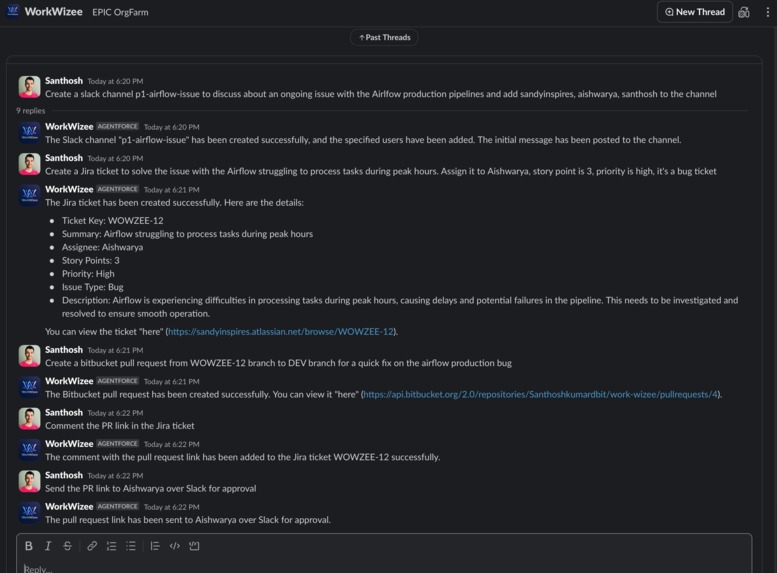
Agent on Slack
-
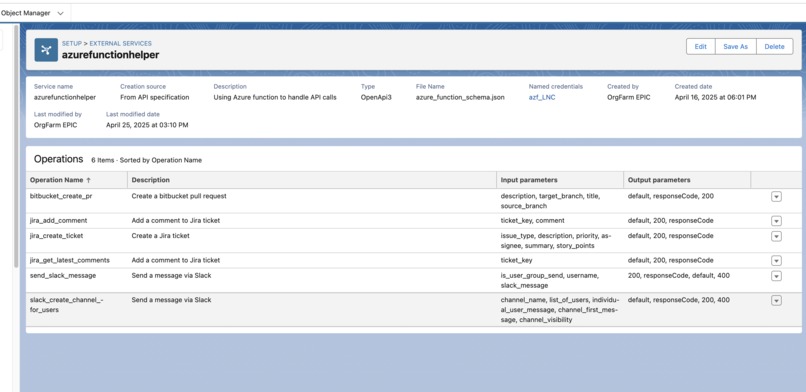
External Service for Azure Function Endpoints
-
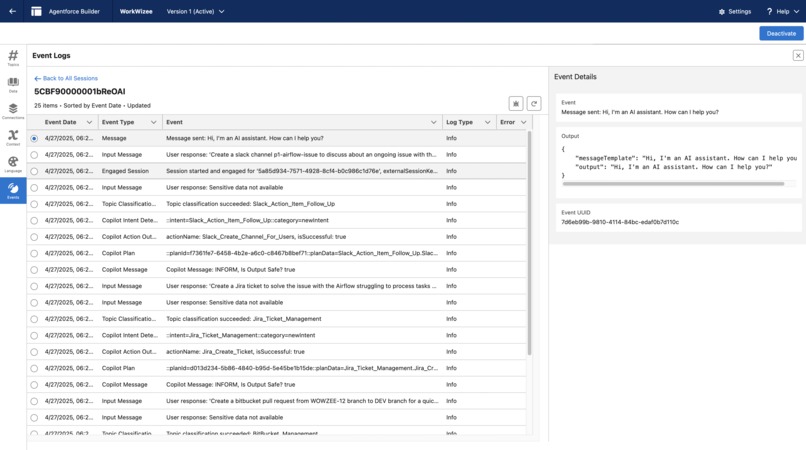
Agent Session
-
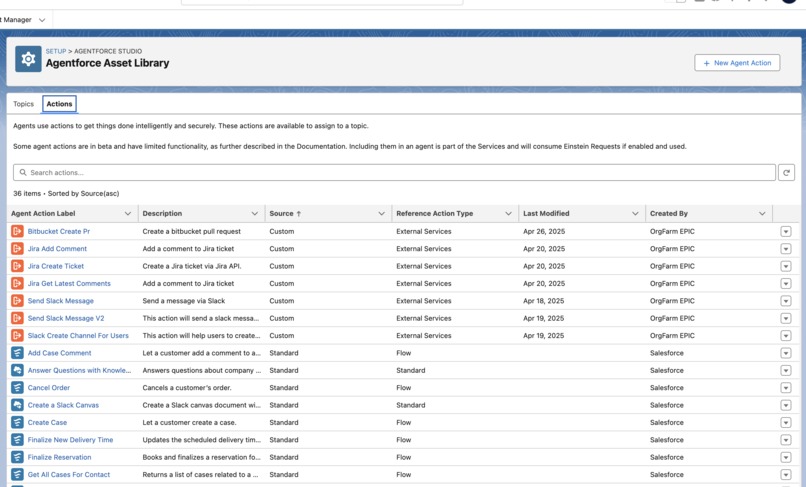
Agent Actions
-
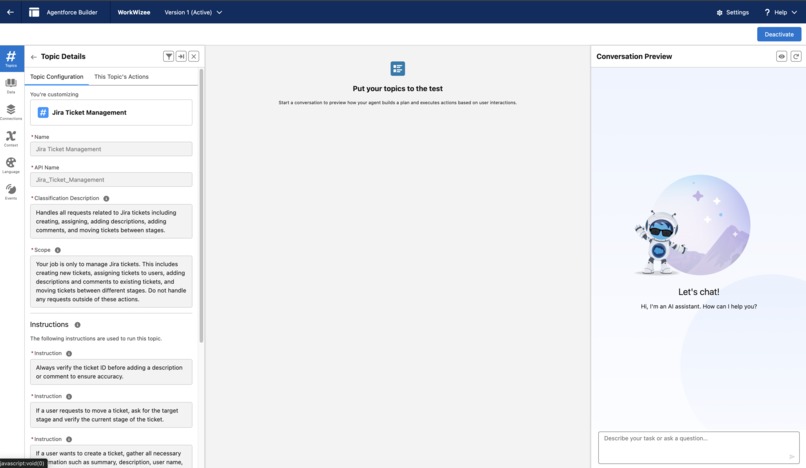
Agent UI
-
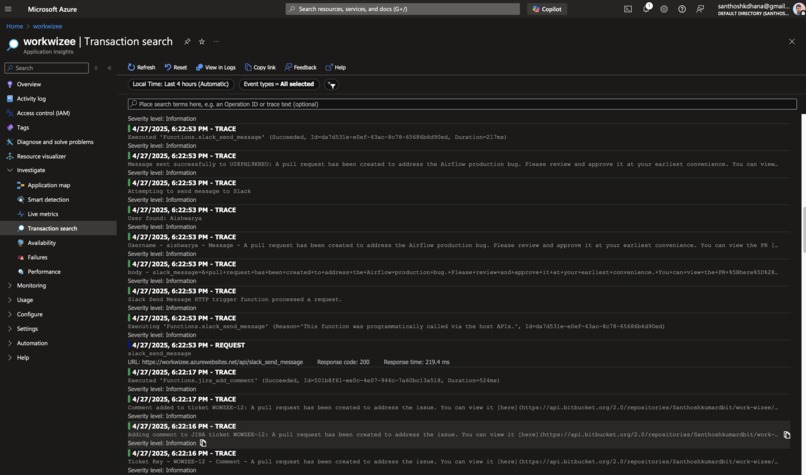
Azure Function App
-
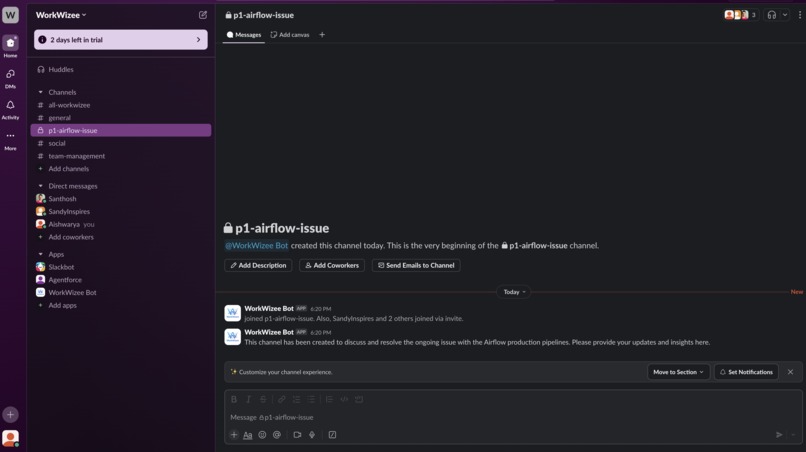
Agent creates channel
-
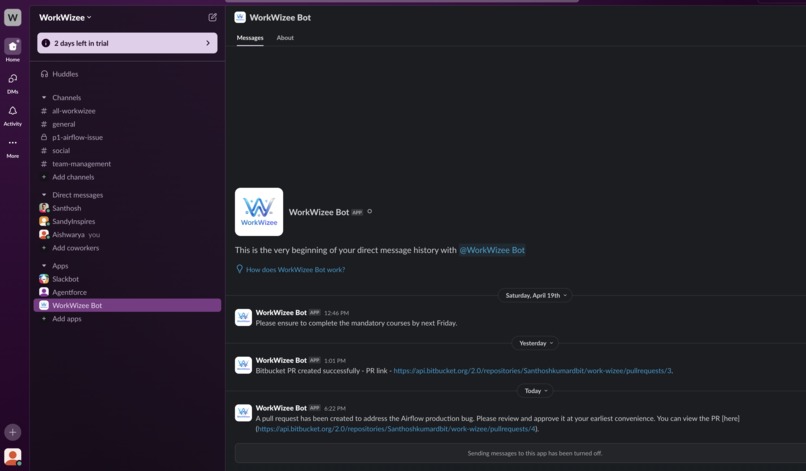
Agent responding with Message


Inspiration
Having been on multiple P1/P2 calls to solve data pipeline bugs. I understand the pain a development team has to go through, and it gets worse if you're new to the team. Let's create a process that makes this pain easier to navigate. Put agents to work and get the annoying things out of the way so you can focus on resolving the bugs ASAP. You know, once you start the P1/P2 calls, you need to update many things: ServiceNow ticket, Jira ticket, your manager, team lead, team members, and so on.. Finally, send out an RCA mail and create a Confluence page for the issue. What if we can make it all happen just by using an agent and from the comfort of Slack? That's where WorkWizee helps you and your team to save 40% of your time.
What it does
It can help in these different scenarios. The following are the features you can use,
Slack
- Send individual messages to multiple users
- Send a message to all the direct reports
- Create a channel and add members
Jira
- Create a Jira ticket and assign it to a user with story point, priority, issue type, title, and summary
- Comment on a Jira ticket
- Get the latest comment from Jira
Bitbucket
- Create a PR from the user branch to dev, stg, prod
Outlook
in progress
- Send emails from Slack to multiple users
- Send a meeting invite and create a Slack channel to discuss more on the issue
- Book a room for 4 people to discuss this issue
How we built it
- Python - for building the backend APIs
- Azure Functions - hosting the backend APIs at scale and cheaper
- Agentforce - building and hosting agents and agent actions
- Slack API - for all the interactions with Slack
- Jira API - for all the interactions with Jira tickets
- BitBucket API - for all the interactions with the repo and PRs
- Confluence API - for all the interactions with pages
- Outlook API - for all the interactions with mail
Serverless Endpoints
Slack
- /api/slack_send_message
- /api/slack_create_channel_for_users
Jira
- /api/jira_add_comment
- /api/jira_create_ticket
- /api/jira_get_latest_comments
Bitbucket
- /api/bitbucket_create_pr
- /api/bitbucket_get_open_pr
- /api/bitbucket_comment_on_pr
Outlook
- /api/outlook_send_mail
- /api/outlook_book_meeting_room
- /api/outlook_search_mail
Challenges we ran into
Challenge in connecting the Slack application and using the built-in Slack messaging feature
It was lacking customizability, had to build an action from scratch to accommodate the new fields
Getting the schema correct was a huge challenge since Azure Functions doesn't provide any Swagger docs page. We had to manually map things and create a schema.
Connecting Slack with Agentforce was hard; I had to go to the tutorial organization instance to understand how it's connected and replicate the same on my org instance.
A lot of pain in integrating different aspects of the Agentforce components, Named Credentials, External Service, Remote Site, Custom metadata types
Testing was hard, sometimes Agentforce won't send the required argument or fill a particular field with the user input. Have to tweak the topic instructions and agent actions input field instructions
Accomplishments that we're proud of
- Deployed Agentforce agent in Slack for user consumption
- Created a custom metadata type for holding secrets from Slack, user token, bot token, and default channel name
- Created Named Credentials to handle the authentication
- Created a new External Service to handle the Azure Function endpoints
- Create custom agent actions to handle user input and then call the appropriate endpoint
- Ability to debug using the Agent Builder UI and sessions to understand how the agent picks up a topic and a desired action to fulfill a user request
What we learned
- Prompt engineering is key on how to receive and format arguments passed by the user
- Understanding of how to configure External Service to user endpoints from Azure Functions
- Understanding how agents work and how the topics are picked up
- Importance of each instruction in the topic to answer user queries
- How to push Agentforce to its limits with multiple agents, topics, and custom actions
What's next for WorkWizee
- Improve the response message from the agent after the agent action is performed
- Detailed error message for each exception in our Azure Function to let the users know what exactly is going wrong with their questions
- Observability of the user interactions, the telemetry is already captured in our Azure Application Insights
- Deploy this in a workspace with a small sample of users to gather feedback and observe the ability of the agent to handle a large load
Built With
- agentforce
- azure
- azure-function
- python
- salesforce
- slack




Log in or sign up for Devpost to join the conversation.