Recover deleted files with DiskDigger
DiskDigger is a data recovery software that helps you find deleted files on storage devices like internal drives, USB flash drives, and memory cards. It targets everyday recovery problems, including accidental deletion, missing folders after a cleanup, and situations where a drive has been formatted and important files are no longer visible. The app keeps the process approachable by guiding you from selecting a device to running a scan and reviewing what turns up.
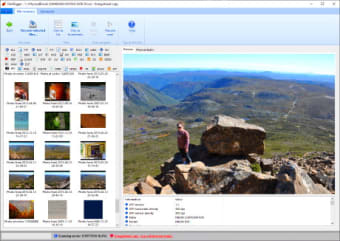
The tool stands out for its scan-and-preview workflow. Results are presented in a way that makes it easier to spot what you need before you try to restore anything, which can save time when a drive contains lots of data. DiskDigger also makes it clear that recovery has limits, since overwritten files can be harder to bring back. Scanning and previewing are accessible, while saving recovered files comes with restrictions unless you unlock the full recovery option.
How DiskDigger handles file recovery
DiskDigger runs a scan that looks for recoverable files in two practical ways. One part reads what the file system can still identify, which helps when deletions happened recently. Another part digs deeper by searching for known file signatures in free space, which can help after formatting or when the file system data is damaged. Deep scanning improves coverage, although it can take a long time on large drives and slower storage.
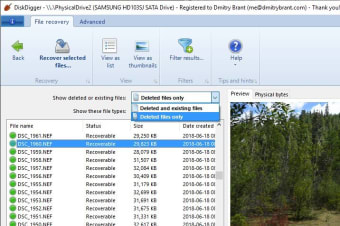
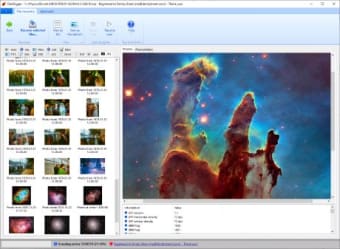
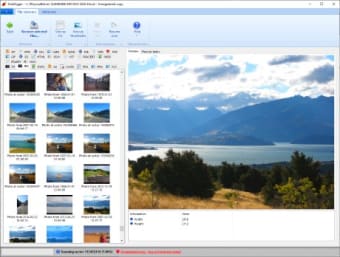
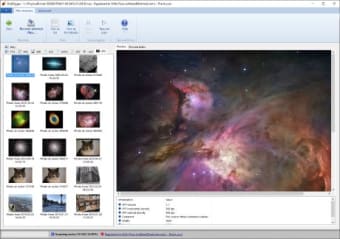
Results are organized in a way that supports quick decisions. DiskDigger can show a list view and also offer previews for many file types, including photos, documents, audio, and compressed archives. Filters and sorting options help narrow down results by details like name, size, and date when that information is available. That saves time when a scan returns thousands of items, although metadata is not always intact.
Recovery quality depends on what the drive still contains. Files that get overwritten become harder to restore, and recovered items do not always keep original names or folder paths. DiskDigger also has a split between free use and full recovery. Scanning and previewing are accessible, while saving recovered files is limited unless you unlock the feature, with different expectations for personal and commercial use.
A straightforward recovery tool for everyday losses
DiskDigger fits people who want a clear path from scan to preview to recovery without learning forensic tools. Strong previews and broad device support make it practical for common file loss, while long deep scans and imperfect file organization can slow down serious recoveries. The free experience works well for checking what is recoverable, and the unlock requirement matters if you need to save a lot of files.