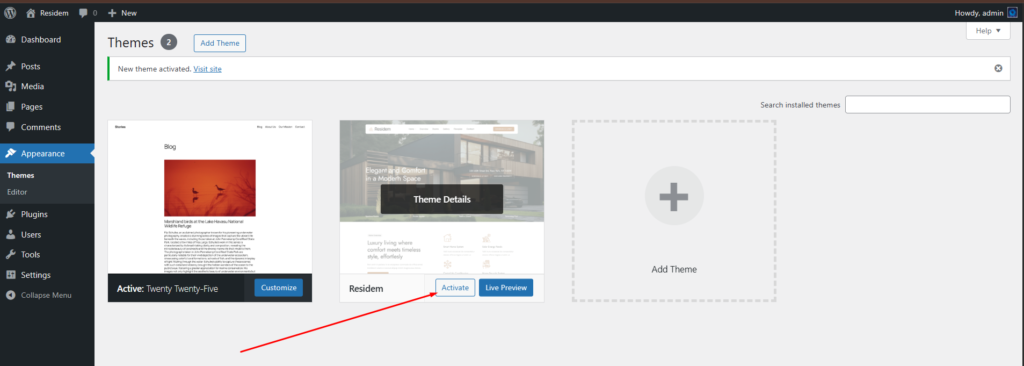
When you are ready to install a theme, you must first download the theme files and install theme then activate the theme itself.
- Download the theme )
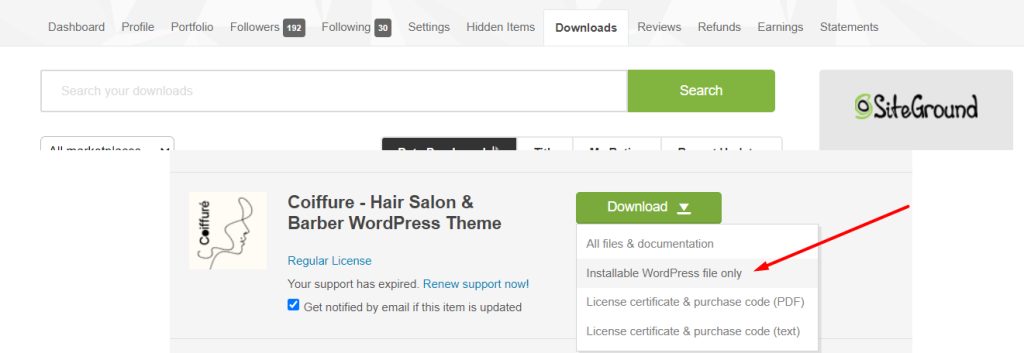
First, please download your theme from your Themeforest account. Make sure you download the Installable WordPress file only.
Images for demo purpose not exact your theme image
- FTP Upload: Using your FTP client, upload the non-zipped theme folder into the /wp-content/themes/ folder on your server.
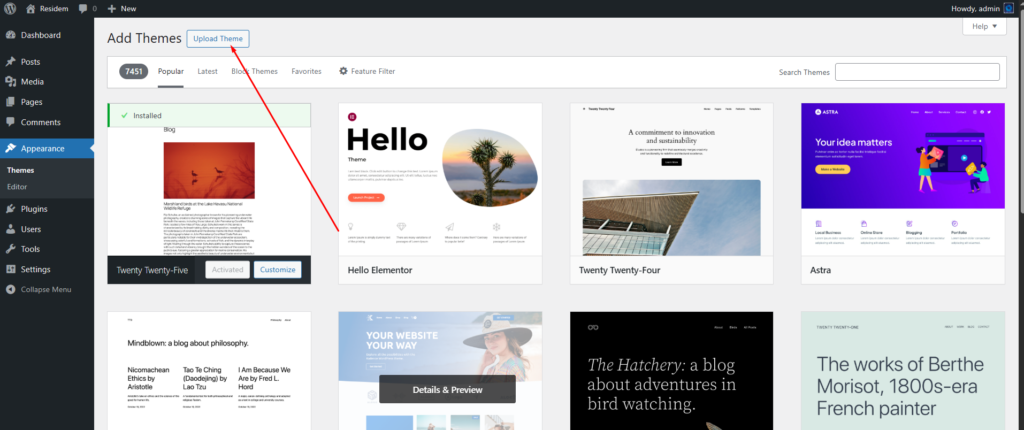
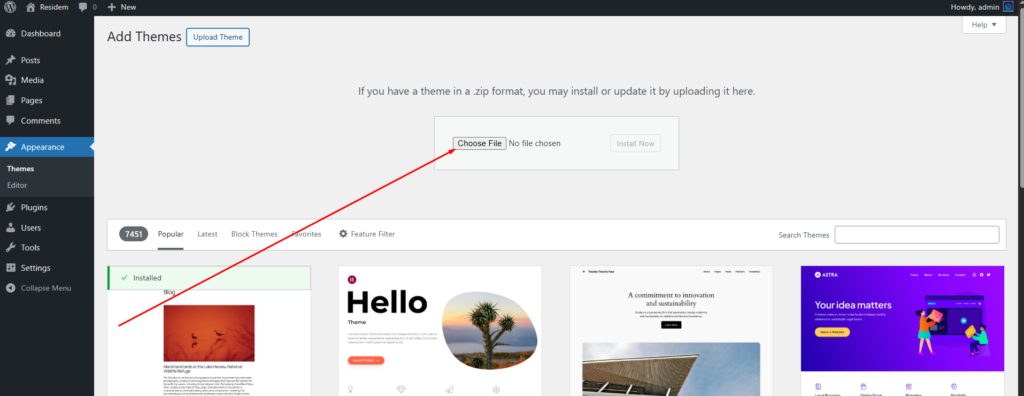
- WordPress Upload: Navigate to Appearance -> Themes -> Add New -> Upload . Go to browse, and select the zipped theme folder. Hit “Install Now” and the theme will be uploaded and installed.

Once the theme is uploaded, you need to activate it. Go to Appearance -> Themes and activate your chosen theme.