Play DOS classics on your PC

DOSBox is a gaming emulator program that allows users to run classic games and applications designed for MS-DOS. It functions as a full CPU emulator, capable of running DOS programs, requiring the CPU to operate in real or protected mode. It requires you to have a copy of a DOS program.

A gateway to the DOS era

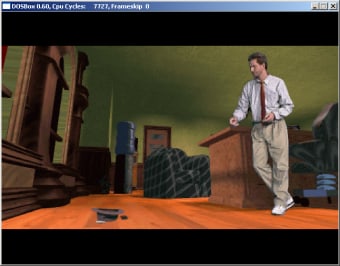
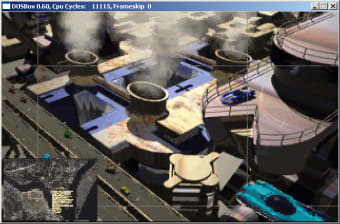
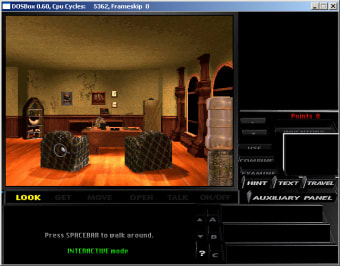
DOSBox emulates various hardware components to ensure compatibility with a wide range of DOS software. It allows users to run classic DOS games and applications on modern systems. It emulates various graphics and sound hardware, providing an authentic experience. The emulator is configured via command-line arguments or plain text configuration files.

It supports a range of graphics modes and sound hardware, including PC speaker emulation. It also includes features like screenshot and gameplay recording, and supports networking for DOS games. Designed to be portable, its cross-platform compatibility makes it accessible, but requires some knowledge to run any game of your choice well.

A valuable program for DOS game enthusiasts

DOSBox is a robust emulator for running classic DOS games and applications on modern systems. As a full CPU emulator, it accurately recreates the DOS environment through hardware emulation. While offering broad compatibility and features like recording and networking, it may require some DOS knowledge for the most optimal use.

  • Pros

    • Extensive DOS game compatibility
    • Cross-platform support
    • Emulates multiple hardware systems
  • Cons

    • May require some DOS knowledge
    • Requires you to have a DOS game copy to use it
Image
 0/3

App specs

Also available in other platforms

Program available in other languages


Icon of program: DOSBox

DOSBox for PC

  • Free
  • 3.3
    515
  • 503K
  • V0.74-3

User reviews about DOSBox

3.3

3 reviews

Add review

Main reviews for you

  • Image

    Anonymous user

    DOS > Win 7. Excelent! Also, if I do Alt+F4, it don't close!So, MS DOS > Windows 7! Pros: Alt+Enter for full screencompatability will all DOS programs Cons: Nothing

  • Image

    Anonymous user

    Doxbox works with windows7 64-bit. i have windows 7 64-bit and am using it for old DOS programs. It's working!

  • Image

    Anonymous user

    Don´t work with windows 7 64 bit!. don´t work with windows 7 64 bit ! don´t work with windows 7 64 bit

More

You may also like

Alternatives to DOSBox

Explore Apps

Latest articles

Laws concerning the use of this software vary from country to country. We do not encourage or condone the use of this program if it is in violation of these laws.
Softonic

Is DOSBox safe?

100/100

Score result: Clean

This file passed a comprehensive security scan using VirusTotal technology. It is safe to download.

  • Virus free
  • Spyware free
  • Malware free
  • Verified by Security Partners

    VirusTotal logo

Scan Info

Last scan
Monday, April 22, 2024
Scan provider
VirusTotal · Full report

File Integrity

File
DOSBox0.74-3-win32-installer.exe
SHA256
a9e270217d12867c2609d9423d1b2ed83fcf7cd08aeeee3ab09a4afdf9e9418e
SHA1
c8c1f5a5d17336607c886444518e74e3d1a4e041

Softonic security commitment

DOSBox has been thoroughly scanned by our advanced security systems and verified by industry-leading partners. This file comes from the official developer and has passed all our security checks, showing no signs of viruses, malware, or spyware. For more information, visit our Security and Trust Center