Multiboot USB creator for PC
Easy2Boot is a free utility tool for PC devices developed by Easy2Boot. This program helps users create USB bootable devices for various applications, most commonly, for ISO files that contain operating system installers. It supports three types of menu systems that dynamically change depending on the files included.
Easy2Boot works in a similar fashion to the popular bootable USB creation tool, Rufus. What makes it different is its ability to let users copy over multiple ISO installations to a single USB drive depending on the device's storage capacity and the size of the files being transferred over.
How does Easy2Boot work?
If you work in I.T., chances are that you're already familiar with how bootable USB drives work for reinstalling an OS or a live troubleshooting utility. Of the ones available on the market today, Rufus is probably the most recognized and used one for creating single-use bootable USBs. However, some users prefer the convenience of multiboot USB solutions, and this is where Easy2Boot comes in.
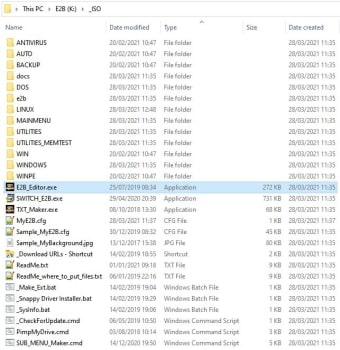
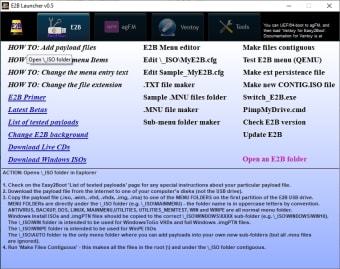
Easy2Boot offers three menu systems depending on the boot method that your PC supports. Aside from ISO, it can also handle other file types or archives, such as WIM, EFI, and IMG. You can even copy files that are over 4GB in size if you've formatted your USB drive using the NTFS file system. You can still use it as a normal storage device, and nothing will be affected.
If you'll use it for Windows, a neat thing is that you can set it to be a fully automated installation, including necessary drivers and applications of your choice. Now, despite the extensive guide and tutorial that the developers offer on their website, Easy2Boot still comes with a relatively steep learning curve, so just be aware of this before you start using this utility.
A capable utility for creating multiboot USB solutions
Overall, if you're looking to create an all-purpose multiboot USB for various applications, Easy2Boot can help you out with that. It offers multiple menu systems for increased compatibility with all types of machines and it can handle plenty of file types for creating your bootable drive. Recommended.