

Περιγραφή
Not your typical form-making plugin. Forminator is the easy-to-use WordPress form builder plugin for every website and situation. It’s the easiest way to create any form – contact form, order form, payment form, email form, feedback widgets, interactive polls with real-time results, buzzfeed-style “no wrong answer” quizzes, service estimators, and registration forms with payment options including PayPal and Stripe.
It’s the magical WordPress form builder for, well, everyone!
Forminator’s drag and drop visual builder makes it easy to setup and add forms to your WordPress website. Collect information, make your content interactive and generate more conversions with Forminator.
Unlock all form fields and premium addons from the start with Forminator Pro.
Level up immediately with exclusive Pro features like Stripe subscription forms, dynamic PDF generation, and easy geolocation & autocomplete. Learn more about Pro.
Forminator Forms, Surveys, Quizzes, Polls, Calculations and More…
- Forms – Custom forms for all your needs with as many fields as you like.
- Polls – Interactive polls to collect users opinions, with lots of dynamic options and settings.
- Quizzes – Fun or challenging quizzes for your visitors to take and share on social media.
- Calculations – Collect information, generate leads, take orders, and engage visitors.
- Payments – Take payments, donations, down payments, sell merch with the included Stripe and PayPal integrations.
Learn The Ropes With These Hands-On Forminator Tutorials
- Creating the Perfect Contact Form with Forminator
- Create an Easy Payment Form (for free!) with Forminator
- How to Get the Most Out of Using Forminator
- How To Capture eSignatures Using Forminator
- How To Collect Emails and Generate Leads With a Forminator Quiz
Accept Payments With Stripe and PayPal
Start taking payments with Forminator. No Pro upgrade required! SCA compliant Stripe and PayPal come included. Just enter your publish keys to activate the Forminator payment module for both fixed and variable payments.
Stripe Verified Partner
Forminator is also proud to be a Stripe Verified Partner. This partnership allows us to help you get the most out of our Stripe integration thanks to additional resources, e.g. the ability to escalate support questions, or request custom pricing reviews.
Stripe Dynamic Payments
Offer 40+ payment methods with Stripe’s Dynamic Payment Element, including Apple Pay, Google Pay, Klarna, and more. Easily manage which payment options are available to your users.
Calculations are a Lead Magnet
There are literally thousands of combinations for adding value to your site with Calculations:
- Registration forms with upgrade packages
- Sell a tee shirt with size, color, price, and tax variations
- Add a BMI and/or calorie intake calculator to your health and fitness blog
- Embed a loan calculator into your finance site
- Give a midwife a due date calculator
- Insta-quote or service estimator
- Put an ROI calculator on your agency site
- And on, and on, and on…
Drag and Drop Form Blocks
Forminator has a bunch of drag and drop blocks that make it easy to put forms together – name, email, phone number, text, file upload, website, date, time, number, HTML, pagination, radio boxes, GDPR-friendly opt-ins, payments, calculations, and hidden field.
Your Favorite Integrations Including +1000 Apps Already Added
Forminator comes stacked with crowd favorite third-party integrations – email services, CRM, storage, and project managers.
- HubSpot
- Campaign Monitor
- ActiveCampaign
- Google Sheets
- Webhooks (n8n, (Zapier, Make, Tray, etc)
- Trello
- MailChimp
- AWeber
- Slack
Develop And Sell Your Own Extensions
Forminator is free and open to millions of WordPress users! Use the developer API and the included hooks and filters to build your own integrations or custom apps and sell them or give them away free here on WordPress.org.
Poll Your Visitors
Polls are a brilliant way to engage visitors. Forminator gives real-time feedback with live stats displayed in beautiful pie charts and graphs.
Your Own Facebook-Style Quizzes
Who hasn’t been roped into taking “IQ tests” and “figure out which Star Wars character you are” quizzes on Facebook? Now you can run all that traffic to your site. Create both knowledge and no wrong answer quizzes with Forminator.
Collect Leads With Your Quizzes
Looking to use your quizzes for more than just entertainment and a way to engage your audience? Forminator also allows you to collect participants’ details (e.g., name, email, etc.) by integrating a lead generation form in your quiz.
Gutenberg Block
Forminator’s got you, whether you’re a classic editor or Gutenberg early adapter. Say goodbye to shortcodes and quickly add forms to posts with the Forminator block for Gutenberg.
Email Routing and Pre-Populate
Make your site more efficient from visitor input to email response times. Use query strings to pre-fill your visitor information and deliver forms direct to specific teams with email routing, auto-response and conditions.
User Front End Post Submissions
Want to let your visitors share a post submission without needing access to the WordPress dashboard? With Forminator visitors can submit post ideas from the front end of your site so you can easily curate and publish their thoughts. Assign post to a default author, save to draft, publish immediately, etc.
Google reCAPTCHA
You don’t want your inbox flooded with a bunch of form spam. Google ReCAPTCHA is free with Forminator. Now you can stop the crazy bots without making it hard on your visitors. No more hard to read random phrases.
Antispam Features
Protect your forms with built-in antispam tools like reCAPTCHA, hCaptcha, and Cloudflare Turnstile. You can also allow or block specific email addresses, domains, or TLDs using customizable email filters.
Cloud and Preset Templates
Jumpstart form creation with Preset Templates, or save time by reusing your own custom forms across sites using Cloud Templates synced through the HUB.
Collect, Track and GDPR Ready
Forminator stores and organizes submissions so you can sort, analyze and manage responses – of course, all while making it super easy to comply with the GDPR and other legal privacy policies.
Import Your Existing Contact Form 7 Data
Looking to move existing forms over from CF7? Forminator’s Import Wizard allows you to migrate all, or selected forms in a matter of clicks. You can also transfer data from a range of Contact Form 7 add-ons and settings.
Custom Login and Registration Forms
Create and embed custom login and registration forms for your sites (or multisites!). Take L&R forms to the next level: choose from a range of form fields, and customize settings, style, and behavior.
Multi-file Upload Field
Along with enabling single file uploads, Forminator takes things up a notch by allowing users to upload multiple files. You can also choose to set specific file types, limit the number of files that can be uploaded, as well as the individual file size. The upload field’s drag and drop interface also makes it a breeze for users to upload files.
Group And Repeat Form Fields
The Field Group feature allows you to group any number of fields together in one form. You can also enable users to add as many additional field groups as needed when filling out your form. Great for repeatable data entry such as employment history, event attendees, lists, etc.
Advanced Date Field Restrictions
Perfect for appointment and hotel bookings – Forminator’s Date Picker Limits feature allows you to restrict the available dates shown on your date field calendar. For example, you might show future dates only, a selected number of dates from today, dates between a specific date range, specific days of the week, and more!
Add An E-Signature Form Field (Pro Only)*
Have an online application that requires a signature, or a contract you need your customers to sign? Forminator’s E-signature feature allows visitors to use their mouse, trackpad, or finger (on touch devices) to leave a signature upon submitting the form. Just insert the “E-Signature” field and voila!
Receive Subscriptions and Recurring Payments on Stripe (Pro Only)*
Create fully-customized subscription forms with Forminator Pro’s Stripe Subscription add-on. Allow your customers to choose plans/pricing, billing cycle, custom upsells, a free trial option, and of course, make secure card payments. Forminator also saves you time by instantly and automatically syncing all subscription form data straight to your Stripe account.
*Note: These features are only available with Forminator Pro. Get instant access to Forminator Pro – as well as all our other premium plugins, managed WP hosting, our site management platform: The Hub, and 24/7 expert support – all with a WPMU DEV membership.
What Do People Say About Forminator?
★★★★★
Amazing plugin, it really seems that only your imagination can limit its uses. Loads of features like taking payments, calendar, for free. Can’t believe everything I need is in there, it sparks creativity and makes it fun to work on a website. – araca
★★★★★
This plugin has an excellent, well-thought-out, well-designed UI and offers everything I was looking for (and I think I’ve tried every serious competitor). – tvsmvp
★★★★★
This plugin is the best free form builder by far! I have researched many but this is so easy to use… Try it. I am SURE you will LOVE IT. – johncarteroz
★★★★★
Great interface design, super easy to use and great functionality. I don’t normally write reviews, but I loved it so much, I just had to this time! – istavridi
Shameless Plug(ins)
Love Forminator! WPMU DEV has some other awesome free plugins you should checkout.
- Smush – Image Compression and Optimization
- Hummingbird – Page Speed Optimization
- Hustle – Pop-ups, Slide-ins and Email Opt-ins
- SmartCrawl – SEO Optimizer
- Defender – Security, Monitoring, and Hack Protection
About Us
WPMU DEV is a premium supplier of quality WordPress plugins, services and support. Join here:
https://wpmudev.com/
Don’t forget to stay up to date on everything WordPress from the Internet’s number one resource:
WPMU DEV Blog
Hey, one more thing… we hope you enjoy our free offerings as much as we’ve loved making them for you!
Contact and Credits
Στιγμιότυπα
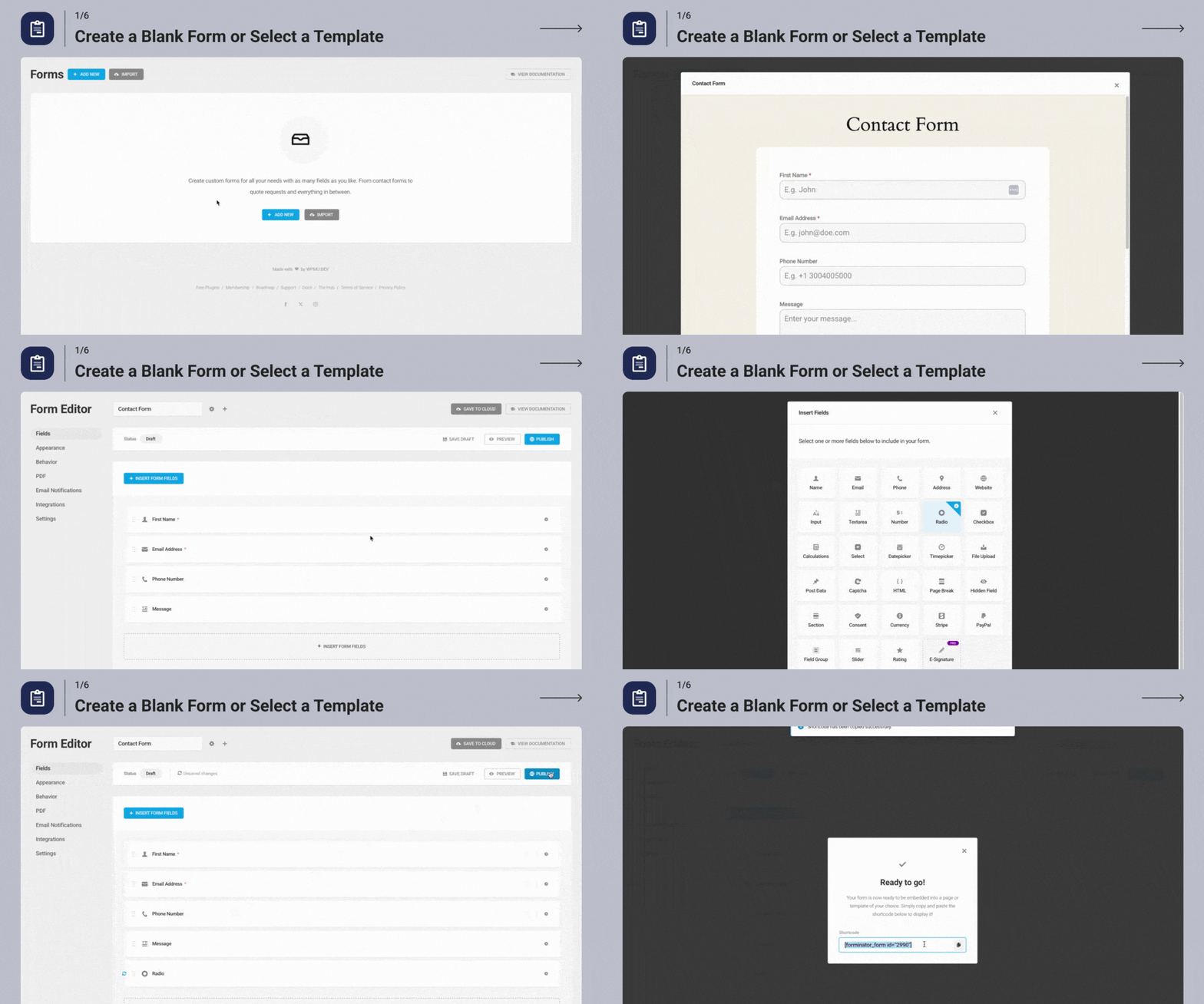
Create a Blank Form or Select a Template 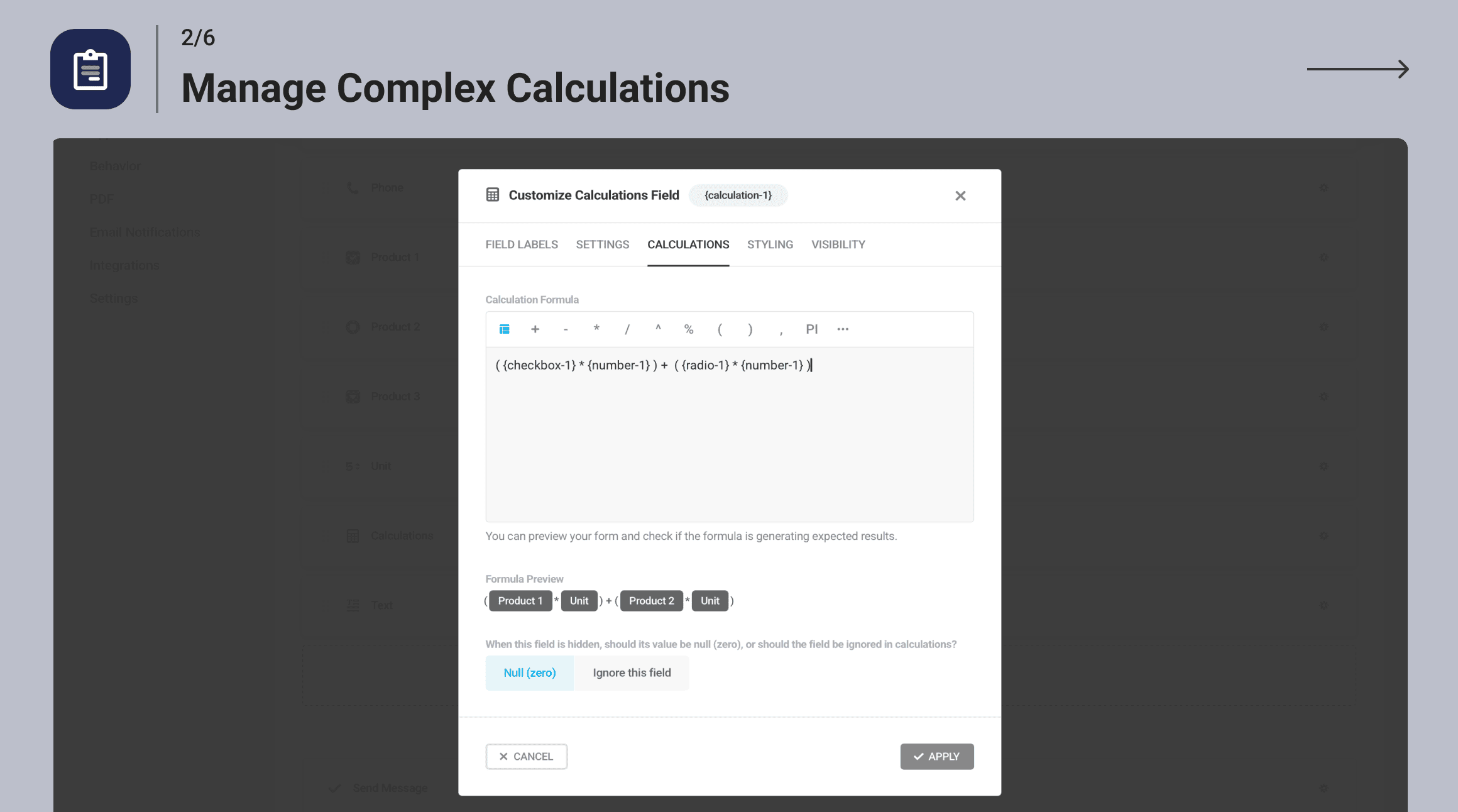
Manage Complex Calculations 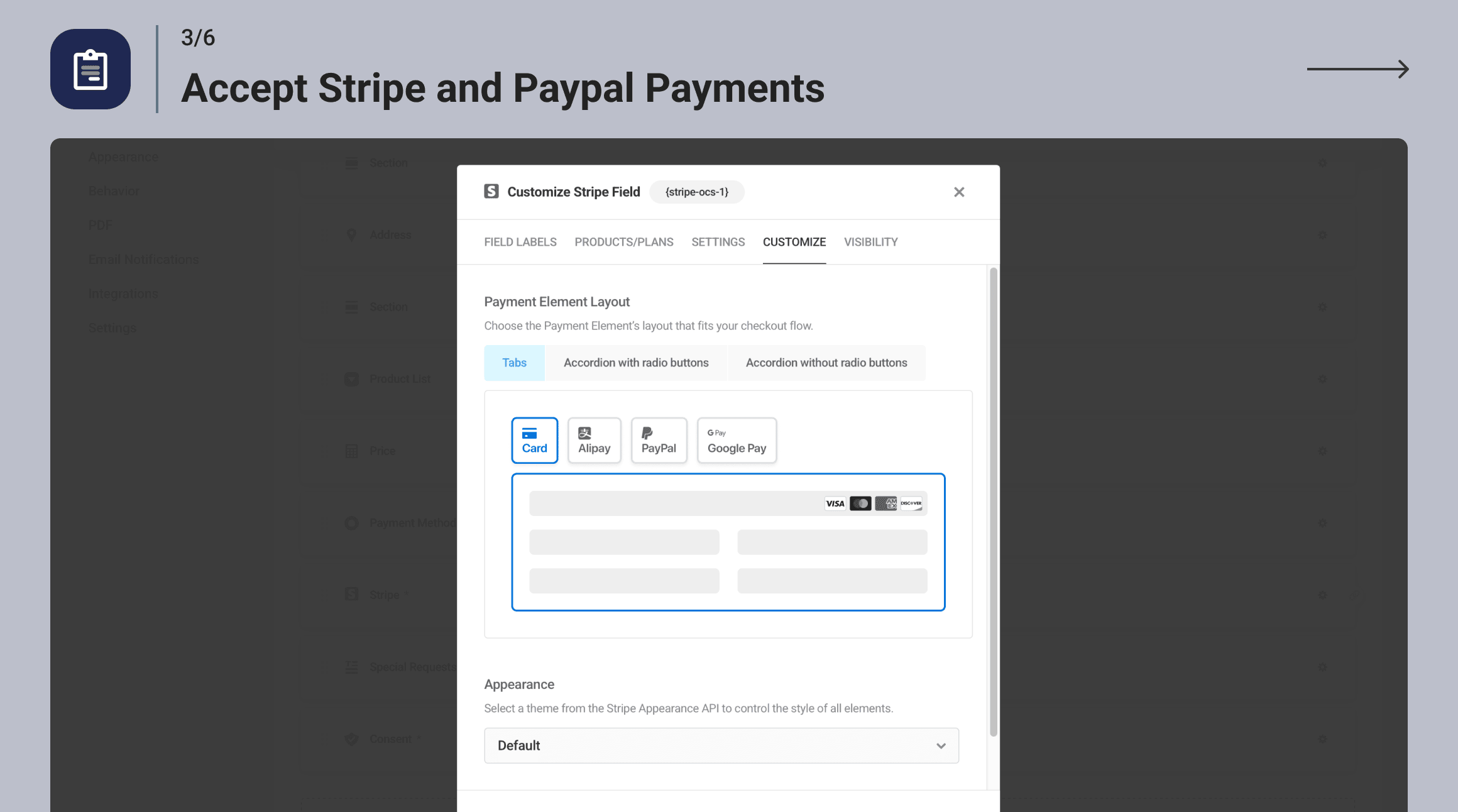
Accept Stripe and PayPal Payments 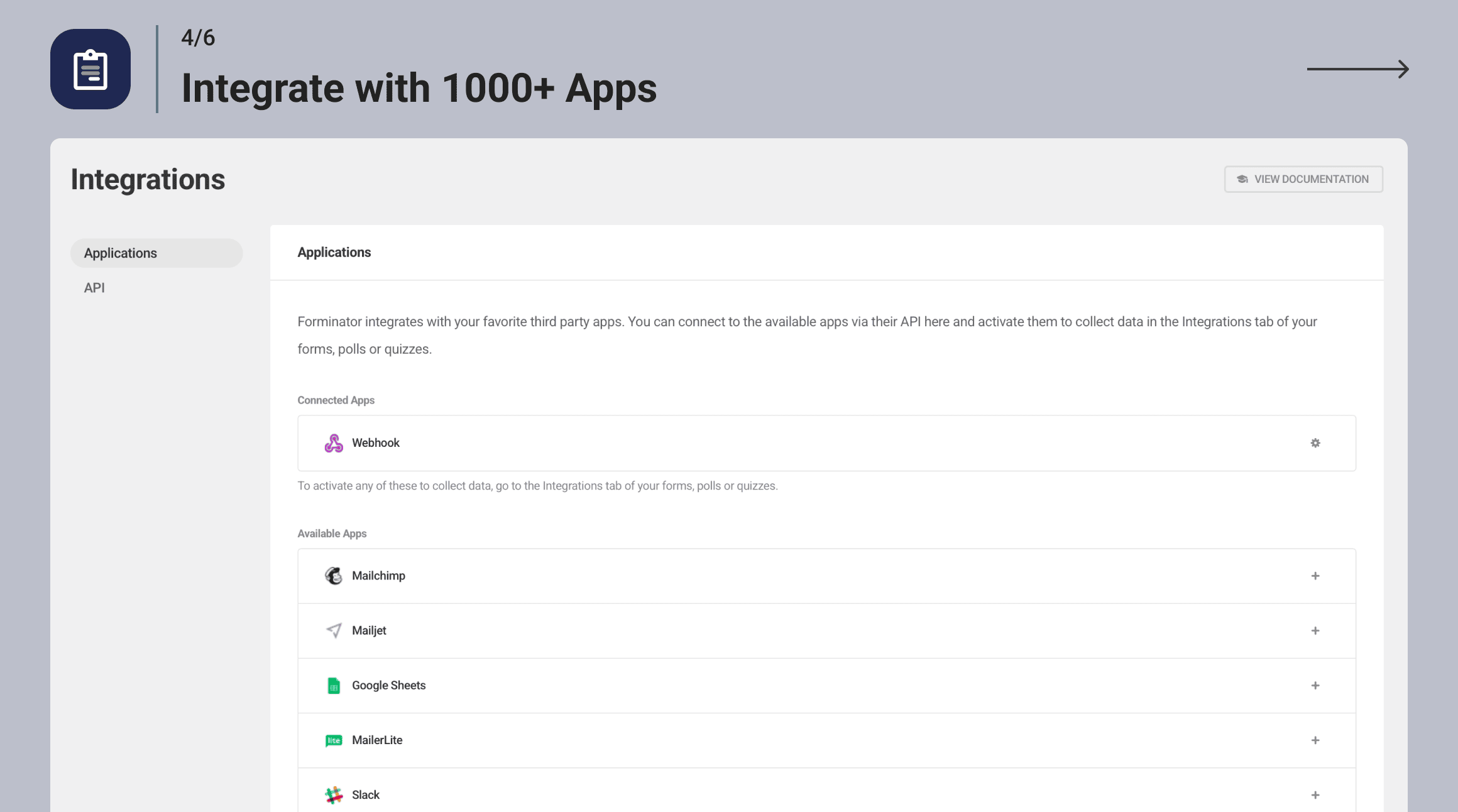
Integrate with 1000+ Apps 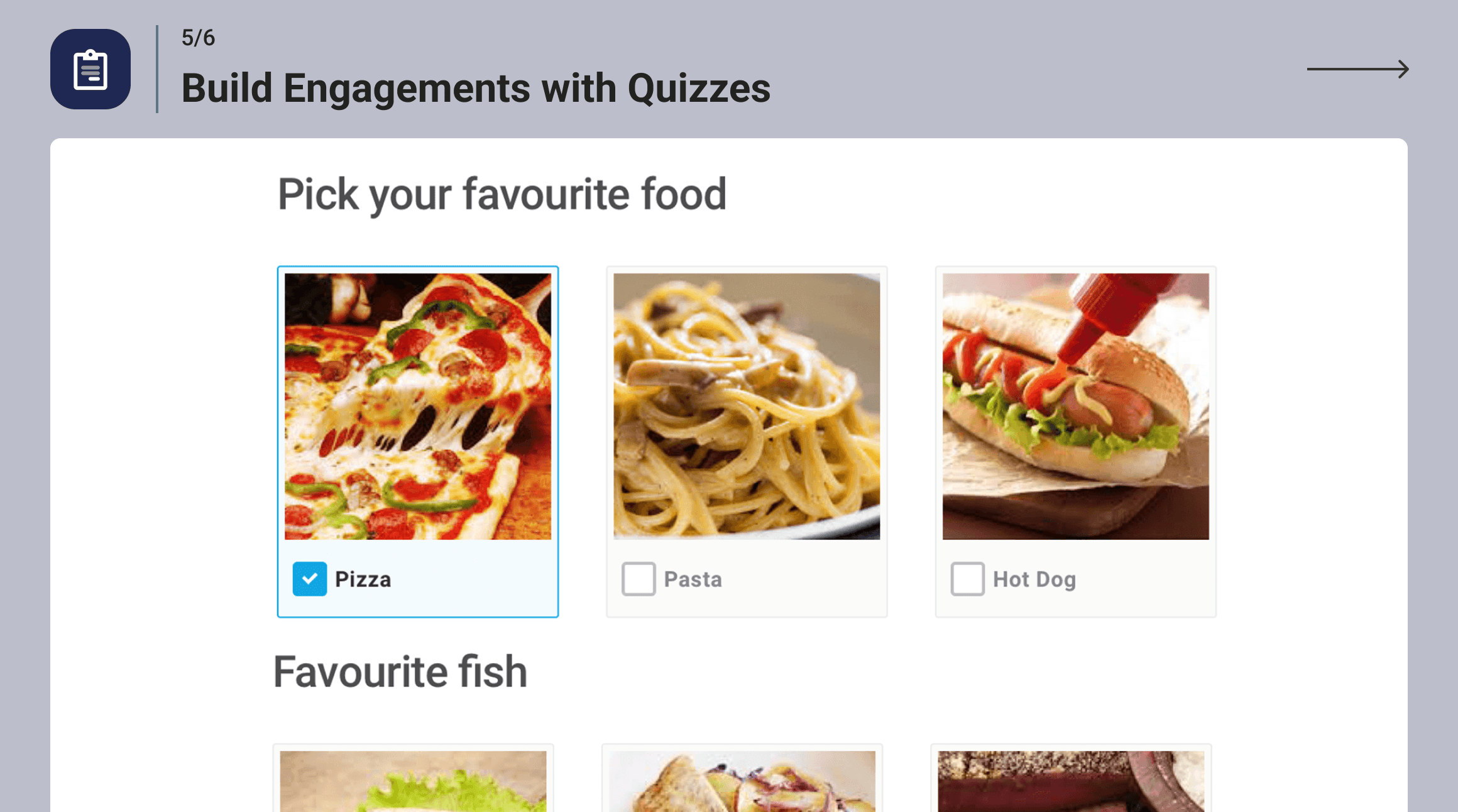
Build Engagements with Quizzes 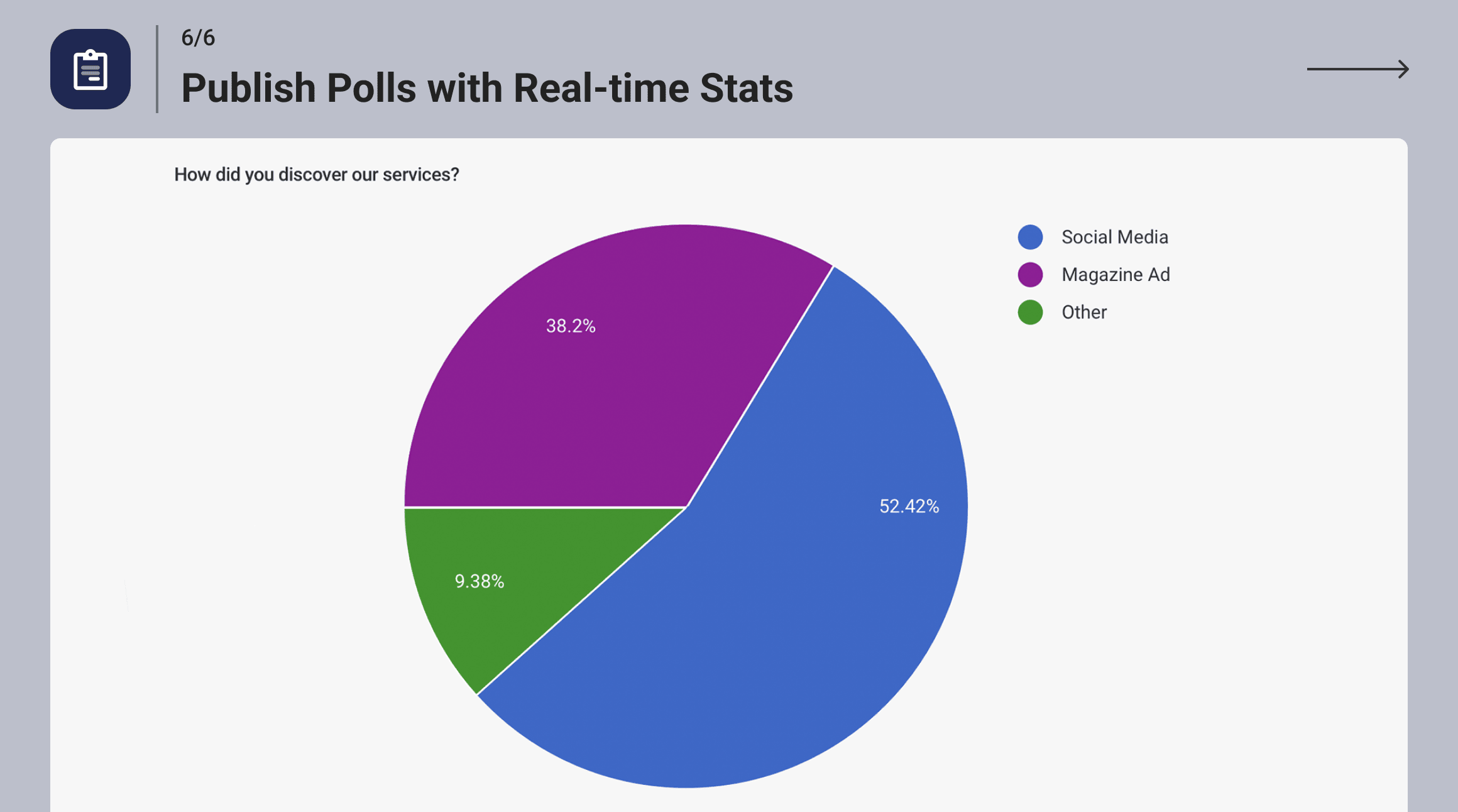
Publish Polls with Real-time Stats


Συχνές Ερωτήσεις
-
Why choose Forminator over WPForms?
-
Forminator offers more features and functionalities compared to WPForms, especially in its free version. While WPForms Lite has limited access to essential tools, Forminator offers over 20 form fields, conditional logic, and comprehensive spam protection.
Additionally, Forminator provides payment integrations with both Stripe and Paypal, whereas WPForms Lite only integrates with Stripe. Forminator also supports a wider range of integrations, as well as quizzing and polling tools, advanced customization and styling options, and robust submission management. These features are available only in the pro version of WPForms.
-
Does Forminator include a Gutenberg block?
-
It sure does. Forminator is built to work in both the Gutenberg and ClassicPress editors.
-
Is Forminator GDPR Ready?
-
Forminator makes it easy for you to comply with the GDPR and other local privacy regulations…all the tools are included but ultimately it is up to you to implement healthy privacy and data protection on your site. Do the right thing y’all.
-
Can I accept payments with Forminator?
-
Yes! Forminator includes free integrations with Stripe and PayPal. Stripe’s Dynamic Payment Element supports 40+ options—including Apple Pay, Google Pay, Amazon Pay, and Klarna.
-
Are Forminator payment options SCA compliant?
-
Yes! Forminator is not managing the payment processing. We worked with Stripe and PayPal to ensure the built-in integrations follow the EU’s Strong Customer Authentication regulations (PSD2).
-
Can Forminator help prevent spam submissions?
-
Forminator includes built-in antispam tools like Captcha integrations from multiple providers, honeypot Fields, email filters, and support for third-party services like Akismet.
-
How do I create a contact form in WordPress with Forminator?
-
We’ve put together a simple guide to Forminator contact forms on our blog. You can read the article here
-
I want to develop for Forminator! Where can I find API documentation?
-
Find out all you need to know by checking out our API documentation here
-
Where can I get Forminator docs?
-
How can I report security issues or bugs?
-
We take plugin security incredibly seriously; if you have a bug or vulnerability to report, you can do so through the Patchstack Vulnerability Disclosure Program. It’s fast, easy, and you will be notified when the issue is fixed. Report a vulnerability.
Κριτικές


Συνεισφέροντες & Προγραμματιστές
“Forminator Forms – Contact Form, Payment Form & Custom Form Builder” είναι λογισμικό ανοιχτού κώδικα. Οι παρακάτω έχουν συνεισφέρει στη δημιουργία του.
Συντελεστές
Το “Forminator Forms – Contact Form, Payment Form & Custom Form Builder” έχει μεταφραστεί σε 21 γλώσσες. Ευχαριστούμε τους μεταφραστές για τις συνεισφορές τους.
Μεταφράστε το “Forminator Forms – Contact Form, Payment Form & Custom Form Builder” στην γλώσσα σας.
Ενδιαφέρεστε για την ανάπτυξη;
Περιηγηθείτε στον κώδικα, ανατρέξτε στο αποθετήριο SVN ή εγγραφείτε στο αρχείο καταγραφής αλλαγών ανάπτυξης μέσω RSS .
Σύνοψη αλλαγών
1.51.1 ( 2026-02-27 )
- Fix: Security improvements
1.51.0 ( 2026-02-16 )
- Enhancement: Migrate the Geolocation autocomplete feature to the “Google Places API (NEW)”
- Enhancement: Add the ability to save forms as Cloud Templates during import
- Enhancement: Improve field order handling when sending data to the Google Sheets integration
- Enhancement: Add a filter to allow modifying fields before sending data to the Google Sheets integration
- Enhancement: Review the use of external resources for GDPR compliance
- Fix: PayPal payment fails when Visibility Conditions are applied to the submit button
- Fix: Conflict between PayPal and Group fields
- Fix: Error in the Calculation field when re-sending email notifications
- Fix: Signature field does not work correctly when used in Visibility Conditions for other fields
- Fix: Conflict between Avada theme, SmartCrawl, and Forminator
- Fix: Custom user meta gets mixed up during drag & drop in the Registration form
- Fix: Strange behavior when dragging & dropping custom fields in the Post Data field
- Fix: Extra space when ReCAPTCHA or Page Break fields are in the same row as other fields
- Fix: JS error in the console when a signature is drawn in Preview mode
- Fix: Issue with Pro template buttons for additional site administrators when White Label is enabled
- Fix: HubSpot fatal error when the account no longer exists
- Fix: Incorrect column order for cloned Group sub-fields in the Google Sheets integration
- Fix: “Open in New Tab” is not working in the HTML field
- Fix: Offset calculation for the Datepicker is affected by the visitor’s timezone
1.50.3 ( 2026-02-10 )
- Fix: Security improvements
1.50.2 ( 2026-02-10 )
- Fix: Security improvements
1.50.1 ( 2026-01-15 )
- Fix: Fatal error caused by ‘FORMINATOR_ENCRYPTION_KEY’ when leftover integration data exists in the database
1.50.0 ( 2026-01-12 )
- Enhancement: Improve Stripe Payments to support BLIK payment method
- Enhancement: Add an “Email Image Options” setting to choose between image links or image previews in Email Notifications
- Enhancement: Add Forminator plugin deactivation survey
- Enhancement: Add Hub disconnect survey
- Enhancement: Remove all documentation links when White Label is enabled
- Enhancement: Improve compatibility with B2BKing plugin
- Enhancement: Add notification when webhook connection fails
- Enhancement: Add the ‘forminator_custom_form_mail_exclude_html_fields’ filter to exclude HTML fields from email notifications
- Enhancement: Add the ‘forminator_akismet_values’ filter to modify data sent to Akismet
- Enhancement: Add an admin notice prompting users to set FORMINATOR_ENCRYPTION_KEY for security integration API keys
- Enhancement: Collapse the WordPress admin menu in the Form Builder
- Enhancement: Add response data to the ‘forminator:form:submit:success’ JS event
- Enhancement: Add character limit to Feature survey
- Fix: An error occurs when pre-filling PayPal billing details using the Name field
- Fix: The PayPal checkout button doesn’t display for some languages
- Fix: Submit button visibility condition can be bypassed by removing hidden class in browser
- Fix: Users with permission to view the Add-ons page cannot install add-ons
- Fix: Send the Select field “Other option” value to the Google Sheets integration
- Fix: Line breaks don’t work on the Submissions page for Post Content and Textarea fields
- Fix: Weekly notifications don’t work when scheduled for a time other than 12:00 AM
- Fix: Filtering by ID doesn’t work for quizzes without leads on the Submissions page
- Fix: Form fields don’t reset when submitting a draft
- Fix: Select field checkboxes don’t reset after submission
- Fix: Date field’s Start Date option doesn’t work inside Group field
- Fix: “Save as draft” link isn’t enabled when adding or removing items from a Field Group
- Fix: Special characters like “&” in Select options break submission limits
- Fix: Select fields have a grey background even when the “Use Theme Colors” option is enabled
- Fix: Required error messages don’t display for the Signature field in paginated forms
- Fix: Color picker is missing transparency setting in Appearance Presets editor
- Fix: Field rows overflow in the Form Builder on small screens
- Fix: Akismet Protection toggle issue
- Fix: Stripe field amount issues caused by custom currency field formatting
- Fix: Rich-text editor for Textarea field doesn’t load in preview
- Fix: Euro currency values are rounded in emails
- Fix: The first section isn’t selected in the Field Settings popup for some fields
- Fix: Field labels and descriptions overlap when using the Material Design style
- Fix: Button text and icons overlap in the Form Builder for RTL languages
- Fix: Some Email notification conditions aren’t displayed for Personality Quizzes
- Fix: Name prefix is not translated on Submissions page
- Fix: Calculation field causes Google PSI issue
1.49.2 ( 2025-12-18 )
- Fix: Security improvements
1.49.1 ( 2025-12-12 )
- Miscellaneous improvements
1.49.0 ( 2025-01-12 )
- Enhancement: Add Instant Preview
- Enhancement: Add the ability to insert new fields at any location in the Form Editor
- Enhancement: Update the Status Bar in the Editor
- Enhancement: Update the Editor sidebar
- Enhancement: Update Appearance settings
- Enhancement: Remove other admin notices in the Editor
- Enhancement: Show a success notification after creating an Appearance Preset
- Enhancement: Show free templates without errors when the Hub has issues
- Enhancement: Include information about using Cloud Templates in the Import and Export modals
- Enhancement: Remove the file name format from the PDF title
- Enhancement: Add a survey to collect user feedback
- Fix: Stripe notice appears in logs when a subscription payment requiring additional steps is submitted
- Fix: PayPal field throws an error when the amount is greater than 1000 in Japanese Yen
- Fix: Visibility Conditions missing on the Email Notification tab for Quizzes
- Fix: Some hidden fields trigger accessibility issues
- Fix: Export adds a
tag when multiple checkbox values are selected - Fix: Active submissions count in form stats shows all submission types when clicked
- Fix: Incomplete submissions appear in the stats graph on the forms listing page
- Fix: Removing an image in the Upload field doesn’t toggle visibility conditions
- Fix: Notices appear when using Number and Calculation fields in a form
- Fix: Issue with required Radio fields that have no options
- Fix: Fatal error when using the {signature-1} placeholder in PDFs
- Fix: Calculations not showing the slider value when it’s not a whole number
- Fix: Sending multiple options from Checkbox and Select fields to HubSpot
- Fix: Fatal error on the Add-ons page when the Add-ons list from the Dashboard plugin is not synced due to a network issue
- Fix: Retention description for the ‘0’ case
- Fix: Highlighting the parent block when selecting the child element in Appearance settings
1.48.3 ( 2025-11-20 )
- Miscellaneous improvements
1.48.2 ( 2025-10-15 )
- Fix: Issue with some submission data not properly rendering when object cache is enabled
- Fix: Error message for required Select fields is not cleared after submission
1.48.1 ( 2025-10-10 )
- Fix: Google Sheets token refresh issue
1.48.0 ( 2025-10-06 )
- Enhancement: Respect WordPress network settings that disable site creation and display a notice on the Form Editor screen for registration forms on the main site of multisite networks
- Enhancement: Respect WordPress settings that disable user registration and display a notice on the Form Editor screen for registration forms
- Enhancement: Add a new “Map ID” field to Geolocation settings
- Enhancement: Improve browser autofill
- Enhancement: Add option to enable or disable browser autofill for input fields (Name, Address, and Phone)
- Enhancement: Display Signature, Radio, Checkbox, and Upload fields in the email body as images instead of text or URLs
- Enhancement: Add “status” column to “frmt_form_entry” table in the database for submissions
- Enhancement: Improve WP caching for submissions based on their status
- Enhancement: Improve compatibility with Photonic Gallery plugin
- Enhancement: Hide integration API keys
- Enhancement: Add add-on page notices when there is no connection to the Hub
- Enhancement: Hide HTML field from Payment custom metadata
- Enhancement: Enable the Slider step values toggle by default
- Fix: Registration is still allowed even when the network option is deactivated
- Fix: Can’t set conditions that include the Date Picker field if the site language differs from English
- Fix: Stripe payment method does not change on the front end if the user visited the form before and did not submit it
- Fix: Select placeholder is duplicated when using an Elementor popup triggered by an On Click event
- Fix: Single Upload field not working in the media library with the Stripe field
- Fix: Sudden layout changes move the Submit button after filling out a required field
- Fix: Calculation field removes the modulo operator without brackets
- Fix: The min/max validation message is reversed for Number and Currency fields
- Fix: Fields with conditional visibility inside repeater groups do not record all data
- Fix: PayPal field breaks the selected values when the variable amount is not properly configured
- Fix: Word “array” for the Upload field appears in the PDF if no files are uploaded
- Fix: Show correct navigation links when some features are disabled
- Fix: Categories and Tags (Multiple) in the Post Data field remain selected when the form is submitted
- Fix: Incorrect classes on Submit button for paginated forms
- Fix: Number field value does not display in HTML fields if it is on the same row as a hidden Calculation field
- Fix: Default Radio/Checkbox image background color isn’t working
- Fix: Issue with Group field, HTML widget, and visibility conditionals
1.47.0 ( 2025-09-09 )
- Enhancement: Add page visibility conditions for paginated forms
- Enhancement: Improve Page Break field design
- Fix: Prevent placing the Page Break field in the same row with other fields
Full changelog can be found here – Forminator changelog.
