
Best-in-Class
Coding-Free
Easy-to-Use
Google Maps widget for website
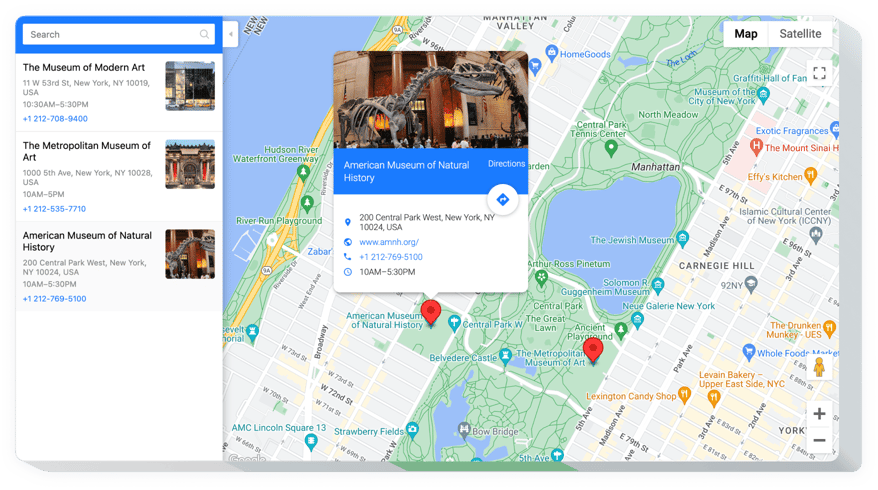
Display interactive maps with multiple locations, contact details, and navigation support to help users find your places with ease.
Create Widget for Free
No credit card needed
Trusted by over 3,000,000 small business, agencies and top global brands worldwide
Create your Google Maps widget
Configure your widget and add it to your website for free!
Why do I need Elfsight Google Maps?
Show where you are. Bring in more customers.
Stay easy to find and attract more walk-ins
A clear, visible map shows customers exactly where your business is located.
Boost foot traffic by +35%
Customers are far more likely to visit when they see your business pinned on Google Maps.
Make navigation effortless
Visitors get directions instantly without searching or switching apps.
0%
websites support
0+
hours of development invested
1 min
to start using the widget
0%
customer satisfaction rate
Join 2,078,753 customers already using Elfsight Apps
You can start with creating your first Elfsight Google Maps widget for free.





















What makes Elfsight Google Maps special?
INFO
Stay easy-to-reach with detailed contact info
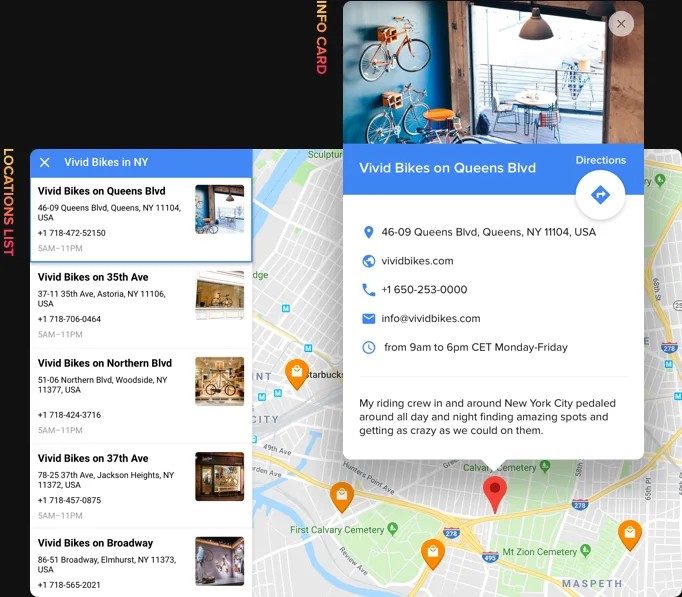
Elfsight Google Maps widget offers you to show different types of contact info on the map: add markers and display maximum details in their info windows, including phone, address, opening hours and more; unite all your locations into a single list on Location panel for user-friendly view.
Learn more
On side panel, I list all my offices around the city and it’s easy to view them and choose the closest one.
LOCATIONS
Unlimited markers and automatic routes for more visits
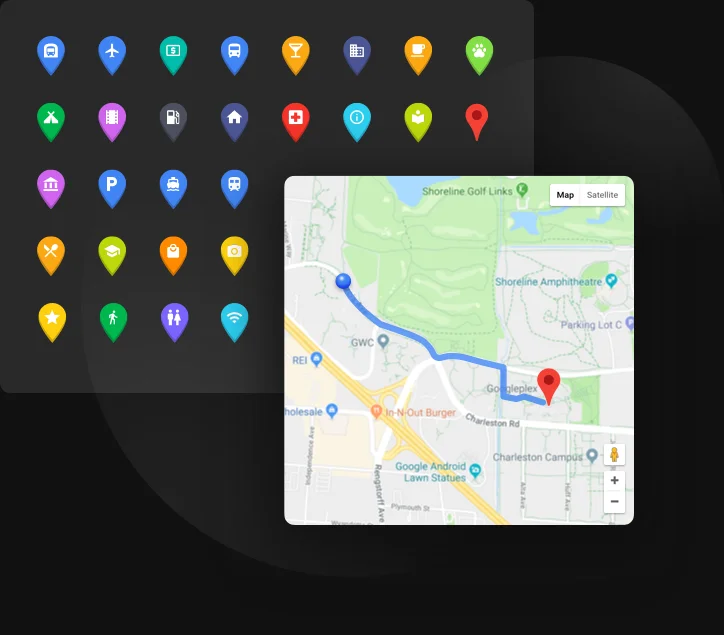
Our Google Maps widget allows for easy work with your locations and helps to get the most of them. Easily add locations by only address and mark as many of them on the map, as you need, using the library of 50+ types with icons. Show your website visitors the optimum route to your place right on the page with automatic route search.
Learn more
Automatic route search makes getting to my location a lot easier, without leaving my site.
MAP
Everything to configure a clear and helpful map
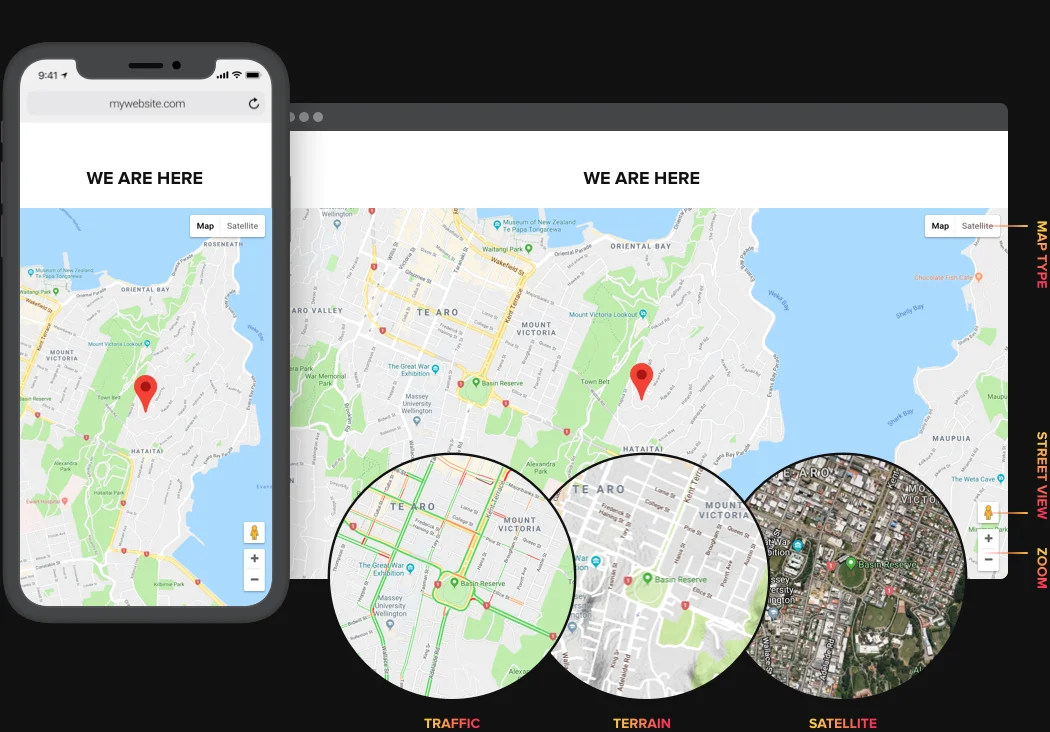
Make your map really convenient for your clients by adjusting its multiple settings. Choose map layers and type, set the most handy ways of control and allow your clients to use automatic navigation, that will help find the route from their place to your location right on the page. You can also change the widget size to your needs. Our widget is mobile optimized and adapts the layout for any proportions.
Learn more
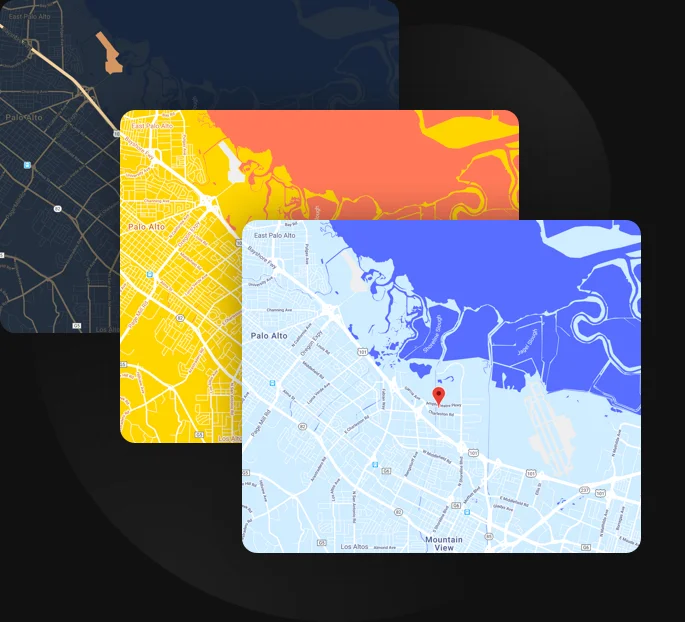
STYLE
Create a unique custom look of the map
You think it’s difficult to customize the style of a map widget? Elfsight Google Maps plugin will prove you are wrong! We offer four stylish color schemes to make your widget look conceptual and match the design of the site. You can also paint 23 different elements to your taste and bring a bit of creativity to the widget.
Learn more
I didn’t want that plain classic-colors map for my site. And with this widget, all my bold ideas came true. It offers really great style customization!
Usage examples
See a selection of real examples to explore the full potential of Google Maps for your website.
See in action
Live demo
Try all the features of Google Maps in live demo now. No fees. No registration. No coding.
Try now
Why Elfsight widget of all others?
Great features are not the only thing you will have. To give your website all it needs, we are always available with high-quality support in any kind of query and the latest updates available.

Handy interactive configurator
No programming, no need for a developer - our active configurator allows for in a couple of steps to save your time and money.

Competent Elfsight team
Quick assistance and free installation guidance will provide you problem-free experience.

Stunning Elfsight Apps service
Cloud tools for regular automatic updates, fast bug fixes and high loading speed wherever you are.
What our customers say ❤️

Elfsight Map plugin is amazing, and their support is real quick and friendly. Relevant and flexible widget, I advise using Elfsight plugins!

Elfsight apps excellent, well designed, not complicated, and easy to customize. I'm so happy and impressed with their Google map and support.

Excellent Map widget, easy to customize and in case of any query, you will receive first-class support. I am strongly thinking about using all apps.

Impressive Google Maps widget for a very reasonable price. Wide customization, untangled and the Elfsight customer support is really friendly and useful. Great impressions!

Their team extremely quickly fixed an issue I was experiencing with their map. I consider trying their other software now!

The Maps widget is impressive and has absolutely intuitive interface. Super customizable and setup is just a second. Customer service was really professional and useful.
Frequently Asked Questions
Do I need my own Google Maps API key to use the map widget?
Yes, the map uses the official Google Maps API, so you’ll need to create and connect your own API key with billing enabled in your Google account.
How can I embed Google Maps on my website?
With Elfsight, in just a few steps, you’ll be able to integrate a map into your website:
- Select a template and customize your map in the Elfsight editor.
- Copy the installation code generated by the widget.
- Paste the code into a Custom HTML block on your website where you want the widget to appear.
Once added, the map will display on your website and automatically reflect any changes you make in the editor.
For more detailed instructions, follow the full step-by-step guide on how to embed Google Maps on your website.
Can Google Maps be used on any website platform?
Yes, the form works on any website platform that supports embedding custom HTML including BigCommerce, Blogger, Drupal, Facebook Page, Elementor, Joomla, jQuery, iFrame, Magento, HTML, ModX, OpenCart, Shopify, Squarespace, Webflow, Webnode, Weebly, Wix, WordPress, WooCommerce, Google Sites, GoDaddy, Jimdo, PrestaShop.
Can I show multiple locations on one map?
Elfsight supports an unlimited number of markers, making it easy to display multiple offices, stores, or pickup points on a single interactive map.
How can visitors get driving directions to a location?
Visitors can generate directions from their current location to any marker with one click, which opens the route directly in Google Maps.
What details can be displayed in a marker info card?
Each location card can show an address, phone number, email, website link, working hours, image, and a short description.
How do I add new locations, do I need coordinates?
You can add locations by entering an address or place name, and the map will automatically determine the coordinates using Google’s geocoding.
Can I import multiple locations from a CSV file?
Elfsight supports bulk marker import via CSV, allowing you to add or update many locations at once.
Does the map support categories and filtering?
Yes, you can organize locations into categories and enable filtering or clustering so visitors can focus on specific types of places.
Can visitors search for locations within the map?
Yes, a built-in search field lets users find locations by name or address and optionally locate the nearest marker.
Join 2,078,753 customers already using Elfsight Apps
Get the taste of 80+ powerful apps by Elfsight. No credit card. Joining is free!
Get started
Get 20% discount now!
