

Priskribo
- Activating this plugin will create a ‘Easy Admin’ entry in your admin area.
- Click it to go to the settings page.
- Simply select the menu entry you want to hide.
- Save your settings, and you’re done !
Of course, the Easy Admin settings page is always available, so you can always go back and show menu items you need.
If you have any questions, contact me via my website at https://vincentdubroeucq.com
Ekrankopioj
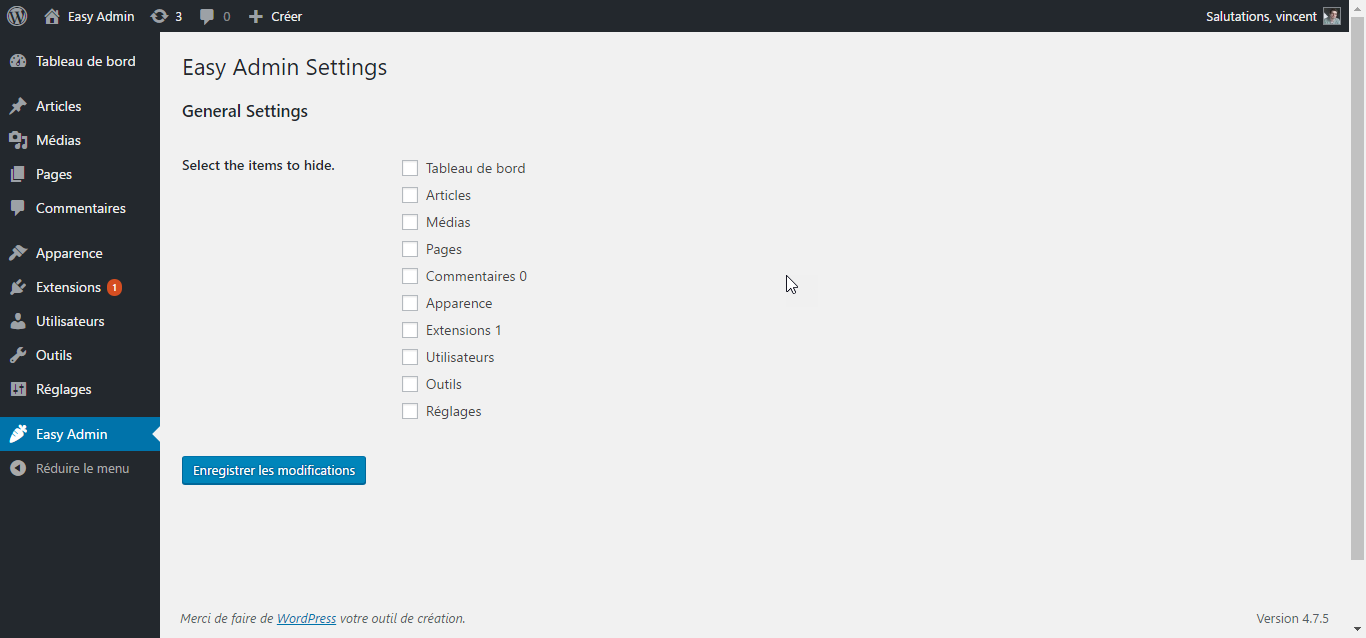
This is the Easy Admin settings page. Super simple. 
Check the menu items you want to add and click submit. 
That’s it ! Enjoy your cleaned up admin menu !


Instalo
- Download the zip file and unzip it.
- Upload the plugin folder to the
/wp-content/plugins/directory, or install the plugin through the WordPress plugins screen directly. - Activate the plugin through the ‘Plugins’ screen in WordPress
- That’s it ! Go to the settings page and clean your admin menu !
OD
- Does Easy Admin offer granular control over sub-items ?
-
No. Else it won’t be ‘Easy’ anymore. Not yet. But why not later ?
Pritaksoj
There are no reviews for this plugin.
Kontribuantoj k. programistoj
“Easy Admin” estas liberkoda programo. La sekvaj homoj kontribuis al la kromprogramo.
Kontribuantoj
Traduki “Easy Admin” en vian lingvon.
Ĉu interesita en programado?
Browse the code, check out the SVN repository, or subscribe to the development log by RSS.
Ŝanĝprotokolo
1.0.3
- Tested with WordPress 5.3.2.
1.0.2
- Tested with WordPress 5.0.1.
1.0.1
- Fixed compatibility issue with older versions of PHP.
1.0.0
- Initial release.
