

Descripción
AJAX realtime comment system with custom comment form and fields. Designed to supercharge WordPress native comments. Super fast and responsive with dozens of features. This is the best alternative to Disqus and Jetpack Comments, if you want to keep your comments in your database.
wpDiscuz version 7 is a revolutionary perspective on the commenting world! This plugin changes your website commenting experience and provides you with new user engagement features. It’s totally improved with brand new innovative features bringing live to your website.
- wpDiscuz Demo: https://wpdiscuz.com/
- Foro de soporte: https://wpdiscuz.com/community/
- wpDiscuz RGPD: https://wpdiscuz.com/gdpr/
- wpDiscuz Addons: https://wpdiscuz.com/addons/
- Documentación de wpDiscuz: https://wpdiscuz.com/docs/
- Paquete de extensiones wpDiscuz: https://gvectors.com/product/wpdiscuz-addons-bundle/
Comentarios – Características de wpDiscuz
- Three nice and modern comment layouts
- Ofrece la experiencia de comentarios más rápida (núcleo potenciado)
- Adds interactive comment box on posts and other content types
- Inline commenting and feedback. Commenting on post content.
- Live Notification with real-time updating Comment Bubble.
- Social Commenting with lots of Social login options
- Post Rating. Allows to rate posts directly on rating stars.
- Los comentarios se pueden permitir/rechazar en entradas y otros tipos de contenido
- Responsive comments form and comment threads design
- Clean, simple and easy user interface and user experience
- Comment list sorting by newest, oldest and most voted comments
- Anonymous comments ( name and email can be set as not required )
- Full integration with Social Network Login plugins (Facebook, Twitter…)
- Multi-level (nested) comment threads, with maximum levels depth setting option
- Allows to create a new discussion thread and reply to existing comment
- Ajax button «Load More Comments» instead of simple comments pagination
- Lazy load wpDiscuz comments on scrolling
- Different comment date formats, reflects WordPress date format settings
- Los usuarios conectados y los invitados pueden editar sus comentarios (el margen de tiempo puede ser limitado por el administrador)
- Automatic URLs to link conversion in comment texts
- Automatic image source URLs to image (HTML) conversion in comment texts
- Long comment text breaking function («Read more» button)
- Multiple line-breaks (limited by WordPress comment filter)
- Comment author notification options with special checkboxes on comment form
- Subscription activation via additional «Confirm Subscription» email
- Ability to add comment system on attachment pages if it’s allowed by WordPress
- Fast and easy comment form with ajax validation and data submitting
- Fully integrated and compatible with WordPress
- Uses WordPress Comment system with all managing functions and features
- Secure and Anti-Spam features will not allow spammers to comment
- Comment voting with positive and negative result
- Smart voting system with tracking by logged-in user and cookies
- Quick Tags on comment form textarea
- Custom Comment Forms with custom fields
- Shortcode de valoración para entradas a través del campo personalizado de comentario [wpdrating] con muchos atributos
- Option to overwrite comment template and style
- Destacar nuevos comentarios desde la última visita con diferentes fondos.
- Avisar el autor del comentario cuando su comentario se apruebe
- Display only parent comments with view replies (x) button
- Control commenters by roles (allow/restrict access to website comment area)
- Opción para cargar todos los comentarios en la primera página
- Built-in Gravatar caching
- Comentarios fijados
- Cerrar hilos de comentarios (respuestas desactivadas)
- Suscribirte a un usuario / Seguir usuario
- Built-in comment and comment author caching system
Extensiones
- | wpDiscuz – Paquete
- | wpDiscuz – Emoticons
- | wpDiscuz – User Notifications
- | wpDiscuz – Media Uploader
- | wpDiscuz – Embeds
- | wpDiscuz – Comment Author Info
- | wpDiscuz – Google ReCaptcha
- | wpDiscuz – myCRED Integration
- | wpDiscuz – Widgets
- | wpDiscuz – Front-end Moderation
- | wpDiscuz – Subscription Manager
- | wpDiscuz – Comment Search
- | wpDiscuz – Comment Report and Flagging
- | wpDiscuz – Ads Manager
- | wpDiscuz – User & Comment Mentioning
- | wpDiscuz – Advanced Likers
- | wpDiscuz – Usuarios online
- | wpDiscuz – comentarios privados
- | wpDiscuz – Syntax Highlighter
- | Comments Censure PRO
Integration Add-ons
Capturas
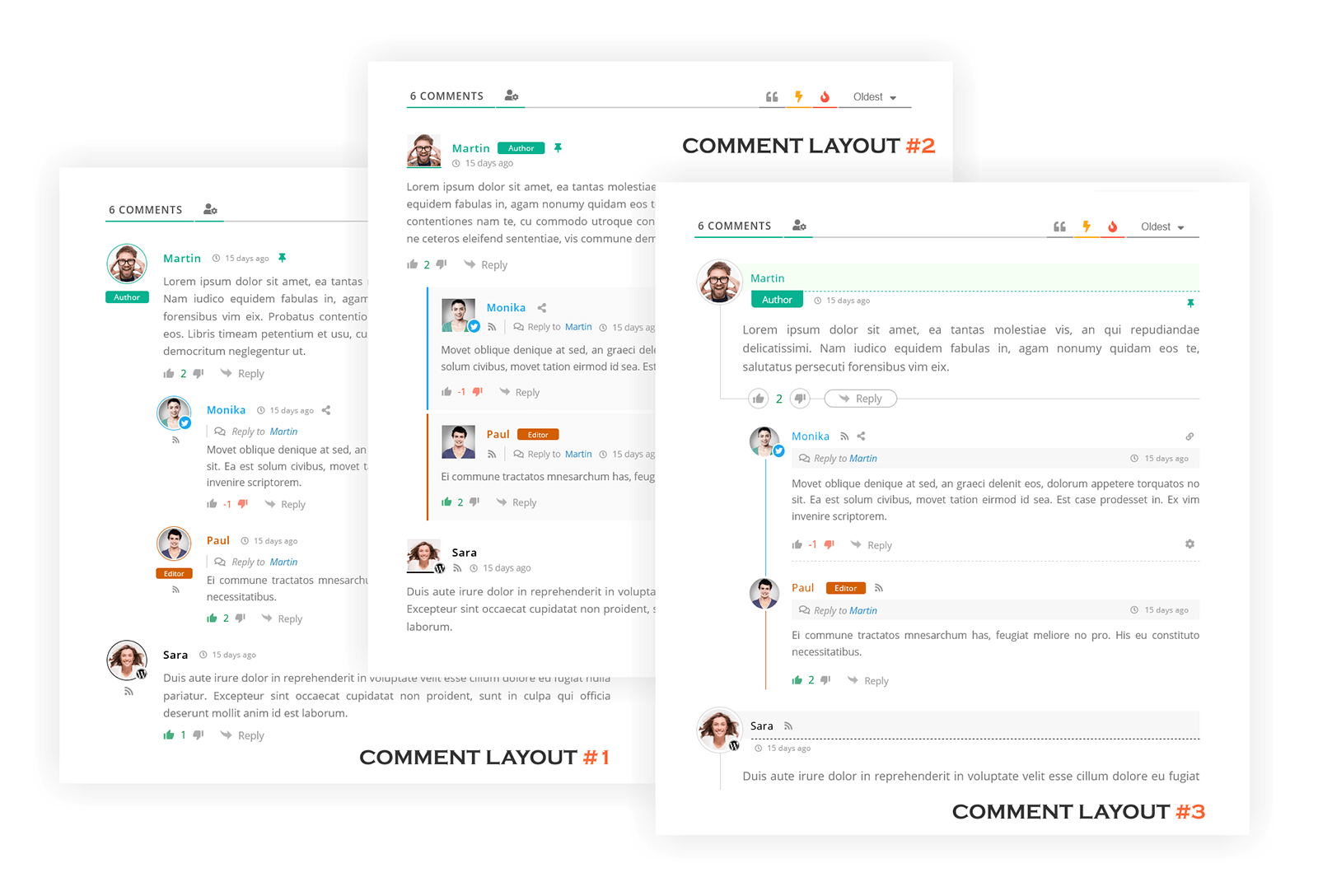
wpDiscuz Comments Three Layouts | Screenshot #1 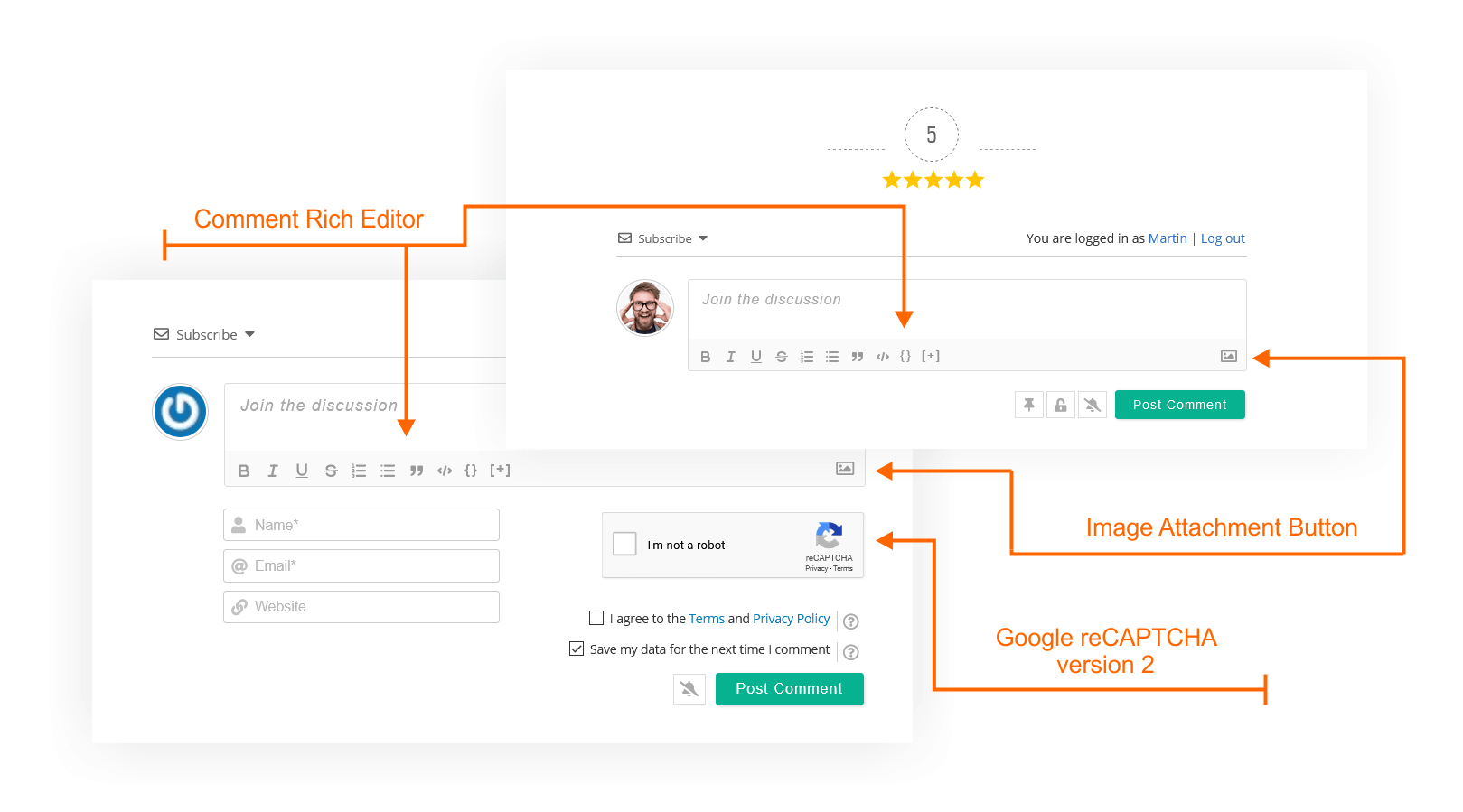
wpDiscuz Comments Form | Screenshot #2 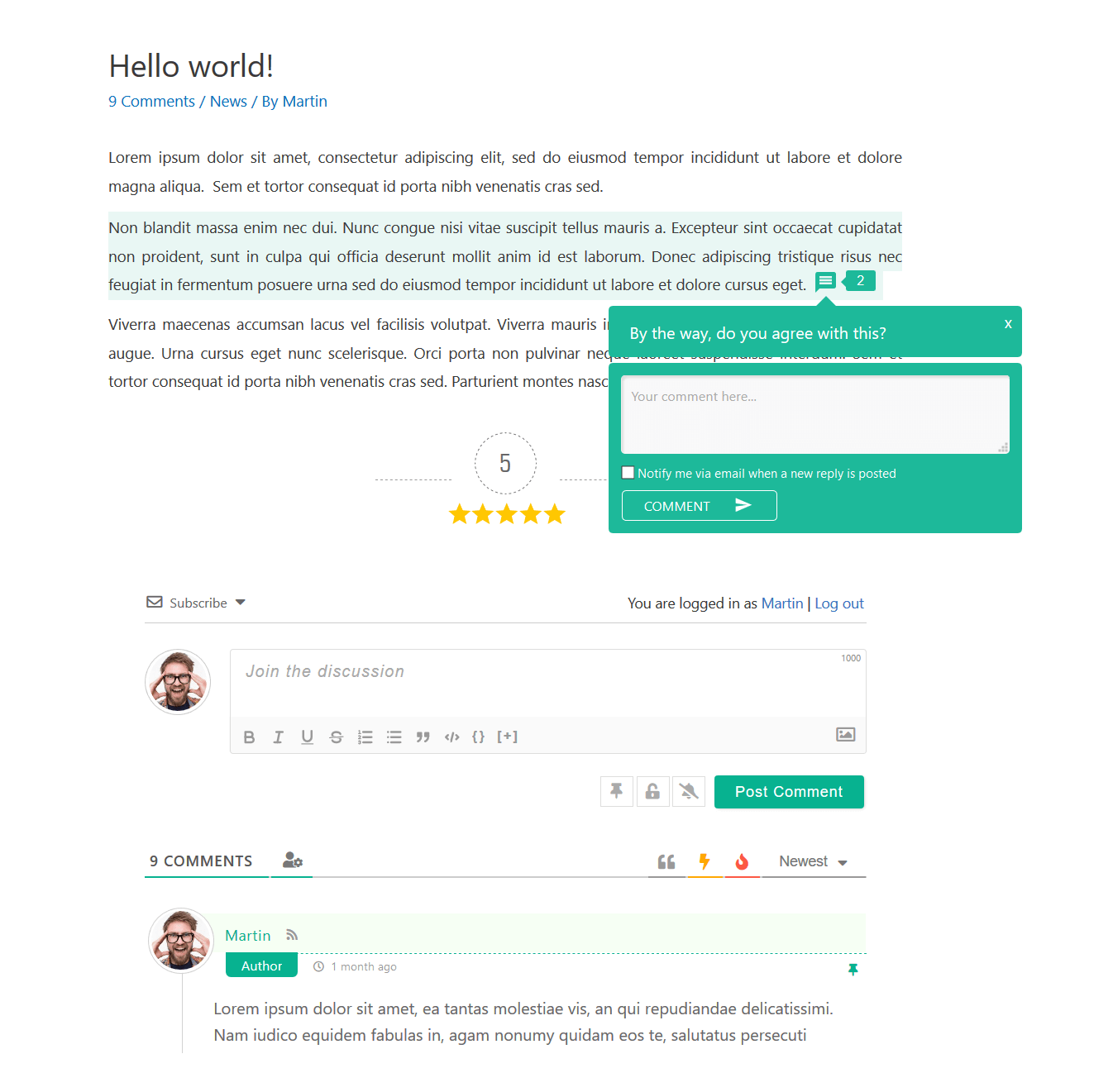
wpDiscuz Comments View | Screenshot #3 
wpDiscuz Comments on Mobile and Notebook | Screenshot #4 
wpDiscuz Inline Comment Form | Screenshot #5 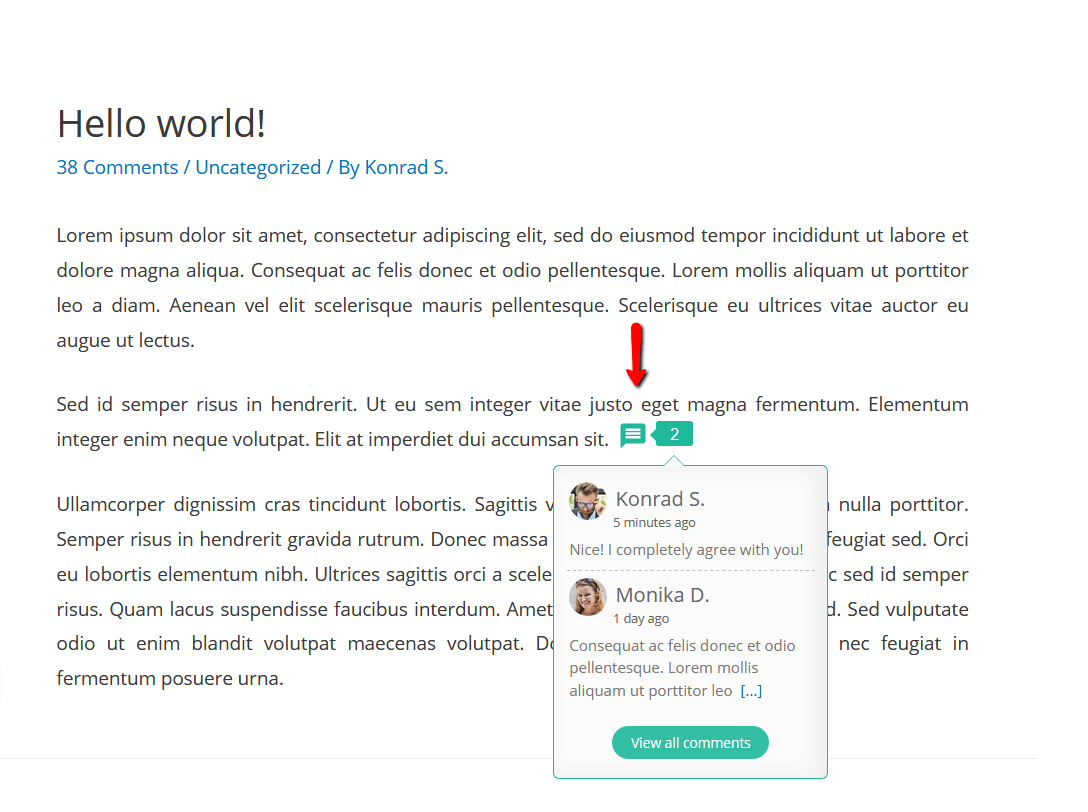
wpDiscuz Inline Comments | Screenshot #6 
wpDiscuz Post Rating and Comment Rating | Screenshot #7 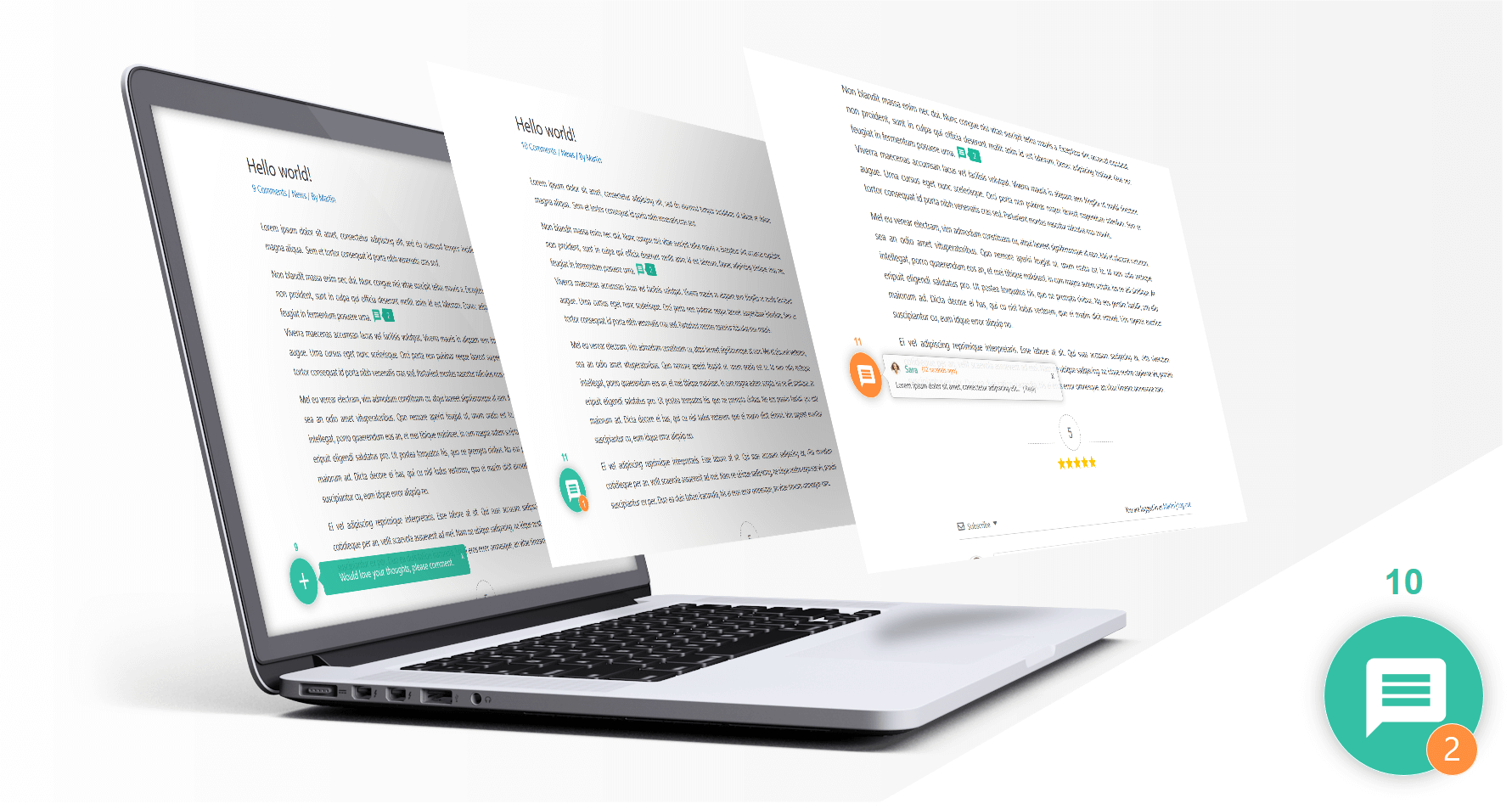
wpDiscuz Live Notification with Comment Bubble| Screenshot #8 
wpDiscuz Social Login and Commenting| Screenshot #9 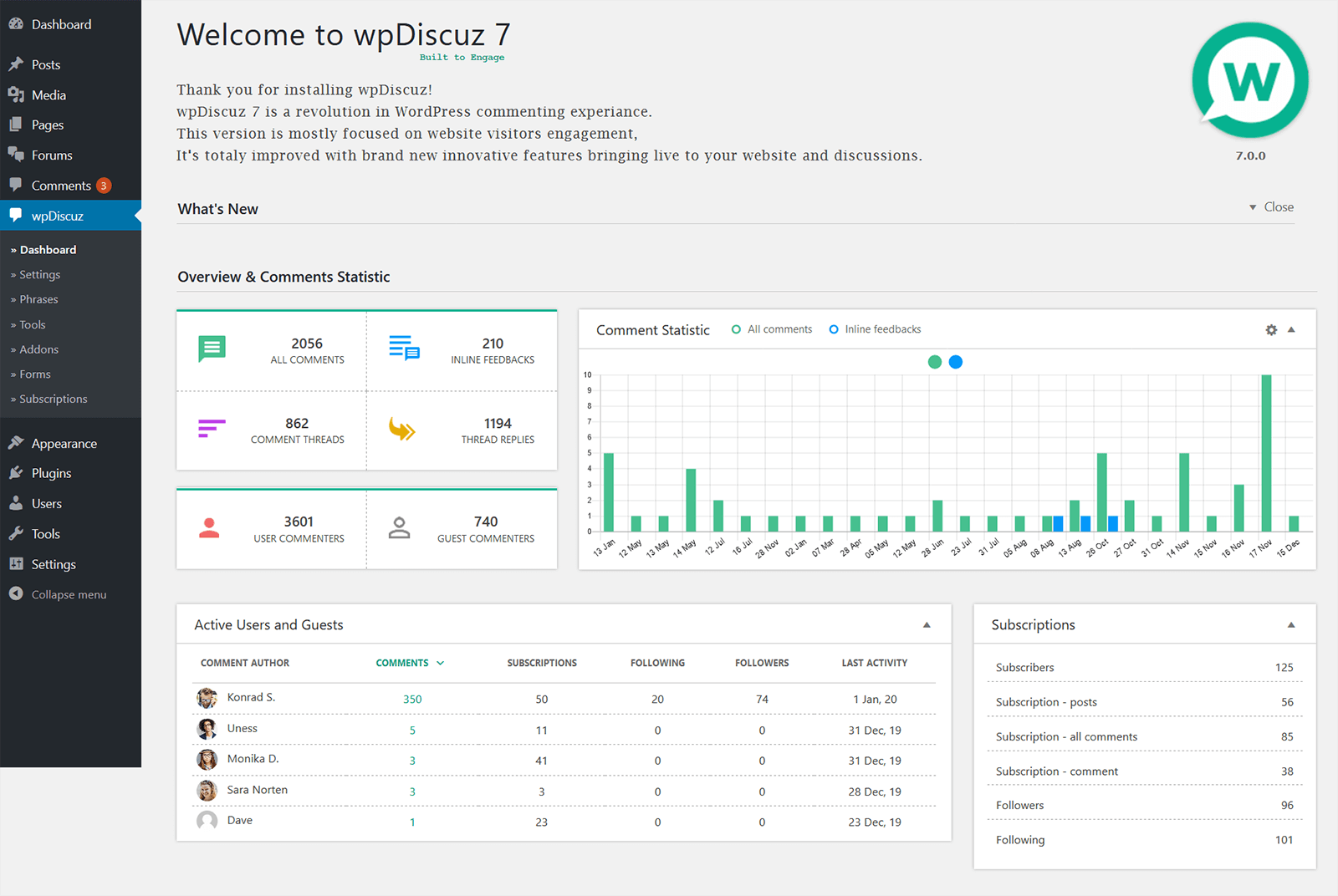
wpDiscuz Comment Statistic | Screenshot #10 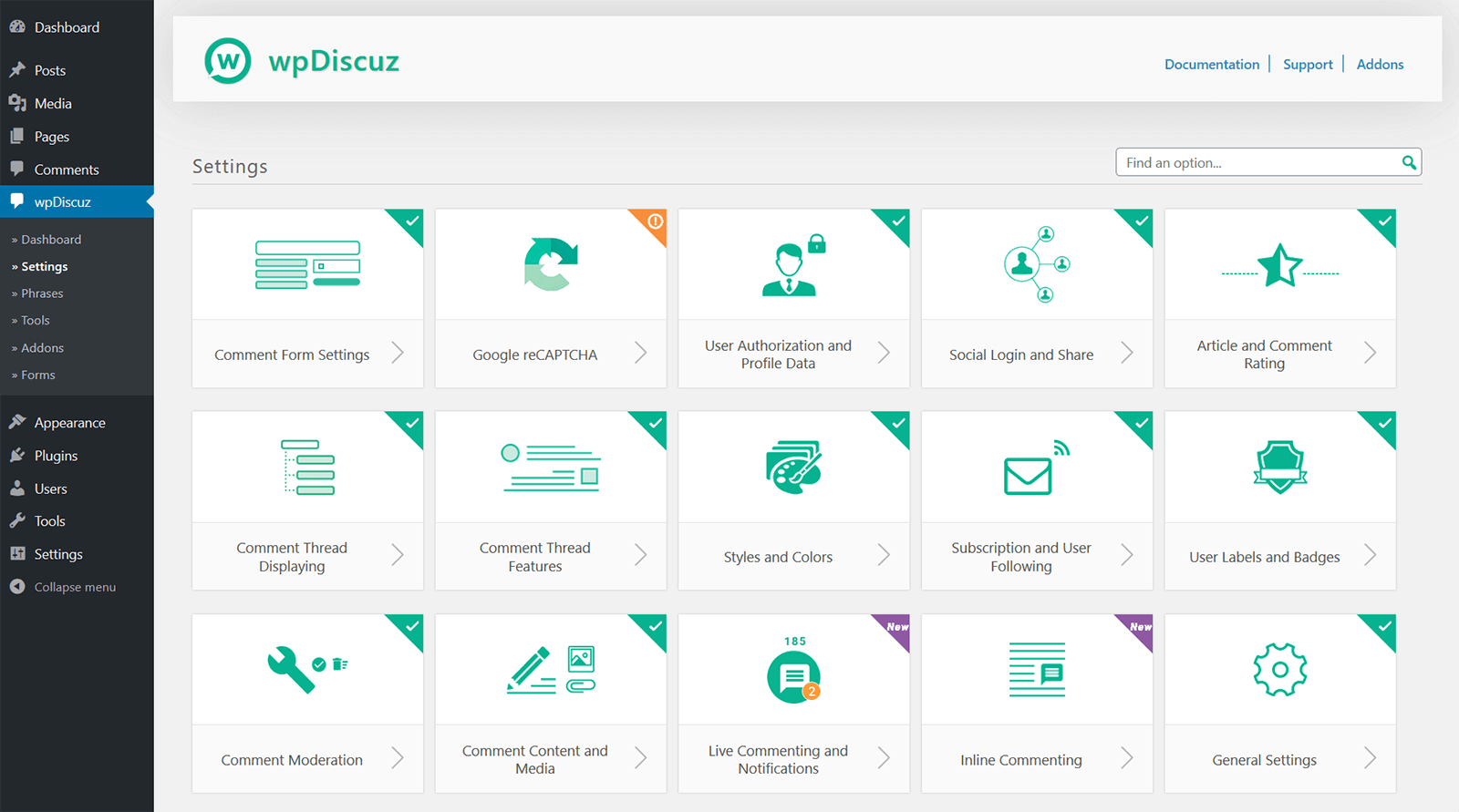
wpDiscuz Settings | Screenshot #11 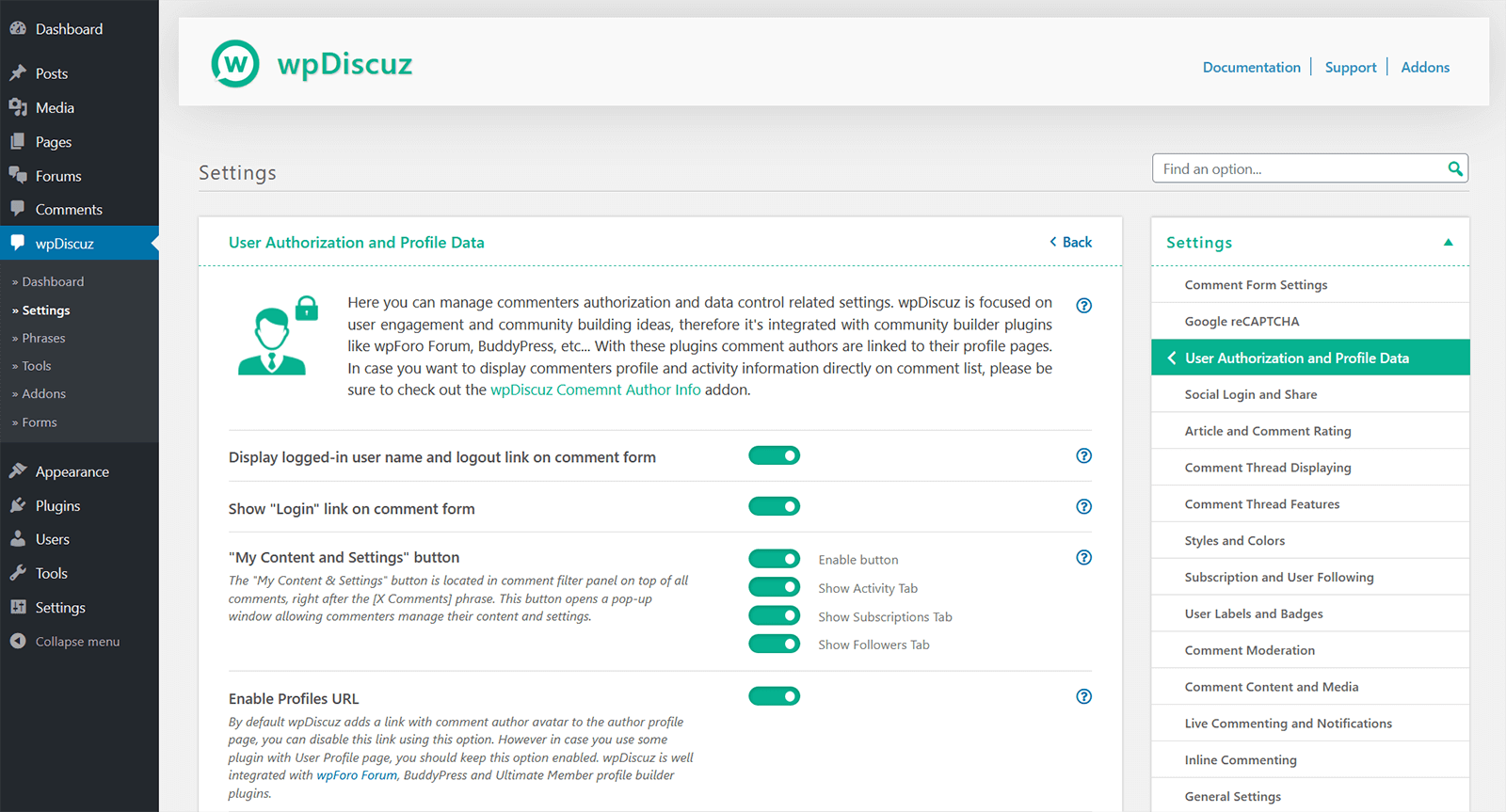
wpDiscuz Single Settings Page | Screenshot #12


Bloques
Este plugin proporciona 1 bloque.
- Comments – wpDiscuz Example block scaffolded with Create Block tool.
Instalación
Note
IMPORTANT: If you have a Cache Plugin, please delete all caches after wpDiscuz update.
Installation
- Upload plugin folder to the ‘/wp-content/plugins/’ directory,
- Activa el plugin a través del menú «Plugins» en WordPress.
After installing and activating the plugin, click on Comments menu item in the left sidebar in your website admin panel.
Update to wpDiscuz 7 versions
Please read the documentation:
https://wpdiscuz.com/docs/wpdiscuz-7/plugin-installation/update-to-wpdiscuz-7/
FAQ
IMPORTANT
- If you have a Cache Plugin, please delete all caches after wpDiscuz update.
- If wpDiscuz comment form is missing please read this support topic:
- wpDiscuz comment form is missing
-
Comentarios – Ajustes wpDiscuz
-
Basic configuration suits for most of cases, but if you want to configure Comments – wpDiscuz deeper, click on » Settings sub menu item which is under wpDiscuz menu item and change the settings as you want.
-
Comentarios – Frases wpDiscuz
-
Comments – wpDiscuz has phrases for frontend, for those who want customize texts and messages without using .po/.mo files, but still you can use .po/.mo translation files with combination of Comments – wpDiscuz phrases. You just need to enable «Use Plugin .PO/.MO files» setting in Comments – wpDiscuz » Settings page
-
Comentarios – Documentación wpDiscuz
-
Here you can find more detailed answers for your questions – https://wpdiscuz.com/docs/
-
Foro de soporte
-
Para obtener un soporte más profundo, por favor, visita nuestro foro de soporte
-
¿Este plugin reemplaza completamente el sistema de comentarios actual?
-
Yes! Comments – wpDiscuz changes default comment system to a new interactive system.
-
¿Qué pasará con los antiguos comentarios?
-
¡No se perderá nada! Comments – wpDiscuz mostrará todos los comentarios antiguos.
-
¿Dónde se almacenan los comentarios?
-
Comments – wpDiscuz uses the default WordPress comment storage system, all comments are on your database and all comments are manageable in Dashboard > Comments admin page.
-
¿Se perderán mis comentarios si instalo este plugin y luego lo elimino?
-
Comments – wpDiscuz doesn’t affect any data. You can install and uninstall whenever you want without any worries.
Reseñas


Colaboradores y desarrolladores
«Comments – wpDiscuz» es un software de código abierto. Las siguientes personas han colaborado con este plugin.
Colaboradores

«Comments – wpDiscuz» está traducido en 16 idiomas. Gracias a los traductores por sus contribuciones.
Traduce «Comments – wpDiscuz» a tu idioma.
¿Interesado en el desarrollo?
Revisa el código , echa un vistazo al repositorio SVN o suscríbete al registro de desarrollo por RSS.
Registro de cambios
IMPORTANT!
Please don’t forget delete all caches and purge CDN after the update.
Comments – wpDiscuz v7.6.43 – 12.01.2026
- Fixed: Insecure Direct Object References (IDOR) vulnerability
Comments – wpDiscuz v7.6.42 – 23.12.2025
- Fixed: An issue with inline commenting in Elementor
Comments – wpDiscuz v7.6.41 – 22.12.2025
- Updated: Added gutenberg toolbar button for inline feedback shortcode generation
Comments – wpDiscuz v7.6.40 – 09.12.2025
- Fixed: Disqus login vulnerability
