5 Ways to Teach and Share on Webmaker.org

This is re-posted from the Webmaker blog.

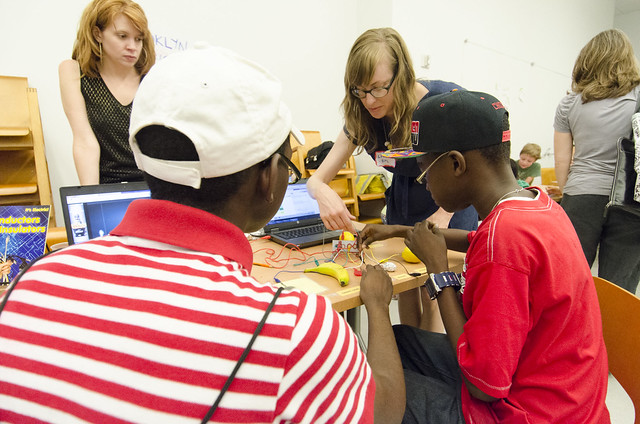
Maker Party Valero with Mark Surman

Earlier this month, we invited you to teach and share using our new Teaching Kit templates on webmaker.org. The goal: make it easy for educators, mentors and techies around the world to share creative ways for teaching web skills, digital literacy and making.

Here’s five creative ways our community are using the new kits:

1) Teach web skills by making something fun
That’s what Christina Cantrill‘s great new teaching kit does. Christina and her colleagues at the National Writing Project have assembled a unit full of fun activities that explore what memes are and how they work. They then encourage students to dig deeper, tracing the origin of the meme concept to Richard Dawkins’ theories of cultural knowledge and the first-ever “lolcat” photos — dating back to the 1870s!

Teaching Kit examples.002

2) Train the trainers
Michelle Thorne made this teaching kit as a step-by-step guide for training other facilitators and mentors. She tested it out at a training event in Bangalore. You can remix and share it to train other facilitators, mentors and coaches for your next webmaking event or hack jam.

Teaching Kit examples.001

3) Introduce the basics of exploring, building and navigating the web
Doug Walters created this teaching kit for an adult education course. Borrowing from the Web Literacy Standard, it links through to several individual activities to create a larger overall unit and lesson plan.

Teaching Kit examples.003

4) Explore online privacy issues
Karen Smith, Patrick Wade and the Our Privacy Matters team have been developing a whole series of teaching activities around online privacy. Using an online documentary as starting point, their kits explore youth, identity, and online sociability. Karen is also going to be working with university students to develop a whole series of their own teaching kits this fall.

Teaching Kit examples.004

5) Send learners on a trip to Mars
This kit (still a work in progress) will introduces learners to free 3D resources they can use to build their own “Mission to Mars” experience. Created by Cizzle, one of the winners from the Mozilla Ignite program, their kit is a great example of how baseline themes in Thimble can be remixed to create something that looks and feels totally unique.

Teaching Kit examples.005

Make and share your own Teaching Kit

  1. Get started here. Choose a template and start remixing to add your own content.
  2. Have a look at examples. See what others are doing. Or if you see something you like, just hit the “remix” button to customize or adapt it.
  3. Stuck? Have a look at these tips and tricks. Or get in touch with OpenMatt or Laura — we’re here to help!
Teaching kit overview

These new templates make it easy to share lesson plans and learning activities
Teach the Web: Create Your Own Teaching Kit on Webmaker.org

This is re-posted from the Webmaker blog.

Image

How do *you* teach the web?
How are you teaching digital skills, web literacy and making? What are your favorite learning activities, lesson plans and resources? What’s working well for you at Maker Parties, hack jams and in the classroom?

We’d love to learn from your success — and help you share it with others. To that end, we’ve got some new teaching kit templates at Webmaker.org that we hope will make it easy and fun. We’d love for you to…

  1. Try out the new templates. Just edit the HTML in Thimble to create your own personalized teaching kit. You can include things like learning objectives, an agenda, discussion questions and more.
  2. Have a look at some fresh examples of what other mentors are creating.
  3. Give feedback. Share ideas with our community on how to make the new templates better.

Kit template

Teaching and sharing with others around the world

When you’re done, you’ll come away with a nice-looking web page and personalized link you can share anywhere — including with other mentors around the world who want to benefit from your work.

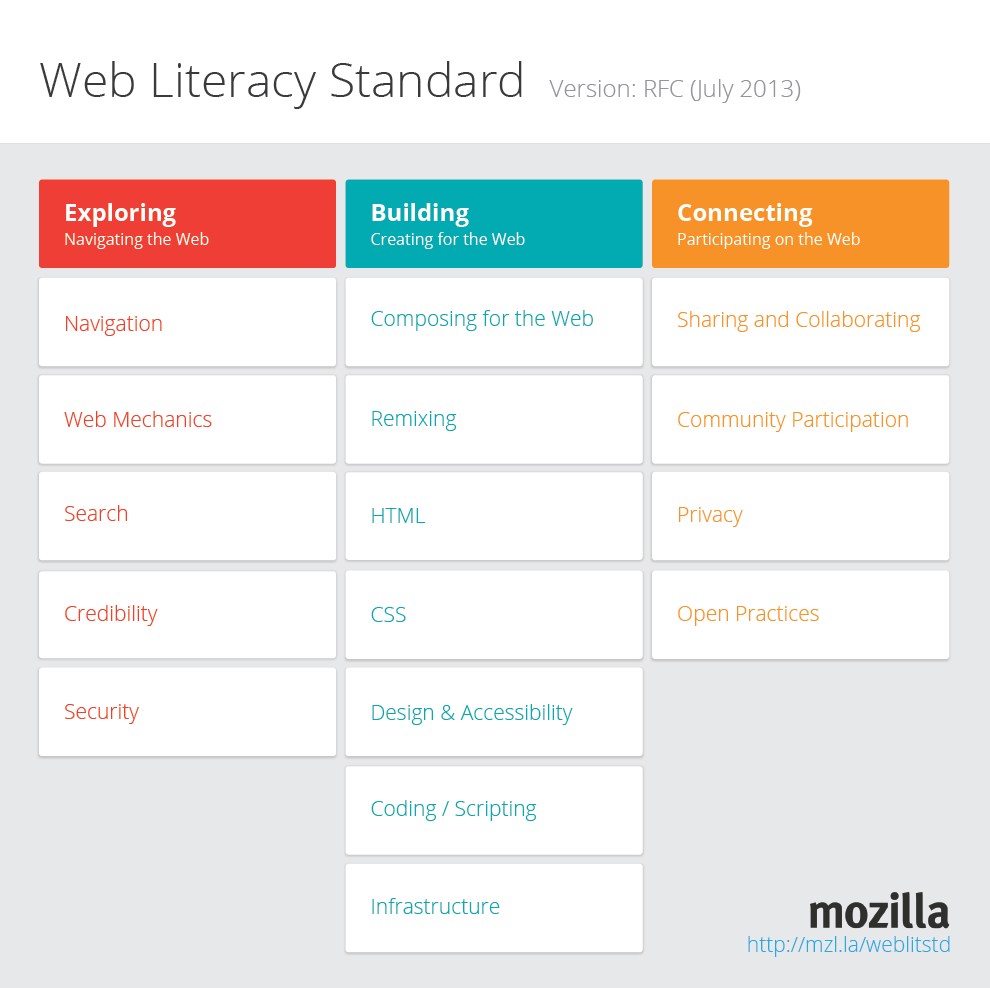
The big idea: make it easy for you and our global community to share teaching activities, lesson plans and educational resources for webmaking. Together, we can create an awesome free and open collection of resources anyone can use to teach the web — backed by a growing Web Literacy Standard.

TechKim media stereotypes.001

TechKim created this teaching kit as a way to introduce Girl Scouts to hack jams. What do you want to teach?
Throughout September, we’ll be reaching out to teachers, informal educators, Hive members, Maker Party participants, Mozilla Reps and makers to teach and share together.

Here’s how to get involved:

Next up: sharing the best new teaching kits being created each week. We’ll be blogging and tweeting about your work as it comes in, so keep watching!

Web Literacy Standard: Framework for Reading, Writing and Participating on the Web

This is re-posted from the Webmaker blog.

On Friday, Mozilla announced the beta launch of a new, open learning standard for web literacy. This is part of Mozilla’s ongoing goal to create a generation of webmakers – those who can not only elegantly consume but write and participate on the web.

What is a Web Literacy Standard?
Just like how math and writing skills have standards for student and teacher performance, the Web Literacy Standard provides a map of the competencies and skills that are important to pay attention to when getting better at reading, writing and participating on the web.

Having a shared web literacy standard helps provide a framework for organizations that want to help teach new skills, and lets them align what they’re teaching with a big picture of web literacy—so that learners know how the skills they’re getting fit into the ever changing digital world.

Image

Continue reading