

توضیحات
- Activating this plugin will create a ‘Easy Admin’ entry in your admin area.
- Click it to go to the settings page.
- Simply select the menu entry you want to hide.
- Save your settings, and you’re done !
Of course, the Easy Admin settings page is always available, so you can always go back and show menu items you need.
If you have any questions, contact me via my website at https://vincentdubroeucq.com
عکسهای صفحه
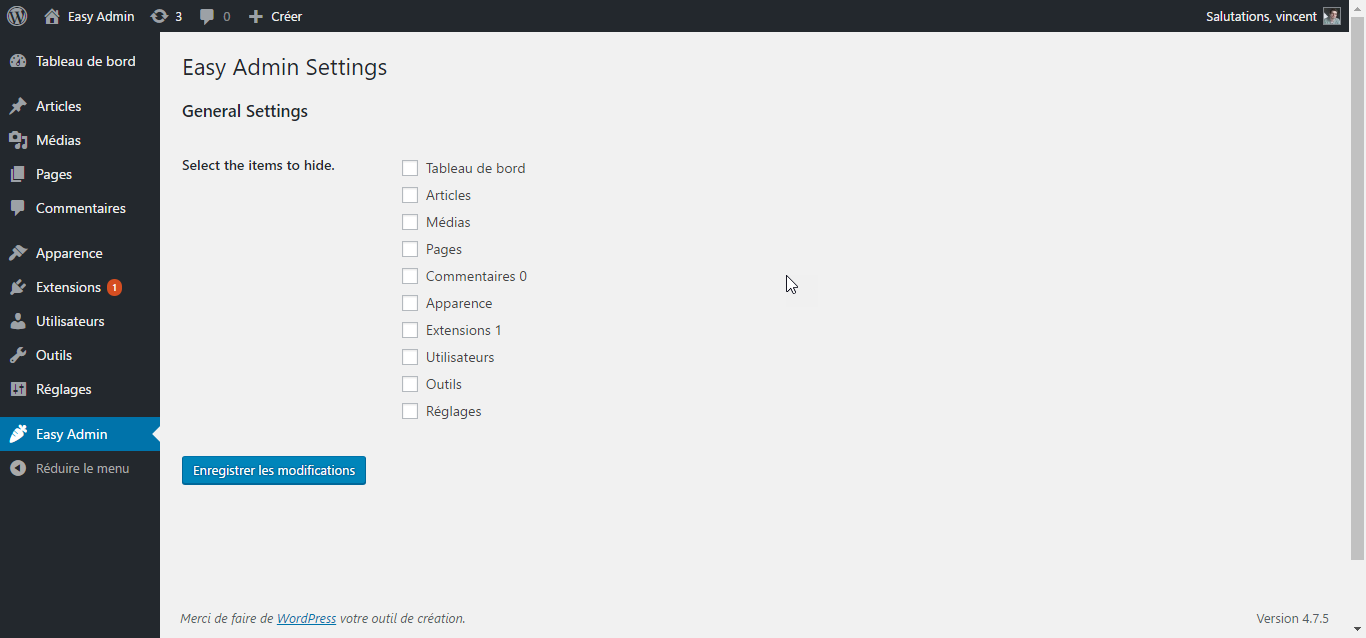
This is the Easy Admin settings page. Super simple. 
Check the menu items you want to add and click submit. 
That’s it ! Enjoy your cleaned up admin menu !


نصب
- Download the zip file and unzip it.
- Upload the plugin folder to the
/wp-content/plugins/directory, or install the plugin through the WordPress plugins screen directly. - Activate the plugin through the ‘Plugins’ screen in WordPress
- That’s it ! Go to the settings page and clean your admin menu !
سوالات متداول
- Does Easy Admin offer granular control over sub-items ?
-
No. Else it won’t be ‘Easy’ anymore. Not yet. But why not later ?
نقد و بررسیها
نقد و بررسیای برای این افزونه یافت نشد.
توسعه دهندگان و همکاران
“Easy Admin” نرم افزار متن باز است. افراد زیر در این افزونه مشارکت کردهاند.
مشارکت کنندگان
ترجمه “Easy Admin” به زبان شما.
علاقه مند به توسعه هستید؟
Browse the code, check out the SVN repository, or subscribe to the development log by RSS.
گزارش تغییرات
1.0.3
- Tested with WordPress 5.3.2.
1.0.2
- Tested with WordPress 5.0.1.
1.0.1
- Fixed compatibility issue with older versions of PHP.
1.0.0
- Initial release.
