

توضیحات
A free and easy-to-use two-factor authentication plugin for WordPress
Add an extra layer of security to your WordPress website login and protect your users. Enable two-factor authentication (2FA), the best protection against password leaks, automated password guessing, and brute force attacks.
Use the WP 2FA plugin to enable two-factor authentication for your WordPress administrator, enforce 2FA for all your website users, or for users with specific roles. This plugin is very easy to use; everything can be configured via wizards with clear instructions, so even non-technical users can set up 2FA without requiring technical assistance.
Features | Getting Started | Get the Premium!
🔒 WP 2FA key plugin features and capabilities
- Passkeys support for passwordless logins
- Free two-factor authentication (2FA) for all users
- Multiple 2FA methods supported, including authenticator app (TOTP) and code over email
- Developer API to integrate any alternative 2FA method (WhatsApp, OTP Token, etc.)
- Universal 2FA app support – works with Google Authenticator, Authy, and any TOTP-compatible app
- Backup codes (16 digits) for recovery access
- Wizard-driven setup – no technical knowledge required
- 2FA policies to enforce setup with grace periods or instant activation
- REST API endpoints for custom integrations and headless WordPress setups
- Dashboard-free setup – users can configure 2FA without WP admin access
- Editable email templates for full customization
- Much more!
💎 Upgrade to WP 2FA Premium and get even more benefits
The premium version of WP 2FA comes bundled with even more features to take your WordPress website login security to the next level.
With the premium edition of WP 2FA, you get more 2FA methods, 1-click integration with WooCommerce, trusted devices feature, extensive white labeling capabilities, and much more!
Premium features list
- Everything in the free version
- Full white labeling capabilities to change all text and visuals in the wizards, emails, SMS, and 2FA pages
- Support for multiple passkeys per user for flexible passwordless logins
- Zero-setup email 2FA that automatically enrolls users without manual configuration
- YubiKey hardware key support for enterprise-grade security
- Additional 2FA methods such as SMS, email link, and more
- Trusted devices so users can log in without 2FA for a configured period
- Require 2FA on password reset to strengthen account protection
- Allow next user login without 2FA to help recover accounts locked out of authentication
- One-click WooCommerce integration to enable 2FA for customers and store admins
- And much more!
Refer to the WP 2FA plugin features and benefits page to learn more about the benefits of upgrading to WP 2FA Premium.
🛠️ Free and premium support
Support for the free edition of WP 2FA is free on the WordPress support forums. Premium world-class support via one-to-one email is available to the Premium users – upgrade to premium to benefit from email support.
For any other queries, feedback, or if you simply want to get in touch with us, please use our contact form.
MAINTAINED & SUPPORTED BY MELAPRESS
Melapress develops high-quality WordPress management and security plugins, such as Melapress Login Security, Melapress Role Editor, and WP Activity Log; the #1 user-rated activity log plugin for WordPress.
Browse our list of WordPress security and administration plugins to see how our plugins can help you better manage and improve the security and administration of your WordPress websites and users.
Installing WP 2FA
From within WordPress
- Navigate to ‘Plugins’ > ‘Add New’
- Search for ‘WP 2FA’
- Install & activate WP 2FA from your Plugins page
Manually
- Download the plugin from the WordPress plugins repository
- Unzip the zip file and upload the folder to the ‘/wp-content/plugins/ directory’
- Activate the WP 2FA plugin through the ‘Plugins’ menu in WordPress
As featured on:
عکسهای صفحه
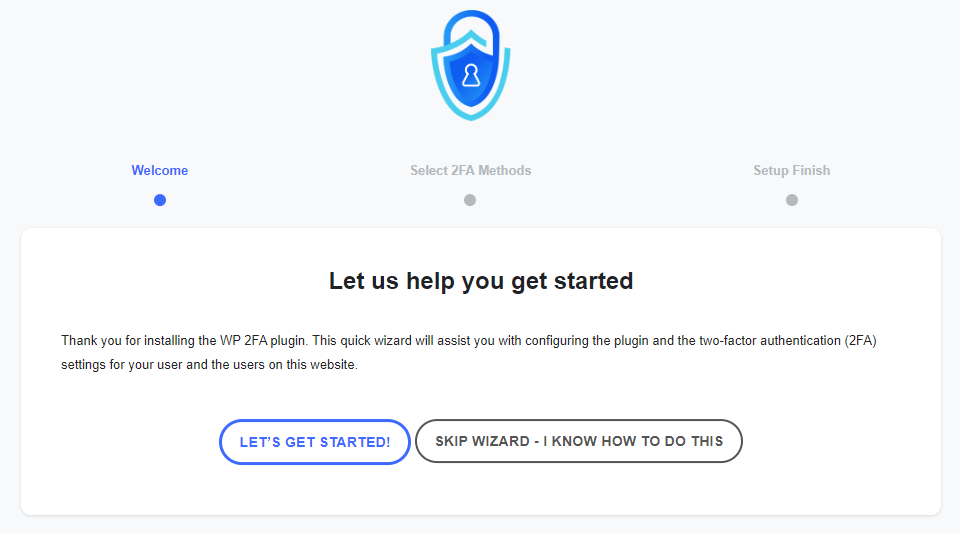
The first-time install wizard allows you to set up 2FA on your website and for your users within seconds. 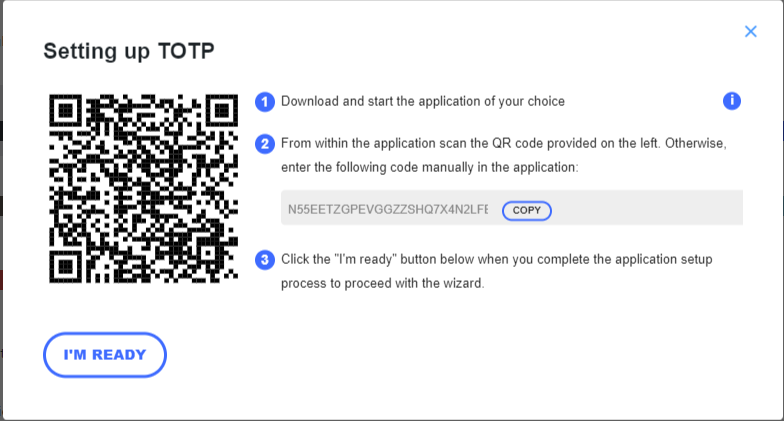
The wizards make setting up 2FA very easy, so even non-technical users can set up 2FA without requiring help. 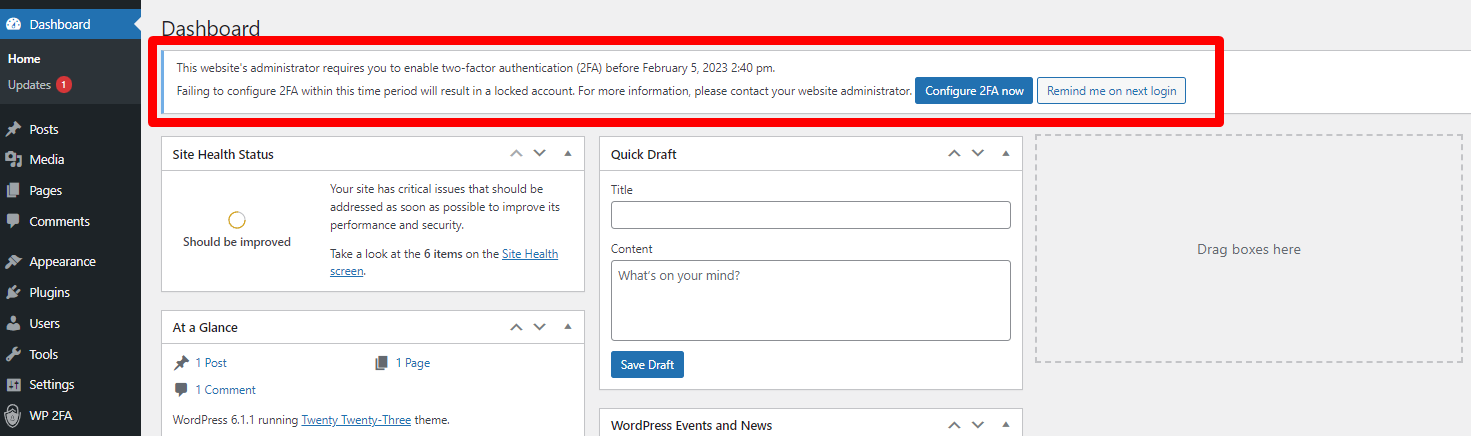
You can require users to enable 2FA and also give them a grace period to do so. 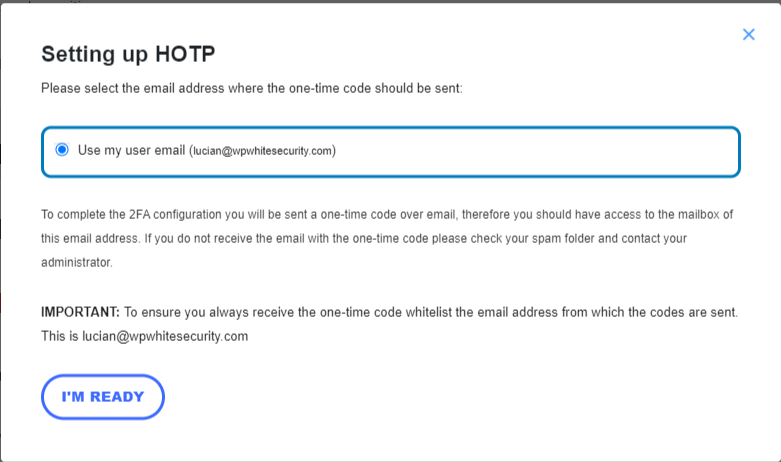
Users can also use one-time codes via email as a two-factor authentication method. 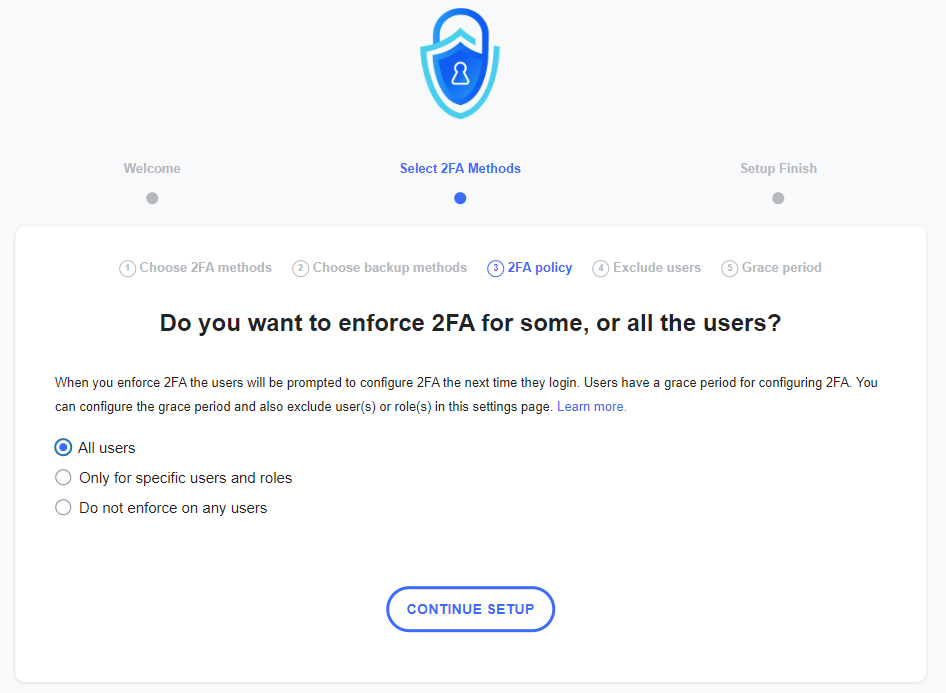
You can use policies to require users to instantly set up and use 2FA, so the next time they log in, they will be prompted with this. 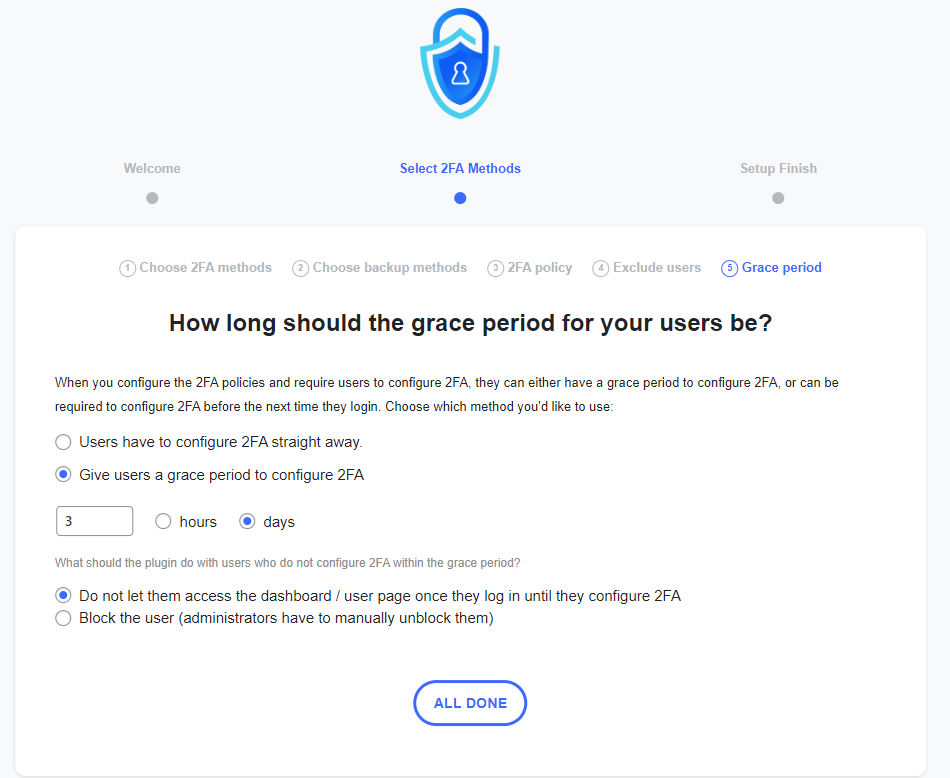
You can give users a grace period until they configure 2FA. You can also specify what the plugin should do once the grace period is over. 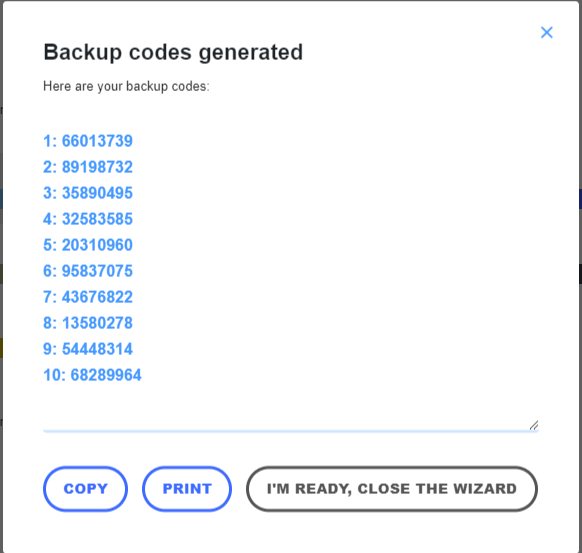
It is recommended for all users to also generate backup codes, in case they cannot access the primary device. 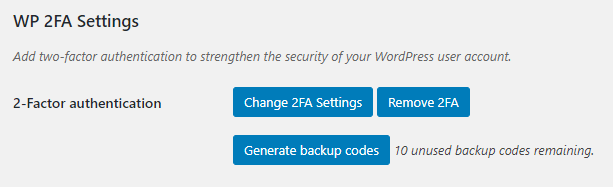
In the user profile, users only have a few 2FA options, so it is not confusing for them, and everything is self-explanatory.


سوالات متداول
-
Does the plugin send any data to Melapress?
-
No, the plugin does not send any data to us whatsoever. The only data we receive is license data from the premium edition of the plugin.
-
What 2FA methods are available with the plugin?
-
The free edition of WP 2FA includes the following 2FA methods: Authenticator app 2FA and code over email. This allows you to use Google Authenticator OTP The premium edition adds YubiKey, one-click email link, SMS 2FA, and Authy push notifications.
-
How can I ensure I do not get locked out?
-
WP 2FA includes backup authentication methods so that if the primary authentication method fails, you and your users can still log in. The free version of the plugin includes backup codes, which can be configured during 2FA configuration or at any point after that from the profile page. The premium edition adds 2FA backup codes over email.
-
What happens if I get locked out?
-
In the unlikely event that you are unable to supply your 2FA code, there are several steps you can take to gain access to your WordPress dashboard. First, check if there is another administrator who can reset your 2FA. If this is not possible, manually deactivate the plugin, log in without 2FA, re-activate the plugin, and then reconfigure your 2FA.
-
Does WP 2FA support multi-site networks?
-
Yes, WP 2FA is multisite compatible. The plugin can be activated at the network level. 2FA policies can be enforced on all users, a subsection of users, or per site on the network. It also supports network setups with different domains.
-
Does the plugin receive updates?
-
We update the plugin fairly regularly to ensure the plugin continues to run in tip-top shape while adding new features from time to time.
-
Does the plugin support Google Authenticator?
-
Yes, WP 2FA fully supports Google Authenticator on WordPress. WP 2FA also supports many other 2FA authenticator apps.
-
Can I get support if I get stuck?
-
Support for the free edition of the plugin is provided only via the WordPress.org support forums. You can also refer to our support pages for all the technical and product documentation.
If you are using the Premium edition, you get direct access to our support team via one-to-one email support.
-
How can I report security bugs?
-
You can report security bugs through the Patchstack Vulnerability Disclosure Program. Please use this form. For more details, please refer to our Melapress plugins security program.
نقد و بررسیها


توسعه دهندگان و همکاران
“WP 2FA – Two-factor authentication for WordPress” نرم افزار متن باز است. افراد زیر در این افزونه مشارکت کردهاند.
مشارکت کنندگان

“WP 2FA – Two-factor authentication for WordPress” به 14 زبان ترجمه شده است. با تشکر از مترجمین برای همکاری و کمکهایشان.
ترجمه “WP 2FA – Two-factor authentication for WordPress” به زبان شما.
علاقه مند به توسعه هستید؟
Browse the code, check out the SVN repository, or subscribe to the development log by RSS.
گزارش تغییرات
3.1.0 (2025-12-17)
-
New features
- Passkeys support – allow users to use Passkeys, a cryptographic and secure passwordless solution.
-
Plugin & functionality improvements
- Removed some redundant text from the Free edition first-time setup wizard.
- Added a number of KB links to the admin notification email that is sent when a user bypasses 2FA due to lack of frontend configuration options.
- Simplified the user flow in the wizard by removing some redundant steps when only one 2FA method is available.
- Added the new tag {wp_admin_email} to be used in the email templates. This one retrieves the site administration email address.
- Added the final steps of the wizard, to the white labeling module, making it possible to white label all the wizards’ slides.
- Removed the plugin usage survey notice from the plugin.
- Strengthened the authentication flow validation and improved the database query sanitization to prevent potential security vulnerabilities. These enhancements ensure more robust protection of user accounts and data integrity.
- The 2FA setup wizard now automatically opens when users are redirected to the custom frontend 2FA configuration page after login, eliminating the need to click “Configure 2FA” to start the 2FA configuration process.
- Improved the 2FA code page logic so it properly hides the “Log in” button and “Remember this device” options when When a 2FA method becomes unavailable, for example, due to service outage.
-
Bug fixes
- Fixed: The [wp-2fa-setup-notice] shortcode now properly respects the configure_2fa_url set in the plugin settings.
- Fixed: When using REST validation method, disabling the anti-brute force attack protection now works correctly.
- Fixed: On WordPress multisite installations with WooCommerce active, users logging into a subsite’s admin area are now correctly redirected to that subsite’s admin dashboard after completing 2FA authentication.
- Fixed: When using REST API validation method, users can now successfully authenticate through WordPress’s interim login modal (session timeout re-login).
Refer to the complete plugin changelog for more detailed information about what was new, improved and fixed in previous version updates of WP 2FA.
