
Search the Community
Showing results for tags 'error'.
-
Even though I installed and activated the mods completely through Vortex, they are not working. When I try to open the game through Vortex, I get the error shown in the photo.

-
Which version of Vortex are you using? (e.g. 1.8.0) Answer: Vortex 1.15.2 (9/16/2025) Which game are you modding and which game store did you purchase it from? (e.g. Skyrim SE from GOG) Answer: Skyrim special edition, bought from steam Which mods are you trying to use? Answer: its not a specific mod, just the act of adding a managed game breaks vortex What steps did you take before you encountered the error? I removed Skyrim special edition from my managed games and the issues has dissapeared What is the specific error message you received? (Provide a screenshot if possible) LOOT processed died

-
I installed it, and every time I launch skse64, I get this error EVERY SINGLE TIME! I can't figure out what to do.

-
Good afternoon, I recently installed a couple of mods for Skyrim and got the following: all mods have the latest version and are installed via vortex, if anyone knows a solution, please help

-
So i was about to play Cyberpunk after downloading some mods and i hit apply and it gave me 2 errors and idk what I need to do to resolve it. It won't let me play unless i can get it to work. I decided to preview changes and it gave a different data to process size being at 4.85GB idk if that has anything to do with it.
-
hope this is the right place to ask this, or at least that yall can direct me to a better spot, but i genuinely have no idea what to do here. sorry if this is a stupid question, im new to using vortex and i dont know a lot about this kinda thing. i dont think smapi is open, and if it is i have no clue where to find it?? context: i opened it and saw an alert that i needed to update smapi, so i just followed the link to dowload it, and then afterwards this popped up. thats all i did.

-
If playing without any loading screen replacers, all I get is that legal notice page on startup, and with replacers only the first screen in the folder, regardless of how many there are. Pretty sure I've narrowed the culprit down to NMC's Textures, but I don't know how to fix the issue, as every search just leads to the fabled infinite loading screen glitch. It was Rogognvse.
-
Got back into SCK for Skyrim Special Edition to make some collectable paintings for fun, but ran into a snag. I'm using HQ Frames and Canvas from Skyrim LE. I made them as a miscItem so that the painting can be picked up. it come out fine when making them. When I try to put it in the world though it turns into an error in the game and as a Miscitem. Not quite sure what's going on. Can anyone assist?
-
Vortex is encountering an error. When adding, enabling, or disabling mods, an error window appears stating: 'The operating system has reported an error without details when accessing.' I have removed all mods and the game itself. Reinstalling and clearing the Vortex cache did not resolve the issue. The paths to the folders are set correctly. Drive E is the disk drive, yet for some unknown reason, Vortex continues to use an incorrect path.(I apologize for any language errors, as I am not a native English speaker.)


-
;Failed to load code for fragment Fragment_Stage_0030_Item_00 That's the message i'm getting, and whenever i try to compile previously successful script from other stages, it fails as well . It says something like The following fragments failed validation (most likely missing from script source file): Fragment_Stage_0030_Item_00 even if i'm compiling from stage 10 or 20. any idea?
-
So, this is my first time installing mods on New Vegas (using Mod Organizer 2, btw). I followed the instructions on the mods themselves, as well as ideas from multiple threads on load orders, but when I boot up the game, my cursor never appears and neither does the various icons on the main menu of the game. I have tried multiple fixes suggested online, including changing load order, disabling mods one at a time to find the culprit, and even disabling every mod to see if it fixes. Nothing has worked. Can anyone at least attempt to help me fix this? Here is my load order for reference, after the default load order of official content: NVAC - New Vegas Anti Crash Unofficial Patch NVSE Plus JIP LN NVSE Plugin JohnnyGuitar NVSE UIO - User Interface Organizer A World Of Pain 6.94 Roleplayers Alternative Start Fallout New Vegas CAGE - Continue After Games Ending The Living Desert - Travelers Patrols Consequences Increased Population and more More Perks Realistic Headshots Monster Mod Project Nevada Project Nevada - DLC Support Sunny Smiles Companion Unlimited Companions EVE - Essential Visual Enhancements Interior Lighting Overhaul Fallout Character Overhaul Classic Fallout Weapons - New Vegas Wasteland Flora and Terrain Overhaul
-
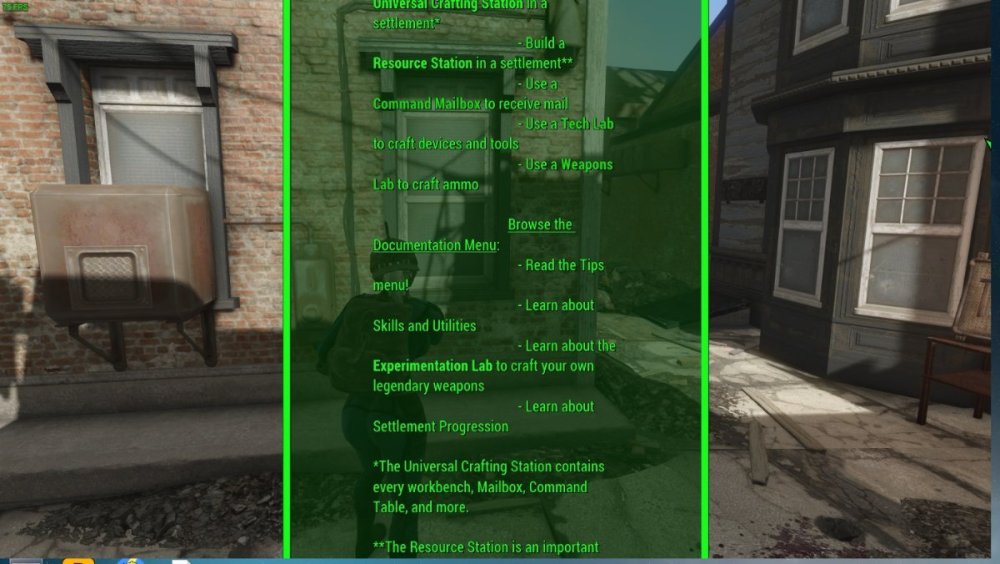
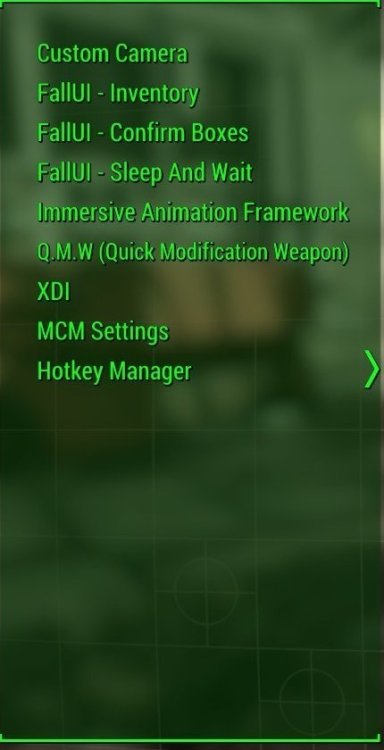
I get this error/notification in the HUD when I am leveling up (level 1 to 2). I have already tried changing the resolution, activating the window mode with borders and without borders, pressing several keys at random and I can't remove them. the question is how do I reduce the size of the notification/HUD to be able to accept it and continue playing or remove it? (I didn't want to investigate too much in the settings so as not to "unconfigure" everything)
-
Hello, I'm having an issue where any mods I put in the Baldurs Gate 3 -> Data -> Generated folder are not showing up in-game. I have triple checked the file pathing and file names. Nothing I do is making these mods show up. I currently only have one mod "installed" in this folder, but I have tried using others one at a time (so that none conflict) and nothing is loading at all. I've checked several forums now and all of them just say someone fixed it, but they don't say how. I am going crazy not knowing how to solve this problem. Any help is appreciated.
-
Rather specific niche issue I guess: When the patch with Honour mode released, I noticed the Honour-mod being in ModManager set as active but didn't think anything about it - guessed it needs to be there to be available in case someone selects the Honour-difficulty. WRONG. After doing a complete re-install of BG3 and purging all mods, ModManager showed it now in inactive by default. Ok, that's new... . I read that having it active can cause issues for some but can also provide the means to get the new features of HM in non-Honour savegames (with saving not restricted either). The issue I have is with a Honour difficulty-savegame, as soon as I put the Honour-mod from active to inactive the load times become unbearably long (from 15s to 6-8m) as the game seems to always "recompile" the savegame, even after just an area transition. I tried the different mod settings fix-tutorial to get the Honour-mod node out of the savefile itself but that just triggers the tampered dialogue on each load (which is annoying itself) and the load times are still crap, so it didn't make any difference. At least having it active doesn't seem to be detrimental to the HM-save but it's rather goofy to have to use differing mod loading-orders for different saves and having to be alert not to "taint" other saves in case I forget that Honour-mod is currently in active. Any ideas how to avoid the long loading times and "fix" the HM-savegame without the game throwing a tantrum either (tamper dialogue) would be appreciated.
-
Sorry for my English. Single CTD when opening kingdom screen in game. But I dont understand how to check from crushreport which mod did this. Game just created file with lot of text and didnt explain anything. What should I do?
-
ive downloaded vortex, deleted, redownloaded, and the same for skyrim vr an uncountable number of times now, purged mods, followed every single tutorial i've found, and skyrim still gives me the same error: 'REL/Relocation.h(743): Required VR Address Library file Data/skse/pligins/verson-1-4-15.csv does not exist' , and yet i've used vortex to install the mods it asks me to install, including sksevr, and skyrim vr esl, which i get notifications prompting me to download each time i uninstall, ive used vortex to download sksevr, and manually and yet i always receive the same error; the one i previously listed. i have no idea what to do from here, so if anyone has any kind of tutorial/advice i may have missed, it would be much appreciated
-
Image of issue: <https://imgur.com/8ewCian> Textures appear to be not loading correctly? either its an enb problem or a texture problem, IDK. i really only work with kitchen-sink style modding so im not sure of how to do things here. load order is included loadorder.txt
-
I am trying to modify a script found in Swift Potion NG (https://www.nexusmods.com/skyrimspecialedition/mods/78272?) to change the default hotkeys. This is because the MCM does not save hotkeys across to new games (but it saves other settings). I didn't want to bother the mod author so I am trying this workaround for personal use. I set up PCA (https://www.nexusmods.com/skyrimspecialedition/mods/23852) in MO2 and tested with some vanilla scripts which compiled successfully. I made a mod with the scripts and source scripts from the Creation Kit zip, and also dropped in SKSE source and scripts to be sure. This way I can enable/disable these scripts at the highest MO2 priority just for compilation. I then changed the scancodes for wherever the old hotkeys were listed, thinking this would change the default hotkeys (which corresponded to the scancodes I found). Unfortunately, the script fails to compile even before my adjustment. _SPN_ConfigSkyUIScript.psc C:\Skyrim\Data\Scripts\Source\SKI_ConfigManager.psc(195,15): SetInputText is not a function or does not exist C:\Skyrim\Data\Scripts\Source\SKI_ConfigManager.psc(228,15): RequestInputDialogData is not a function or does not exist I haven't been able to figure out what to do by searching or looking at guides. By the way, this is the first Papyrus involvement I have had since 2012. How can I get through this so I can compile? Any help would be much appreciated.
-
Hey, some time ago there was a game update on Steam. Since then my mod managed version of Witcher 3 is not working. I receive message as pasted below. Scripts compilation error: Error [content0]game\gameplay\effects\effects\other\oil.ws(177): Could not find function 'ShouldAutoApplyOil'Error [content0]game\gui\main_menu\ingamemenu.ws(1491): Could not find function 'SetAutoApplyOils'Error [content0]game\gui\main_menu\ingamemenu.ws(1493): Could not find function 'SetAutoApplyOils'Error [content0]game\player\states\vehicles\horseriding.ws(141): Could not find function 'ShouldAutoApplyOil' Warning [content0]engine\environment.ws(30): Global native function 'EnableDebugOverlayFilter' was not exported from C++ code.Warning [content0]engine\environment.ws(32): Global native function 'EnableDebugPostProcess' was not exported from C++ code.Warning [content0]engine\showflags.ws(11): Global native function 'DebugSetEShowFlag' was not exported from C++ code. I have already tried uninstalling or disabling installed mods one by one searching for one that might be causing the problem but unfortunately that wasn't an issue (I guess). List of the mods I have installed - all mods are compatible with Next Gen version (I started my save already on updated game): Perks Always Active 0.0.0-4.002 FTFANG 1.0.0 No Inventory Weight Limit 1.0.0 modMissingCardTracker 5.0.0 Better Torches Next-Gen 4.0.2 modExtraRandomGwentCardFromMerchants 1.0.0 DLC - Fast Travel Pack 1.0.0 6. Always More XP and Money from any Quest NG. 1.0.0 Better Minimap - Next Gen 0.2.0 JP - Witcher 3 Photorealistic Preset v1.0 1.0.0 0.2.0 0.2.0 Better Damage Scaling 0.0.0-1.01 Smooth Movement 2.0.0 More SLOTS 0.0.2 Place of Two Powers 1.0.0 SEMPITERNUS 1.0.0 Buy From Alchemy Menu 1.0.0 I would appreciate any tips and help.
-
Decided to quit my current playthrough midway through and add a few more mods and start over, the only new things i added was various visual overhaul mods for khajiits/argonians, removed and added some overhauls to cities/terrain fixes, made sure patches had correct load order and some new graphics for items. I installed nothing that changed camera or messed with settings or changed sizes of npcs and now i have this trash that makes the game unbearable to play! Does anyone know how i fix this, its atleast a partial visual effect since npcs change size ever so slightly when they are near you. Depth of field or view or whatever is conpletely disable and was so before i had these problems. Modlist: pastebin.com/RxKJXhYq (Poor) Example of issue due to image size: https://imgur.com/a/ZfEjazj
-
Hi i wanted to play the Witcher 3 modded now after completing it in Vanilla i installed my mod, used the fix and used the script merger but now after starting the game i get that error: Error [mod0000_mergedfiles]game\player\r4player.ws(4): syntax error, unexpected TOKEN_CASE, expecting TOKEN_FUNCTION, near 'case' can anyone tell me what i need to do to fix that ? Regards
-
I'm having trouble with FOSE for Fallout 3. If I manually install I get an error message saying I'm using an unknown version of the game (Steam GOTY), and if I use Mod Organiser it says "Content of <data> does not look valid". Does anyone know of a work around? Cheers
-
I‘ve not played skyrim for sometime and I found that the mod girls' heels sinking into the ground when I opened the game again. After researching, I find the reason is about racemenu. Those mods need the racemenu to automatically adjust the height or z-position of npcs/followers who wear heels. However, the developers of racemenu don't update the latest version on nexus. If you use the latest version on nexus, the skse will post error about skee.dll..... The latest version is on patreon: RaceMenu 0.4.19.13 AE and Floating Healthbars 1.6.640 | Expired on Patreon
-
So I've been ripping my hair out recently trying to figure out what could possibly be causing my errors but things simply don't make sense for me when it comes to using grass cache for using extended grass. I have watched video after video, looked at forum post after forum post with similar issues, and I have yet to find anything that works for me to clear up the two main issues I have. I can fix one or the other individually, but I can not find a setting that will allow me to fix both. The issues are as follows Issue 1: When using DynDOLODGrassMode = 2 My grass looks great at distance and close up with good transitions from LOD to full rendered... until I go to certain cells notably in the falkreath area and around Helgen areas where the grass simply does not render in any way shape or form. Bushes and such which aren't considered grass obviously show up, but no grass objects Issue 2: When using DynDOLODGrassMode = 1 My grass looks amazing close up no matter where I go it seems. Absolutely beautiful! But then when I look off to the distance, I see a ring of cells with no LOD or rendered grass in them, but with LOD grass off further than that ring showing up just fine Things to note: - Yes, I precached the grass under each of these modes and didn't accidentally swap numbers between the config file and the mode selected in DynDOLOD for corresponding grass caches rendered under each mode - I have actually done this more than once for each mode once using Step Project recommendations and once using references from this video which really the only difference is the distance and fade ranges - Am currently using the newest NGIO, precachy, and DynDOLOD files
-
Hi, I need some help please. I can't seem to figure this out and I'm losing hope. I installed SSE Creation kit for the first time and I can not get it to start/load, it wont even unpack scripts. When I try to start it from MO2 or Steam it acts like it's trying to load something but nothing happens and it allows me to launch CK again. When I try to start it from .exe it gives me application error 0xc0000142. I have CK installed in my Skyrim AE instillation folder and I am not using any EMB. I've tried everything I can think of to get it working but nothing seems to do it. I put the steam app id in MO2, I've updated my graphics drivers, installed the latest Microsoft Visual C++, I've installed multiple CK patches from the Nexus including the downgrade patcher, I've reinstalled Skyrim and CK multiple times, I've installed CK to different drives, tried running it as administrator, my OS is fully updated, I've been removing random .dll's from my Skyrim folder to see if that has any affect, but even after all that... and some other stuff... It still wont start and I still get error 0xc0000142. It appears others are having similar issues with CK on Steam. https://steamcommunity.com/app/1946180/discussions/0/3383904768764832152/ Is it just that CK 1.6.438 is incompatible with Skyrim AE 1.6.640, or is there some mysteries .dll I'm missing? Any help would be great, thanks.


