
Description
Display « Badges » in the side-panel which points to a web-site and an image which is then used to build the « badge ».
To access the configuration you have to go to Appearance > Widgets and edit the settings in the Panel.
Using the Widget you can choose whether to:
- (Optionally) display a Title
- Link to a site
- Required link to an image to mark that site (any size will work, but the « standard » seems to be 88 pixels wide by 31 pixels high)
- Pad the Badge (including centring the text); some people may prefer using their own CSS, so this is an optional configuration.
- Enable « Display Badge in a Box » (enabled by default)
- Enable the Displaying of a Drop-Shadow
If more control is needed, or more badges need to be displayed, the badges plugin on the WordPress site might be a better fit.
Captures d’écrans
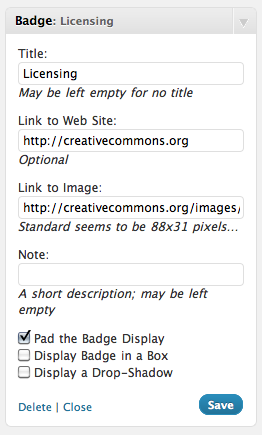
Create a « Licensing » badge that points to the Creative Commons website and uses a CC 88×31 banner 
The result of the configuration in No 1 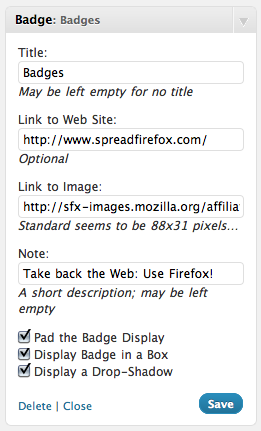
Boxing a Badge to SpreadFirefox with an added drop-shadow 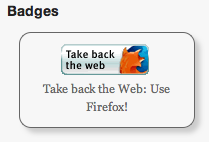
The resultant Badge


Installation
Install
- Unzip the
badges.zipfile. - Upload
badges.phpto the/wp-content/plugins/directory. - Activez l’extension par l’intermédiaire du menu « Extensions » de WordPress.
- Use the « Badges » widget.
Upgrade
- Follow your normal installation process
- Open the Widget Control Panel for « Badges » and confirm settings.
- Sit back and enjoy…
Use the WordPress Plug-in System
- Select « Upgrade and Activate »
- Congratulate yourself on a sterling job.
FAQ
-
How do I style the badges using CSS?
-
Quite simply by using the
div.badgeclass. -
How do I style a single badge?
-
Every badge gets a unique ID generated by the plug-in based on the plug-in’s name and the badge’s container ID. This will likely look something like « inner-badge-[NUMBER] ».
Avis
Il n’y a aucun avis pour cette extension.
Contributeurs/contributrices & développeurs/développeuses
« Badge » est un logiciel libre. Les personnes suivantes ont contribué à cette extension.
Contributeurs
Traduisez « Badge » dans votre langue.
Le développement vous intéresse ?
Parcourir le code, consulter le SVN dépôt, ou s’inscrire au journal de développement par RSS.
Journal des modifications
1.5
- Very minor update to update the links to my blog
- Tested up to WordPress 5.2.3
1.1
- Minor update to add an « id » selector to the displayed badges
1.0
- Initial Public Release
