





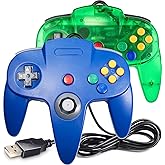
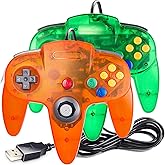


![ZD-V+ USB Wired Gaming Controller Gamepad For PC/Laptop Computer(Windows XP/7/8/10/11) & PS3 & Android & Steam - [Black]](https://m.media-amazon.com/images/I/61qItTcisGL._AC_UF480,480_SR480,480_.jpg)



Bought these for Batocera emulator. They work great. I can't really tell the difference from a regular N64 controller. I hope they last a while. For the price it is an excellent choice.
Customers who viewed this item also viewed
Frequently bought together
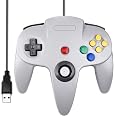
This item: SAFFUN Classic N64 Controller, N64 Wired USB PC Game pad Joystick, N64 Bit USB Wired Game Stick Joy pad Controller for Windows PC MAC Linux Raspberry Pi 3 Sega Genesis Higan (Grey)
$19.99
Get it as soon as Monday, Feb 23
In Stock
+
$16.99
Get it as soon as Monday, Feb 23
In Stock
+
$15.99
Get it as soon as Monday, Feb 23
In Stock
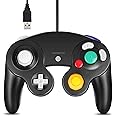
GameCube
Total price: $00
To see our price, add these items to your cart.
Choose items to buy together.
Similar items that may deliver to you quickly
Page 1 of 1 Start over
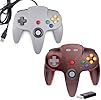
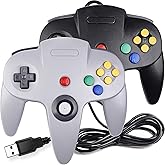
- 2 Pack USB Wired N64 Controller, miadore Classic N64 PC Gamepad Joystick Controller for Windows PC MAC Linux Raspberry Pi 3 (Black/Gray)FREE ShippingGet it Mar 3 - 13Only 9 left in stock - order soon.
- KIWITATA Classic N64 Controller, Retro N64 Wired Remote Joystick Gamepad Controller Compatible with N64 Video Game System Console GrayAmazon's ChoiceFREE Shipping on orders over $35 shipped by AmazonGet it as soon as Monday, Feb 23
- miadore 2 Packs USB Retro Controllers for N64 Gaming, PC Classic N64 Game Pad Joypad for Windows PC MAC Raspberry PiFREE Shipping on orders over $35 shipped by AmazonGet it as soon as Monday, Feb 23
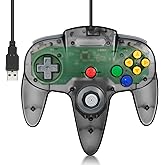
- Wired USB N64 Controller, FISUPER Classic Video Game Controller USB Gamepad for Windows PC MAC Raspberry PI Retropie (Clear Black)FREE Shipping on orders over $35 shipped by AmazonGet it as soon as Monday, Feb 23Only 2 left in stock - order soon.
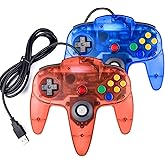
- 2 Pack Classic N64 Controller, miadore N64 Wired USB PC Game pad Joystick, N64 Bit USB Wired Game Stick Joy pad Controller for Windows PC MAC Linux Raspberry Pi 3 Sega Genesis (Clear Green/Blue)FREE Shipping on orders over $35 shipped by AmazonGet it as soon as Monday, Feb 23
- 2 Pack USB Wired N64 Controller, miadore Classic N64 PC Gamepad Joystick Controller for Windows PC MAC Linux Raspberry Pi 3 (Green/Orange)FREE Shipping on orders over $35 shipped by AmazonGet it as soon as Monday, Feb 23
Product information
| ASIN | B07449HLKJ |
|---|---|
| Release date | October 20, 2019 |
| Customer Reviews |
4.1 out of 5 stars |
| Best Sellers Rank |
|
| Product Dimensions | 6.5 x 4.3 x 2 inches; 7.2 ounces |
| Type of item | Personal Computers |
| Item model number | 8541667118 |
| Is Discontinued By Manufacturer | No |
| Item Weight | 7.2 ounces |
| Manufacturer | SAFFUN |
| Date First Available | July 21, 2017 |
Warranty & Support
Product Warranty: For warranty information about this product, please click here
Feedback
Products related to this item
Page 1 of 1Start over
Product description

Wireless N64 Controller for Switch, N64, PC, Mac, Raspberry Pi, Steam Deck
|

Wireless N64 Controller for Switch, N64, PC, Mac, Raspberry Pi, Steam Deck
|

Wireless N64 Controller for Switch, N64, PC, Mac, Raspberry Pi, Steam Deck
|

Wireless GameCube Controller Switch Online Controller
|

Wireless GameCube Controller Switch Online Controller
|

Wireless GameCube Controller Switch Online Controller
|
|
|---|---|---|---|---|---|---|
|
|
||||||
| Customer Reviews |
430
|
439
|
413
|
4
|
86
|
2
|
| Price | $31.99 | $38.99 | $62.99 | $30.99 | $35.99 | — no data |
| Device Compatability | N64, Switch/Switch Online, Windows PC, iOS Mac, Raspberry Pi, Steam Deck, Tesla | N64, Switch/Switch Online, Windows PC, iOS Mac, Raspberry Pi, Steam Deck, Tesla | N64, Switch/Switch Online, Windows PC, iOS Mac, Raspberry Pi, Steam Deck, Tesla | GameCube, Switch/Switch Online, Windows PC, iOS Mac, Raspberry Pi, Steam Deck, Tesla | GameCube, Switch/Switch Online, Windows PC, iOS Mac, Raspberry Pi, Steam Deck, Tesla | GameCube, Switch/Switch Online, Windows PC, iOS Mac, Raspberry Pi, Steam Deck, Tesla |
| System Compatability | N64, Windows, Mac OS, Linux | N64, Windows, Mac OS, Linux | N64, Windows, Mac OS, Linux | GameCube, Windows, Mac OS, Linux | GameCube, Windows, Mac OS, Linux | GameCube, Windows, Mac OS, Linux |
| Connectivity | 2.4 GHz Wireless | 2.4 GHz Wireless | 2.4 GHz Wireless | 2.4 GHz Wireless | 2.4 GHz Wireless | 2.4 GHz Wireless |
| Wireless Range | Up to 33ft | Up to 33ft | Up to 33ft | Up to 33ft | Up to 33ft | Up to 33ft |
| Color | Gray | Black | Black/Gray | Black | Indigo | Black/Indigo |
| Included Receiver Type | USB Dongle+N64 Dongle | USB Dongle+N64 Dongle | USB Dongle+N64 Dongle | USB Dongle+GameCube Dongle | USB Dongle+GameCube Dongle | USB Dongle+GameCube Dongle |

Wireless N64 Style Controller for Switch, PC, Mac, Raspberry Pi, Steam Deck
|

Wireless N64 Style Controller for Switch, PC, Mac, Raspberry Pi, Steam Deck
|

Wireless N64 Style Controller for Switch, PC, Mac, Raspberry Pi, Steam Deck
|

Wireless GameCube Style Controller for Switch, PC, Mac, Raspberry Pi, Steam Deck
|

Wireless GameCube Style Controller for Switch, PC, Mac, Raspberry Pi, Steam Deck
|
|
|---|---|---|---|---|---|
|
|
|
||||
| Customer Reviews |
2,243
|
75
|
430
|
3
|
9
|
| Price | $25.99 | $25.99 | $50.99 | — no data | — no data |
| Device Compatability | Switch/Switch Online, Windows PC, iOS Mac, Raspberry Pi, Steam Deck, Tesla | Switch/Switch Online, Windows PC, iOS Mac, Raspberry Pi, Steam Deck, Tesla | Switch/Switch Online, Windows PC, iOS Mac, Raspberry Pi, Steam Deck, Tesla | Switch/Switch Online, Windows PC, iOS Mac, Raspberry Pi, Steam Deck, Tesla | Switch/Switch Online, Windows PC, iOS Mac, Raspberry Pi, Steam Deck, Tesla |
| System Compatability | Windows, Mac OS, Linux | Windows, Mac OS, Linux | Windows, Mac OS, Linux | Windows, Mac OS, Linux | Windows, Mac OS, Linux |
| Connectivity | 2.4 GHz Wireless | 2.4 GHz Wireless | 2.4 GHz Wireless | 2.4 GHz Wireless | 2.4 GHz Wireless |
| Wireless Range | Up to 33ft | Up to 33ft | Up to 33ft | Up to 33ft | Up to 33ft |
| Color | Gray | Black | Black/Gray | Black | Indigo |
| Included Receiver Type | USB Dongle | USB Dongle | USB Dongle | USB Dongle | USB Dongle |

Wireless SNES Switch Controller for Switch, PC, Mac, Raspberry Pi, Steam Deck
|

Wireless SNES Switch Controller for Switch, PC, Mac, Raspberry Pi, Steam Deck
|

Wireless SNES Switch Controller for Switch, SNES, PC, Mac, Raspberry Pi, Steam
|

Wireless SNES Switch Controller for Switch, SNES, PC, Mac, Raspberry Pi, Steam
|
|
|---|---|---|---|---|
|
|
||||
| Customer Reviews |
1,634
|
3
|
69
|
69
|
| Price | $38.99 | — no data | $38.99 | $38.99 |
| Device Compatability | Switch/Switch Online, Windows PC, iOS Mac, Raspberry Pi, Steam Deck, Tesla | Switch/Switch Online, Windows PC, iOS Mac, Raspberry Pi, Steam Deck, Tesla | Switch/Switch Online, SNES, Windows PC, iOS Mac, Raspberry Pi, Steam Deck, Tesla | Switch/Switch Online, SNES, Windows PC, iOS Mac, Raspberry Pi, Steam Deck, Tesla |
| System Compatability | Switch, Windows, Mac OS, Linux | Switch, Windows, Mac OS, Linux | Switch, SNES, Windows, Mac OS, Linux | Switch, SNES, Windows, Mac OS, Linux |
| Connectivity | 2.4 GHz Wireless | 2.4 GHz Wireless | 2.4 GHz Wireless | 2.4 GHz Wireless |
| Wireless Range | Up to 33ft | Up to 33ft | Up to 33ft | Up to 33ft |
| Color | Purple/Gray | Multicolored Keys | Purple/Gray | Multicolored Keys |
| Included Receiver Type | USB Dongle | USB Dongle | USB Dongle+SNES Dongle | USB Dongle+SNES Dongle |
Product Videos

Similar brands on Amazon
Page 1 of 1Start Over
Sponsored
Customers say
Customers find the N64 controller to be a solid replica that offers good value for money, with a nice feel and responsive buttons. The controller works well with emulators but doesn't work with Switch Nintendo Online n64 emulator, and while some find it easy to configure, others find it annoying to set up. The functionality receives mixed feedback, with some reporting it works perfectly while others say it doesn't work at all.
AI Generated from the text of customer reviews
Select to learn more
100 customers mention quality, 71 positive, 29 negative
great product works great with emulators. the inputs can be a little sensitive thoughRead more
...But only noticeable for very precise movements. Overall a great controller.Read more
It is so poorly made. It feels very light and cheap and the analog stick broke off the first time it was moved, leaving a jutting piece of metal...Read more
Just plug and play your 64 games on PC. Good product, love it.Read more
55 customers mention value for money, 47 positive, 8 negative
Good value but analog stick is touchy...Read more
...That said, for 15 bucks, this is great value. It feels just like playing N64 on a high quality but still noticeably third party controller....Read more
...Aside from sensitivity, this thing was awesome. It was worth the money and made the emulator experience 5x better than I had it on my keyboard...Read more
...being said this product is still getting 4 stars from me for being so cheap and actually works to play games.Read more
38 customers mention feel, 28 positive, 10 negative
Feels right, buttons seem right, no virus or rootkit detected (another reviewer mentioned one), but it does not support N64 save game / memory...Read more
Feels great and works on Switch with a little bit of setup...Read more
...box, would go with another brand, without any heft to it it just feels wrong.Read more
...First off the controller feels great. Its not quite the original but feels close enough....Read more
178 customers mention functionality, 112 positive, 66 negative
Works great, fantastic for emulations, even works withy Nintendo switch out of the box which is not what what I expected or even bought it for....Read more
Doesn't work...Read more
Works well, but be aware it is not just a basic plug and play. It takes a bit of work to configure and key bind to make the controller work.Read more
Works perfect just make sure you set it up in the settings for your emulator, i thought it was broken because I had the wrong settings on 😂 oops...Read more
96 customers mention compatibility, 57 positive, 39 negative
great product works great with emulators. the inputs can be a little sensitive thoughRead more
...Please add to your list of pictures that it does not work with switch please.Read more
Works well with retropie, although there were some issues with getting it to interface properly with Mupen64....Read more
Doesn’t work for the WiiURead more
92 customers mention buttons responsiveness, 36 positive, 56 negative
If anybody is curious - some of the buttons are mapped incorrectly for the Switch.Read more
...It's merely there for looks. All in all, the buttons are solid, the build is solid, and the compatibility is perfect....Read more
Start button does not workRead more
...The only analog input that works is pressing right. The B Button doesn't work. C Right doesn't work....Read more
32 customers mention ease of setup, 17 positive, 15 negative
...The other buttons are nice and responsive. It was easy to configure. No complaints beyond the c buttons being mixed up....Read more
...jump - or use a weapon to also get aerial enemies - this controller gets confused and doesn't register all your presses....Read more
Very simple and easy to use, enjoyed having C-buttons again....Read more
...You'll find it very difficult to play most games with it on switch, so unless switch enable button making for n64, you might wanna think twice....Read more
29 customers mention weight, 9 positive, 20 negative
Feels light and cheaply made right out of the box, would go with another brand, without any heft to it it just feels wrong.Read more
...They dont register commands at all no matter what i do. Very light, very cheap feeling. It does work decently....Read more
Received item back in March and looked cool, had a good weight to it. Jump to beginning of May, go to use it and it does nothing....Read more
...As others have said, the controller is very light and feels cheaply made, but also it doesn't cost $50, so for what you get, it's a very good buy....Read more

My opinion.
So when ordering this I read all of the reviews and saw the negative and positive things. For the money it works. It is not too shabby. But I can see the issue of the joystick being fragile, not weighing enough and the slot being inactive (not working at all). Other then it being thinner plastic and not as substantial in the hands as the original I am very pleased with the product. It feels right so far as button pressure and joystick movement goes. Also it's cheap enough to justify buying another if this fails. You CAN find original controllers for $30-$50 that are way better, as well as replacement parts. If you are wanting to save a dime I'd recommend this. Mine is flawless so far. Or buy it and give it to your little brother to play on so he doesn't wear out your good controller. I had more fun tonight hanging out with a friend playing Zelda through an emulator using this controller then I have in awhile. Nostalgia is on point for this.
Top reviews from the United States
There was a problem filtering reviews. Please reload the page.


Top reviews from other countries
-
Irving ArrietaReviewed in Mexico on September 22, 2023
Igual al original
Color: Wireless BlackVerified Purchase - Hani AldahshanReviewed in the United Arab Emirates on December 24, 2025
Not analogue
Color: Wired GrayVerified Purchase - Rob LReviewed in Canada on May 19, 2025
Buyer beware. 1 of 2 worked out of the box.
Color: Wireless Black 2 PackVerified Purchase - TeddyReviewed in Australia on June 8, 2020
Rattling and joystick very clunky
Color: Wired GrayVerified Purchase


