
A free, private, AI-powered desktop assistant that sees your screen. Take screenshots of anything, ask questions in natural language, and get instant answers -- all running locally on your machine with Ollama.
- Screenshot + Vision AI -- Capture any region of your screen (Alt+.) and ask questions about it
- Multi-Model Support -- Switch between any Ollama model from the UI; default:
qwen3-vl:8b-instruct - Streaming Responses -- Real-time token-by-token response display with thinking/reasoning visibility
- MCP Tool Integration -- Extensible tool system (file operations, web search, calculators) via Model Context Protocol
- Web Search -- DuckDuckGo-powered search and web page reading through MCP tools
- Voice Input -- Voice-to-text transcription via faster-whisper
- Chat History -- SQLite-backed conversation persistence with search
- Token Tracking -- Context window usage monitoring per conversation
- Stop Streaming -- Interrupt AI responses mid-generation
- Always-on-Top -- Frameless, transparent floating window that stays above all apps (including fullscreen)
- Mini Mode -- Collapse to a 52x52 widget when not in use
- 100% Local -- All processing happens on your machine. No data leaves your computer.
- Ollama -- Download from ollama.com and pull a model:
ollama pull qwen3-vl:8b-instruct

Alternative: Download from the Releases page
Windows Security Notice: You may see a SmartScreen warning because the app is not yet code-signed. Click "More info" then "Run anyway".
- Launch Xpdite
- Take a screenshot with
Alt + .(period) - Type a question or just press Enter
- Get streaming AI responses in real-time

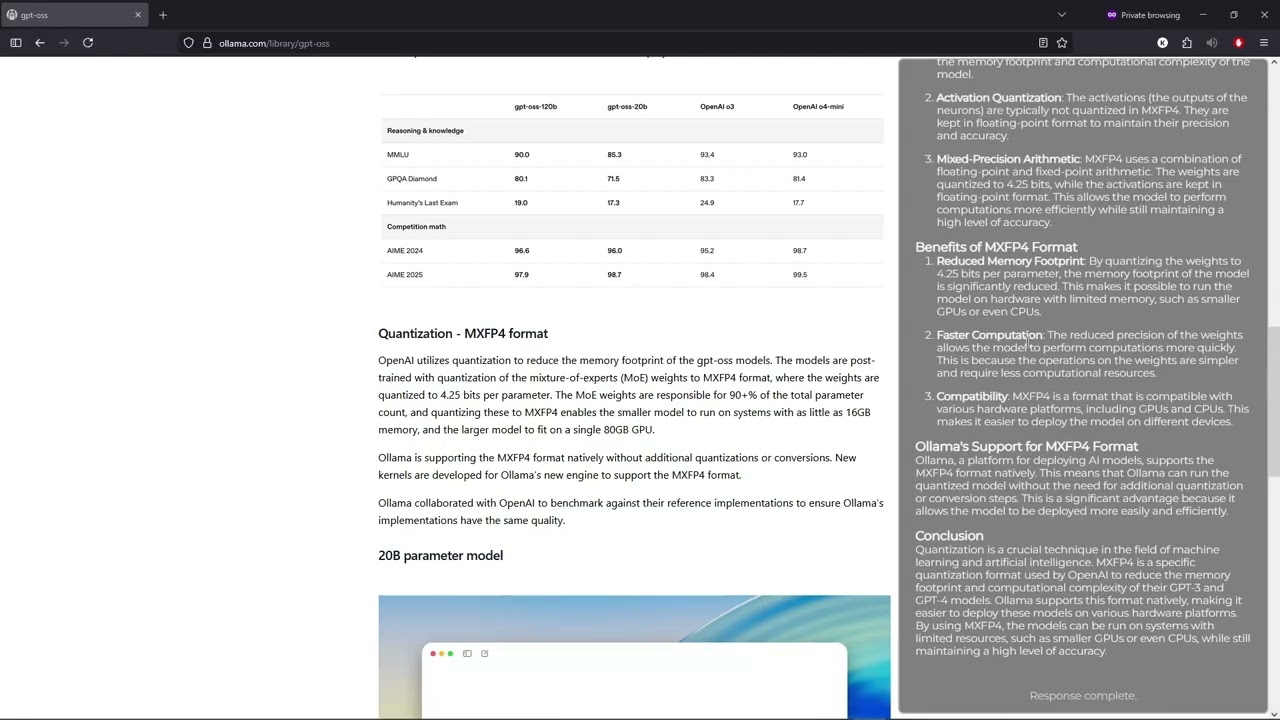
| Step | Screenshot |
|---|---|
| 1. Launch & capture |  |
| 2. Enter a prompt |  |
| 3. Real-time response |  |
| 4. Final result |  |
Electron (Desktop Shell)
    |
    +-- React Frontend (Chat UI, Settings, History)
    |       |
    |       +-- WebSocket <--> Python Backend (FastAPI)
    |                              |
    |                              +-- Ollama (LLM inference)
    |                              +-- SQLite (persistence)
    |                              +-- MCP Servers (tools)
    |                              +-- faster-whisper (voice)
    +-- Screenshot Service (Alt+. hotkey, region selection)
Tech Stack:
- Frontend: React 19, TypeScript 5.8, Vite 6, React Router 7
- Backend: Python 3.13+, FastAPI, Ollama, SQLite3
- Desktop: Electron 37+
- Tools: MCP SDK, DuckDuckGo Search, crawl4ai, faster-whisper
- Build: PyInstaller, electron-builder, UV
Xpdite uses the Model Context Protocol to give the AI access to external tools:
| Server | Tools | Status |
|---|---|---|
| Demo | add, divide |
Active |
| Filesystem | list_directory, read_file, write_file, create_folder, move_file, rename_file |
Active |
| Web Search | search_web_pages, read_website |
Active |
| Gmail | Email operations | Planned |
| Calendar | Event management | Planned |
| Discord | Message operations | Planned |
| Canvas | LMS integration | Planned |
Adding new tools is straightforward -- see the MCP Guide.
# Clone and install
git clone https://github.com/KashyapTan/xpdite.git
cd xpdite
npm install
uv sync --group dev

# Run in dev mode (React + Electron + Python server)
npm run dev

# Build for production
npm run build
npm run dist:winsrc/
electron/ # Electron main process
ui/ # React frontend (pages, components, hooks)
source/ # Python backend
api/ # WebSocket + REST endpoints
core/ # State management, connections
services/ # Business logic
llm/ # Ollama integration
mcp_integration/ # MCP server management
mcp_servers/ # MCP tool implementations
servers/ # demo, filesystem, websearch
docs/ # Documentation
| Document | Description |
|---|---|
| Architecture | System design and data flow |
| Getting Started | Installation and setup guide |
| Development | Developer guide and conventions |
| API Reference | WebSocket and REST API docs |
| MCP Guide | Tool integration guide |
| Configuration | All configurable settings |
| Contributing | How to contribute |
Since the initial release, Xpdite has been significantly refactored:
- Complete backend refactor -- Modular architecture with separated concerns (api/, core/, services/, llm/, mcp_integration/)
- Model selection -- Switch between any installed Ollama model from the Settings UI
- MCP tool system -- Full Model Context Protocol integration with demo, filesystem, and web search servers
- Web search -- DuckDuckGo search and web page reading via crawl4ai with stealth mode
- Voice input -- Voice-to-text transcription via faster-whisper
- Thinking/reasoning display -- Collapsible display of model's chain-of-thought reasoning
- Tool call visualization -- UI cards showing tool executions with arguments and results
- Stop streaming -- Interrupt AI responses mid-generation
- Token usage tracking -- Real-time context window monitoring with visual indicator
- Chat history with search -- Browse, search, and resume past conversations
- Screenshot improvements -- Alt+. hotkey, fullscreen + precision modes, multi-monitor DPI awareness
- REST API -- Model management endpoints alongside WebSocket protocol
- Settings page -- Model enable/disable with toggle UI
- Conversation resume -- Full state restoration including thumbnails and token counts
- React hooks refactor -- Extracted
useChatState,useScreenshots,useTokenUsagefor clean separation - Component library -- Modular chat components (ThinkingSection, ToolCallsDisplay, CodeBlock, etc.)
- Production docs -- Comprehensive documentation suite
See Contributing Guide for details.
