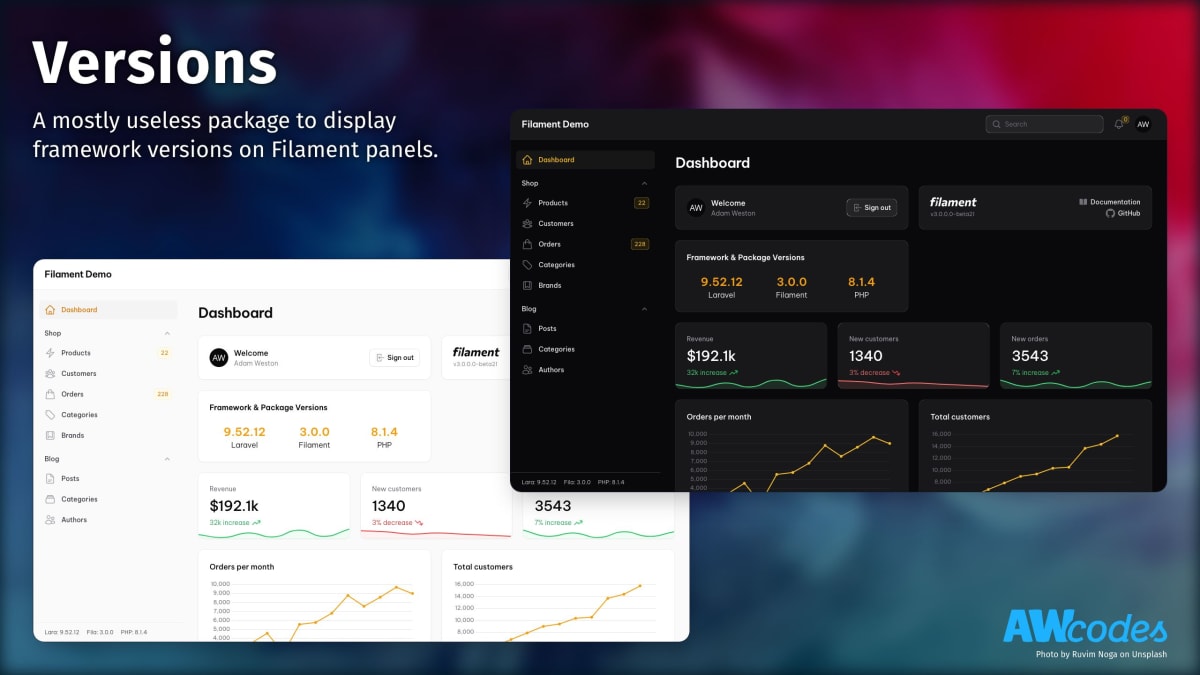


A mostly useless package to display framework versions at the bottom of the Filament Admin navigation panel and an optional widget to do the same in the dashboard or custom pages.
| Package Version | Filament Version |
|---|---|
| 1.x | 2.x |
| 2.x | 3.x |
| 3.x | 4.x |
| 4.x | 5.x |
Install the package via composer
composer require awcodes/filament-versionsImportant
If you have not set up a custom theme and are using Filament Panels follow the instructions in the Filament Docs first.
After setting up a custom theme add the plugin's views to your theme css file.
@source '../../../../vendor/awcodes/filament-versions/resources/**/*.blade.php';Register the plugin and/or Widget in your Panel provider:
use Awcodes\Versions\VersionsPlugin;
use Awcodes\Versions\VersionsWidget;

public function panel(Panel $panel): Panel
{
    return $panel
        ->plugins([
            VersionsPlugin::make(),
        ])
        ->widgets([
            VersionsWidget::class,
        ]);
}
Note
If you are using the topNavigation option with your panel the sidebar widget will show up at the bottom of your pages content.
If you'd like to disable the navigation view and only use the dashboard
widget you may do passing false or a Closure to the hasNavigationView method.
use Awcodes\Versions\VersionsPlugin;

public function panel(Panel $panel): Panel
{
    return $panel
        ->plugins([
            VersionsPlugin::make()
                ->hasNavigationView(false),
        ]);
}You can add custom items to the widgets by creating a new class that implements the VersionProvider interface.
use Awcodes\Versions\Providers\Contracts\VersionProvider;

class MyCustomVersionProvider implements VersionProvider
{
    public function getName(): string
    {
        return 'My Custom Version';
    }

    public function getVersion(): string
    {
        return '1.0.0';
    }
}
Then add the item to the plugin:
use Awcodes\Versions\VersionsPlugin;
use App\Filament\Providers\MyCustomVersionProvider;

public function panel(Panel $panel): Panel
{
    return $panel
        ->plugins([
            VersionsPlugin::make()
                ->items([
                    new MyCustomVersionProvider(),
                ]),
        ]);
}You can disable the default items by passing false or a Closure to the hasDefaultItems method.
use Awcodes\Versions\VersionsPlugin;

public function panel(Panel $panel): Panel
{
    return $panel
        ->plugins([
            VersionsPlugin::make()
                ->hasDefaults(false)
        ]);
}You can change the column span and order of the widget by setting them on the plugin.
use Awcodes\Versions\VersionsPlugin;

public function panel(Panel $panel): Panel
{
    return $panel
        ->plugins([
            VersionsPlugin::make()
                ->widgetColumnSpan('full')
                ->widgetSort(2),
        ]);
}Please see CHANGELOG for more information on what has changed recently.
Please see CONTRIBUTING for details.
Please review our security policy on how to report security vulnerabilities.
The MIT License (MIT). Please see License File for more information.
