GFCharts by Mensard is the best chart / calculation add-on for Gravity Forms out there. Do you want to show data from your Gravity Forms as bar chart, a pie chart or even a 3D Pie Chart or a donut chart inside your blog posts and pages? This is the way to do it. Easily chart and count information captured via Gravity Forms with the plugin GFChart. This plugin is an extension to WordPress Gravity Forms. It empowers you to showcase a visual snapshot summary of form submissions – automatically.
About Mensard
| Developer | Mensard |
| Started | 2014 |
| Documentation | gfchart.com/faqs |
| Listed | gravityforms.com/developers/gfchart |
| Languages | English |
| Main plugin | GF Chart |
| Extensions | GFChart GravityView extension, Charting vs time |
Examples GFChart
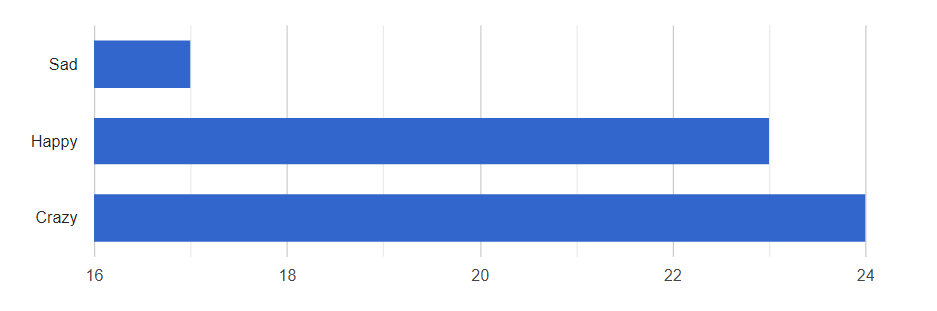
Bar Chart
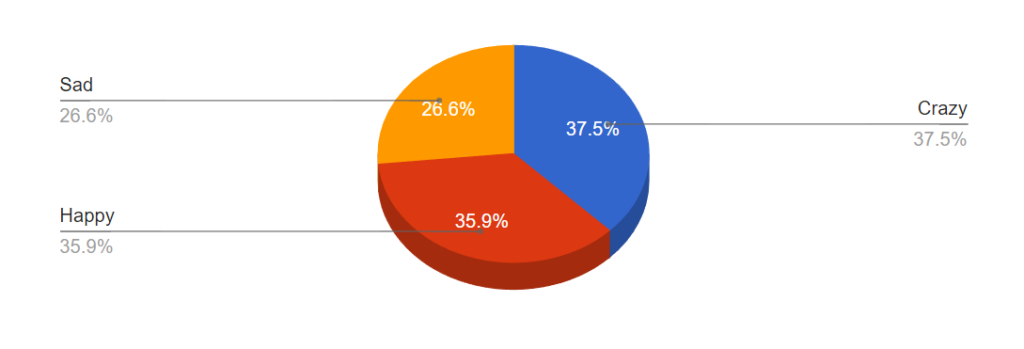
3D Pie Chart
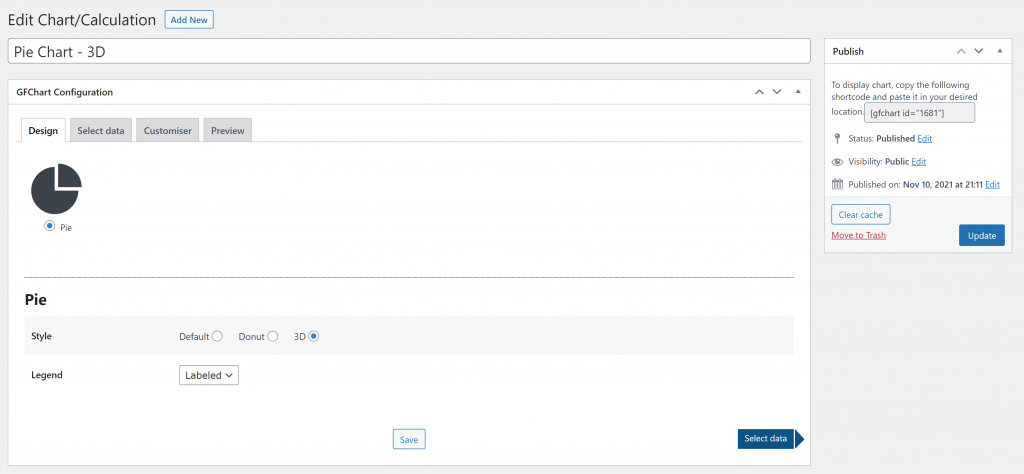
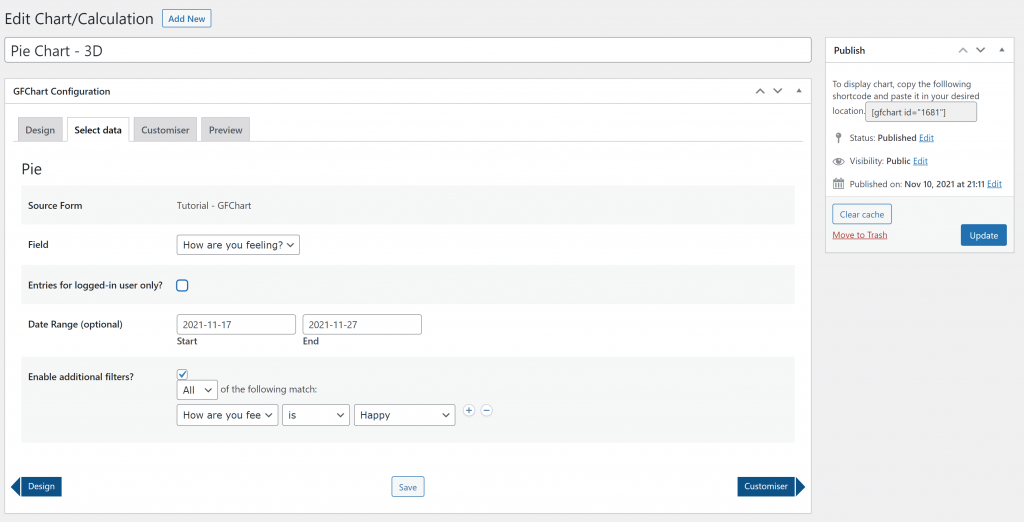
User Interface
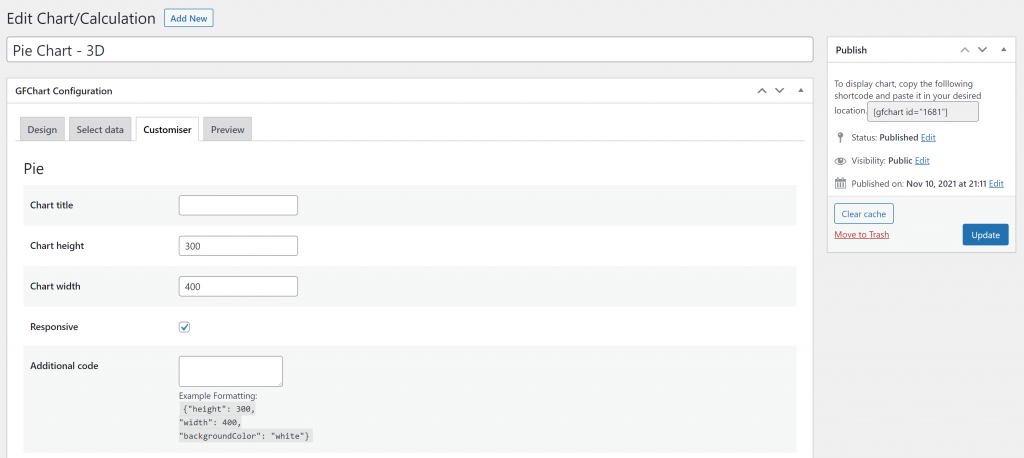
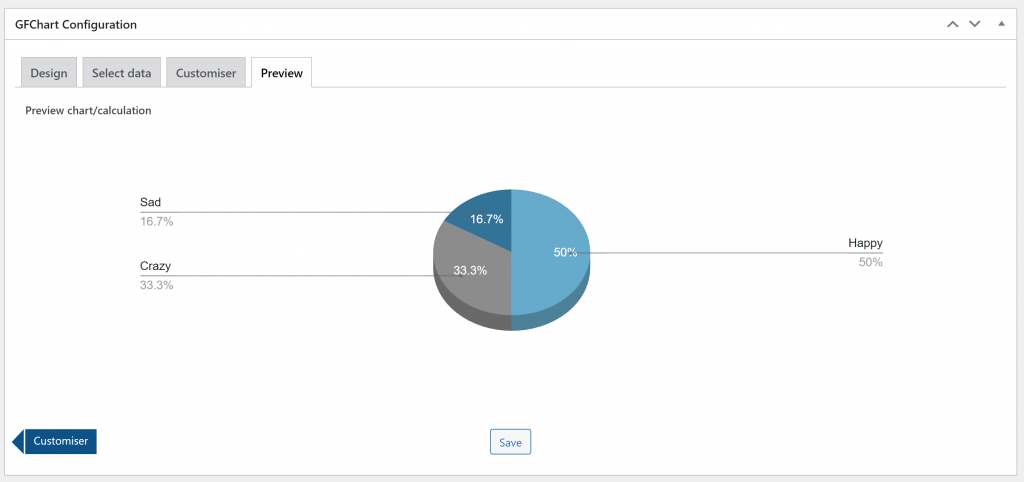
Tutorials GFChart
[gravitywp_custom_post_cards post_type=’tutorial’ numberposts=100 terms=41 col=6 ]
Our Premium add-ons for Gravity Forms

List Dropdown
Add a Dropdown Select with choices to a column or multiple columns in a Gravity Forms List Field.

Advanced Merge Tags
This Gravity Forms Add-On adds extra Merge Tag modifiers (and a lot of power). From the most common used functions like capitalize and length to changing date formats.

List Number Format
With this Gravity Forms Add-on you can change List Field columns into a number field, do calculations within a row or column. Extra merge tags are available with total counts of columns.

Field to Entries
Create entries based on Checkboxes & Multi Select choices & List Field rows.
Read tutorials about

Gravity Flow Form Submission Step Tutorial
The Gravity Flow Form Submission step pauses a workflow until another form is submitted, then continues once the handoff is complete. This guide shows how to connect two forms, prefill fields with mapping, send the correct secure link, and troubleshoot the most common “workflow didn’t move” issues.

Gravity Flow Delete an Entry Step Tutorial
The Gravity Flow Delete Entry step lets you trash or permanently remove Gravity Forms entries as part of a workflow. This guide covers the key settings, scheduling options (delay or date-based), and safe testing tips so you can follow retention and privacy rules with confidence.

Gravity Flow Update Fields Step Tutorial
The Gravity Flow Update Fields step pulls values from another entry and writes them into the current entry, so your workflow can route using “live” data. This tutorial covers source form selection, entry lookup with filters and sorting, field mapping, and quick testing.

Gravity Flow Update an Entry Step Tutorial
The Gravity Flow Update Entry step lets you update an existing Gravity Forms entry using a stored Entry ID and field mapping. This guide shows a simple parent-child setup where a Task Tracker workflow pushes status updates back into the original Request Form entry.


Author: Erik van Beek
Published: 25-02-2018
Last update: 19-12-2023
