
















MDR Powered by AI,
Guided by Experts

AI + human-led MDR delivering 24/7 threat detection, triage, response, and incident support

Image
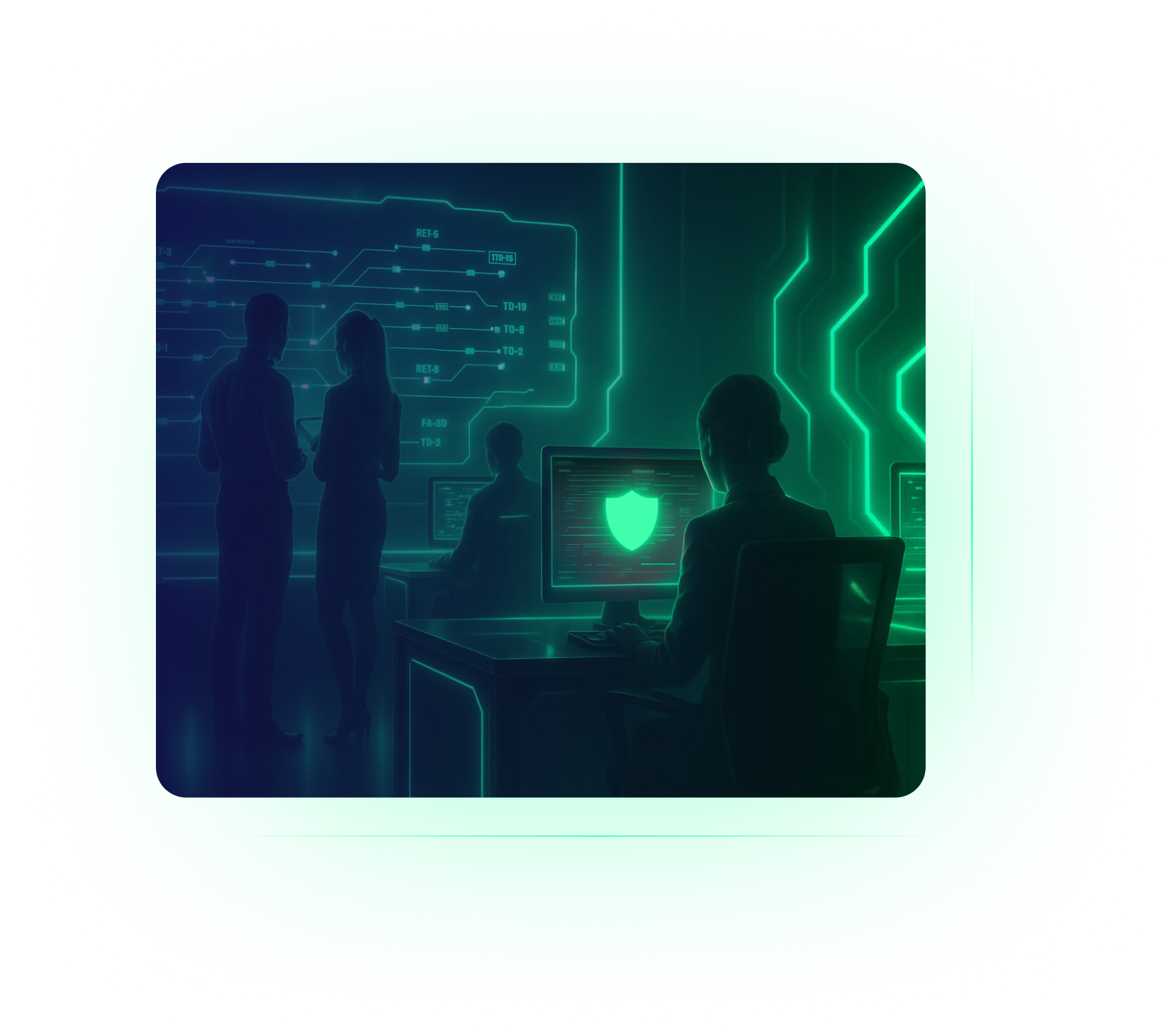
A group of people in a dark room with glowing digital screens, one person at a desk with a computer displaying a green shield, suggesting CyberSecurity and data protection for MSPs.

Trusted by Leading Partners

SentinelOne
SuperOps
ATERA
V2 Version
Syncro
CONNECTWISE
pax8
Manage Protect
MULTIPOINT
RESILIUM.ai
Checkpoint
SentinelOne
SuperOps
ATERA
V2 Version
Syncro
CONNECTWISE
pax8
Manage Protect
MULTIPOINT
RESILIUM.ai
Checkpoint
SentinelOne
SuperOps
ATERA
V2 Version
Syncro
SentinelOne
SuperOps
ATERA
V2 Version
Syncro
CONNECTWISE
pax8
Manage Protect
MULTIPOINT
RESILIUM.ai
Checkpoint
CONNECTWISE
pax8
Manage Protect
MULTIPOINT
RESILIUM.ai
Checkpoint

MDR Transformed

The Guardz MDR unifies SentinelOne EDR, ITDR, and other platform detections into one contextual system of normalized incidents, overseen by an elite team of security experts.

A black background with thin, glowing purple grid lines forming squares in the lower left corner. The rest of the image is empty, evoking a minimalist and futuristic design often used in CyberSecurity visuals for MSPs.

AI + Human-Led MDR

Delivering 24/7 managed detection and response across endpoint and identity threats, by combining real-time detection with expert human intervention to keep MSPs secure, informed, and in control.

A flowchart shows a user facing a phishing email. Detection reveals either an abnormal login or malicious processes, leading to response actions—suspending the user or isolating the device. Secure & Insure MSPs, CyberSecurity triage, and support are depicted on the side.
A vertical flowchart illustrates a user, detection of a phishing email, malicious process detection, response action, and an isolated device, highlighting CyberSecurity support stages for MSPs such as MDR, triage & analysis, and Secure & Insure.

Fully
Managed SOC

Follow the sun coverage by expert threat hunters and analysts with SLA-backed precision.

Identity-Centric
Incident Management

Threats are mapped to users and aggregated into a incident timeline for transparent decision making.

Noise
Reduction

Reduce alert fatigue using AI to enrich data and benchmark activity prior to review by MDR specialists.

Automated Response,
Playbooks & Reports

From isolation to suspension, responses are precise, while playbooks and reports enhance communication.

Screenshot of SentinelOne Site Policy Settings interface for MSPs, highlighting Protection Mode, Protect Level slider set to Kill & Quarantine, and various Agent Security Settings toggles for robust CyberSecurity features like Snapshots and Anti Tamper.

Embedded SentinelOne EDR

Embedded with SentinelOne Singularity EDR for enterprise-grade endpoint protection, seamlessly deployed and centrally managed through Guardz with oversight from the MDR team.

Screenshot of SentinelOne Site Policy Settings interface with protection mode toggles for malicious and suspicious threats, plus agent security settings like anti-tamper. Ideal for MSPs looking to enhance CyberSecurity for clients.

Real-time analysis of process behavior, execution chains, and memory operations to detect ransomware, fileless attacks, and zero-day threats without cloud dependency.

Agents are always-on, autonomously performing process termination, file quarantine, and rollback based on policies, even without cloud access.

Patented Storyline™ correlation & context plus integrated threat intelligence with VirusTotal and MITRE ATT&CK Threat Indicators.

Global policies for detection, remediation, and exclusions are managed per MSP or organization via the Guardz console.

Cloud ITDR

Guardz ITDR continously monitors user behavior and activity in Microsoft 365 and Google Workspace, flagging suspicious patterns to prevent account takeover and suspending accounts before any damage occurs.

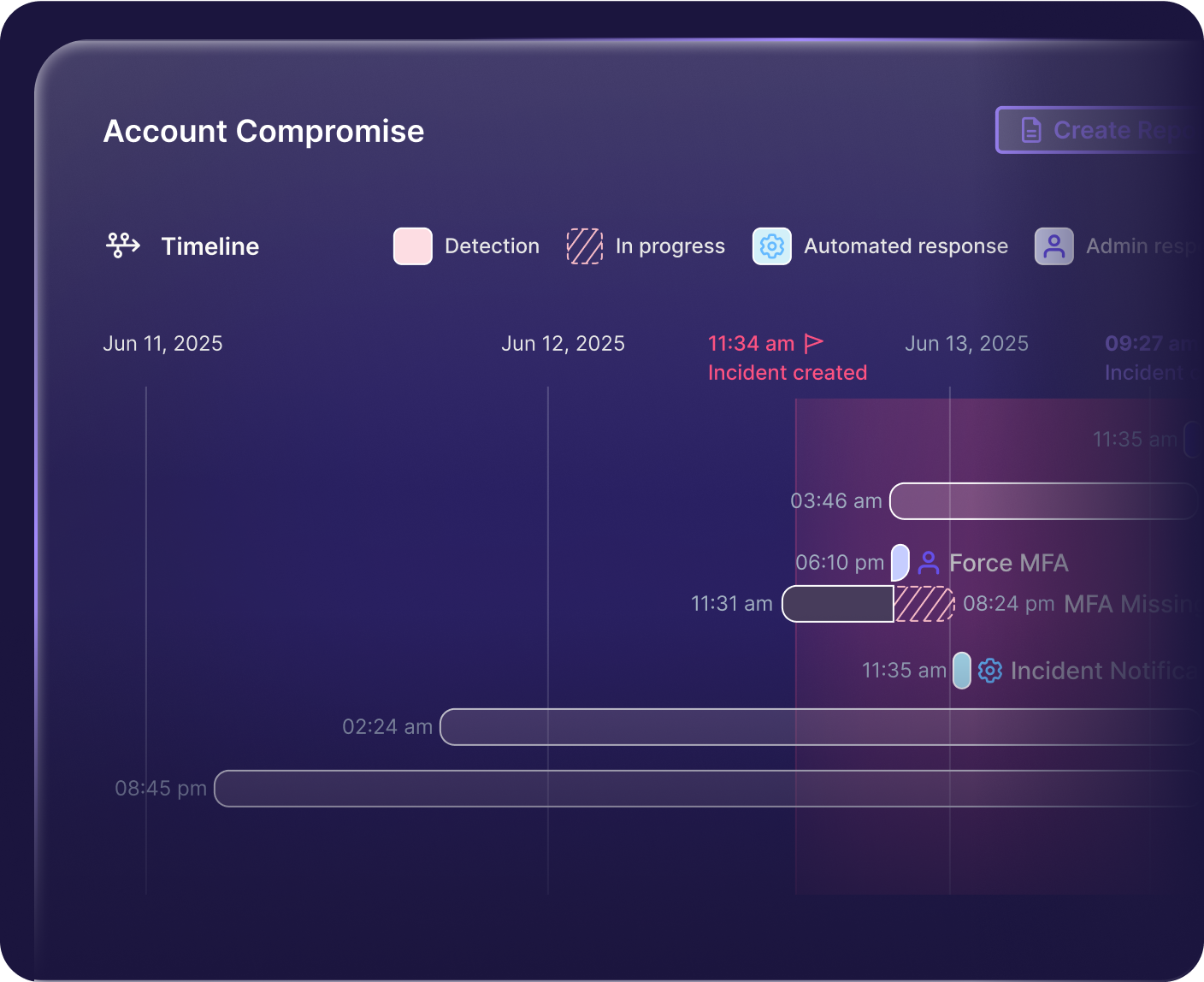
A digital dashboard for MSPs displays an Account Compromise timeline, highlighting key CyberSecurity events—such as Incident Created, Leaked Credentials, and Incident Notification—with icons and colored lines, ending when the incident is Secure & Insure closed.

Anomaly detection of cloud identity behavior and posture based on benchmarks that help identify human risk.

Suspicious logins, impossible travel, MFA status, credential and token abuse, mailbox rules, and more can all be connected and flagged for further investigation.

Incident details are presented in a timeline view to help admins better understand the attack path, while playbooks and reports guide them through the subsequent steps.

Common incidents address modern attack techniques including account takeover, token theft, BEC, and more.

A digital timeline titled Account Compromise highlights CyberSecurity events from June 11 to June 13, 2025, showing incident creation and security actions like forcing MFA, with colored bars and icons marking progress and responses for MSPs.

Detect. Analyze. Respond. Done.

Rest well knowing you have full control of your clients’ security while Guardz MDR automates detection and response and brings in expert support when it matters most.

Built for MSPs

Guardz MDR is specifically designed for MSPs to enhance MTTD and MTTR through the right combination of automation and visibility, addressing industry-wide talent gaps and daily operational challenges.

Connect the Dots

Threats detected across security controls are native to the Guardz detection and response platform, enabling MDR incidents to correlate findings to identities in ways that other tools may overlook.

Automated and Human-Backed

AI agents triage and escalate threats in real time, while security analysts step in to guide, contain, and remediate incidents while keeping MSPs and admins involved and informed every step of the way.

Threat Hunting and 24/7 SOC

Around-the-clock monitoring improves risk and incident management, while expert researchers and threat hunters proactively address evolving cybersecurity threats.

How it Works?

A central green MDR icon connects by lines to various EDR and ITDR icons, including computers, documents, and alert symbols, illustrating unified CyberSecurity threat detection and response for MSPs.
White text EDR + ITDR, highlighting CyberSecurity, is centered on a black background with thin horizontal lavender lines extending outward on both sides of the text.
Illustration of a person standing on a green platform with a white logo, connected by lines to floating colorful icons representing messages and notifications—symbolizing MSPs working to Secure & Insure your digital world.
White letters MDR in bold, centered on a black background, flanked by thin, horizontal, light purple lines extending outward—perfect for MSPs seeking Secure & Insure CyberSecurity solutions.

Alert Triage

MDR leverages AI to manage and prioritize alerts, removing the burden of false positives and noise.

Incident Analysis

MDR offers in-depth incident
analysis across security controls
for a comprehensive risk overview.

Incident Support

MDR security experts actively mitigate incidents and engage with MSP admins to provide real-time support.

The image shows a red logo featuring a stylized letter G combined with the number 2, designed to look like an arrow.

Recognized, Reviewed, Proofed.

Guardz is the top choice for MSPs, offering a unified platform powered by AI to streamline cybersecurity and drive growth.

Five red stars are displayed in a horizontal row against a transparent background.
Badge with G2 logo at the top, featuring the text Users Love Us in the center, and a small star symbol at the bottom. The badge has a simple, clean design.
A badge with the G2 logo in the top right corner, labeled Winter 2026 at the top, and Most Implementable in bold black text in the center. The badge features blue accents at the bottom and subtle purple lines, adding to its Badges design.
Badge design features WINTER 2026 at the top, the G2 logo in the corner, and High Performer bold in the center. The badge has red, orange, and yellow stripes near the bottom, adding flair to your collection of standout badges.
A badge labeled Winter 2026 Asia with the G2 logo in the top right and the words High Performer in bold black text at the center. The badge features purple lines and a pink border at the bottom, fitting perfectly among G2 Badges.
A badge with the G2 logo in the top right corner, labeled Winter 2026 at the top, and Momentum Leader in bold text at the center, featuring red, orange, yellow stripes and purple lines along the bottom edge. Perfect for showcasing badges.
Badge with the G2 logo, labeled Winter 2026 at the top. High Performer in bold text takes center stage, Small Business below, and a red, orange, and yellow striped border at the bottom—enhanced with purple lines for standout badges.
A stylized graphic with orange numbers and squares on the left, overlaid with a blue grid, highlights CyberSecurity themes, featuring a green logo resembling a lowercase g in a white circle on the upper right.
Abstract graphic with an orange and red curved arrow, white squares, and a magnified area showing a green square icon with a white stylized G on a grid background—perfect for CyberSecurity or MSPs looking to Secure & Insure their digital assets.

Experience The Power

Of Unified
Detection & Response

Guide To Boosting The Security of Your M365 Identities

Before you go, grab our free guide highlighting underutilized security settings and best practices every MSP should know about identity posture.

Download the Guide
Guide To Boosting The Security of Your M365 Identities

Before you go, grab our free guide highlighting underutilized security settings and best practices every MSP should know about identity posture.

Download the Guide
Guide To Boosting The Security of Your M365 Identities
LinkedIn
Slack
LinkedIn
Slack
Chat with us No account needed
Support Agent Support Agent Support Agent

Chat now with our experts ✌️

Connect with one of our experts in your preferred way