The post How to choose a Linux distribution that fits your needs appeared first on SecureLinuxCon.
]]>With hundreds of active Linux distributions to choose from, it can be daunting for a beginner to select one that best fits their needs and experience level. However, Linux’s diversity is also its strength, with different “distros” catering to various users, applications, skillsets and computing environments.
By identifying your main usage priorities and technical requirements first, you can zero in on a Linux distro that offers the right blend of features, software, community support and learning curve for your needs. Here are some key considerations for finding your ideal Linux match as a new user.
Define Your Main Usage Priorities
First, reflect on how you plan to primarily use a Linux OS. This determines which capabilities you need in areas like:
- Desktop environment – Customizable GUI, lighter weight options, keyboard/mouse or touch optimized?
- Software ecosystem & package manager – What programs and languages will you need to install and run?
- Hardware compatibility – Will you run Linux on older or cutting-edge PC hardware?
- Performance needs – Graphics, gaming, programming, servers, other specialized uses?
Your main applications for Linux steer you toward distros aligned with those workload priorities out of the box. Keep your anticipated usage in mind.
Assess Your Experience Level
Linux allows immense customization, but demands more technical skill for setup and configuration versus Windows or MacOS. Assess your current experience honestly:
- Are you an IT pro or developer seeking flexible infrastructure? Or a Linux newcomer?
- How comfortable are you with using terminal commands vs a GUI?
- Will you want to heavily customize and “tweak” system settings?
New users with limited command line experience often favor “just works” distros like Linux Mint, Ubuntu, or Pop!_OS focused on usability. Power users may opt for Arch, Gentoo or Slackware for limitless customization. Match user-friendliness with your skill.
Consider Software Compatibility Needs
Some Linux distros include many proprietary codecs, drivers and plugins for max hardware compatibility out of the box. Others favor open source for licensing reasons. If you have very specific software needs:
- Catalog must-have apps and tools you rely on – Are they in the distro’s repositories?
- Check hardware driver availability, especially for Nvidia GPUs or printers
- Note if the distro supports Windows compatibility via WINE for key programs
Opt for beginner-friendly, commercially backed distros like Fedora if software compatibility is vital. Or distros like Debian for commitment to open source purity.
Evaluate Desktop Environment & Workflow
Every distro includes a default desktop environment like GNOME, KDE Plasma, XfC or LXQt with its own look, feel and workflow. You can always install different environments later, but it’s ideal to start with one that matches your style:
- Do you prefer Windows-like or Mac-like interfaces? Minimalism? Highly customizable UI?
- Need a lightweight environment for older PCs? Or one optimized for touchscreens?
- Will you work mostly from the terminal or through a GUI?
Desktop environment is hugely about personal preference. Browse screenshots of options like Cinnamon, MATE, Budgie, etc. to envision your workflow.
Consider Hardware Compatibility
Some Linux distros are highly optimized for specific laptops or desktop rigs. Ubuntu and Linux Mint generally run well on most PCs. However:
- For very new or very old hardware, check distro-specific compatibility info
- Raspberry Pi OS, SteamOS excel on that hardware
- Arch or Gentoo offer flexibility for bleeding-edge PCs
Don’t assume all distros support your exact device out of the box. Verify or choose flexible options like Fedora if using specialty or dated hardware.
Assess Ongoing Support Resources
Consider which resources will help you get started with Linux and solve problems down the road:
- Look for distros with extensive community forums and documentation for new users
- Paid support options can be beneficial for commercial configurations
- Confirm there are recent software updates and releases for the distro
Ubuntu, Red Hat Enterprise Linux, openSUSE and other large projects offer many guides and help avenues. Obscure distros may lack robust support.
Top Linux Distro Options For Beginners
Based on all of the criteria above, some best-fit Linux distributions for getting started include:
Ubuntu – The most popular desktop Linux OS. Offers wide compatibility, varied UI options, huge community support and regular updates from Canonical.
Linux Mint – Built on Ubuntu, but with a more traditional interface. Very easy for Windows switchers. Active forums and excellent for beginners.
Fedora Workstation – Backed by Red Hat, includes latest software versions and hardware support. Strong security and developer focus.
Pop!_OS – Custom Ubuntu spin by System76 for usability. Great for both Nvidia gaming rigs and new adopters. Slick Cosmic UI.
openSUSE Leap – Robust features plus stability as an enterprise Linux option. Very customizable. Better suited to intermediate users.
Elementary OS – MacOS-inspired UI and apps built from scratch. Pay-what-you-want model. Strong focus on design.
There are many other fantastic starter distros like Manjaro, Zorin, MX Linux, and Deepin worth considering as well based on your needs. Focus on your top priorities.
Tips For Trying Out Different Distros
Rather than dive into a single distro right away, it’s wise to test a few options directly with live USB demos before installing your favorite permanently:
- Use tools like Ventoy or Etcher to make a multi-distro USB drive with diverse environments
- Boot different distros from the USB to get hands-on without affecting your current system
- Assess look and feel, default software, hardware compatibility, and documentation
- Take notes on which distros align best with your everyday tasks and preference
Testing with live demos gives real insight versus just reading reviews. Opt for the distro where using it intuitively matches your workflow and skills.
Conclusion
The versatility of Linux gives you immense choice but also makes selecting your first distribution more involved. Define your primary usage, experience level, hardware, software needs and UI preferences first. Research options catering to that feature set. Demo top contenders directly before diving in.
Rather than get overwhelmed, frame the decision as a fun exploration of Linux’s possibilities aligned with your needs. There are fantastic distros for all use cases. By taking stock of your own ideal criteria first, you’ll discover one that clicks and provides a great onboarding to Linux as a whole.
The distribution you start with won’t necessarily be the only one you ever use either. Once comfortable with Linux, switching between distros becomes much easier over time. Focus on finding an ideal starting point, while being open to exploring other options down the road as your experience grows.
The post How to choose a Linux distribution that fits your needs appeared first on SecureLinuxCon.
]]>The post Best Instrumental Removers for Linux appeared first on SecureLinuxCon.
]]>Removing vocals or instrumental tracks from songs can be useful for Karaoke, remixing, or isolating the components you want. On Linux, open source and online AI services provide effective solutions to extract just the vocals or instrumentation from recordings.
Along with CLI tools like Audacity, new machine learning powered services like lalal.ai make isolating the parts you want easy through cloud-based processing. Here are some top instrumental removers to leverage on Linux platforms.
The open source audio editor Audacity has a built-in vocal reduction effect that can be used to minimally isolate instruments and reduce vocals.
To use it:
- Import the song file into Audacity
- Select the audio data
- Apply Effect > Vocal Reduction and tweak settings
- Export the processed track
Audacity’s vocal reduction works decently well, especially on simpler recordings. The results aren’t perfect, but it’s a handy integrated tool for quickly reducing vocals. You can adjust the frequency range that the vocal reduction targets to optimize it for male vs female voices. Audacity also allows you to chain multiple effects, so you could reduce vocals slightly, then run a low pass filter to further minimize higher frequencies where vocals are dominant. For basic DIY instrumental isolation without extra software, Audacity provides a good first step.
For more advanced source separation, MP3 Diags is a specialized Windows tool that works well under Wine on Linux. It leverages Diagonally Conditioned Neural Networks to split audio.
MP3 Diags can:
- Import MP3, M4A, WMA, WAV, Ogg and other audio
- Isolate and extract vocals or instrumental tracks
- Let you set custom output volume balances
- Export separated audio as MP3, M4A or WAV
Despite being Windows software, MP3 Diags works reliably in Wine for effective DIY source separation. The virtualization overhead is minimal so it runs quite efficiently. MP3 Diags allows you to solo just the isolated vocal track or instrumental track as well for previewing. You can tweak the separation by setting different balances between the output stems. For serious open source instrument isolation on Linux, MP3 Diags is a top choice.
The SoX open source audio toolkit contains a resampler effect that can reduce centered vocals by altering phase. It takes some trial and error but can work decently. The phase cancellation approach attempts to subtract and minimize the centered vocal elements.
To use SoX as a vocal remover:
- Install SoX, including libsox-fmt-all for encoding support
- Pass the track through the resampler with commands like:
sox song.mp3 processed.wav resampler -1.1 2.3 -m
- Adjust the parameters until vocals are minimized in the output
- Export the remixed track
SoX’s phase-based resampling approach to separation is hard to perfect but usable with some tweaking. The results are lo-fi but suitable for practicing instrumental mixes. As an added bonus, the SoX toolkit contains many other audio processing effects as well, like filters, converters, analyzers and more.
Lalal.ai
Lalal.ai offers an AI-powered vocal isolation service accessible through web and developer APIs. Just upload your song and lalal.ai magically extracts a smooth acapella making use of advanced neural networks.
Features include:
- Automated AI vocal-instrumental separation
- Support for MP3, M4A, WAV, FLAC inputs
- Output vocal stem and accompaniment instrumentals
- Adjustable vocal loudness and pitch shifting
- Download or stream isolated vocal tracks
For hassle-free instrumentals minus the singer, lalal.ai works wonders using the latest AI techniques. You can tweak the isolated acapella track with built-in pitch shifting and stereo width adjustments. lalal.ai also offers storage and organization features for managing your isolated vocal library. If you regularly need acapellas, lalal.ai is worth checking out.
Songdonkey.ai provides similar machine learning powered vocal removal capabilities, accessible through their web interface or API. The separation algorithms work rapidly to isolate the vocal and instrumental components.
Benefits include:
- AI isolation of vocal and instrumental components
- Processing of MP3, M4A, FLAC, WAV and more
- Output options including isolated vocal stem
- Pitch correction and stereo expansion
- Custom mixing levels between separated tracks
Songdonkey.ai makes extracting acapellas and accompaniment instrumentals a breeze. You’re able to tweak the isolated vocal track with built-in pitch correction and effects. songdonkey.ai also lets you adjust relative volume levels before downloading the separated tracks. For convenient cloud-based vocals removal, songdonkey.ai is easy to use.
Backed by the music service Deezer, Spleeter is an open source separation library powered by TensorFlow. It performs well, but requires installing Python and dependencies to leverage the pretrained models.
Spleeter lets you:
- Isolate vocals, drums, piano, bass and more stems
- Process MP3, FLAC, WAV and other audio formats
- Customize model to improve separation quality
- Output separated tracks as MP3, WAV etc
While requiring more setup, Spleeter gives you customizable open source instrument isolation powered by AI. You can train Spleeter’s model on your own source material to improve the separation quality over time. The base model works decently on a range of popular music. If you have experience with Python environments, Spleeter is a powerful open source option.
Conclusion
Whether using built-in tools like Audacity, dedicated services such as lalal.ai and songdonkey.ai, or open source libraries like Spleeter, Linux users have awesome options for extracting instrumental and acapella tracks from songs.
The new machine learning powered solutions in particular make vocals removal incredibly easy with just a quick online upload. But the classical open source tools still provide decent DIY separation capacities for free without any external services required.
With the continual advances in AI, remixing and extracting the vocal, instrumental or percussive parts you want from recordings is now fast, accessible and sounds great. Take advantage of these instrumental removers to isolate the musical elements you need on Linux. They provide versatile options ranging from quick online services like lalal.ai to fully customizable open source libraries like Spleeter. Whether you just need a simple acapella or want granular control over source separation, there’s a capable vocals remover solution for your specific instrumental isolation needs.
The post Best Instrumental Removers for Linux appeared first on SecureLinuxCon.
]]>The post Simple Steps to Secure Your WordPress Site: An Essential Guide appeared first on SecureLinuxCon.
]]>Data breaches are on a record-setting rise each year. But is there anything that a website owner can do to prevent this? Absolutely! It’s essential not to wait for disaster to strike — you can take simple steps today to fortify your WordPress website.
To help you navigate this process, we’ve compiled an easy-to-follow WordPress security checklist outlining measures to safeguard your data. This list comprises both basic and advanced suggestions, along with plugin recommendations suitable for users of varying expertise levels. Even implementing a few of these measures from the checklist can greatly enhance your website’s protection.
Potential WordPress Threats
As WordPress is a free, open-source CMS, it’s inevitably subjected to potential risks. While it’s impossible to shield your website from every threat, you can certainly take steps to mitigate the risks.
Google blacklists thousands of websites daily due to phishing and malware concerns. Even if you have no intention of distributing harmful software, your site can still be blacklisted. This might occur if Google suspects your website is being used as a conduit for malware dissemination.
Your site’s pages could be hacked and programmed to download malware automatically, often without your awareness. A prime example of such malware is the pharma hack, an SEO spam attack that exploited legitimate websites to peddle illegal drugs. This malware injected malicious code into outdated versions of WordPress websites and plugins, posing significant issues for website owners.
Security Assessment
Now that you’re aware of some WordPress vulnerabilities that could jeopardize your website, it’s time for a security assessment. Do you believe your WordPress site is adequately secure? The simplest way to determine this is by employing a free or paid WordPress plugin that scans your website for potential vulnerabilities. Some of the most recommended tools currently include:
- SiteCheck promptly indicates if your site is blacklisted, infected with malware, or requires updating.
- Hacker Target excels at identifying vulnerable plugins and themes. This plugin will also alert you if you’re using an outdated WordPress or PHP version, or if your web server configuration needs an update.
- For a more comprehensive scan, consider using Detectify, an enterprise-grade service that examines over 500 vulnerabilities, including those specific to WordPress.
Another way to find out how secure your website is at the moment is to seek assistance from a respectable web development consulting company. They will perform an in-depth security audit of your site and suggest essential steps to prevent it from being exploited by hackers.
Before reaching out to professionals for help with patching your security holes, however, you can take some basic steps to make your site much less susceptible to cyber threats. Let’s discuss these next.
WordPress Security Guidelines

☐ Opt for Secure WP Hosting
Trustworthy hosting providers use contemporary, updated hardware or cloud systems that enhance your website’s speed. They also provide protection against various types of attacks, and some even offer free site repair services if an attack takes place.
☐ Use the Most Recent PHP Version
Using outdated software is never advisable. Despite the challenges WordPress may present with updates, it’s crucial to stay current for the sake of security.
☐ Always Update to the Latest WordPress Version
The importance of using the most recent WordPress version cannot be overstated. A quick search on a site like CVE Details (https://www.cvedetails.com/vulnerability-list/vendor_id-2337/product_id-4096/Wordpress-Wordpress.html) for WordPress will reveal a multitude of potential security risks. Although this may seem daunting initially, you’ll soon notice that most vulnerabilities are addressed promptly in new WordPress versions. Since most threats listed don’t have known solutions, the only real fix is to keep your WordPress version updated.
☐ Keep Your Plugins and Themes Updated
Despite the potential for incompatibility issues, staying updated is critical for security. The risk of losing all your data due to a security breach far outweighs the inconvenience of a plugin not working after an update.
You can opt for auto-updates, but a more controlled approach is to clone your website to a staging or development environment, run updates there, and then ensure everything is functioning correctly before updating. Always back up your website before making any changes.
☐ Regularly Change Your Passwords
Did you know that common passwords like 12345 or ‘password’ can be cracked in less than a second? Regardless of how complex your current WordPress password may be, it’s good practice to change it periodically.
☐ Conceal Your WP Version and Other Confidential Website Information
The less information people have about your WordPress site setup, the better. If you’re comfortable editing your functions.php file, you can conceal details like your WP version. Alternatively, a plugin like WP Hardening can do this for you.
☐ Conceal WP Admin
You can also hide the default admin login for your site. Adding “/wp-admin” to your URL is a known way for hackers to access your login page. Make it more difficult for them by changing this URL to something unique using a plugin like WPS Hide Login (https://wordpress.org/plugins/wps-hide-login/).
☐ Restrict Login Attempts
Limiting login attempts is a simple but effective means of safeguarding your website against brute-force login attempts. Any reputable security plugin will include this feature, along with two-step authentication, unauthorized login monitoring, and IP address blocking capabilities.
☐ Implement Basic HTTP Authentication on Your Website
HTTP authentication can provide extra security by requiring a username and password before the login page is even displayed. This may not be suitable for online stores or membership sites, but it’s a valuable addition for sites with limited registered users. It’s also commonly used to protect staging and development websites.
☐ Install an SSL Certificate and Enable HTTPS
While quality SSL certificates come at a cost, it’s better to have at least a free one than none at all. If you’re an advanced WordPress user looking to further enhance security, you can update your wp-config file by adding the following line:
define(‘FORCE_SSL_ADMIN’, true);
☐ Safeguard Your WordPress API
WordPress comes equipped with an excellent REST API, which can be viewed as a double-edged sword. On one hand, it enables developers to craft numerous integrations with external resources. However, there’s also the risk of data exposure via the API. Here are some measures you can take to ensure safe use of WP API:
- Always engage a secure, encrypted connection (HTTPS)
- Limit your entities’ access to only necessary parts of the application
- Employ security plugins such as Disable WP REST API plugin (https://wordpress.org/plugins/disable-wp-rest-api/)
- Maintain your API in a stateless condition
- Encrypt the passwords in your WordPress database
Upcoming Steps

Typically, these are the initial actions a WordPress user can undertake to shield their website from attacks and bots. If you’re not confident with editing and shifting things yourself, there are sophisticated security plugins for WordPress that can handle everything for you. If you intend to fortify your WordPress security further, consider these additional suggestions:
☐ Refresh your WordPress Security Keys
☐ Deactivate XML-RPC
☐ Inspect your core files and server permissions
☐ Employ the most recent HTTP security headers
☐ Boost the security of your WordPress database
☐ Establish distinct user roles
☐ Prohibit file editing in WP admin
☐ Block hotlinking
☐ Relocate your wp-config.php file
☐ Use SFTP and SSH
☐ Ward off DDoS attacks
☐ Modify WordPress Database Prefix
☐ Implement two-factor authentication
Final Words
Securing your WordPress website encompasses a wide array of strategies, from choosing a secure hosting provider and upgrading to the latest PHP version to hiding your WP version and implementing two-factor authentication.
Regularly updating your WordPress version, plugins, and themes is critical, as is establishing periodic password changes. Additionally, concealing your WP admin and restricting login attempts can significantly bolster your site’s security.
Incorporating HTTP authentication and SSL certificates adds another layer of protection. Safeguarding your WordPress API is also crucial, as is taking the time to strengthen your WordPress security further with steps such as refreshing your Security Keys and inspecting your core files.
Remember, the goal is to keep your site as secure as possible from potential attacks and breaches, ensuring the safety of your data and your users.
The post Simple Steps to Secure Your WordPress Site: An Essential Guide appeared first on SecureLinuxCon.
]]>The post Unraveling 5 Popular Misconceptions About Traditional WordPress and Headless WordPress appeared first on SecureLinuxCon.
]]>The digital marketing landscape is perpetually shifting, necessitating your website’s ability to adapt accordingly. The introduction of Google’s Core Web Vitals, where UX officially became a ranking factor, saw many WordPress users struggling to optimize their websites sufficiently.
Those who aim for improved search engine visibility must now prioritize their website’s performance and user experience. Coupled with other known WordPress challenges, users are left pondering:
Should they stick with the conventional WordPress system or is the time ripe for a change?
If change is indeed necessary, what could effectively supplant a WordPress-based website? One frequently recommended alternative for WordPress owners is the headless CMS based on WordPress. Renowned for its speed, flexibility, and versatility, headless solutions are often deemed superior to WordPress.
While this is sometimes the case, the reality is far more nuanced. Your specific needs greatly influence the choice, but we hope this article will guide you towards the correct decision.
Headless CMS vs Traditional CMS
Before delving deeper, it’s important to understand what a headless CMS is and isn’t. Also referred to as Headless WordPress, this CMS type gained popularity with the advent of React. With headless, the CMS can function as a universal content management system, while any other technology can be used to build the front-end (React and Angular being top choices).
You then use an API to link these two components. WordPress has a robust REST (representational state transfer) API that returns data in JSON format, compatible with numerous web technologies. JSON, in simple terms, is a text-based depiction of JavaScript objects that store data as neatly arranged key-value pairs.
If all this sounds complicated, don’t fret – the key takeaway is that headless enables you to construct any type of website and manage it in WordPress through an API. Many WordPress users consider this option as it doesn’t require data migration.
All that’s required is a new front-end that directs to the correct routes on their existing website. This method has its benefits but also some drawbacks worth considering.
5 Popular Misconceptions About Traditional WordPress and Headless WordPress
Misconception #1: Headless Solutions Are Economical and Simple to Develop

In the comparison of a headless CMS vs a traditional CMS, the cost of constructing a website’s front-end from the ground up is often overlooked. A seasoned web developer might charge $50 per hour or more, and even with full-time work, the website development might take weeks or even months. Clearly, it’s neither “inexpensive” nor “simple”.
The headless approach provides the flexibility to create as you wish and only incorporate those features that are truly necessary. However, this flexibility comes at a price. Consider any future additional features or requests – with WordPress, you could simply install a plugin or find an online code snippet. With a headless system, you’ll need to consult a professional web developer each time you want to modify or add something.
If you’re an advanced WordPress user, you may already know some PHP or have an in-house PHP developer. If you opt for a headless system, you may require someone proficient in JavaScript and APIs, which is an entirely different skill set.
Misconception #2: Headless CMS Generally Performs Better
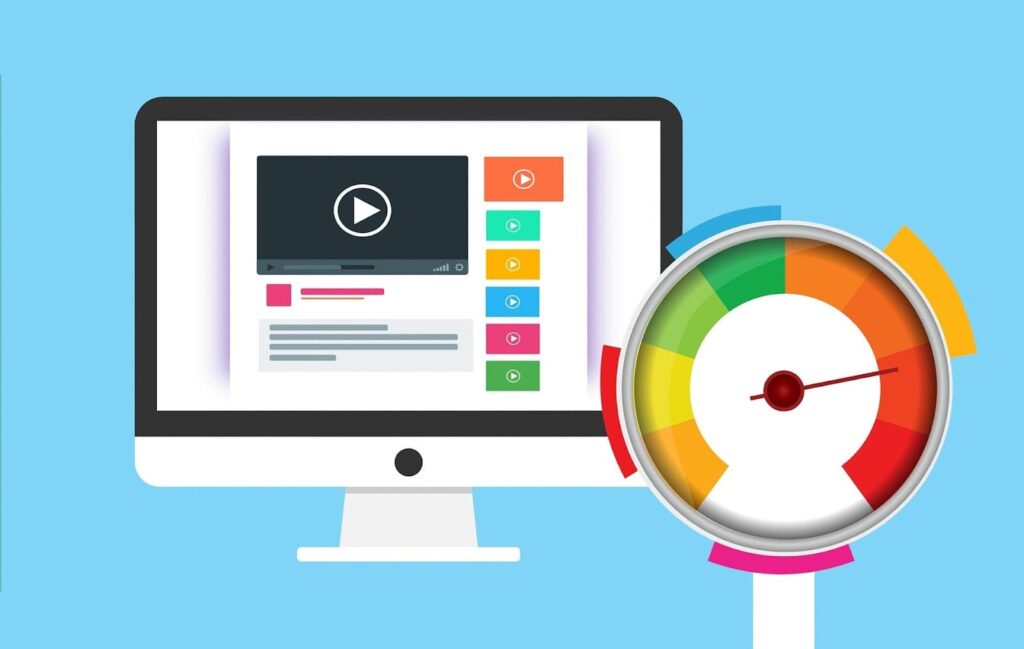
While it’s true that headless WordPress solutions are quicker and lighter, it doesn’t imply that your WordPress website can’t achieve Core Web Vitals’ green zone. The advantage of a headless CMS is that it removes the need for unnecessary files and unused features.
However, consider the amount of time and money required to develop and maintain a headless solution before making the switch. Most often, it’s simply not worth the effort. Almost any WordPress site can reach the green zone with the right hosting, CDN, optimized images, and a potent optimization plugin like WP rocket.
Misconception #3: WordPress Websites Aren’t as Secure as Headless CMS

A headless CMS is an API-based website without a database, eliminating database vulnerabilities and potential hacker entry points. This alone makes a headless CMS a secure option, but is it always more secure than a standard WordPress website? Not necessarily.
A hacker can still access the service endpoints that deliver content if they’re not adequately secured. Ultimately, it all hinges on the setup. You can always enhance the security of a regular WordPress website by using advanced security plugins and concealing sensitive information.
Misconception #4: Headless CMS is More Economical

Contrary to popular belief, a traditional CMS typically requires less time and money to establish. It’s an optimal choice if you have a skilled PHP team or if you are proficient in WordPress yourself. If your requirements only extend to a single independent website that doesn’t need to connect with other external resources, WordPress with its inherent features is actually the more economical option.
However, if you’ve already established one or several websites on a modern tech stack that needs integration with a new site, opting for a headless CMS can be more economical in the long term. You don’t need to start from scratch – most contemporary services come with a REST API which can be used to enhance your headless CMS’s functionality. If this website is one among many, then a headless approach can greatly simplify the development process.
Misconception #5: Headless Offers a Superior User Experience

A headless CMS can enhance user experience as it gives you total control over where and how your content is displayed. With a headless website, there’s no need to hide or modify default WordPress pages and features; you simply design your own.
However, a basic WordPress site can also be user-friendly. Indeed, with the right tools and plugins, enhancing user experience on any WordPress-based site isn’t difficult.
Final Reflections
In conclusion, the headless CMS approach presents a fascinating shift from traditional WordPress, offering enhanced flexibility, potential performance boosts, and perceived security advantages.
However, it is crucial to consider the total costs of development, the need for specific skills for implementation and maintenance, and the fact that traditional WordPress has proven solutions for performance and security.
A headless CMS could be a beneficial option for integrating with an already existing modern tech stack, but for single, standalone websites, WordPress remains a cost-effective and robust choice. Moreover, user experience, whether with a headless CMS or WordPress, largely depends on the correct use of available tools and plugins.
Navigating the evolving landscape of content management systems calls for a constant reassessment of available options and strategies.
The post Unraveling 5 Popular Misconceptions About Traditional WordPress and Headless WordPress appeared first on SecureLinuxCon.
]]>The post Safeguarding Your Systems: A Comprehensive Guide to Linux Security appeared first on SecureLinuxCon.
]]>- Understanding Linux Security Fundamentals: Begin by explaining the core principles of Linux security. Discuss the multi-user environment, file permissions, and the root/superuser concept. Emphasize the importance of maintaining a minimal and secure installation to reduce the attack surface.
- Regular System Updates: Highlight the significance of keeping your Linux system up to date. Explain the role of software updates in patching security vulnerabilities and improving system resilience. Encourage readers to enable automatic updates and stay vigilant about updates for critical software and the Linux kernel.
- User Management and Access Control: Discuss the importance of effective user management to prevent unauthorized access. Guide readers on creating strong passwords, implementing multi-factor authentication (MFA), and limiting user privileges to the minimum required for their tasks.
- Securing Network Services: Explain the significance of securing network services running on your Linux system. Cover topics such as firewall configuration, intrusion detection and prevention systems (IDPS), and the use of secure protocols like SSH. Provide tips on how to restrict network access and harden network services.
- Utilizing SELinux/AppArmor: Introduce readers to security-enhanced Linux (SELinux) and AppArmor, two robust Linux Security Modules (LSMs). Explain how these frameworks can help enforce mandatory access controls and restrict actions of even privileged users. Provide examples of how to configure SELinux or AppArmor profiles for specific applications.
- File System Security: Explore the importance of file system security in protecting sensitive data. Discuss the benefits of implementing full disk encryption, encrypted file systems, and secure file permissions. Offer guidance on how to audit file system changes to detect potential breaches.
- Monitoring and Log Management: Emphasize the significance of continuous monitoring and log management. Discuss tools like the ELK stack (Elasticsearch, Logstash, Kibana) to aggregate, analyze, and visualize system logs. Explain how monitoring can help detect suspicious activities and facilitate timely incident response.
- Regular Backups and Disaster Recovery: Stress the importance of regular data backups as a vital aspect of Linux security. Encourage readers to adopt a robust backup strategy, including off-site backups and versioning. Provide insights into disaster recovery planning to ensure quick system restoration in case of a security incident.
Conclusion: Summarize the key points discussed in the guide and reiterate the importance of prioritizing Linux security in today’s digital landscape. Encourage readers to adopt a proactive approach by implementing secure practices, staying informed about emerging threats, and engaging in continuous learning. By following the strategies outlined in this guide, readers can fortify their Linux systems and protect themselves against potential cyber threats effectively. Remember, security is an ongoing process, and every effort made to safeguard your systems contributes to a safer and more resilient Linux environment.
The post Safeguarding Your Systems: A Comprehensive Guide to Linux Security appeared first on SecureLinuxCon.
]]>The post Strengthening Linux Security: The Power of Software Development appeared first on SecureLinuxCon.
]]>- Understanding Linux Security: Begin by discussing the significance of Linux security and the unique challenges faced by Linux systems. Highlight the importance of staying proactive in identifying and mitigating potential risks through software development. Emphasize the need for a layered security approach to protect against various attack vectors.
- Secure Coding Practices: Delve into the realm of secure coding practices for Linux software development. Discuss the importance of input validation, secure memory management, and proper error handling. Explore techniques such as buffer overflow prevention, secure string handling, and sanitization of user inputs. Explain how adhering to these practices can minimize vulnerabilities in your software.
- Access Control Mechanisms: Highlight the role of access control mechanisms in Linux security. Discuss the Linux Security Modules (LSMs) framework, including popular implementations like AppArmor and SELinux. Explain how software developers can integrate with these frameworks to enforce fine-grained access control policies. Provide examples of how access control can be implemented in different scenarios.
- Intrusion Detection and Prevention: Discuss the importance of intrusion detection and prevention systems (IDPS) in Linux security. Explore powerful tools such as Snort, Suricata, and OSSEC that analyze network traffic and detect potential intrusions. Showcase how software development can enhance these systems by customizing rulesets, integrating with threat intelligence feeds, and implementing anomaly detection techniques.
- Encryption and Cryptography: Explain the critical role of encryption and cryptography in Linux security. Discuss cryptographic libraries like OpenSSL and GnuPG and their significance in secure software development. Highlight the importance of implementing strong encryption algorithms, secure key management practices, and secure communication protocols. Illustrate how encryption can protect sensitive data at rest and in transit.
- Vulnerability Assessment and Penetration Testing: Explore the world of vulnerability assessment and penetration testing in Linux security. Discuss tools such as OpenVAS, Nessus, and Metasploit that aid in identifying weaknesses and vulnerabilities. Highlight the role of software developers in integrating their applications with these tools to facilitate regular vulnerability assessments and assist in strengthening security posture.
- Secure Software Updates: Explain the importance of secure software updates in maintaining Linux security. Discuss the challenges of ensuring secure package management, verifying digital signatures, and establishing secure distribution channels. Showcase how software development can contribute by implementing secure update mechanisms, including signed packages, secure repositories, and automated update processes.
- Security Monitoring and Incident Response: Emphasize the significance of continuous security monitoring and incident response in Linux environments. Discuss tools like the ELK stack (Elasticsearch, Logstash, Kibana) and security information and event management (SIEM) systems. Explore how software developers can enhance monitoring capabilities by creating custom log parsers, developing real-time alerting systems, and integrating with incident response workflows.
Conclusion: Summarize the key takeaways from the blog post, underscoring the crucial role of software development in strengthening Linux security. Encourage readers to embrace secure coding practices, leverage access control mechanisms, integrate with intrusion detection and prevention systems, implement encryption and cryptography, conduct regular vulnerability assessments, ensure secure software updates, and establish robust security monitoring and incident response processes. By focusing on software development as a catalyst for Linux security, we can proactively defend against evolving threats and foster a more secure computing environment.
The post Strengthening Linux Security: The Power of Software Development appeared first on SecureLinuxCon.
]]>The post Enhancing Linux Security: A Journey into Software Development appeared first on SecureLinuxCon.
]]>- Understanding the Linux Security Landscape: Begin by outlining the importance of Linux security and the evolving threats faced by Linux-based systems. Discuss common vulnerabilities and the need for proactive measures. Emphasize the significance of staying ahead of potential risks through software development.
- Secure Coding Practices: Highlight the importance of adhering to secure coding practices during software development. Discuss techniques such as input validation, secure memory handling, and proper error handling. Explain how these practices contribute to reducing vulnerabilities and enhancing overall system security.
- Access Control Mechanisms: Explain the role of access control mechanisms in Linux security. Discuss Linux security modules (LSMs), such as AppArmor and SELinux, and how they enforce access control policies. Provide insights into developing software that integrates with these mechanisms to achieve fine-grained access control.
- Intrusion Detection and Prevention Systems: Explore the concept of intrusion detection and prevention systems (IDPS) in Linux security. Discuss tools like Snort and Suricata that analyze network traffic and detect potential intrusions. Illustrate how software development can enhance IDPS capabilities by customizing rulesets and integrating with existing security infrastructure.
- Encryption and Cryptography: Highlight the significance of encryption and cryptography in securing sensitive data on Linux systems. Discuss the role of cryptographic libraries such as OpenSSL and GnuPG in software development. Explain how developers can implement encryption algorithms, secure key management, and secure communication protocols to safeguard data.
- Vulnerability Assessment and Scanning: Explain the importance of vulnerability assessment and scanning tools in Linux security. Discuss tools like OpenVAS and Nessus that help identify weaknesses and potential vulnerabilities. Describe how developers can contribute by creating plugins or integrating their software with these tools to facilitate comprehensive vulnerability assessment.
- Secure Software Updates: Discuss the significance of secure software updates and the risks associated with outdated software. Explain how developers can contribute to the secure update process by implementing secure package management systems, digital signatures, and secure distribution channels.
- Continuous Monitoring and Incident Response: Emphasize the importance of continuous monitoring and incident response in Linux security. Discuss the role of security information and event management (SIEM) systems and log analysis tools. Explain how software development can contribute by creating custom monitoring agents, log parsers, and incident response automation tools.
Conclusion: Summarize the key points discussed in the blog post, emphasizing the importance of software development in enhancing Linux security. Encourage readers to adopt a proactive approach by implementing secure coding practices, integrating with access control mechanisms, employing IDPS tools, implementing encryption and cryptography, conducting regular vulnerability assessments, ensuring secure software updates, and maintaining continuous monitoring and incident response capabilities.
By actively participating in Linux security software development, we can collectively contribute to a safer and more secure computing environment, fortifying our systems against emerging threats.
The post Enhancing Linux Security: A Journey into Software Development appeared first on SecureLinuxCon.
]]>