Image

The EMac: Using Apple’s Forgotten Educational Mac In 2026

Beauty truly is in the eye of the beholder. (Credit: MattKC, YouTube)

What’s it like to use a 2002-era Apple eMac all-in-one in 2025? That’s what [MattKC] asked himself after obtaining one of these systems from a seller who ominously mentioned that it had been ‘left outside for years’.

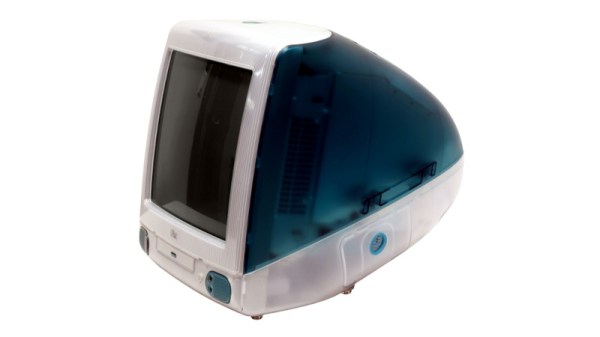
The Apple iMac is a bit of a cult symbol, whether you’re talking about the iconic fruity iMac G3 or the desk lamp-like iMac G4, but few reminisce or actively collect the Apple eMac. Manufactured from 2002 to 2006, it featured the PowerPC 7450 (G4e) CPU with clock speeds ranging from 700 MHz to 1.42 GHz, as well as a 17″ CRT. In terms of design it was basically a bland iMac G3 that was firmly targeting the education markets to try and regain market share after Windows PCs had begun to eat its lunch there.

As for the model that [MattKC] purchased, it was this earliest model, featuring a 700 MHz PowerPC G4 CPU in addition to 640 MB SDRAM. Despite the seller’s description it seems to be in good nick with it firing right up, and even a glance inside after beating the challenge of 2.5 mm hex screws showed it to be in relatively good condition.

Unlike the iMac G3, you can play the Mac port of Halo on it, but the Minecraft port is very much not performant. With generally multimedia and gaming working well, it does show why the eMac was released, as it’s quite capable relative to an iMac G3 which would have struggled with the educational software of the era. We definitely hope that [MattKC] restores it to its full glory instead of ripping out its innards, as the neglected status of the eMac makes it much more likely to go extinct than PowerPC-based iMacs.

Continue reading “The EMac: Using Apple’s Forgotten Educational Mac In 2026”
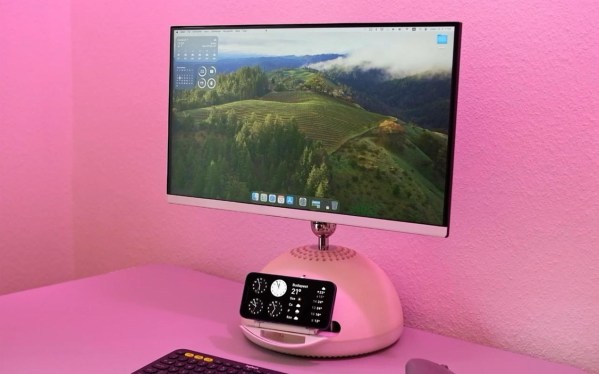
A computer monitor which was formerly an iMac G4 with a hemispherical white base sits on a table. The table and wall are likely white, but pink light is washing the scene making them and the monitor base appear pink. An iPhone sits above a piece of rounded plastic jutting out from the monitor base.

G4 IMac Becomes A Monitor With A MagSafe Secret

The G4 iMac is one of the more popular computers in the restomodding scene given its charm and unparalleled ergonomics. Most modern machines that people squeeze in don’t have a disc drive anymore though, so [EasternBloc Engineering] has fitted a retractable MagSafe charger into the drive bay of the machine.

In this example, the iMac has become simply a monitor, instead of an entire all-in-one computer, and the original 15″ display has been replaced with a lightweight 22″ monitor on a 3D printed VESA mount. The narrow confines of the iMac neck meant [EasternBloc Engineering] had to sever the connectors from the HDMI and power cable before reconnecting them once they were fed through.

The really novel part of this restomod is the engineering of the retractable MagSafe charger mount that pops out of the drive bay. [EasternBloc Engineering] started by looking at repurposing an original disc drive, but quickly turned to a bespoke 3D printed solution. Using a LEGO motor and gears for the drive, the system can stick its tongue out at you in a more modern way. A straight in-and-out mechanism like on an original disc drive would’ve been easier to implement, but we appreciate the extra time for angling the phone that respects the ergonomics of the machine. We hope the files will become available soon for this part of the mod since electromechanical components are more interesting than the VESA mount.

We’ve taken a look at how to implement MagSafe (or Qi2) into your own projects and also a few different G4 iMac restomods whether you prefer Apple Silicon or a PC-based approach.

Continue reading “G4 IMac Becomes A Monitor With A MagSafe Secret”

Image

Jellybean Mac Hides Modern PC

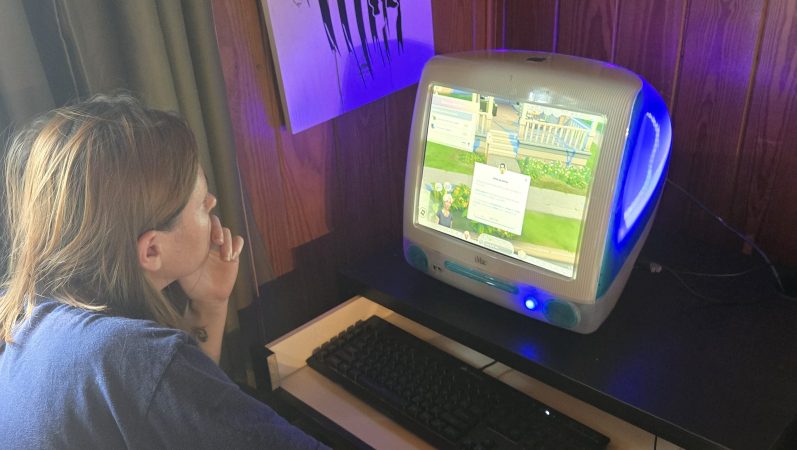
The iMac G3 is an absolute icon of industrial design, as (or perhaps more) era-defining than the Mac Classic before it. In the modern day, if your old iMac even boots, well, you can’t do much with it. [Rick Norcross] got a hold of a dead (hopefully irreparable) specimen, and stuffed a modern PC inside of it.

From the outside, it’s suprizingly hard to tell. Of course the CRT had to go, replaced with a 15″ ELO panel that fits well after being de-bezeled. (If its resolution is only 1024 x 768, well, it’s also only 15″, and that pixel density matches the case.) An M-ATX motherboard squeezes right in, above a modular PSU. Cooling comes from a 140 mm case fan placed under the original handle. Of course you can’t have an old Mac without a startup chime, and [Rick] obliges by including an Adafruit FX board wired to the internal speakers, set to chime on power-up while the PC components are booting.

These sorts of mods have proven controversial in the past– certainly there’s good reason to want to preserve aging hardware–but perhaps with this generation of iMac it won’t raise the same ire as when someone guts a Mac Classic. We’ve seen the same treatment given to a G4 iMac, but somehow the lamp doesn’t quite have the same place in our hearts as the redoubtable jellybean.

Image

Rescuing High-Res Displays From Older Macs

When Apple started rolling out its Retina displays, it multiplied the amount of pixels compared to their standard, non-Retina displays by four. This increased pixel density while keeping the standard screen size — idea for those needing a lot of detail for their work. But, as is common with Apple, using these displays outside of the Apple ecosystem can be quite a challenge. Retina displays have been around for about a decade now, though, with some third-party hardware able to break them free of their cage. This post details how [Kevin] liberated the 5K display from a 2017 iMac for more general use with support for USB-C.

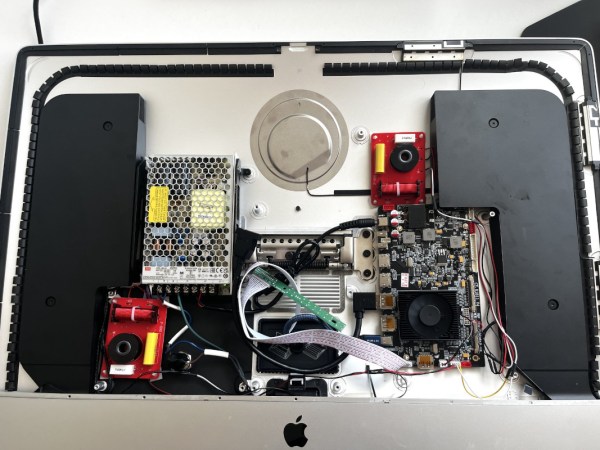
The first step was to find a used iMac for the right price, and then sell off most of its parts to recoup most of the initial cost. That brought the cost of the panel itself to about $250. The key to getting the display working without all of the Apple hardware is the R1811 driver board, which can be had for around $300. A new 156 watt power supply was added to the mix, and [Kevin] also put in a few extras like a USB cable extension and a latching push-button which kills the display’s power. Additionally, he attempted to get the original iMac speakers working with this setup too, but none of his attempts resulted in anything close to quality sound so he’s mostly abandoned that extra feature for now.

With that all buttoned up, he has a 27″ 5K display with USB-C input for around $650 which is quite a deal. The MacRumors thread that [Kevin] added his project to currently has around 1,700 posts about similar builds too, so it can be a wealth of information for all kinds of models. As Apple drops support for their older machines, these displays will become more and more common and projects like these can keep a lot of e-waste out of the landfill while also providing decent hardware at a bargain price. Don’t just look for iMacs and MacBooks though; there’s a similar process to use various iPad displays for other things as well.

Image

Rescued IMac G4 Restored And Upgraded With Mac Mini M1 Guts

Three abandoned iMac G4s, looking for a loving home... (Credit: Hugh Jeffreys)
Three abandoned iMac G4s, looking for a loving home… (Credit: Hugh Jeffreys)

The Apple iMac G4 was also lovingly referred to as the ‘Apple iLamp’ due to its rather unique design with the jointed arm on which the display perches. Released in 2002 and produced until 2004, it was the first iMac to feature an LCD. With only a single-core G4 PowerPC CPU clocked at around 1 GHz, they’re considered e-waste by the average person.

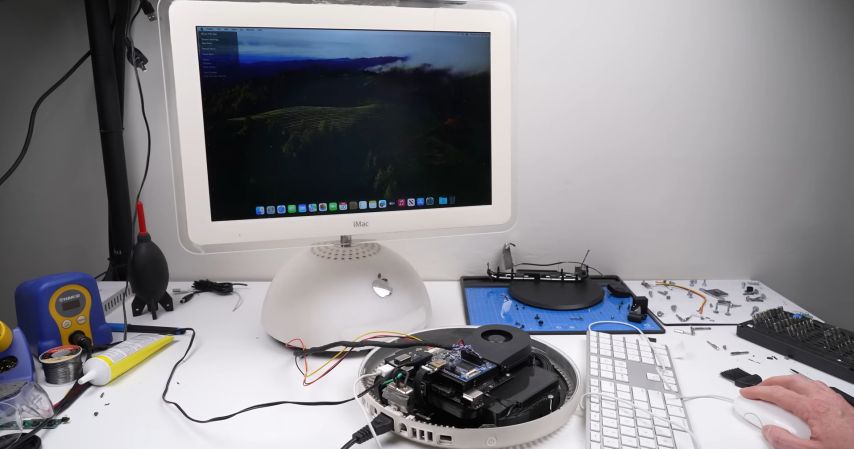
That’s how [Hugh Jeffreys] recently found a triplet of these iMacs abandoned at an industrial site. Despite their rough state, he decided to adopt them on the spot, and gave one of them a complete make-over, with a good scrub-down and a brand-new LCD and Mac Mini M1 guts to replace the broken G4 logic board.

The chosen iMac had a busted up screen and heavily corroded logic board that looked like someone had tried to ‘fix’ it before. A new (used) 17″ LCD was installed from a MacBook Pro, which required the use of a Realtek RTD2660-based display controller to provide HDMI to LVDS support. The new logic board and power supply were sourced from a Mac Mini featuring the M1 SoC, which required a 3D printed adapter plate to position everything inside the iMac’s base. Wiring everything up took some creative solutions, with routing the wires through the flexible monitor arm the biggest struggle. The WiFi antenna on the Mac Mini turned out to be riveted and broke off, but the iMac’s original WiFi antenna could be used instead.

Although some clean-up is still needed, including better internal connector extensions, the result is a fully functional 2024 iMac M1 that totally wouldn’t look out of place in an office today. Plus it’s significantly easier to adjust the monitor’s angle and height compared to Apple’s official iMac offerings, making it the obviously superior system.

Continue reading “Rescued IMac G4 Restored And Upgraded With Mac Mini M1 Guts”

Image

The IMac GPU Becomes Upgradeable, With PCIe

Over its long lifetime, the Apple iMac all-in-one computer has morphed from the early CRT models through those odd table-lamp machines into today’s beautiful sleek affairs. They look pretty, but is there anything that can be done to upgrade them? Maybe not today’s ones, but the models from the mid-2000s can be given some surprising new life. [LowEndMac] have featured a 2006 24″ model that’s received a much more powerful GPU, something we’d have thought to be impossible.

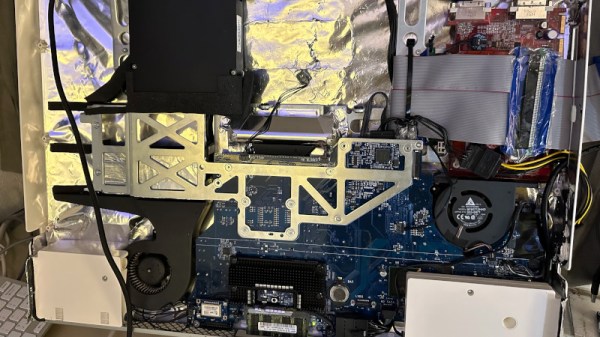
The iMacs from that era resemble a monitor with a slightly chunkier back, in which resides the guts of the computer. By then the company was producing machines with an x86 processor, and their internals share a lot of similarities with a laptop of the period. The card is a Mac Radeon model newer than the machine would ever be used with, and it sits in a chain of mini PCIe to PCIe adapters. Even then it can’t drive the original screen, so a replacement panel and power supply are taken from another monitor and grafted into the iMac case. This along with a RAM and SSD upgrade makes this about the most upgraded a 2006 iMac could be.

Of course, another approach is to simply replace the whole lot with an Intel NUC.

Image

A Quarter Century Of The IMac

Growing older as an engineer turns out to be a succession of moments in which technologies and devices which you somehow still imagine to be cool or exciting, reveal themselves in fact to be obsolete, indeed, old. Such a moment comes today, with the25th anniversary of the most iconic of 1990s computers, Apple’s iMac. The translucent all-in-one machine was and remains more than simply yet another shiny Mac, it’s probably the single most influential home computer ever. A bold statement to be sure, but take a look at the computer you’re reading this on, indeed at all your electronic devices here in 2023, before you dismiss it.

Any colour you want, as long as it's beige
Any colour you want, as long as it’s beige. Leon Brooks, Public domain.

Computers in the 1990s were beige and boring. Breathtakingly so, a festival of the generic. If you had a PC it came in the same beige box as every single other PC, the only thing breaking the monotony being one of those LED 7-segment fake-MHz displays. Apple computers took the beige and ran with it, their PowerMac range being merely a smoother-fronted version of all those beige-box PCs. This was the period following the departure of Steve Jobs during which the company famously lost its way, and the Bondi blue Jonny Ive-designed iMac was the signature product of his triumphant return.

That’s enough pretending to have drunk the Apple Kool-Aid for one article, so  why are we marking this anniversary? The answer lies not in the iMac’s hardware, though its 233MHz PowerPC G3 and ATI graphics driving a 15″ CRT were no slouch for the day, nor even in its forsaking of all their previous proprietary interfaces for USB. Instead it’s the design influence of this machine, as it ushered in a new era of technological devices whose ethos lay around how they might be used rather than in simply showering the interface with features. At the time the iMac spawned a brief fashion for translucent blue in everything from peripherals to steam irons, but in the quarter century since your devices have changed immeasurably in its wake. We still don’t like that weird round mouse though.

Header image: Rama, CC BY-SA 4.0.