Image

TV Remote Uses Floppy Disks

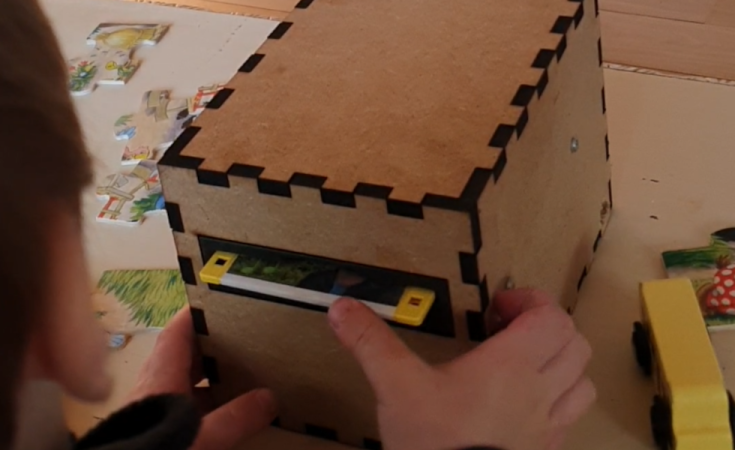
Famously, the save icon on most computer user interfaces references a fairly obsolete piece of technology: the venerable floppy disk. It’s likely that most people below the age of about 30 have never interacted with one of these once-ubiquitous storage devices, so much so that many don’t recognize the object within the save icon itself anymore. [Mads Chr. Olesen]’s kids might be an exception here, though, as he’s built a remote control for them that uses real floppy disks to select the programming on the TV.

This project partially began as a way to keep the children from turning into zombies as a result of the modern auto-play brainrot-based economies common in modern media. He wanted his kids to be able to make meaningful choices and then not get sucked into these types of systems. The floppy disk presents a perfect solution here. They’re tangible media and can actually store data, so he got to work interfacing a real floppy disk drive with a microcontroller. When a disk is inserted the microcontroller wakes up, reads the data, and then sends out a command to stream the relevant media to the Chromecast on the TV. When the disk is removed, the microcontroller stops play.

Like any remote, this one is battery powered as well, but running a microcontroller and floppy disk drive came with a few challenges. This one is powered by 18650 lithium cells to help with current peaks from the drive, and after working out a few kinks it works perfectly for [Mads] children. We’ve seen a few other floppy disk-based remote controls like this one which replaces the data stored on the magnetic disc with an RFID tag instead.
Image

Low-Cost, Portable Streaming Server

Thanks to the Raspberry Pi, we have easy access to extremely inexpensive machines running Linux that have all kinds of GPIO as well as various networking protocols. And as the platform has improved over the years, we’ve seen more demanding applications on them as well as applications that use an incredibly small amount of power. This project combines all of these improvements and implements a media streaming server on a Raspberry Pi that uses a tiny amount of energy, something that wouldn’t have been possible on the first generations of Pi.

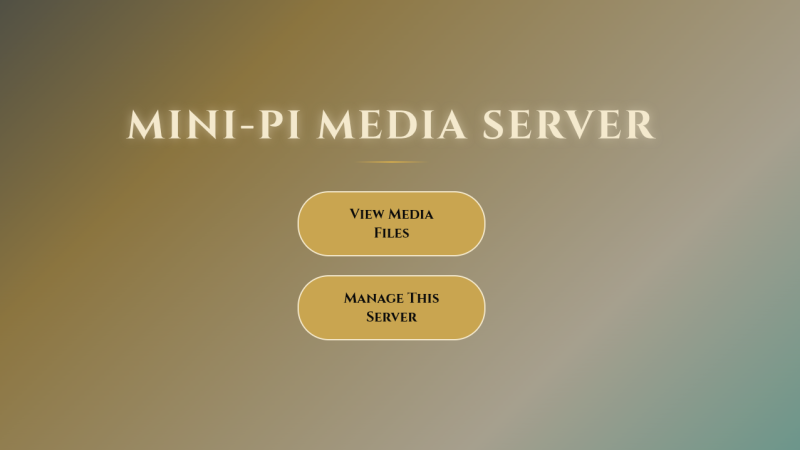
Part of the reason this server uses such low power, coming in just around two watts, is that it’s based on the Pi Zero 2W. It’s running a piece of software called Mini-Pi Media Server which turns the Pi into a DLNA server capable of streaming media over the network, in this case WiFi. Samba is used to share files and Cockpit is onboard for easy web administration. In testing, the server was capable of streaming video to four different wireless devices simultaneously, all while plugged in to a small USB power supply.

For anyone who wants to try this out, the files for it as well as instructions are also available on a GitHub page. We could think of a number of ways that this would be useful over a more traditional streaming setup, specifically in situations where power demand must remain low such as on a long car trip or while off grid. We also don’t imagine the Pi will be doing much transcoding or streaming of 4K videos with its power and processing limitations, but it would be unreasonable to expect it to do so. For that you’d need something more powerful.

Continue reading “Low-Cost, Portable Streaming Server”

Image

Streaming Music To Cassette

In almost every measurable way, a lossless digital audio file is superior to any analog media. This doesn’t mean that analog audio isn’t valuable though; plenty of people appreciate the compression, ambiance, and other side-effects of listening to a vinyl record or a cassette tape despite the technical limitations. To combine the audio technology of the modern world with these pleasant effects of old analog media, [Julius] built a cassette-based media streamer.

The music playback device takes input from a Bluetooth stream of some sort, converts the digital stream to analog, combines the stereo signal into a mono signal, and then records it to a cassette tape. The tape is then looped through to a playback device which outputs the sound to a single speaker. This has the effect of functioning as a tape delay device, and [Julius] did add input and output jacks to use it as such, but in its default state it has the effect of taking modern streaming through a real analog device and adding the compression and saturation that cassette tapes are known for.

The design of the device is impressive as well, showing off the tape loop and cassette front-and-center with a fluorescent vu meter on the side and a metal case. Getting all of this to work well together wasn’t entirely smooth, either, as [Julius] had to sort out a number of issues with the electronics to keep various electric noises out of the audio signal. Retro analog music players are having a bit of a resurgence right now, whether that’s as a revolt against licensed streaming services or as a way to experience music in unique ways, and our own [Kristina Panos] recently went down an interesting rabbit hole with one specific type of retro audio player.

Continue reading “Streaming Music To Cassette”

Image

The AirPort Express Still Works In 2025 Thanks To Apple’s Ongoing Support

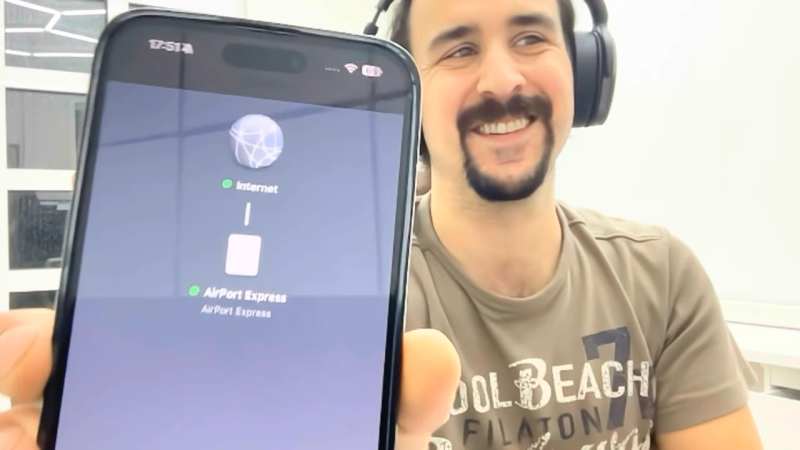
Apple was all-in on WiFi from the beginning, launching the AirPort line of products to much fanfare in 1999. In 2004, along came the AirPort Express—a fully-functional router the size of a laptop charger, that offered audio streaming to boot. As [schvabek] found out that while a lot of older Apple gear has long ago been deprecated, the AirPort Express is still very much supported and functional to this day!

Generally, you wouldn’t expect to plug in a 20-year-old Apple accessory and have it work with the company’s modern hardware. However, upon slotting the AirPort Express into a wall socket and starting the initialization process, [schvabek] noted that it was detected perfectly well by his post-2020 Macs. Only, there was a small problem—the configuration process would always stall out before completion.

Thankfully, there was a simple remedy. [schvabek] found that he could connect to the AirPort Express with his classic white plastic MacBook and complete the process. From there, he was astonished that Apple’s servers let him pull down a firmware update for a device from 2004. After that upgrade, the AirPort Express was fully functional with all his modern Apple gear. He could readily stream audio from his iPhone and MacBooks with no compatibility issues whatsoever.

It’s nice to see Apple still supporting this ancient hardware to this day. It’s a nice contrast when companies like Sonos are more than happy to brick thousands of old devices just for the sake of progress. Continue reading “The AirPort Express Still Works In 2025 Thanks To Apple’s Ongoing Support”

Image

USB Hub-A-Dub-Dub: Weird Edge Cases Are My Ruin

The Universal Serial Bus. The one bus to rule them all.  It brought peace and stability to the world of computer peripherals. No more would Apple and PC users have to buy their own special keyboards, mice, and printers. No more would computers sprout different ports for different types of hardware. USB was fast enough and good enough for just about everything you’d ever want to plug in to a computer.

We mostly think of USB devices as being plug-and-play; that you can just hook them up and they’ll work as intended. Fiddle around around with some edge cases, though, and you might quickly learn that’s not the case. That’s just what I found when I started running complicated livestreams from a laptop…

Continue reading “USB Hub-A-Dub-Dub: Weird Edge Cases Are My Ruin”

Image

A Look Back At Google’s 2015 Chromecast

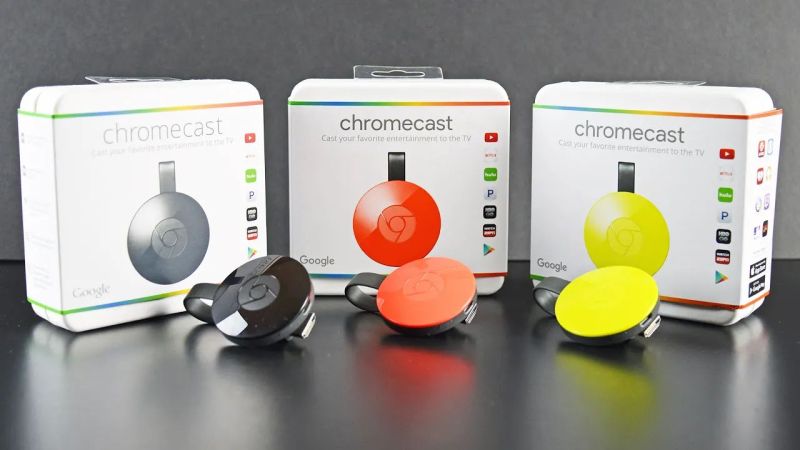
Google’s Chromecast was first released in 2013, with a more sophisticated follow-up in 2015, which saw itself joined by the Chromecast Audio dongle. The device went through an additional two hardware generations before the entire line of products was discontinued earlier this year in favor of Google TV.

Marvell's Armada 88DE3006 dual-core Cortex-A7 powers the second-generation ChromeCast. (Credit: Brian Dipert, EDN)
Marvell’s Armada 88DE3006 dual-core Cortex-A7 powers the second-generation Chromecast. (Credit: Brian Dipert, EDN)

In addition to collecting each generation of Chromecast, [Brian Dipert] over at EDN looked back on this second-generation dongle from 2015 while also digging into the guts of a well-used example that got picked up used.

While not having any of the fascinating legacy features of the 2nd-generation Ultra in his collection that came with the Stadia gaming controller, it defines basically everything that Chromecast dongles were about: a simple dongle with a HDMI & USB connector that you plugged into a display that you wanted to show streaming content on. The teardown is mostly similar to the 2015-era teardown by iFixit, who incidentally decided not to assign any repairability score, for obvious reasons.

Most interesting about this second-generation Chromecast is that the hardware supported Bluetooth, but that this wasn’t enabled until a few years later, presumably to fix the wonky new device setup procedure that would be replaced with a new procedure via the Google Home app.

While Google’s attention has moved on to newer devices, the Chromecast isn’t dead — the dongles in the wild still work, and the protocol is supported by Google TV and many ‘smart’ appliances including TVs and multimedia receivers.

Image

Docker-Powered Remote Gaming With Games On Whales

Cloud gaming services allow even relatively meager devices like set top boxes and cheap Chromebooks play the latest and greatest titles. It’s not perfect of course — latency is the number one issue as the player’s controller inputs need to be sent out to the server —  but if you’ve got a fast enough connection it’s better than nothing. Interested in experimenting with the tech on your own terms? The open source Games on Whales project is here to make that a reality.

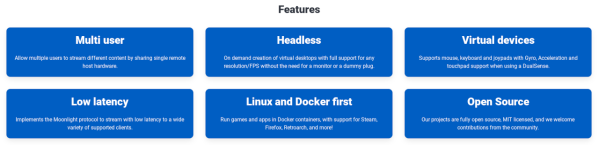
As you might have guessed from the name, Games on Whales uses Linux and Docker as core components in its remote gaming system. With the software installed on a headless server, multiple users can create virtual desktop environments on the same machine, with each spawning as a separate process on the host computer. This means that all of the hardware of the host can be shared without needing to do anything complicated like setting up GPU pass-through. The main Docker container can spin up more containers as needed.

Of course there will obviously be limits to what any given hardware configuration will be able to support in terms of number of concurrent users and the demands of each stream. But for someone who wants to host a server for their friends or something even simpler like not having to put a powerful gaming PC in the living room, this is a real game-changer. For those not up to speed on Docker yet, we recently featured a guide on getting started with this powerful tool since it does take some practice to wrap one’s mind around at first.