Close
0%
0%

Upkie wheeled biped robots

Wheeled biped robots with fully open source hardware and software.

Similar projects worth following
Upkies are wheeled biped robots with fully open source hardware and software. They use their wheels to balance and their legs to negotiate uneven terrains. Upkies are designed to be built with off-the-shelf components, like mjbots actuators. Motion control runs on their onboard Raspberry Pi. Examples are distributed with the robot software to showcase different motion control methods like PID control, model predictive control, and reinforcement learning.

To build a new Upkie from scratch, expect to spend around $3,000 in components, 60+ hours in 3D printing, and more hours of your work assembling and testing the beast. Check out the step-by-step build instructions for details, and head over to GitHub for community support on both hardware and software.

upkie-blender.zip

Blender project of the fully assembled robot

Zip Archive - 41.07 MB - 09/27/2023 at 19:13

Download

upkie-stl.zip

STL model of the fully assembled robot

Zip Archive - 39.51 MB - 09/27/2023 at 19:13

Download

  • 1 × Raspberry Pi 4 Model B https://www.raspberrypi.com/products/raspberry-pi-4-model-b/
  • 1 × mjbots pi3hat https://mjbots.com/products/mjbots-pi3hat-r4-5
  • 1 × mjbots power dist board https://mjbots.com/products/mjbots-power-dist-r4-3b
  • 4 × mjbots qdd100 beta 3 servo https://mjbots.com/products/qdd100-beta-3
  • 2 × mjbots moteus developer kit https://mjbots.com/products/moteus-r4-11-developer-kit

View all 9 components

  • Upkie v2: a complete hardware redesign

    Upkie wheeled bipeds8 hours ago 0 comments

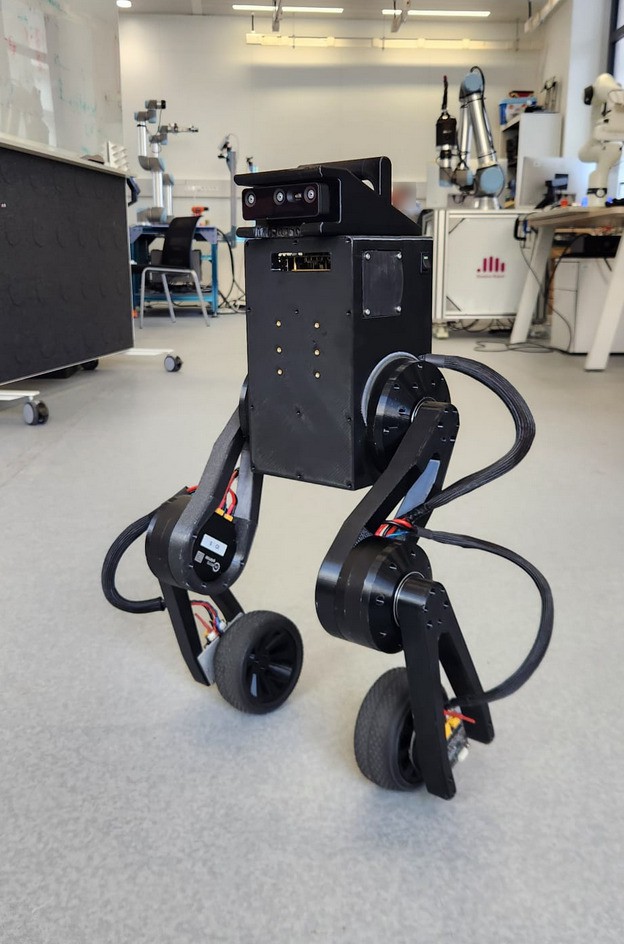
    Upkie wheeled bipeds just got a major upgrade! Version 2 is an entire overhaul of the hardware design contributed by Etienne Arlaud and Valentin Tordjman--Levavasseur. The new design is simpler to build, more compact and easier to remix:

    Upkie v2 standing up
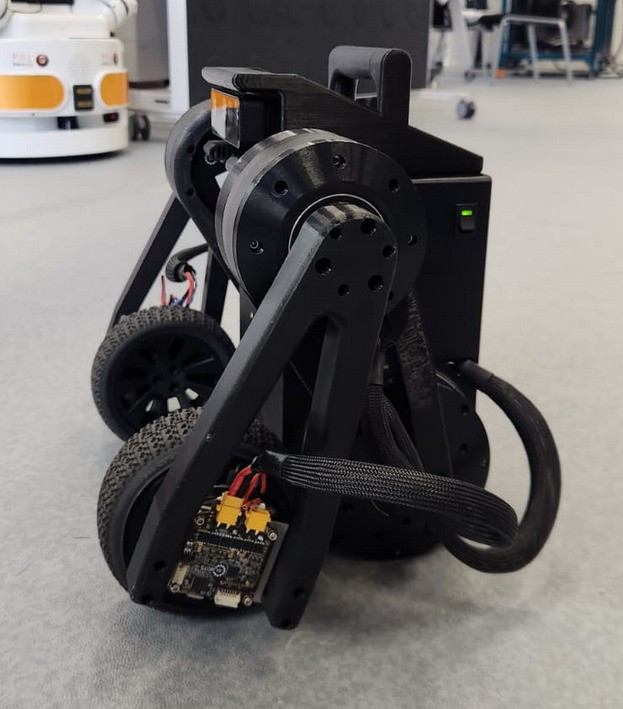
    Upkie v2 crouching in a compact posture
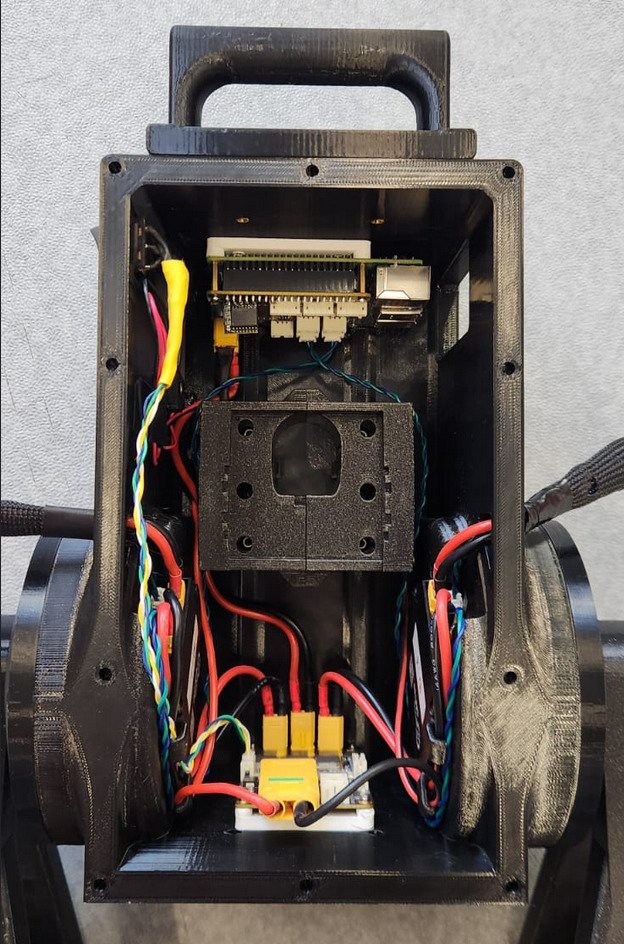
    Inside the torso case of an Upkie v2

    Tibias and femurs have been reworked into single parts that are easier to print and handle falls better. They also greatly increase the legs' range of motion, as illustrated by the second picture above. Bearing mounts can further be added to protect hip and knee actuators from radial loads, reducing the joints' bending under load that could be observed on v1.

    The torso, which used to be seven separate pieces, is now a single printed case with built-in cable-management tabs, cutting down on heat-set inserts and assembly time. Embedding the hip motors directly into the case shaved 6 cm off the robot's overall width, making Upkies more maneuverable in tight spaces.

    Note if you are updating from v1: the Raspberry Pi has been reoriented in the torso, so make sure to update your IMU orientation accordingly. See the release notes for details.

    For those planning extensions, the whole project has moved from Blender to FreeCAD, allowing for parametric designs. If you need to tweak a dimension or adapt a part for your own purposes, now you can do so without reverse-engineering mesh geometry 😉 The new case also includes mounting holes on the bottom, front, and back faces, following the same pattern as the top plate for robot add-ons like a camera mount or an articulated head. If you've been curious about building your own wheeled biped, it is now even simpler than before!

    Thanks to Etienne and Valentin for sharing this brand new design!

  • Articulated head and marker tracking

    Upkie wheeled bipeds12/28/2025 at 17:46 0 comments

    In this extension developed by Gabin Maury, an articulated head is mounted on top of Upkie using the 50-mm square screw pattern on the robot's head plate. The head holds an OAK-D Lite depth camera, actuated by two mjbots mj5208 brushless motors for pitch and roll. In the demonstration below, the robot runs ArUco marker detection on the monocular camera feed, and its task is to keep the printed marker centered in frame:

    Marker coordinates in the camera frame are converted to roll and yaw velocities via proportional control. Roll velocities go directly to the head's roll joint, while yaw velocities are applied to the ground through differential steering.

    For power, the head motors plug directly into the bus via an XT-30 cable connected to the spare connector on Upkie's pi3hat. For communications, the head connects to the Raspberry Pi through an fdcanusb, giving it its own CAN bus rather than extending the pi3hat's existing bus. This separation was convenient for Python prototyping with the new head, independently from the rest of the robot code. This makes the head a true add-on. At runtime, the Upkie is commanded from Python via a Gymnasium environment with yaw velocity as an action, while it balances at higher frequency with a WheelBalancer controller in its C++ spine.

    Thanks to Gabin for making this fun extension!

  • Upkie getting up on its own!

    Upkie wheeled bipeds07/21/2025 at 09:59 0 comments

    Here comes a new behavior where an Upkie gets up from laying down on its own! To do this we used RL in simulation to find a trajectory, and then we adapted the trajectory as a target for the ProxQP-based MPC controller. It did not transfer to the real robot at first, so part of the trajectory was manually edited by trial and error (especially by slowing down the upward motion to increase stability). The first part of the motion is open-loop, and just before the body of the robot leaves the floor we turn the MPC controller on.

    Credits to: Nicolas Perrin-Gilbert, Viviane Ledoux, Mario García Pascual, Sirikorn Chalanut, Ertugrul Sebukhan, Khaoula Alayar, Romain Noda, Bora Gökbakan, Stéphane Caron.

  • Model predictive control on Upkies

    Upkie wheeled bipeds12/13/2024 at 09:15 0 comments

    Here is an Upkie wheeled biped roaming outdoors by model predictive control:

    It goes around with an average velocity around 1.5 m/s. There are some links in the video to learn more about how this agent is made:

    The agent running in this video is the Pink balancer. It combines MPC and differential IK for crouching smoothly. Hoping this helps newcomers get started with model predictive control!

  • Reinforcement learning on Upkies

    Upkie wheeled bipeds12/09/2023 at 15:53 0 comments

    The latest release of Upkie's software brings a functional reinforcement learning pipeline with sim-to-real transfer. The pipeline is based on Stable Baselines3, with standard sim-to-real tricks that could very well work on other wheeled biped robots. The pipeline trains on the Gymnasium environments in upkie.envs (pip-installable from PyPI) and is implemented in the PPO balancer. Here is a policy trained in Bullet and running on a real Upkie:

    There is also a usage video showing how to run the pipeline:

    Hoping this helps newcomers get started with reinforcement learning on real robots!

  • Blender project

    Upkie wheeled bipeds11/12/2023 at 10:36 0 comments

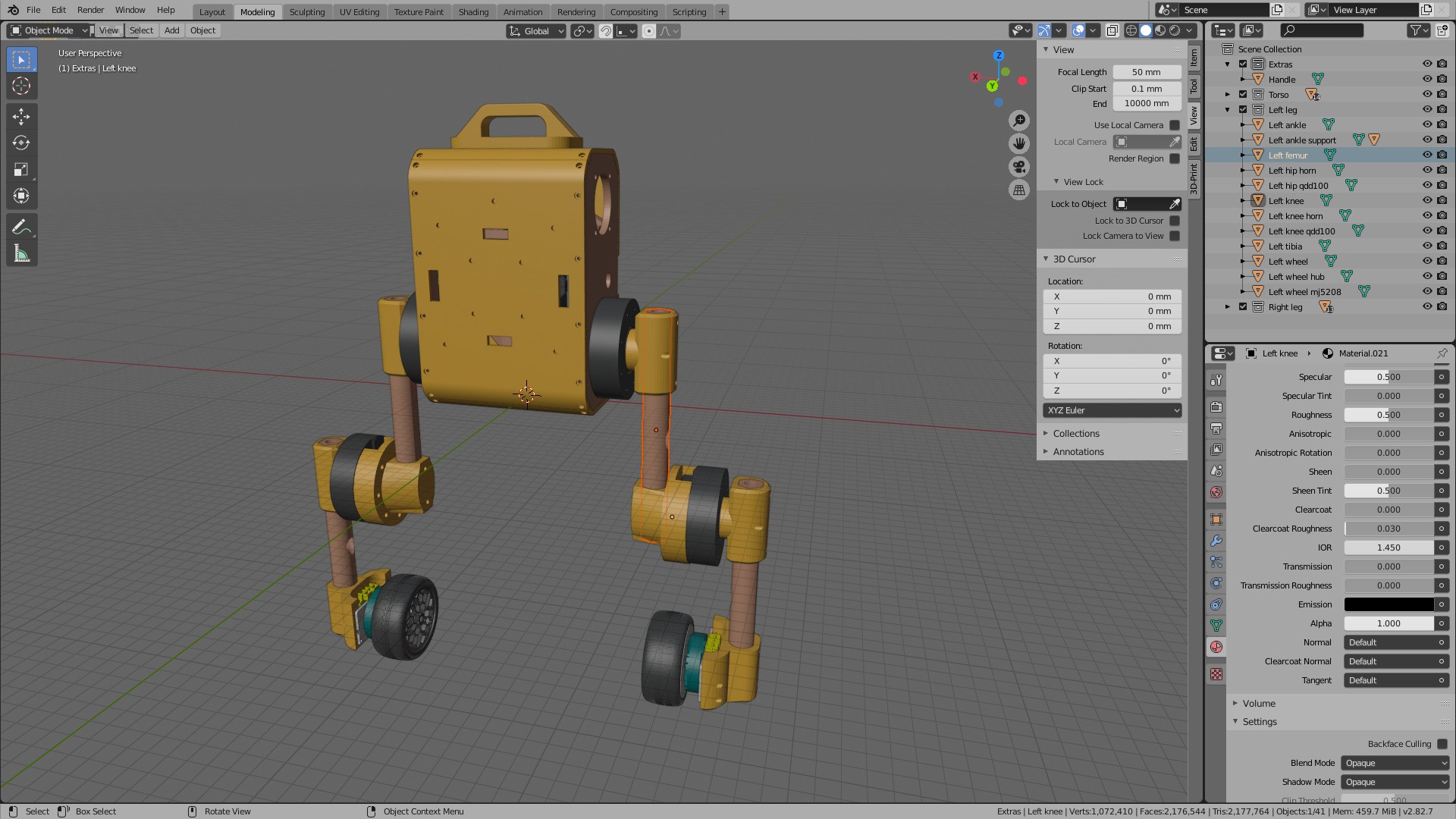
    While the build manual and parts CAD files help, they don't make a full specification and there are always some blind spots when assembling a new Upkie for the first time. To help cover more ground, there is now a Blender project file showing how all parts fit together:

    Image

    The project does not detail every screw, but it can help double check and answer questions such as "where does the battery connector fit behind the face plate?" :) An overview STL file is also available if you just want to have a quick look at the assembly. Hoping this helps!

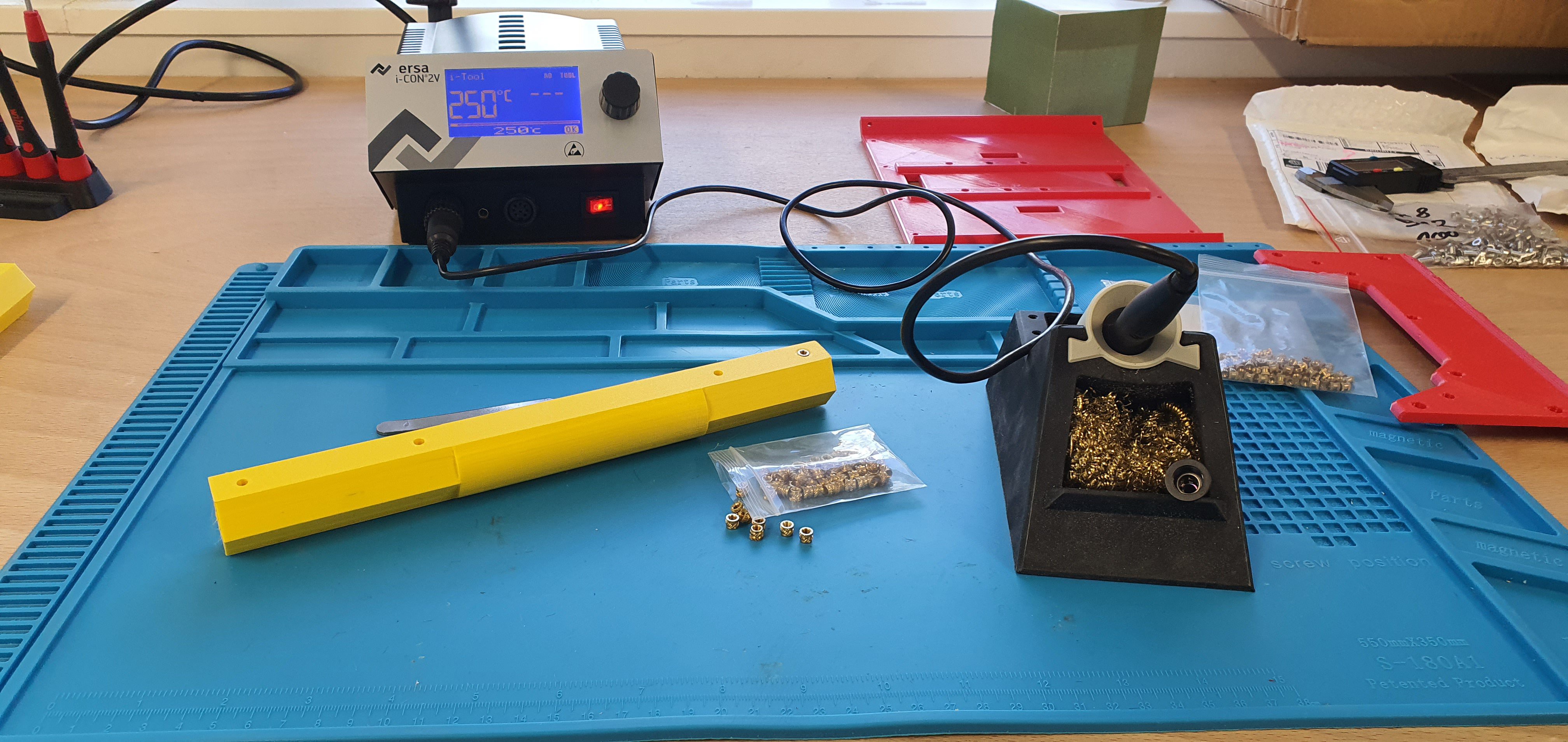
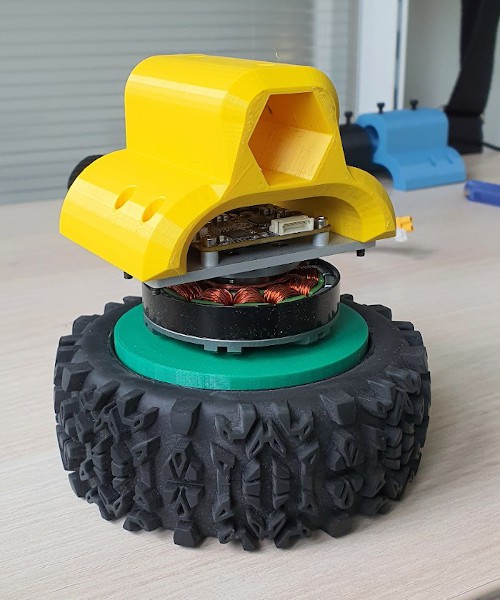
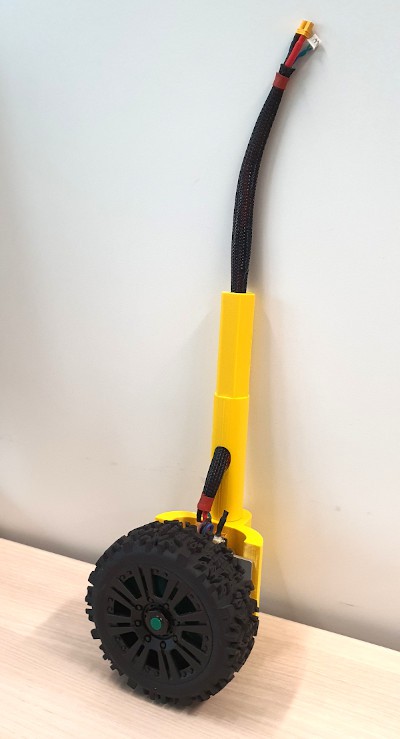
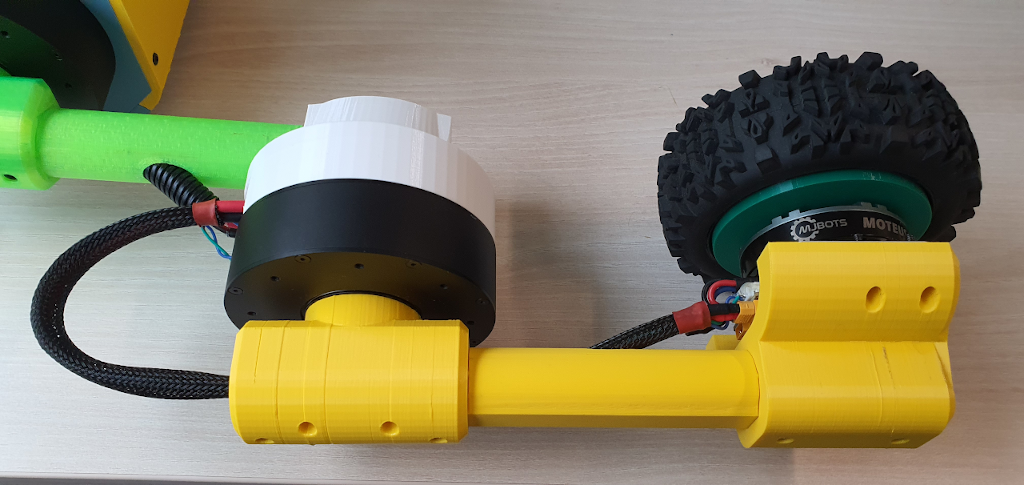
  • Hollow leg, part 2

    Upkie wheeled bipeds10/03/2023 at 09:26 0 comments

    This project log follows up to Hollow leg, part 1, where we redesigned Upkie's femur to route cables through. We now do the same for the tibia.

    Our goals are the same:

    1. Ensure that cables don't collide with the limb during motion.
    2. Keep a large range of motion for knee joint.

    Again, we switch to 3D printing for the tibia part, with a cable guiding hole going through it. The part is identical to the femur, but the heat-set insert holes are both on the same side this time:

    Image

    The ankle socket is redesigned as well with an hexagonal shape to better transmit torques:

    Image

    We also switched to cable sleeves rather than corrugated plastic tubing, as they slide more smoothly and bend less awkwardly:

    Image

    Assembled, the completed hollow leg looks like this:

    Image

    Let's see how this new leg fares on real robots! Details to build and assemble it are further documented in Upkie's build instructions.

  • Build instructions for new Upkie's

    Upkie wheeled bipeds09/27/2023 at 19:26 0 comments

    While building new copies of Upkie, we wrote full Build instructions for future travelers. These instructions cover all the steps from ordering to running a first balancing experiment:

    1. Getting started
    2. 3D printing
    3. Raspberry Pi setup
    4. Electronics testing
    5. Motion control software
    6. Assembly

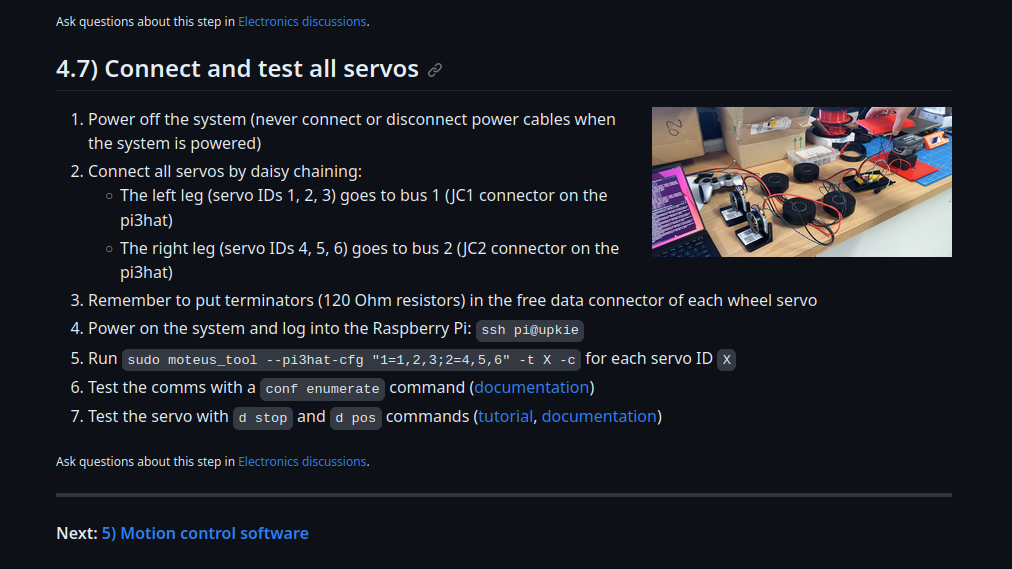
    They go through intermediate stages like electronics assembly:

    Image

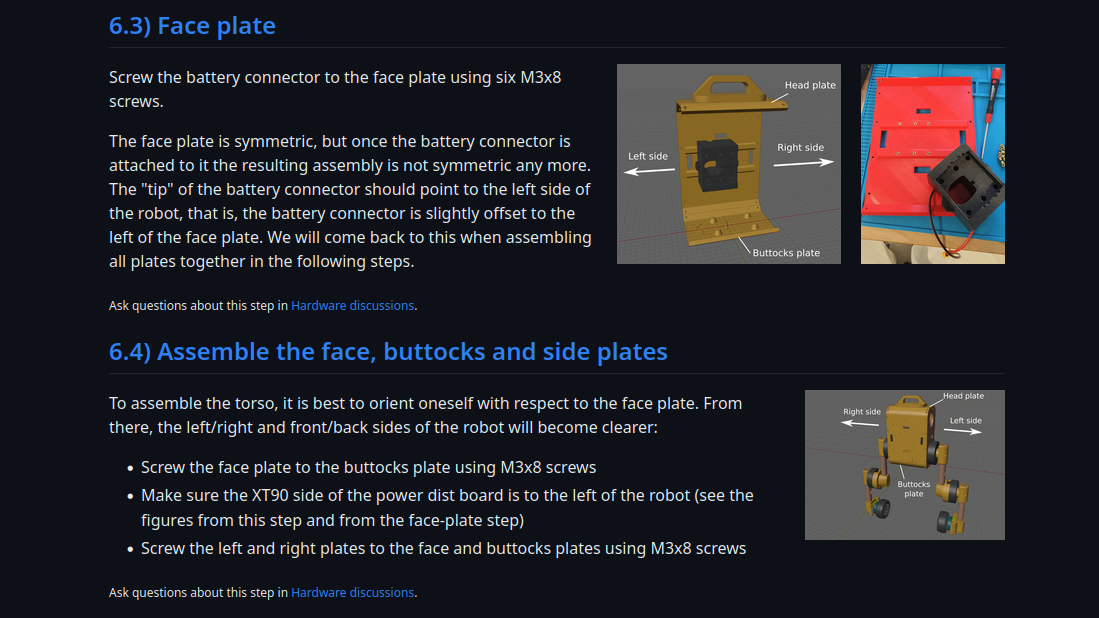
    With figures, so that new comers know (and old timers remember 😉) the orientation of each part:

    Image

    In the hope these instructions help spawn and maintain many Upkie's!

  • On GitHub: How to build Upkie from scratch?

    Upkie wheeled bipeds04/01/2023 at 13:52 0 comments

    Build instructions on Hackaday.io work well for the outline, but as more copies of Upkie get built we wanted something that could scale nicely to include sub-steps, distribute related project files (3D printed parts, setup scripts, ...), and allow for discussions related to any given step.

    Introducing the upkie repository!

    • Instructions will be detailed step by step in the Wiki
    • Discussions allow anyone to comment/ask questions on any given step
    • 3D printing files and setup scripts are distributed in the companion build instructions

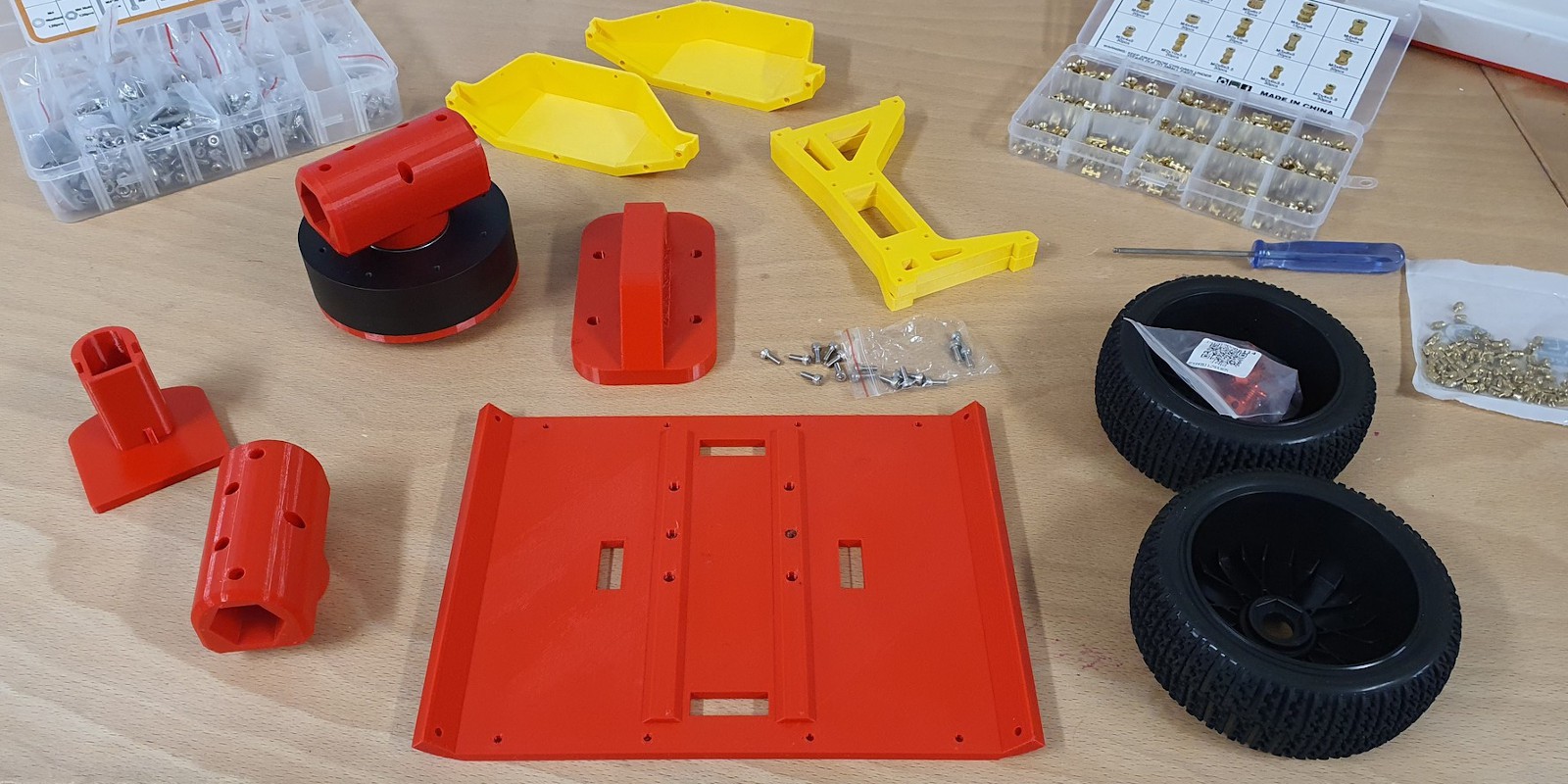
    The wiki will be completed as we assemble another copy of the beast:

    Image

    Stay tuned!

  • Locomotion with a PS4 controller

    Upkie wheeled bipeds11/13/2022 at 16:56 0 comments

    Upkie communicates with a regular PS4 controller. While this is not a key robotic feature, it is both cool (especially with kids 😃) and convenient to control the robot via Bluetooth. Before trying it out I was concerned about potential lags, or the Raspberry Pi loosing its connection to the controller, but the field summary after using it for months is: it just works. Here are my configuration notes, turned project log 😉

    The setup instructions are not specific to Upkie: we can connect a PS4 controller to any Raspberry Pi. Start with the Bluetooh command line:

    sudo bluetoothctl

    Enable the agent with the following four instructions:

    agent on
    discoverable on
    pairable on
    default-agent
    

    Then start scanning for devices. The terminal should start listing scan results with all the Bluetooth devices around you:

    scan on
    

    While the command tool is scanning, press and hold both the Share and PS buttons on your controller to switch it to pairing mode. Keep holding the buttons at the same time until it starts flashing white light. When it does, check the terminal output for a new line like this one:

    [NEW] Device AC:FD:93:14:25:D3 Wireless Controller
    

    Note down the controller MAC address (here AC:FD:93:14:25:D3). Check that the controller is still flashing and do:

    connect CONTROLLER_MAC_ADDRESS
    

    That should be it! If everything went well, you should see a "successful connection" message appear in the terminal, like so:

    [bluetooth]# connect AC:FD:93:FD:68:0F
    Attempting to connect to AC:FD:93:FD:68:0F
    [CHG] Device AC:FD:93:FD:68:0F Connected: yes
    [CHG] Device AC:FD:93:FD:68:0F UUIDs: 00001124-0000-1000-8000-00805f9b34fb
    [CHG] Device AC:FD:93:FD:68:0F UUIDs: 00001200-0000-1000-8000-00805f9b34fb
    [CHG] Device AC:FD:93:FD:68:0F ServicesResolved: yes
    [CHG] Device AC:FD:93:FD:68:0F Paired: yes
    Connection successful
    

    Finally, trust the controller so that it can connect after a reboot:

    [bluetooth]# trust AC:FD:93:FD:68:0F
    

    That's it! The controller should now appear as a regular Linux joystick device in /dev/input/js*. That's where the Joystick source in Vulp (Upkie's motion control software) will look for it. If it doesn't, perhaps you are running into the same reconnection issue I faced. Some follow-up troubleshooting notes in this discussion thread.

View all 14 project logs

  • 1
    Print parts

    3D-printed parts are maintained in the upkie_parts repository on GitHub.

  • 2
    Follow the build instructions

    Step-by-step instructions are documented in the project wiki.

View all instructions

Enjoy this project?

Share

Discussions

liang wrote 02/21/2023 at 12:02 point

hello,Can it achieve biped walking in the future?

  Are you sure? yes | no

Upkie wheeled bipeds wrote 04/01/2023 at 14:08 point

That would be cool 😀 Especially to put the wheels on non-coplanar surfaces (like stairs, or just the two wheels on different slopes). We'd have to implement some form of lateral balancing, and check that the wheel BLDC motors have enough torque to lock the wheels in place as Upkie steps.

  Are you sure? yes | no

s_quintanar wrote 12/24/2022 at 19:33 point

Please add a head for vision and two arms so this wonderful robot you've created can be truly useful!

  Are you sure? yes | no

Upkie wheeled bipeds wrote 02/19/2023 at 11:29 point

I've been experimenting a bit with Raspberry Pi camera modules, you can see one for instance at the end of https://www.youtube.com/shorts/ccFbJTHtiAQ. They are a viable option for vision, and the locomotion code leaves one CPU code mostly free for extra tasks, so that's one way to try visual processing with Upkie.

I haven't tried arms, but the pi3hat on Upkie has two unused CAN-FD ports (JC3 and JC4) that can be used to control up to one 3-DoF arm each. I'd be curious to see folks add arms to Upkie! I'd gladly help best I can with advice or SW support for that 😃

  Are you sure? yes | no

Peabody1929 wrote 11/13/2022 at 19:44 point

For hollow legs, how about ABS plastic pipe used for sprinkler systems?  It comes in 1/2", 3/4" and 1" diameter.  

  Are you sure? yes | no

Upkie wheeled bipeds wrote 02/03/2023 at 17:00 point

Could work! How would you rigidly attach the plastic pipe to the actuator's output shaft? (This is likely a basic question, I'm a mechanical newbie.)

When Upkie's legs were sawed broomsticks, I attached them to the output "horn" on the actuator shaft using pressure screws. They work fine at first, but as the robot moves and various efforts are exerted on the screws the connection deteriorates over date (the screw digs a hole in the wood that widens with effort).

  Are you sure? yes | no

Tom Nardi wrote 08/12/2022 at 01:29 point

This is a phenomenal project, very excited to see it develop.

  Are you sure? yes | no

Upkie wheeled bipeds wrote 11/13/2022 at 17:14 point

Thanks! In November-December it will be mostly software updates (pink and upkie packages) on GitHub: https://github.com/upkie/ Then back to hardware with the hollow shins!

  Are you sure? yes | no

Similar Projects

Does this project spark your interest?

Become a member to follow this project and never miss any updates

Image