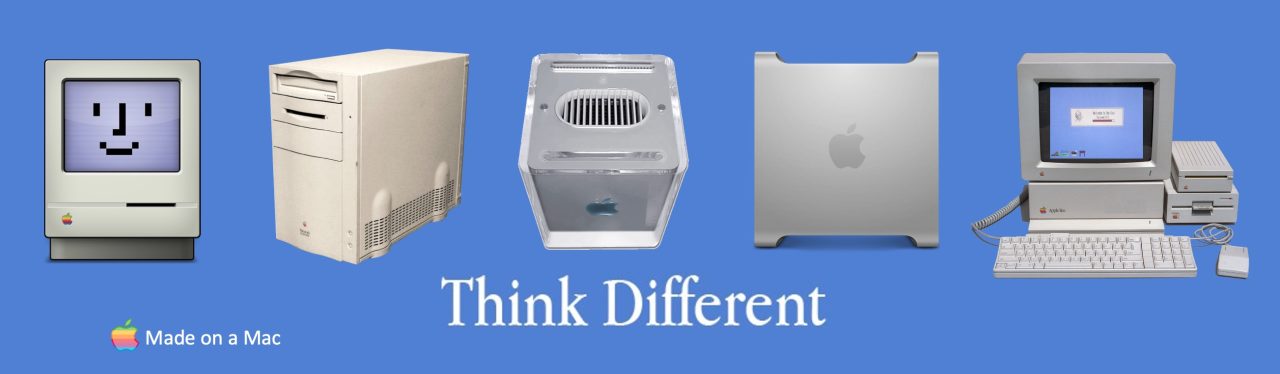
64-bit Linux on Power Mac G5 Quad

Is there a 64-bit (PPC64) Linux release for a late 2005 G5 Quad that just works? Well, it turns out that there is, MintPPC64! Look up “MintPPC” on Google and visit the site MintPPC64 for the complete story. The site is structured in a clean, straightforward way that makes it easy to navigate and use.

Image

What is MINTPPC64? It is a value-added layer on top of a Debian 12 PPC64 Linux base. The net result has the wide and deep attributes of Debian 12, topped with the customized and lightweight, but incredibly powerful, LXDE desktop environment.

Image

MintPPC64 also supports the XFCE4 and MATE desktop environments. There are others, but for G5s, it is best to stay to the lightweight side. LXDE seems to be the fastest of the three, and also the most visually attractive desktop, so I am using it. It is also the MintPPC64 default.

Image

This post is about Linux on a late 2005 G5 Quad, because that is what I installed it on. My strong suspicion is that it will work well on most G5s, but I have not been able to test that.

So, it “just works” on a G5 Quad? Yes! … well, as long as your machine is equipped with a supported video card. So far, both nVidia cards I have tried (GeForce 6600 and Quadro FX 4500) work just fine. Neither ATI card I have tried works at all (Radeon X1900GT, Radeon X1950).

Note that both the legacy nVidia and legacy ATI video cards are supported by open source, non-proprietary drivers: “nouveau” for nVidia and “radeon” for ATI. Neither of these drivers comes anywhere near the performance of the original native drivers from nVidia and ATI, but both do a respectable job. The “nouveau” driver does a LOT better with the GeForce 6600 than with the higher spec’d Quadro FX 4500.

The nouveau driver is not perfect however. Note that dual monitor setups just don’t work. Only one monitor will ever light up, no matter what you try… and I have tried everything that I can think of, and everything that the Debian 12 PPC64 support group can think of. Nothing works, so don’t waste your time. If you need LOTS of onscreen real estate, make sure the single monitor you attach to the system is a big one! I note that 30” Apple Cinema HD displays are going for less than $US200 right now on eBay, so LOTS of onscreen real estate is not that hard to come by (and the 30” Cinema HD display looks fabulous with your G5 Quad).

But does it “just work”? Well again, yes, as long as you have a supported video card AND Debian doesn’t happen to be broken that day! …the Debian PPC64 port on which MintPPC64 is based is just that, an unofficial port. There is no “stable” branch; the whole thing is one big “unstable” branch that changes under your feet (to a limited extent) whenever new module versions / bug fixes are released. If one of these updates fails, Debian itself (the base of MINTPPC64) may be broken for a time, until a fix is submitted.

Image

To accommodate this, the MintPPC64 web site has a banner across the top of the page that is either Green (Debian PPC64 is OK today) or Red (Debian has issues right now… wait for the banner to go green before installing).

Why do we care about the state of the Debian repository? Well, the Debian PPC64 installer is a “net installer”. The install CD/DVD is only a few hundred meg of and by itself – it downloads everything else from the Debian and MintPPC64 repositories. Hence the current state of the Debian repository is critical. If something is broken there, the MintPPC64 install is broken.


All that having been said, if the MintPPC64 website’s banner is green and you are using a supported video card, it will indeed “just work”. It is remarkably fast on a G5 Quad, but a lot of that is due to the fact that I am using the LXDE lightweight desktop – no KDE here (I do run a number of KDE apps, but not KDE itself). MintPPC64 is up and running on my LCS-cooled Quad, and it installed in about 2.5 hours – this time will vary significantly based on the loading of the repository sites at the time of the install.

Image

Before finishing this post, I want to give a big shout out to Jeroen Diederen (@Jeroen Diederen on MacRumors.com), the author/maintainer of MINTPPC64. Jeroen is to be congratulated on a wonderful job. As the site says, MintPPC64 is pretty “slick”! Jeroen is incredibly knowledgeable and incredibly helpful. Thanks to Jeroen, some key software titles that are “broken” on Debian 12 PPC64 are fully operational on MintPPC64. In this case, I refer to the Abiword word processor, the gnumeric spreadsheet and the GIMP image editor. All are broken on the main Debian 12 PPC64 branch. All work just fine on MintPPC64.

A word of caution however to any Linux newcomers who may be reading this. Linux is not Windows or macOS. It is a LOT more “hands on”, often requiring a lot of manual, largely command line based, configuring/tinkering to get the best out of it. The learning curve is steep, but it is WELL worth it. There are plenty of Linux users on the MacRumors.com forums to help you, and of course, Google (and increasingly, ChatGPT and its peers) is your friend.

Is there a PPC64 Linux that just works on a G5 Quad? Yes, and its name is MintPPC64.

Power Mac G5 Quad – Which is Faster, PC2-3200U-288 or PC2-4200U-444 RAM?

I have always wondered whether equipping your Power Mac G5 Quad with PC2-4200U-444 RAM would make for a faster machine than if the same machine were equipped with PC2-3200U-288 RAM. It seems obvious that the faster RAM ought to make for a faster machine, but as we shall see in a moment, it doesn’t really make a whole lot of difference!

Since I have just resurrected my LCS-cooled Quad, which has been sporting 8 GB of PC2-4200U-444 RAM up until now, and I have been totally unsuccessful selling the 16 GB of PC2-3200U-288 RAM that came with it originally, I sensed an opportunity to finally answer this question.

So, using XBench 1.3’s Memory test, I tested first with the PC2-4200U RAM and then swapped out that RAM for the PC2-3200U RAM and tested again. The results are presented below, side by side, with the PC2-3200U results on the left and the PC2-4200U results on the right:

Image

As you can see, the results are virtually identical within a small tolerance. Some things are faster with the 3200U RAM and some are faster with the 4200U RAM, but the bulk are more or less the same.

So, worried about the RAM that came with your machine? Should you upgrade PC2-3200U RAM to PC2-4200U RAM to get more speed? My advise would be not to bother… it does not seem to make much difference.

Getting a Power Mac G5 to “See” a SATA III HDD

Many of you may have revived or upgraded a Power Mac G5 (any of the models, all the way up through the G5 Quad). You purchased a shiny new SATA HDD (spinner or SSD) to give it more storage and faster access but your Power Mac steadfastly refuses to “see” the new HDD, even in Disk Utility.

This happened to me. My Power Mac G5 Quad absolutely refused to “see” a new WD Blue 4 TB spinner (WD40EZBX) that I added to it. Some web research showed that Mac OS X Leopard, which my Quad is running, could not boot any volume greater than 2 TB, and so, thinking that this was the problem, I went back to Amazon and purchased the same WD Blue drive, but in a 2 TB size (WD20EZBX) vs. the initial 4 TB size. However, the G5 was equally stubborn about this new drive, refusing to see this smaller model as well.

Image

At the time, I sidestepped the problem vs. fixing it. The boot drive for the Quad was an older 750 GB Seagate spinner which had been originally supplied by Apple as one of a pair of 750 GB HDDs in my 2008 Mac Pro. I have long since upgraded that Mac Pro and “retired” those two drives, one of which ended up on my Quad as its boot volume. As I was having trouble with these new 2 TB and 4 TB spinners, I had the incredible good luck to find the other half of the 750 GB pair, and unable to resist the symmetry, I installed it into the Quad as well, yielding a symmetric set of two 750 GB HDDs.

As a result, I stopped trying to solve the “doesn’t see the WD Blue spinner” problem and moved on. A short while ago, that second 750 GB drive forced my hand – it started slowing down accesses and a set of disk diagnostics I have loudly proclaimed that it was experiencing one or more seek failures on each and every disk access and would fail completely in the near term. It had to be replaced! 😦

The WD Blue 4 TB spinner mentioned above was the new replacement drive, but as we have seen above, the G5 refused to “see” it or its smaller 2 TB peer. No amount of digging around on the web and posting on Mac sites turned up anything that would help with this problem, and I ultimately removed the new drive(s) from the machine and resigned myself to running a single disk, 750 GB machine. I never gave up however and continued to dig and research. Last week, I solved the problem, and I want to pass the solution along to all of you for future reference. While this post involves WD Blue drives, I now know from others that this problem, and its solution, are not specific to WD Blue at all, but are rather quite generic.

Long story short: the current crop of WD Blue drives are SATA III. The PowerMac G5 is SATA I. Normally, a SATA III drive will “downshift” to SATA I dynamically in a situation like this, but the current WD Blue drives (and I suspect plenty of other manufacturer’s drives as well) don’t do this anymore… there is not a lot of demand for SATA I these days, and I am guessing that this functionality has been cost-reduced out of the product.

Image

In the case of WD Blue drives however, the SATA III -> SATA I functionality is still there, but it is now implemented via an almost completely undocumented jumper on the drive. There are in fact four jumpers on the drive, all of which are largely undocumented. They do not show up at all in any of the (very skimpy) documentation supplied with the drive, nor in anything you can find easily on the web. However, if the right jumper is installed, it shifts the drive from SATA III to SATA I.

I discovered this after finally tripping over an old forum post that mentioned this very issue. After reading this old post, I engaged in an online chat with WD technical support. While somewhat misleading of and by itself, it did point me in some new directions. After following a fairly obscure series of links, I finally came upon some detailed information about these drives and voila! there was the jumper documentation!

For the WD Blue drives in specific, here is the jumper image that tells the story:

Image

The last of these three images is the key one. I installed a jumper between pins 5 and 6, reinstalled the drive and started up my Quad. The erstwhile undetected drive was suddenly there in all its glory. I was able to “see” it, partition it and format it, and I now have it in regular use. Put a SATA I drive in a SATA I Power Mac G5 and all is well!

For other drive manufacturers/types, if your G5 is not “seeing” a SATA III drive (doesn’t even show up in Disk Utility), dig around on the web a little bit, looking for a way to configure the drive for SATA I vs. its default SATA III. Once so configured, your G5 will see the drive right away. You have nothing to lose by trying it!

Converting a Power Mac G5 Quad to Air Cooling – An A-Z Guide

The Achilles heel of most late 2005 Power Mac G5 Quads is the Liquid Cooling System (LCS), a largely invisible part of the G5 Quad, tucked discretely behind the shiny G5 face plate you will see when you open up your Quad. That faceplate is prominently visible in the photo below:

Image

Late 2005 Power Mac G5 Quad

When your G5 Quad’s LCS starts to fail, your Quad will run louder and hotter and eventually will cease to operate entirely. At this point, you can service the LCS or you can ditch it entirely and convert your Quad to cool, quiet and reliable air cooling, allowing it to remain a productive member of your computing team. Long time readers of either this blog or the blog I host at http://www.retro-computing.com may remember that I have been working on and off for quite some time to get a late 2005 Power Mac G5 Quad back into thermal sanity – it had been running hot and loud for quite some time.

Over the last four months (you read that correctly – four months!) I have been working on servicing this machine and getting it back to where it should be from a cooling perspective. The PowerPC 970MP CPU chip that animates the G5 Quad is a beast, and that beast throws off a lot of heat. To keep the chip running comfortably cool, Apple equipped the G5 Quad with a Liquid Cooling System (shown below).

Image

Late 2005 Power Mac G5 Quad Liquid Cooling System (LCS)

When new, the LCS is very effective, but over time (and it is over 20 years now since the last G5 Quad rolled off the production line) its cooling ability tends to degrade due to a variety of factors: buildup of crystals/debris in the coolant, micro evaporation of the coolant, leaks in the cooling loop and so on. The Quad ramps up its fans to compensate as this happens and the machine gets louder and louder. Eventually, even at full fan RPMs, the machine starts to run hotter and hotter, and eventually in the worst case, simply halts to protect itself from CPU overheating.

When your late 2005 G5 Quad starts to get annoyingly noisy, it is time to service the LCS or convert it instead to cool, quiet and reliable air cooling. This is the superior way to ensure that your Quad remains cool and comfortable while providing you with years more service.

I have documented the procedure for late 20005 G5 Quad air cooling conversion, and it is my fond hope that this is a comprehensive A-Z guide to that conversion. It is a large guide (45 pages!) but it makes liberal use of images and photos, pushing up both the page count and the file size.

The guide can be viewed/downloaded from:

Power Mac G5 Quad Air Cooling, A-Z Guide, v0.6.pdf

The original Word document is in the same place – just change the “.pdf” at the end of the URL to “.docx”.

Don’t hesitate to reply back to this post with any comments you may have about the guide; I am always happy to hear from you. If your comment seems additive to the document, I will be happy to include it, or a derivative of it, in a revised version.

So… don’t suffer with a hot, noisy G5 Quad any longer – convert to air cooling!

p.s.> This post, and the guide it references, deals only with the late 2005 Power Mac G5 Quad, built around the dual core PowerPC 970MP chip. No other variants of the G5 Quad are explicitly supported by this guide, although I expect that the majority of it would be applicable to other Quad variants.

Servicing a Power Mac G5 Quad LCS – An A-Z Guide

The Achilles heel of most late 2005 Power Mac G5 Quads is the Liquid Cooling System (LCS). When it starts to fail, your G5 Quad will run louder and hotter and eventually will cease to operate entirely. This blog post concerns itself with servicing that LCS, so that your Quad remains a productive member of your computing team. Long time readers of this blog may remember that I have been working on and off over time to get a late 2005 Power Mac G5 Quad back into thermal normality – it has been running hot and loud for quite some time.

Image

Over the last two months (yup, two months!) I have been working on servicing this machine and getting it back to where it should be. The Achilles heel of most late 2005 Power Mac G5 Quads is the Liquid Cooling System (LCS). The PowerPC 970MP that lies at the heart of the G5 Quad is a beast, and that beast throws off a lot of heat. To keep the chip running comfortably cool, Apple equipped the G5 Quad with a Liquid Cooling System (shown below).

Image

When the LCS is new it is very effective, but over time (and it is over 20 years now since the last G5 Quad rolled off the production line) its cooling ability tends to degrade due to a variety of factors: build up of crystals/debris in the coolant, micro evaporation of said coolant, leaks in the cooling loop and so on. The Quad ramps up its fans to compensate and the machine gets louder and louder. Eventually, even at full fan RPMs, the machine starts to run hotter and hotter, and eventually in the worst case, simply halts due to CPU overheat.

When your Quad starts to get noisy, it is time to service the LCS, a daunting task that is not for the faint of heart. It has taken me two months of concentrated work to get my Quad back to the thermal target range. To help you do the same but in a shorter period of time, I have documented my procedure for LCS servicing. It is my fond hope that this is a comprehensive A-Z guide to that servicing. This is a large guide (50 pages!) but it makes liberal use of images and photos, pushing up both the page count and the file size (13.9 MB for the PDF, 13.2 MB for the Word version).

The guide can be viewed/downloaded from: Power Mac G5 Quad LCS Restoration, A-Z Guide, v1.3.pdf

The original Word document is in the same place – just change the “.pdf” at the end of the URL to “.docx”.

Comments and feedback MOST welcome! Just click the Comment button and go from there.

Adding eSATA to Power Mac G4 AGP

Today, I added eSATA to my Power Mac G4 AGP Graphics (a.k.a. “Sawtooth”)!

I love working inside this machine – such easy access, so nicely laid out. This picture shows the machine after the SATA card is installed, but before the SATA to eSATA adapter is installed. If you look really carefully you may be able to spot at least two of the HDD spinners and possibly the third one (there are three HDDs in the machine) plus one small SSD immediately to the left of the two spinners that are readily visible, already connected via the SATA card:

Image

The SATA card I used is a completely generic PCI-X SATA card purchased on eBay (the eBay listing for the card explicitly stated Mac OS X 10.4, 10.5 support):

Image

The SATA to eSATA adapter I used was equally generic and also from eBay:

Image

and the net result, with it all installed, looks like this (disk controller cables unplugged and pushed off to the side to provide better visuals of the SATA and eSATA equipment) :

Image

The SATA card is the leftmost one in the expansion slot area; the SATA to eSATA adapter is second from right in the same area.

The whole thing works like a champ under Mac OX X 105.9 Sorbet Leopard! I am hosting an internal SSD and two external eSATA ports with this arrangement, with a 500 GB eSATA-interfaced G-Tech Q-Drive connected to one of the two eSATA ports the adapter presents.

I have benchmarked disk transfer speeds with this arrangement, and it is averaging 35 Mbps in a disk-to-disk transfer, where the source is the SSD and the destination is the external eSATA interfaced Q-Drive. I thought this seemed a tad slow (I am used to 120 Mbps transfer rates with eSATA on my G5s) but then I tested transfer speeds between two of the three spinners also in the Sawtooth and it was the same… roughly 35 Mbps. This seems to be the maximum disk transfer speed for this box.

So, mission accomplished! Both SATA and eSATA added to a Power Mac G4 AGP Graphics (a.k.a. “Sawtooth”).

Beware Your Expectations

I have written about this topic tangentially in the past, but today I would like to make it the “front and center” topic – be wary of your expectations as you try to solve whatever problem you are currently working on.

Image

Why do I post this? Well, over the past several weeks, I have been working away on two hardware projects: (a) recovering a failing 3 GHz Pentium IV machine and (b) building a new 386-based machine. Both jobs were foiled by the same foe, setting my expectations for the cause of the problem that came next.

The 3 GHz Pentium IV machine was ultimately shown to have blown surface mount capacitors on the motherboard, a problem that I lack the know-how or technology to resolve. I will have to replace the motherboard before I can try again.

My efforts to build a new 386-based machine around a Micronics 386DX25 motherboard met a similar fate. It was foiled by blown capacitors around the power supply, yielding a DOA motherboard. Again, I have to replace the motherboard to move forward. I am of course asking the original seller for a refund against a DOA product.

So… when I powered up my Apple IIGS this week just to test that all was still well, and it wasn’t (!) I suspected the same culprit. The IIGS booted to its GUI, but when I tried to use the GUI, the machine froze. Subsequent efforts to restart it failed completely – no audible disk activity and nothing displayed on screen. I unplugged it and let it sit overnight but when I tried again – same result.

Image

Colored by my recent experiences on my prior two hardware issues, my working assumption for the IIGS was that there had to be more blown caps on yet another motherboard. After two in a row, I was expecting that the same reason in this third case as well.

Thankfully, that assumption was wrong, and I am really, really glad that I am a methodical problem solver. I removed the cover from the IIGS, got out my penlight and carefully examined the entire motherboard en situ. Nothing. No blown caps that were visible at least. Clearly this was going to be a tough case. My next step was going to be to remove all the expansion cards and start from the bare machine, working forward until I encountered whatever the fault was. Honestly, I expected to encounter it right away; I wasn’t expecting even the bare motherboard to run anymore – blown caps do that.

I write “my next step was going to be” because I decided to try one more thing before engaging on that path. I methodically went around to each expansion card and pushed down on it to be sure it was properly seated in its slot. I also straightened one card that seemed to be leaning ever so slightly relative to the 90 degrees from the motherboard that it should be.

That done, and expecting no change, I turned on the power again. Boom! The machine booted up perfectly, ran perfectly, and has done so ever since. Sheesh! I didn’t do anything except remove and replace the cover and push down gently on each expansion card. Nonetheless, that was enough!

If I had gone with my original assumption, I would have stripped the machine of all its expansion cards and then slowly replaced them, one-by-one, never encountering any problem. This would have taken a few hours of wasted time, all of it to no good end. The machine worked just fine once given a little TLC. Even computers need a little TLC from time to time!

Image

So, the lesson here, and the focus of this post, is this: be consciously aware of your expectations and do your best to set them aside and be guided by the facts in front of you. Never lose sight of a consistent, organized methodology as you work through possible solutions to problems.

That is all for today! Happy debugging!

Adding eSATA to PowerMac G5 DP 2.3 GHz

I’ve always been fascinated with spinning hard drives. They are an amazing technology if you stop and think about them for a moment. Multiple mechanical platters whizz around at up to 10K revolutions per minute (RPM), hold that speed precisely and store mind-bogglingly large amounts of information (terabytes these days) by encoding bits in microscopic magnetic field variations. It is truly amazing what has been accomplished with this technology since the early days of Winchester hard drives (remember those?). Regrettably, spinning hard drives are slowly being pushed out of the market by SSD, NVRAM, etc. but they will always have a home at the Happy Macs lab.

Image

To that end, and as earlier posts have detailed, I have been engaged in a major upgrade cycle for my Power Mac G5 DP 2.3 GHz, now rocking Mac OS X 10.5.9 Sorbet Leoopard, new Gopher server software and a multitude of new PPC-native apps that I discovered during the Sorbet Leopard upgrade. As part of the upgrades of this machine I installed a NEW spinning hard drive, a Western Digital Blue 2 TB disk featuring a whopping 256 MB of onboard RAM cache. I then re-arranged disk contents across the machine so that the system boots from the new, faster HDD, not the slower original one that the machine was delivered with back in 2006.

Image

Over the course of a month or two, I have completely reconfigured the machine while maintaining its essential functions – after all, it is an internet-visible Gopher server (gopher://happymacs.ddns.net) serving up multiple archives of Mac OS Classic abandonware to the gophering public. When I was done, this inevitably led to the all-too-obvious question: what to do about backing this arrangement up? Much work had gone into it – I would hate to lose it to a dreaded HDD crash.

My solution to this problem? Simple! I needed an identicallyl sized (i.e. 2 TB) external HDD onto which I could clone the partitions of the new 2 TB drive, so that in the event of an HDD failure I could simply install a new HDD and restore from the backup HDD. This solution was made even simpler by the fact that I ALREADY have an external 2 TB spinning HDD, a GTech Quad. This particular family of GTech external drives supports four connectivity interfaces, USB2.0, FW400, FW800 and eSATA, making it easy to attach it to almost any contemporary system of the day. Of these interfaces, eSATA is the fastest. USB2.0 tops out in the 20 MB/s area, FW400 in the 40 MB/s area, FW800 in the 60 MB/s area and eSATA in the 115 MB/s area. Clearly, eSATA is the fastest by almost 2x, and speed is a key factor when considering backups.

Image

So, eSATA was the way to go, BUT… the Power Mac G5 DP 2.3 GHz does not present any external eSATA interfaces. Given that, I started my backups using FW800, since it was the fastest interface I had access to. Per previous posts however, Sorbet Leopard seems to have an issue with FW800, with the result that it will only work for a few hours at a time before locking up. This has been enough time to get my backups done, but has been annoying to say the least. eSATA looked more and more like the way to go, made all the more attractive by the fact that I have successfully used eSATA-interfaced backup drives on other machines and had great results with it.

Hence, the conclusion was clear – I needed to add eSATA to my Power Mac G5. Messing around with the innards of a nearly 20 year old computer is always a risky business, but occassionally the reward is worth the risk… and this was one of those cases.

“Mr. Google” and I researched the options and discovered that Sonnet (yup, good ol’ Sonnet!) had produced a family of eSATA interface cards that were compatible with Power Mac G5s. Some were 2 port, some were 4 port, some only had external interfaces, while some had both external and internal interfaces. Finally both PCI-X and PCI-e bus interfaces were available. Ultimately I selected the Tempo E2P, with is a PCI-e two external port card that plugs into a PCI-e expansion slot in the Power Mac.

Image

Why the E2P? Well, both of the Power Mac G5’s internal drive bays were full, and so I did not NEED any internal eSATA ports (even though with a bit of creativity, I could have jammed another low profile 2.5″ SSD into the interior of the machine), and I really only needed ONE external port, so four seemed like overkill. Finally, the late model Power Mac G5s had shifted from PCI-X to PCI-e, and so PCI-e was what was required. All of this boils down to a 2 external port, PCI-e interfaced card, and Sonnet’s E2P fit the requirements. I have had great prior experience with Sonnet hardware, and so I was very comfortable with this choice.

The installation of the E2P turned out to be ridiculously simple. I shut down the Power Mac G5, put on my anti-static bracelet, opened the case and carefully removed the screw holding the back plate cover for the middle PCI-e expansion slot, two slots above the slot occupied by the machine’s nVidia GeForce 6600 graphics card. With a bit of jiggling around, I was able to seat the E2P into the newly available slot and replace the screw, this time securing the E2P in place. See the picture below, where the installed card is circled in green.

Image

I put the machine back together, crossed my fingers and pushed the power button. I desparately wanted to hear the happiest sound in all of Mac’dom, a robust startup chime, and I was not disappointed. The machine chimed as it normally would and booted up cleanly. When I went into System Profiler to see what it knew about this new card, it showed up, although with a rather sparse presentation:

Image

Note that it says “Driver Installed: No”, a point that did not register with me initially. At that point, I simply noted that the interface was there and that there were no errors of note. So, I shut the machine back down again and plugged in the external 2 TB eSATA HDD. I turned on that HDD and again with fingers crossed, I restarted the Power Mac G5. Once more, all was well, the machine booted normally but… no external HDD showed up on the desktop! Sheesh!

I went back into System Profiler and then into Disk Utility. Neither displayed anything even remotely related to the newly connected external HDD. THAT is when I noticed the “Driver Installed: No” line. “Ah hah” said I! A driver; I need a driver for this card! On previous machines that I have used eSATA on, the OS has natively supported the eSATA card once it was plugged in. Somehow, I had expected the same on my Power Mac G5, but such was not to be. A driver was clearly needed.

Now the E2P is not a new card, and in fact I got mine off of eBay… you cannot buy them new anymore. My guess was that like the card itself, drivers for it would be hard to find. I am delighted to say that this was not the case. When I Google’d “Sonnet Tempo E2P Driver for Mac OS X Leopard” I ultimately came upon multiple links to the Sonnet site itself. Expecting that they were dead links, I tried them anyway and voila! they worked! I found and downloaded both Tiger and Leopard drivers, plus manuals and more. Sonnet is to be congratulated for keeping software for its older products easily available. Well done Sonnet! Are you looking for these drivers too? See:

I installed the Leopard driver and restarted yet again. Success! The external GTech Quad now populated nicely on my desktop. A quick copy test confirmed that I was getting full speed from the interface card and drive: 115 MB/s write speed to the external disk. Out of curiousity, I went back to System Profiler to see what it now said about the eSATA card, expecting it to now call it something like “Sonnet E2P” or similar. No such luck! The same plain and sparse presentation from before the driver installation showed up again, and the disk itself was nowhere to be seen. Curious… However, notice at least the “Driver Installed: Yes” which DOES Show up.

Image

Finally I checked the “Parallel SCSI” entry, and sure enough, there it was. Why “Parallel SCSI” vs. SATA I have no idea, but I am guessing that it is a function of the driver software.

Image

In case you are curious, the partitions on the external drive mirror those of the internal drive: a small’ish boot partition, a generously sized data partition and a spare partition. The external’s boot and data partitions are the CarbonCopyCloner clones of the two internal HDD partitions and the third “spare” partition is just left over space after those two were taken care of.

So… want a new, faster backup mechanism? Consider eSATA for YOUR Power Macs!

Upgrading PowerMac G5 with 2 TB HDD

I recently upgraded my PowerMac G5 DP 2.3 GHz with a WD Blue 2 TB HDD (spinner, not SSD). I had not planned to post about it, but the results were impressive enough that I thought I should pass them on. Upgrading an HDD is a fairly low impact way to achieve significant performance improvements.

Image

For years now, as the result of an earlier upgrade I have had two HDDs in the machine: the original 250 GB drive Apple delivered it with (a WD2500JS, with 8 MB of cache) and an HDD/SSD cross from Seagate, a 500 GB Momentus XT drive. Up until now, the main OS, Tiger, was installed on the Seagate drive for performance reasons, and the WD2500JS was used for high volume, non performance critical data, like music and photos.

Then came Sorbet Leopard. (see post Sorbet Leopard, One Cool Cat). Since I was just experimenting with it at first and not at all sure that it was a “keeper”, I installed it onto the original Seagate drive (the slower of the machine’s then current two drives). Of course as I recorded in the above post, I loved Sorbet so much that I started using it as the main OS. At that point, I had a problem. Sorbet Leopard was installed on the slower of the machine’s two hard drives. That didn’t make sense for the main OS; it should run from the fastest drive available. Simultaneously, I was running out of free disk space as well, so simply swapping the contents of the two drives would only solve one of two problems (performance, but not space).

Image

Clearly it was time for a newer, larger and faster HDD. I could have gone SSD, but a spinning HDD, even a 2 TB one, seemed more period-appropriate to me. I have had great luck in the past using WD Blue HDDs for HDD upgrades and so I decided to take this route. A little shopping later, I had bought a WD Blue WD20EZBX 2 TB HDD. The key thing about this particular 7200 RPM model is that it is equipped with a whopping 256 MB of cache! I expected, and as we shall see in a bit, received, great performance as a result.

Image

The upgrade process was very straightforward and 100% successful. For once, Murphy did not come along for the ride! There are a lot of steps in the upgrade procedure, but each one is short and for the most part quick to execute. See the “Appendix” below for the detail Method of Procedure (MOP). In the end, the Tiger install that had been on the Seagate Momentus XT drive was now on the WD2500JS (the machine’s original HDD) and Sorbet Leopard install, previously on the WD2500JS, was now installed on a 250 GB boot partition of the new WD Blue 2 TB drive. The rest of that drive was given over to a single 1.6 TB data partition.

The results of the upgrade process definitely exceeded my expectations, hence this post. To start with, booting is faster, but not incredibly so… 12% faster. It is application launching where things get interesting. The AquaFox web browser launches 27% faster than it did from the original HDD and Adobe CS3 launches an incredible 45% faster. These are BIG numbers! I wish I had done more timed testing prior to the upgrade itself. Microsoft Office, particularly Word, feels much faster to launch, but I can’t quantify how much faster since I did not time it’s launch prior to the upgrade. I have always said that Microsoft Office is just about the only app (suite of apps, actually) that can bring a Mac to its knees – it is so bloated and so SLOOOOOOW. The fact that a faster HDD can make it launch more quickly is a VERY good thing. In fact ANYTHING that speeds it up is good! Microsoft, are you listening? 🙂

Based on the limited performance data above, I estimate that the average launch time improvement is around 33% for most apps. This is a BIG performance gain for a relatively simple and inexpensive upgrade. If you would like more from your PowerMac G5, look at your HDDs. Old and slow? Upgrade. SSD will be fastest, but a spinning HDD will be more period-appropriate – your choice!

Appendix: Upgrade Method of Procedure (MOP)

Objectives:

Remove 500 MB XT drive to free up drive slot.
Add 2 TB WD Blue HDD with 256 MB of cache to system.
Move Sorbet Leopard installation onto new 2 TB drive from the existing original drive installation.
Move Tiger installation onto original 250 GB drive delivered with the machine.

Equipment Required:

External Firewire hard drive of at least 250 GB (Firewire, because Mac OS X can boot from Firewire).
In my case, I have an external 250 GB GTech Firewire hard drive, so I used that.

Steps:

Use DiskUtil to clear and reformat external GTech 250 GB HDD.
Use Carbon Copy Cloner v3.4.3 to clone Tiger installation from 500 MB XT HD/SSD combo to external GTech drive.
Test that cloned Tiger install is bootable.

Time how long it takes to go from power on to full desktop for Sorbet on original WD2500JS HDD (repeat up to 3 times).
Time how long it takes to cold launch Photoshop CS3 on original WD2500JS HDD (repeat up to 3 times).
Time how long it takes to cold launch AquaFox on original WD2500JS HDD (repeat up to 3 times).

Physically remove the XT drive and install the 2 TB WD Blue drive into the freed up drive slot.
Reboot system into Sorbet (still from original WD2500JS HDD where it is installed).
Ensure that the new 2 TB drive is visible and accessible.
Using DiskUtil, partition the WD2TB into one 250 GB boot partition (WD250GB) and one 1.6 TB data partition (WD16TB).
Format both partitions with Mac OS Extended (Journaled).

Use CarbonCopyCloner v3.4.3 to clone Sorbet Leopard partition onto new WD250GB paritition.

Use Startup Disk System Preference panel to check that cloned Sorbet Leopard is bootable.
Reboot cloned Sorbet Leopard on WD250GB partition; ensure that it boots successfully.

Time how long it takes to go from power on to desktop for Sorbet Leopard on new WD250GB partition (repeat up to 3 times).
Time how long it takes to cold launch Photoshop CS3 on the new WD250GB partition (repeat up to 3 times).
Time how long it takes to cold launch AquaFox on the new WD250GB partition (repeat up to 3 times).

Test to ensure stablility while running from new WD250GB partition – long duration runs (“burn in”).
Move almost all user user files to new WD16TB partition; exceptions: music library (linked by iTunes).

Use DiskUtil to erase original WD2500JS HDD.
Use CarbonCopyCloner v3.4.3 to clone Tiger install from external GTech 250 GB HDD to original WD2500JS 250 GB HDD.

Use Startup Disk System Preference panel to check that cloned Tiger is bootable.
Boot Tiger on original WD2500JS HDD; ensure that it boots successfully.

[End of MOP]

G5, Sorbet Leopard and AquaFox – A Winning Combination

Post Body: In a recent post, I introduced AquaFox, a revived TenFourFox-based PPC web browser. In my initial testing of it, AquaFox looked very promising indeed and so I decided to put it to the ultimate test – accessing a banking web site.

Image

This may sound like a very ordinary task, but banking web sites are so “heavy” that I have never been able to get one to render on my PowerMac G5 in less than minutes, and then only when I could get past the banking web site filters that insist on what they view as a modern browser. Getting past those filters is all by itself a challenging task!

So, banking web sites are tough… really tough: usually no access at all, and even when you manage to get past that hurdle, no reasonable response time. This makes banking web sites the ultimate “torture test” for any PowerPC browser.

Accordingly, a banking site is what I threw at AquaFox, running on my PowerMac G5 DP 2.3 GHz equipped with 4.5 GB RAM. I am delighted to report that it did a stellar job! Not only did my bank accept AquaFox as a modern browser, but AquaFox itself did an incredible job of cutting through the bank site’s bloat – it rendered the site in only 30 seconds or so, vs. the minutes the same task has taken on any other web browser I have tried this on to date.

Now to be fair, AquaFox may not have accomplished this feat all on its own. It was running under Mac OS X 10.5.9, Sorbet Leopard. As previous posts have detailed, Sorbet Leopard is highly optimized, providing the look and feel of much faster application execution. My AquaFox banking experience may have benefited somewhat from this faster environment.

Image

Despite this, I am inclined to give most of the credit to AquaFox in this case, since it was already launched when it performed the magic of slicing through the bank site like a hot knife through butter (well a warm knife anyway!). No matter how the credit is best broken down, what I can say without hesitation is that the combination of a PowerMac G5 DP 2.3 GHz, Sorbet Leopard and AquaFox delivers the best browsing experience I have had on a PPC Mac in a very long time.

This is a fabulous outcome, but there is more to it than just that. In my experience, just about the only thing a PowerMac G5 cannot do that I need it to do is support online banking. Now, with AquaFox, it can. This opens up the possibility of returning to the PowerMac G5 as my “daily driver”, a role it has not filled since 2008! I tried something similar a number of years ago (2011 I believe), using a PowerMac G5 Quad, but I ultimately had to abandon that effort due to … you guessed it … banking issues.

Image

I still have that Quad, and it still runs, but its cooling system is slowly failing and it runs quite hot now, resulting in a noisy working environment as the fans ramp up to deal with the rising temperature.

So, if I do decide to take the leap and return to a PowerMac G5 as my daily driver, it will be the DP 2.3 GHz machine discussed above. That machine is an emotional favorite anyway, as it was my first personal Macintosh computer. I purchased it in 2006, replacing an aging 3 GHz Pentium IV Windows XP system, and I have been using Macs ever since.

Coming back to AquaFox, it is a great piece of work. If you have a PowerMac G4 or G5, I would encourage you to give it a try. You will not regret it! Add Sorbet Leopard to the mix and you may just start thinking differently about the value and responsiveness of PowerMac G5 machines!

Where can you get AquaFox? … and Sorbet Leopard?

AquaFox can be downloaded from GitHub, at:

AquaFox Releases

Sorbet Leopard can be downloaded from Macintosh Garden, at:

Sorbet Leopard R1.5

and both are also available at www.retro-computing.com, in the Sorbet Leopard archive.

Enjoy!