
विवरण
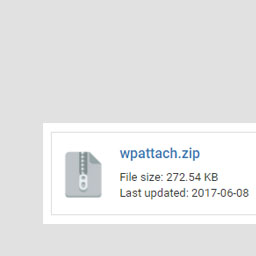
WP Attach allows you to attach files to posts or pages as an information box by using the shortcode [wpattach link=”LINK_TO_YOUR_FILE”]. Filetypes supported includes: .jpg .png .mp3 .mp4 .pdf .ae .ai .avi .css .doc .docx .docs .dw .eps .fl .fla .fw .html .id .ps .psd .ppt .pptx .xls .xlsx .slides .sheets
स्क्रीनशॉट्स

How is it displayed

इंस्टॉलेशन
- Upload
wpattach.zipto the/wp-content/plugins/directory - Activate the plugin through the ‘Plugins’ menu in WordPress
- All done! 🙂
सामान्य प्रश्न
- Installation Instructions
-
- Upload
wpattach.zipto the/wp-content/plugins/directory - Activate the plugin through the ‘Plugins’ menu in WordPress
- All done! 🙂
- Upload
- How to use the plugin?
-
Just add the following code to your post or page: [wpattach link=”LINK_TO_YOUR_FILE”]
- I need additional help!
-
No problem, just contact me (Gabriel Chi Hong Lee) and I’ll see what I can do for you. You can find me here:
WordPress
GitHub
StackOverflow
Email: chihonglee777@gmail.com
समीक्षाएं
इस प्लगइन के लिए कोई समीक्षा नहीं है।
सहायक &डेवलपर्स

Translate “WP Attach” into your language.
Interested in development?
Browse the code, check out the SVN repository, or subscribe to the development log by RSS.
बदलाव विवरण
1.0
Published! 🙂
