ERP Data Migration Tools
Effortless ERP Migration Solutions for Finance & Data Professionals
Your ERP vendor (current or new) isn’t responsible for cleaning and transforming your data, leaving it up to you. insightsoftware supports your migration by helping:
- Clean Data, Fast – Focus on insights, not errors. Automated data validation and cleanup ensure data quality from the start.
- Migrate What Matters – Move only the essential data to your new system. Reduce migration time and cost with selective migration.
- Unify Your View – Consolidate data from ERP and other sources. Gain insights from a single source of truth for more informed decision-making.


We Connect to 200+ ERPs/EPMs












Browse insightsoftware Tools for ERP Migrations
Explore Jet Analytics, Process Runner, and other platforms that support data migrations:

Operational Reporting for Oracle EBS and OCA
Angles Enterprise for Oracle unlocks powerful insights in your chosen BI tool. 1,800 pre-built, no-code business reports deliver actionable insights.

Operational Reporting for SAP ECC and S/4HANA
Angles Enterprise for SAP transforms critical operational data into actionable insights, with 600+ calculated fields enriching your supply chain data.
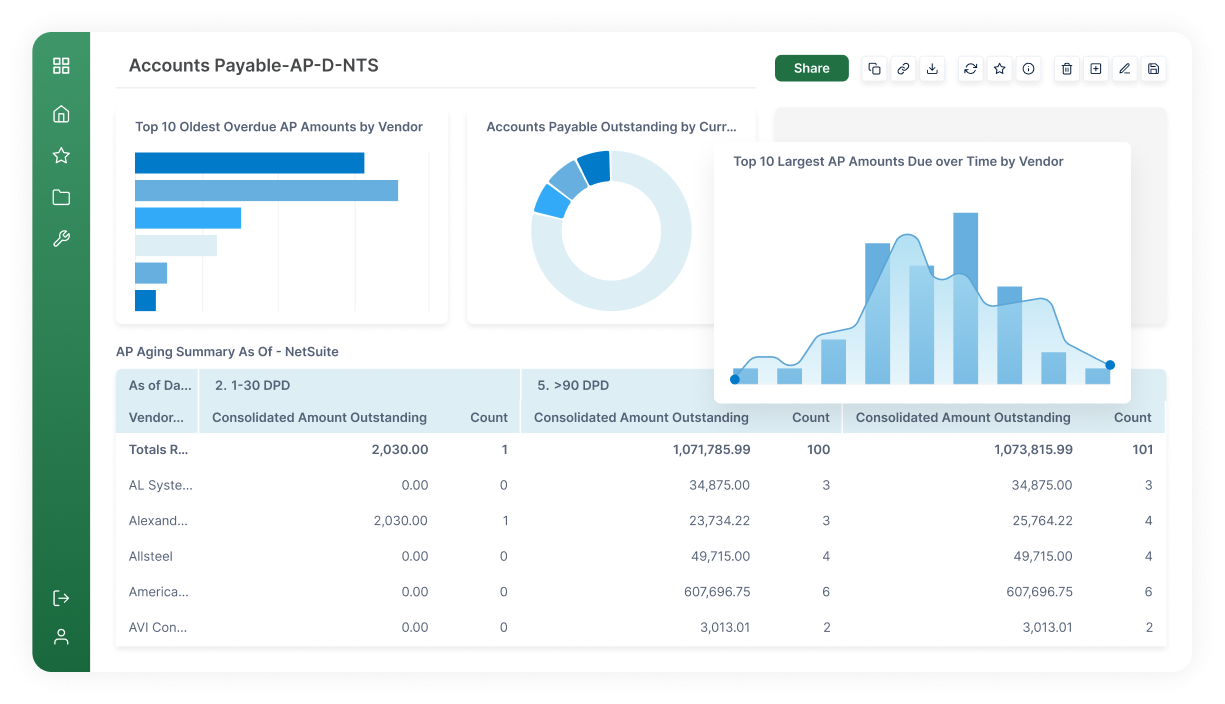
Operational Reporting and Distribution
Angles Professional streamlines the creation and distribution of operational insights with pre-built content for Deltek, NetSuite, Oracle EBS/Fusion Cloud ERP.

Data Warehouse Automation for Microsoft Dynamics
Jet Analytics is a complete data preparation, automation, and modeling solution. It’s five times faster than hand coded solutions.
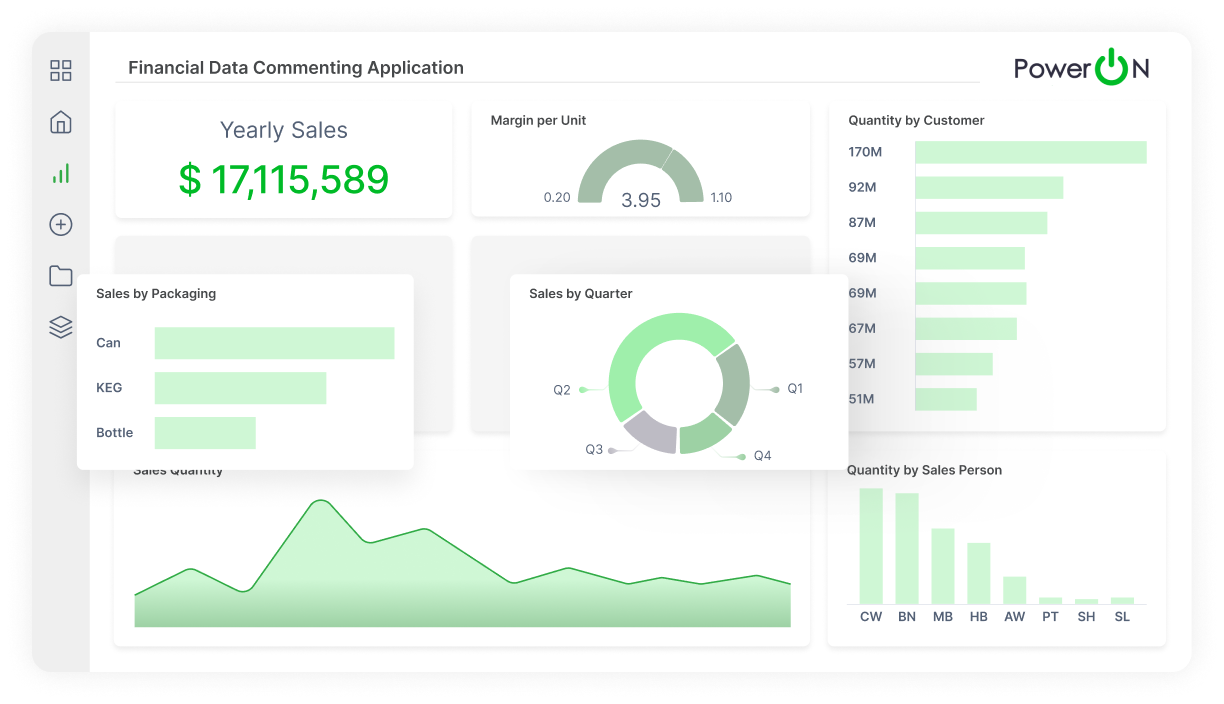
Advanced Analytics and Write-Back for Power BI
Power ON supercharges Power BI with Excel-like functionality, write-back, and a complete budgeting and planning solution that breaks down silos.

Data Automation for All SAP Modules
Process Runner provides powerful SAP data automation. It automates the movement of SAP data and bypasses error-prone, manual operations.
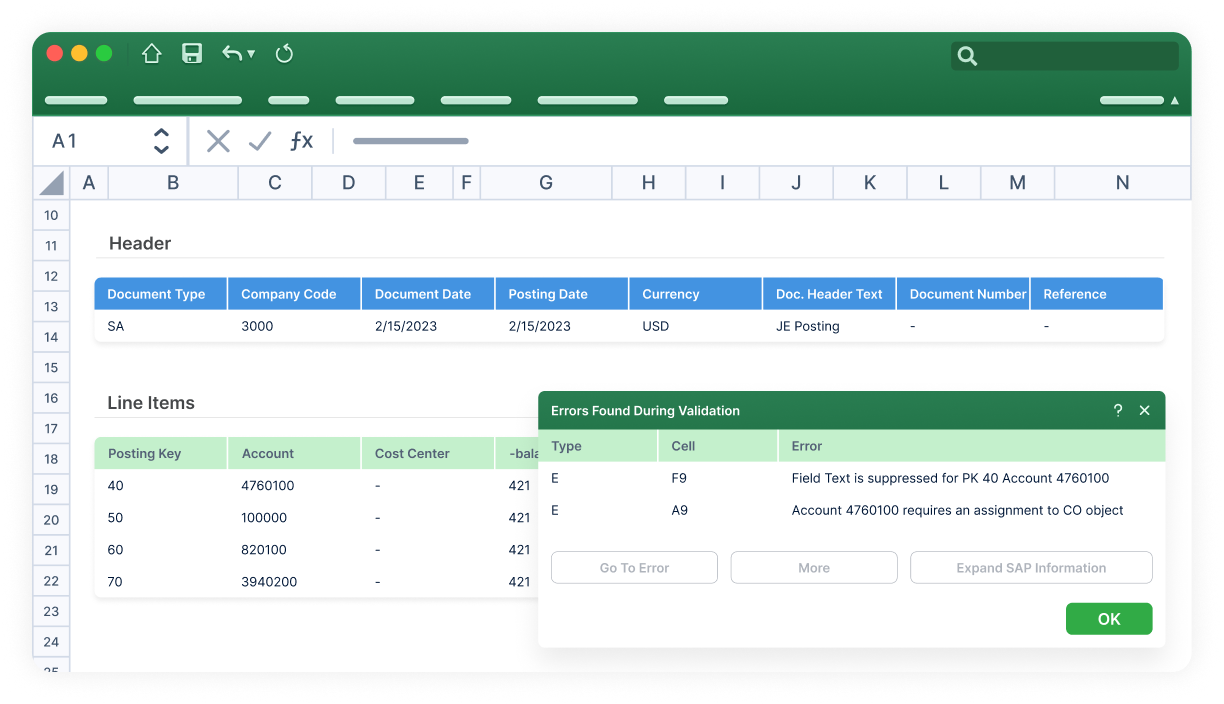
SAP Financial Data Entry Automation
Process Runner GLSU automates more than 40 SAP transactions with support for large journal entries, payroll, purchase orders, etc. – without a single call to IT.
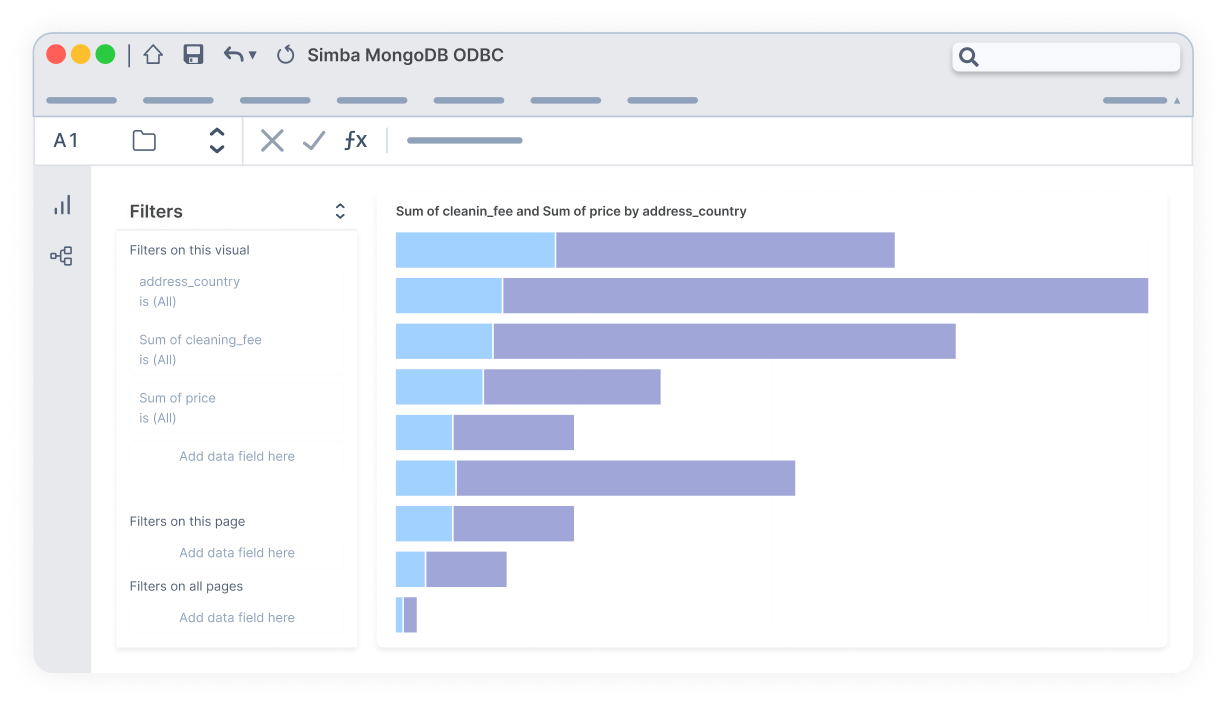
Data Connectivity
Simba boosts BI and ETL with advanced drivers and an SDK offering seamless data integration, deeper real-time insights, and efficient cloud migration.

Advanced Analytics and Write-Back for Qlik
Vizlib unleashes the full power of Qlik Sense and Qlik Cloud with advanced visualization functionality and write-back for effective data-driven decisions.
insightsoftware Powers Faster, Smarter ERP Data Migrations

Deliver Data Faster
Data migration projects can drag on for months — the result of manual mapping, data duplication issues, slow extraction from disparate systems, and complex integrations. This leads to delayed launches, missed business insights, and frustrated stakeholders. Platforms like Jet Analytics consolidate information from multiple sources into a data warehouse and cubes for easier mapping and reconciliation, complete with built-in cleansing and transformation capabilities.

Plug the Data Dollar Drain
Data migration costs often spiral out of control, caused by hidden fees, unexpected delays, and the need for additional resources. Traditional methods often require extensive IT involvement (or consultants), further inflating project costs. Spreadsheet Server leverages Excel’s familiar interface so non-technical users can pull data, build reports, and perform drilldowns. This also means you can use Excel’s existing infrastructure with our ERP connectors instead of building from scratch.

Dispel Data Disagreements
Teams shouldn’t have to argue over which version of “truth” to use for analysis. Similarly, ERP data migrations can be sunk by inconsistent definitions of metrics, different sources with conflicting numbers, security vulnerabilities, and more. Jet Analytics creates a centralized source of truth, business logic, and shared dimensions so everyone uses the same definitions, while Spreadsheet Server allows reports to pull data from both legacy and new ERP sources for a seamless transition.
Tools for Seamless ERP Data Migration & Integration
Effortless Cloud Migration for Your ERP
insightsoftware products offer cloud-ready solutions that deliver scalability and cost savings, simplify data migration, reduce downtime, and safeguard data integrity. They handle complex data structures and transformations, keeping your financial data accurate and accessible in the cloud.
Get Instant Demoweeks saved from monthly reporting
records migrated at once
minutes to process a day’s banking

Unify Your Data After M&A
insightsoftware tools bridge the gap with efficient data migration and harmonization features. They intuitively and easily facilitate data transfer, accurate financial reporting, and a unified view of combined operations for a clear picture of your new organization’s financial health so you can make informed decisions for future growth.
Get Instant Demoweeks saved from monthly reporting
records migrated at once
minutes to process a day’s banking

Extract Value from Legacy Data
insightsoftware solutions are built to extract historical data from your legacy ERP, transforming complex data formats from aging systems into a usable format for your new system. They smoothly and securely migrate your data, maintaining a complete financial record to leverage past trends for future analysis and decision-making.
Get Instant Demoweeks saved from monthly reporting
records migrated at once
minutes to process a day’s banking

See How Jet Analytics Unifies Reporting Across Migrated ERP Data
Jet Analytics simplifies complex Microsoft Dynamics reporting. Pre-built reports, dashboards, and data models help you analyze data faster and gain insights for better decision-making. See how Jet Analytics makes it easy to overcome the burden of reporting across ERP data by unifying information into standardized formats.

Additional ERP Data Migration Resources
How to Ensure ERP Migration Success
Answering the Top 5 Cloud ERP Migration FAQs
How to Solve the Top S/4HANA Cloud Migration Challenges
Make Infor M3 Cloud Migration Easy With Spreadsheet Server
How to Simplify Your Cloud ERP Migration With insightsoftware
insightsoftware Data Migration FAQs
We recommend choosing an ERP data migration tool that offers automation, data cleansing, and robust security features. These capabilities significantly increase your migration’s chances of success and are common in modern ETL platforms like Jet Analytics. Look for tools that can streamline the process, minimize errors, and protect sensitive data during migration.
| Platform | Ideal Data Migration Role |
| Jet Analytics | Acts as the data-warehouse backbone that consolidates legacy and new ERP sources into governed, consistent cubes to support phased migrations, minimize disruption, and create a single source of truth. |
| Spreadsheet Server | Serves as the bridge between legacy/new ERP systems and users for real-time ERP data inside Excel to validate, reconcile, and report without heavy IT or manual export processes. |
| Process Runner | Automates bulk data entry, conversions, and transaction uploads in SAP for fast test loads, cleanses, and repetitive migration tasks (without heavy custom coding). |
| Process Runner GLSU | Provides pre-validation of large financial and GL-oriented data in Excel before loading into SAP, helping catch errors early and reduce reconciliation issues during migration. |
| Simba | Offers reliable driver-level connectivity to dozens of data sources (databases, ERP systems, cloud) so reporting and BI tools can access legacy and new ERP data without gaps. |
| Angles for Oracle | Provides a process-aware, context-rich business data model and pre-built Oracle reports so you can validate and reconcile legacy versus new ERP data quickly and with consistency. |
| Angles for SAP | Enables SAP data to be surfaced in understandable operational views and pre-built reports, giving business users clarity and comparison points during migration. |
| Angles Professional | Offers no-code, pre-built operational dashboards and analytics across ERPs so users can efficiently validate, monitor, and report migration progress without heavy IT involvement. |
| Power ON | Supports financial planning, forecasting, and write-back workflows so that key business planning processes continue smoothly even as ERP systems are changing. |
| Vizlib | Enhances dashboard visuals and interactivity so stakeholders can compare legacy and new data, spot discrepancies, and engage with migration-status dashboards more effectively. |
To get started and see how insightsoftware data migration solutions can streamline your process, request a demo from our team of experts here, or send any questions you have to our customer success team here.
Spreadsheet Server offers live ERP connectivity from inside Excel so users can easily run refreshable and drillable reports. It also enables rapid business sign-off by enabling finance teams to validate new systems against legacy reports more efficiently, catching transformation issues early and speeding approvals. Spreadsheet Server’s pre-built connectors support hybrid environments where users need to pull data from both legacy (on-prem) and new (cloud) ERPs during the transition. Lastly, its self-serve reporting helps non-technical users create their own ad hoc reports, reducing IT overhead.
Jet Analytics facilitates the consolidation of legacy and new ERP sources into a single governed data warehouse, so historical data isn’t force-migrated into the new system. This approach reduces the risk of migration issues, as well as the scope for your ERP transition. Jet Analytics also supports phased migrations, which is a recommended best practice for transferring data from one system to another. It keeps multiple sources in the warehouse so users can report on legacy and target ERP data while parts of the business move at different times. Lastly, Jet Analytics’ centralized business logic eliminates “data disagreements” and makes reconciliation and audits significantly faster.
Our data migration software can help you optimize your project by:
- Automating tasks: Reducing manual effort lowers labor costs.
- Minimizing errors: Clean data from the start means less rework and troubleshooting.
- Selective migration: Migrate only the data you need, saving time and resources.
The timeframe depends on your specific needs. However, data migration software can significantly speed up the process by:
- Streamlining data extraction and transformation: Automating tasks saves valuable time.
- Reducing errors: Clean data upfront avoids delays caused by fixing issues later.
- Efficient data transfer: Tools can handle large data volumes efficiently.
Data security is paramount at insightsoftware. Our data migration software offers robust security features such as encryption, access controls, and audit trails. This ensures your sensitive data remains protected throughout the migration process.
A well-designed data migration solution should offer options for handling legacy data. Consider tools that can either migrate historical data or securely archive it for future reference, like Jet Analytics.
While every ERP migration differs, they typically follow similar steps:
- Plan and kickoff: Define the migration’s scope, success criteria, timeline, and stakeholders to prevent scope creep and minimize costly surprises.
- Discovery and data profiling: Take inventory of all data sources and assess the data quality (duplicates, missing values, inconsistent codes) to identify what to migrate vs. archive.
- Design and mapping: Build data models and mapping documents, defining each transformation and business rule.
- Build: Implement your extraction, transformation, cleansing, and staging processes (using a tool like Jet Analytics) before building validation scripts and reconciliation checks.
- Test and reconcile: Repeatedly run test migrations, data reconciliation reports, and business user sign-offs, preferably with parallel runs between the legacy and target system to compare the results.
- Cutover: Perform final validations and officially switch users to the new ERP (have rollback criteria and a communication plan in place just in case).
- Stabilize and optimize: Monitor reconciliation, tune transforms, train your users, and retire legacy reports to be replaced by new reports.
Every ERP migration is complex, but insightsoftware makes it faster, safer, and more predictable. Our suite of tools reduces manual work, improves data quality, and gives your team real-time visibility at every step:
- Plan and kickoff: With Jet Reports and Bizview, you can rapidly define scope, success criteria, timelines, and stakeholder reporting, preventing scope creep and costly overruns.
- Discovery and data profiling: Spreadsheet Server and Jet Analytics automatically inventory your data sources and flag issues such as duplicates, missing values, or inconsistent codes. This accelerates cleanup and helps you migrate only what’s valuable.
- Design and mapping: Build robust data models and mapping rules in Jet Analytics to gain full control over transformations and business rules.
- Build: Automate extraction, transformation, cleansing, and staging processes with Jet Analytics to reduce errors and shorten project timelines.
- Test and reconcile: Generate reconciliation reports, test runs, and side-by-side comparisons with Spreadsheet Server and Angles so you can validate data accuracy with confidence before go-live.
- Cutover: With real-time monitoring via Jet Analytics dashboards and built-in rollback criteria, you can ensure a smooth transition for end users and mitigate the risk of go-live disruptions.
- Stabilize and optimize: Post-migration, replace legacy reporting with Power ON, Spreadsheet Server, or Jet Reports, giving your teams faster, self-service access to real-time analytics and performance insights.
Successful ERP migrations require planning, ownership, and the right technology. Our ERP reporting experts recommend these best practices, and insightsoftware tools make each step easier:
- Have a dedicated migration team: Define clear ownership and assign data stewards for each domain. insightsoftware’s governance and reporting tools give your team a single source of truth and documented SLAs to accelerate decisions.
- Profile early and clean often: Run frequent data quality scans and fix issues with master data or mappings before bulk migration. Tools like Jet Analytics automate data profiling, so your team can spot and resolve problems sooner.
- Use a phased approach: When possible, migrate and validate in smaller increments. insightsoftware dashboards and automated reconciliation reports help you validate each step before moving on, reducing the risk of a “big bang” cutover.
- Automate validation and reconciliation: Build automated scripts and dashboards to flag mismatches for review. Spreadsheet Server makes it easy to create Excel-based validation reports tied directly to ERP data, cutting manual effort and error.
- Avoid unnecessary legacy-to-ERP migration: Use a data warehouse to retain historical or legacy information. Jet Analytics integrates both legacy and new ERP data, giving you seamless reporting without crowding your new system.
Keep security and auditability in mind: Maintain logs, data lineage, and access controls. insightsoftware’s solutions support audit trails and user-level security, helping you comply with internal and external standards. - Plan for report migration: Rebuild critical financial reports early and train users to leverage the new tools. Spreadsheet Server quickly creates automated, refreshable reports in Excel, so your finance and operations teams stay productive during and after migration.
There are four primary approaches to ERP data migrations:
- Big Bang: Everything is cut over at once (fast, but high-risk).
- Phased: Moved data over pieces at a time (less downtime and easier validation). This is the approach we typically recommend for the best balance of speed, safety, and cost. insightsoftware tools like Jet Analytics and Spreadsheet Server make phased migrations more manageable by automating reconciliation, reporting, and validation at each stage.
- Parallel: Run old and new systems side-by-side while validating outputs (safe but expensive). insightsoftware dashboards and reporting solutions simplify side-by-side comparisons and reconciliation.
- Hybrid: A mix of aspects from the types listed above that is tailored to your systems. insightsoftware tools support hybrid strategies by giving you flexible reporting, data profiling, and automation to handle multiple migration phases simultaneously.
By using insightsoftware tools to support your migration, you can automate validation, reduce errors, and maintain full visibility. This means that even complex phased or hybrid migrations are faster and more reliable.
