Image

Dinkar Kamat

Updated 3 months ago

A platform for sharing and connecting

Instagram is one of the world’s most popular social networking apps. With billions of users worldwide, it’s a place where people share photos, videos, and everyday moments. The platform is designed around simple tools for visual storytelling, letting you stay connected with friends, explore new interests, and be part of a global community.

Core functions

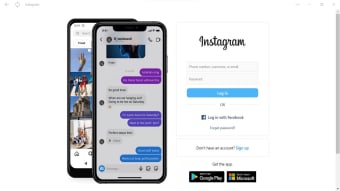
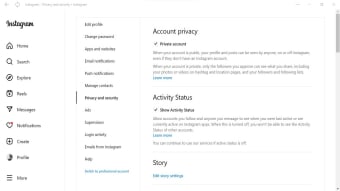
The Instagram app for PC is not a traditional desktop program. Instead, it is a Progressive Web Application (PWA), which means it works as a wrapper of the platform’s website. This setup gives users easy access to the platform on a bigger screen, but with fewer features compared to the mobile app.

You can now post photos and videos directly to your feed and profile. You also can browse your personal feed, view Stories, and watch Reels, all from within the app. Direct messaging is also supported through the Messenger-powered chat system, so you can keep in touch with friends and share content privately. The Explore section is included as well, letting you find new creators, photos, and videos, although it may not feel as smooth as it does on a phone.

Features missing

While the desktop app covers the basics, it does not offer the full creative toolkit found on mobile. Advanced editing options such as stickers, audio mixing, or Reels templates are not available. Video editing is especially limited — you can upload a video, but you won’t find the filters and effects available on mobile.

A simple way to stay connected

Despite its limitations, the PC version of Instagram is still useful if you want a straightforward way to browse posts, keep up with Stories, or watch videos from your favorite creators. It provides the essentials for staying connected and exploring content on a larger screen, even if it lacks the creative depth of the mobile app.


Image

Dinkar Kamat

Dinkar has more than 10 years of experience in content creation, including technical articles, travel writing, and product strategy. His expertise spans SEO, digital marketing, and structured editorial work. He focuses on producing content that is both accurate and accessible for diverse audiences.

  • Pros

    • Convenient viewing on larger screens
  • Cons

    • Limited features compared to the mobile version
Image
 0/3

App specs

  • License

    Free

  • Version

    42.0.23

  • Latest update

  • Platform

    Windows

    Other platforms (3)
  • OS

    Windows 7

  • Language

    English

    Available languages

    • Czech
    • Danish
    • German
    • Greek
    • English
    • Spanish
    • Finnish
    • French
    • Italian
    • Japanese
    • Korean
    • Dutch
    • Norwegian
    • Polish
    • Portuguese
    • Russian
    • Swedish
    • Turkish
    • Chinese
  • Downloads

    7.1M

    Last month's downloads

    • 96.4K
  • Size

    1.48 MB

  • Developer

Also available in other platforms

Program available in other languages


Icon of program: Instagram

Instagram for PC

  • Free
  • 4
    21682
  • 7.1M
  • V42.0.23

User reviews about Instagram

4

66 reviews

Add review

Main reviews for you

  • Image

    Anonymous user

    I wish I hadn't done the update on my Instagram on my windows 10 laptop. Prior to the software update I was able to upload and go live from my laptop. After I installed the update that I had a prompt that an update was available, I can no longer upload photos or do live video. I am not sure what the last version was on my pc before i did this update, all I know is that now it will not allow me to go back and I no linger have the functionality that i once had. I absolutely hate it

  • Image

    Anonymous user

    Its a really got way to know and to communicate with different people .ig is a lit app

  • Image

    Anonymous user

    Uwu good use no issues first time but worked well it weird having a minimum charecters on reviews

  • Image

    Anonymous user

    I am impressed with is application i am using its it have privacy and its also give many information related to various field and subject retaliated.

  • Image

    Anonymous user

    Very good social media network which keeps you in touch with all your friends and families. Which also gives you a clear pictures of your friends that you hardly distinguish a difference when viewing. It is also fast and convenient with accuracy. Thanks for the Instagram app.

  • Image

    Anonymous user

    Good aplication to connect with family and friend, share what you're up to, or see what's new from others all over the world

More

You may also like

Alternatives to Instagram

Explore Apps

Related Articles

Latest articles

Laws concerning the use of this software vary from country to country. We do not encourage or condone the use of this program if it is in violation of these laws.

Softonic

Is Instagram safe?

100/100

Score result: Clean

This file passed a comprehensive security scan using VirusTotal technology. It is safe to download.

  • Virus free
  • Spyware free
  • Malware free
  • Verified by Security Partners

    VirusTotal logo

Scan Info

Last scan
Wednesday, June 12, 2024
Scan provider
VirusTotal · Full report

File Integrity

File
Instagram_V42.0.23.msixbundle
SHA256
11ed6501838fbeb254def7f8f863840ff44d7f6b37d4c1997706d1ff8751fcfe
SHA1
086c284a048b0b4859bf75ea0b614d0ffc7f6973

Softonic security commitment

Instagram has been thoroughly scanned by our advanced security systems and verified by industry-leading partners. This file comes from the official developer and has passed all our security checks, showing no signs of viruses, malware, or spyware. For more information, visit our Security and Trust Center