IP Access – Knowledgebase
Overview
With IP Access, Inter.link collects and provides data to customers through the Inter.link Portal. This helps customers to monitor the overall health of their network.
Inter.link ensures its network has enough capacity, and has a good mixture of upstream connectivity, however, individual service status changes are the responsbility of the customer.
Benefits
- High quality connectivity is provided by Inter.link’s heavily peered network with extensive capacity
- Flexible billing & shorter terms available
- Bandwidth can be purchased at either a flat rate (which is limited) or with a CDR (which allows bursting)
- Low barrier to entry because minimal config is required from the customer
- The service provides dual-stack connectivity (IPv4 and IPv6)
- Ability to self-host services (no IPv4/6 translation services like CGNAT)
- A range of IP subnet sizes are purchasable
- BFD (Bidirectional Forwarding Detection) is not supported
Components
VLAN
Requires a port
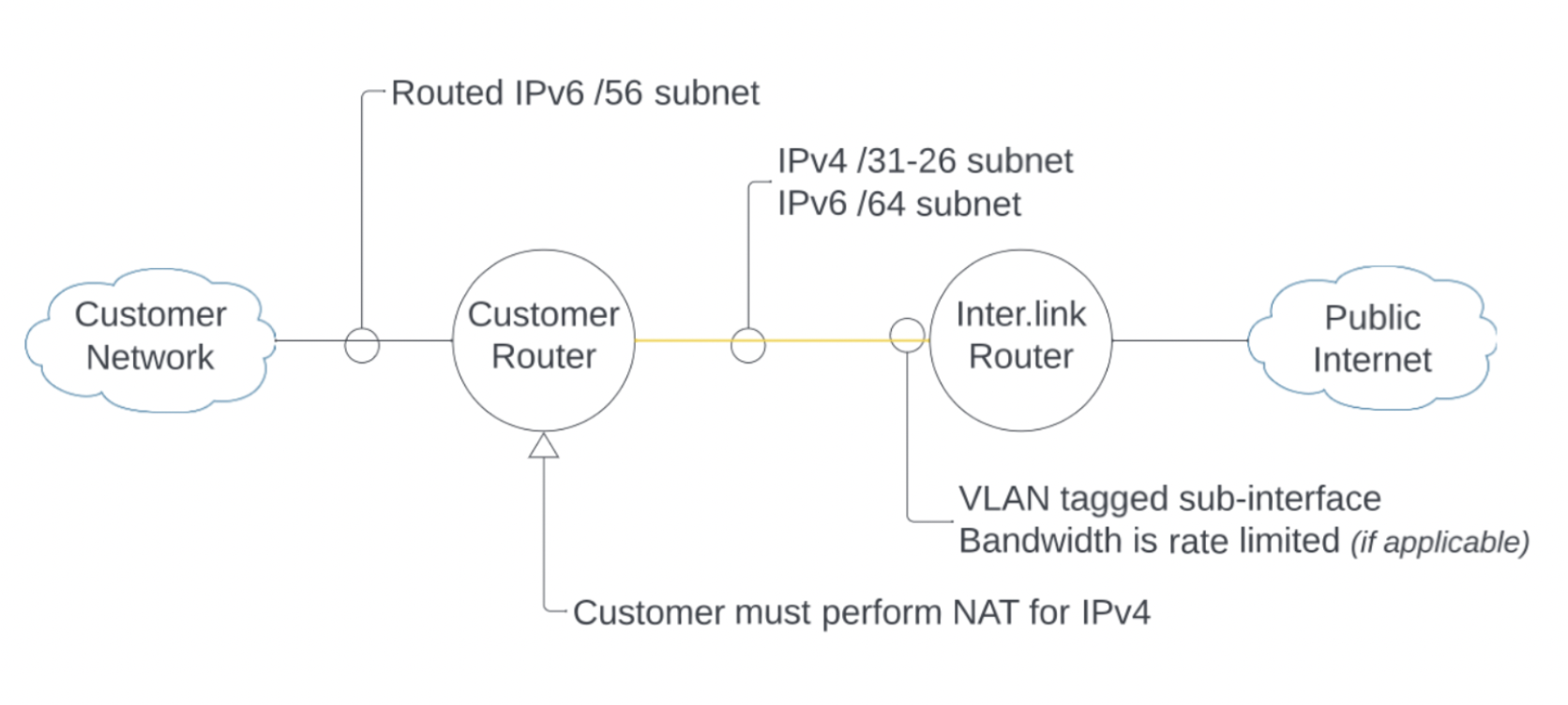
IP Access can be handed over on a tagged VLAN, which can be defined by the customer, or VLAN untagged.
Specifying a VLAN ID is optional when ordering services on Inter.link ports, but there can only be a maximum of 1 service per port without a VLAN (there can be up to 4094 services with a VLAN ID).
Prefix(es)
Requires Port+VLAN(s); can be configured at the VLAN level only, this includes the untagged VLAN.
Prefix can be IPv4 or IPv6, ranging up to /32 and /128.
Service Delivery Time
Inter.link provisions IP Access services in under 48 hours for on-net locations.
How to Order through the portal
IP Access can be provisioned through the Inter.link portal. Below are the steps explaining how to do this.
Setting up an account in the portal is the very first step and this is explained in the Using the Portal section of the knowledgebase.
Step 1
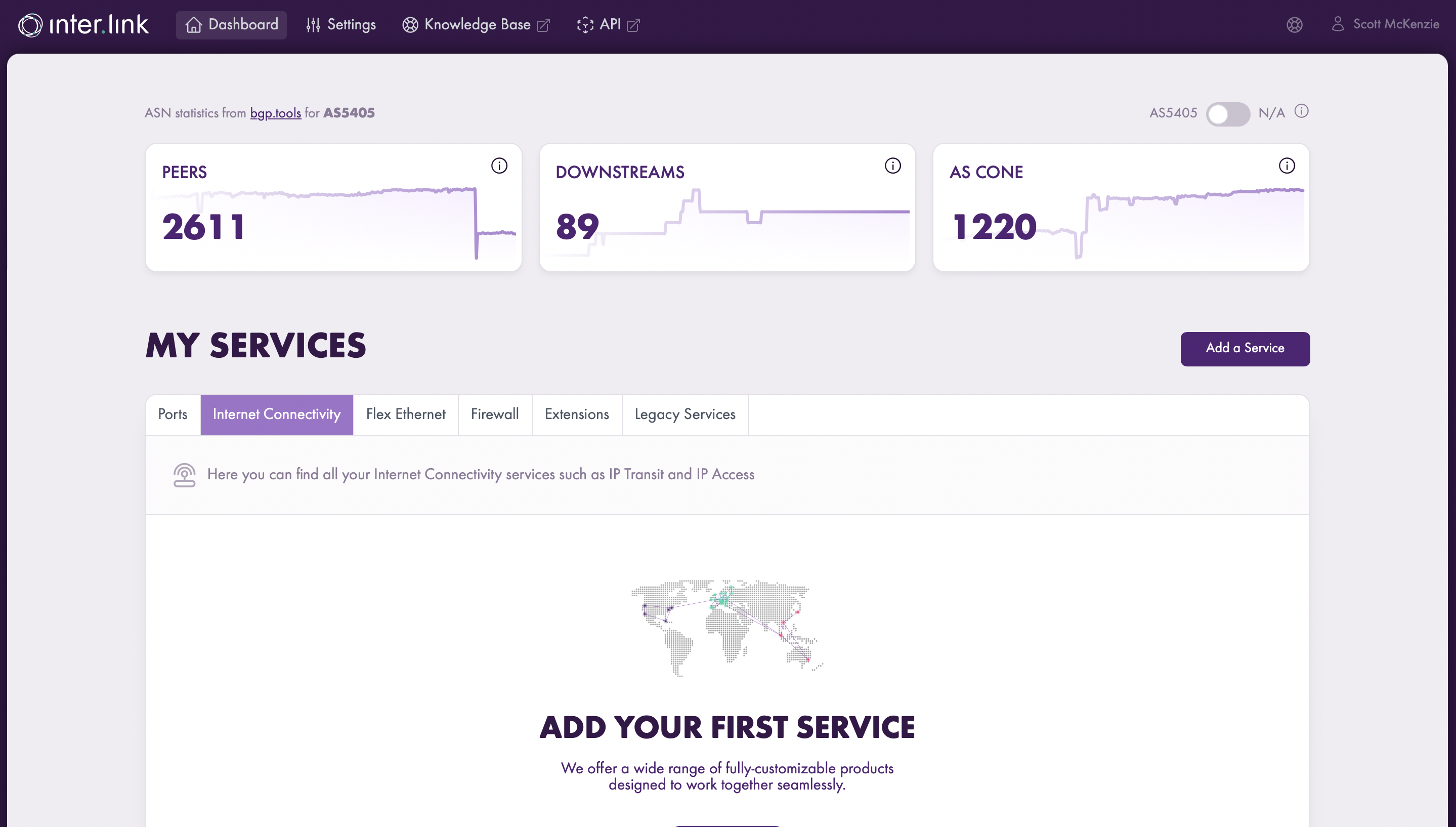
Click on ‘Add a Service’ and select ‘IP Access’

Step 2
Find and selected your desired location.

Step 3
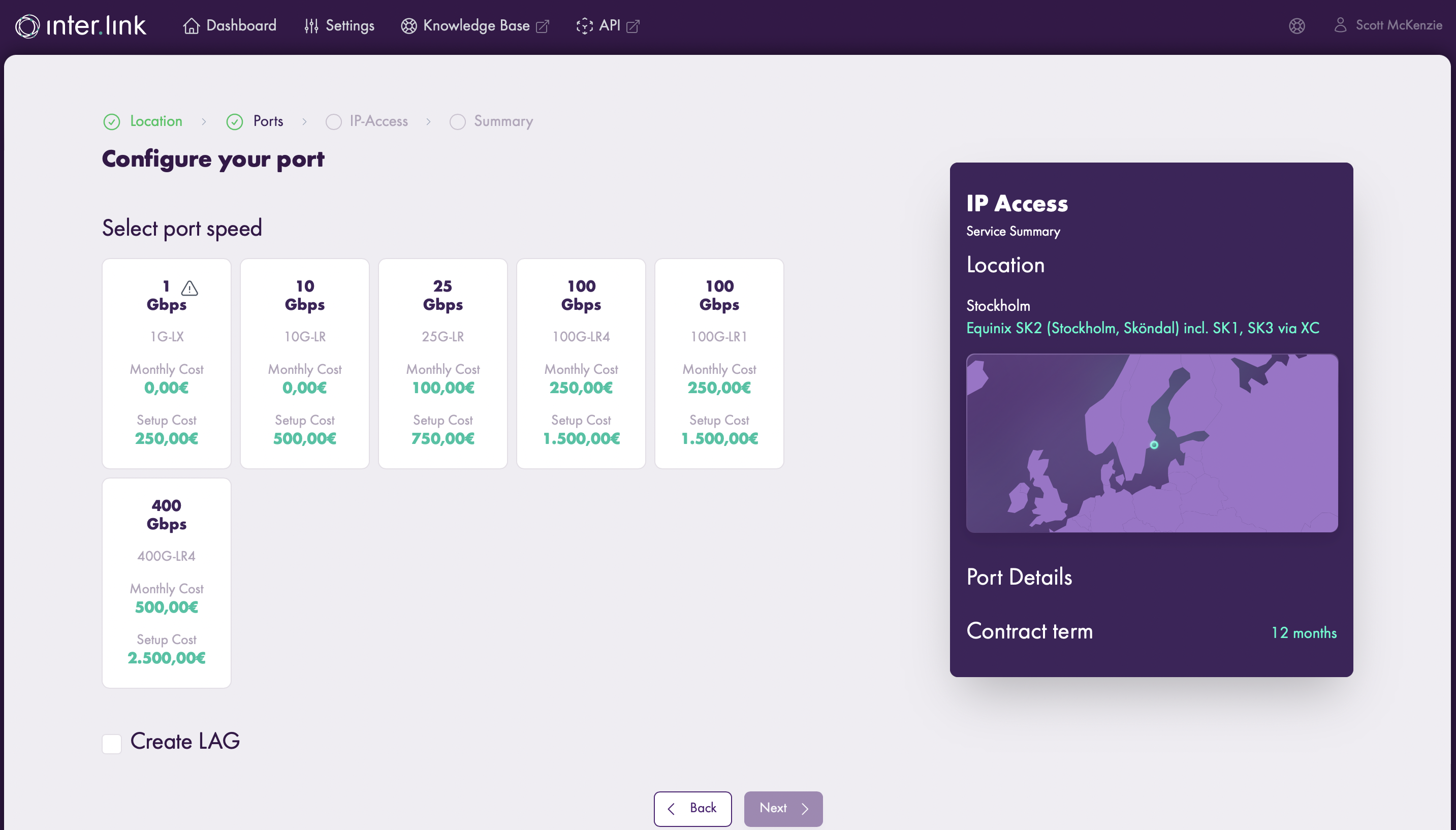
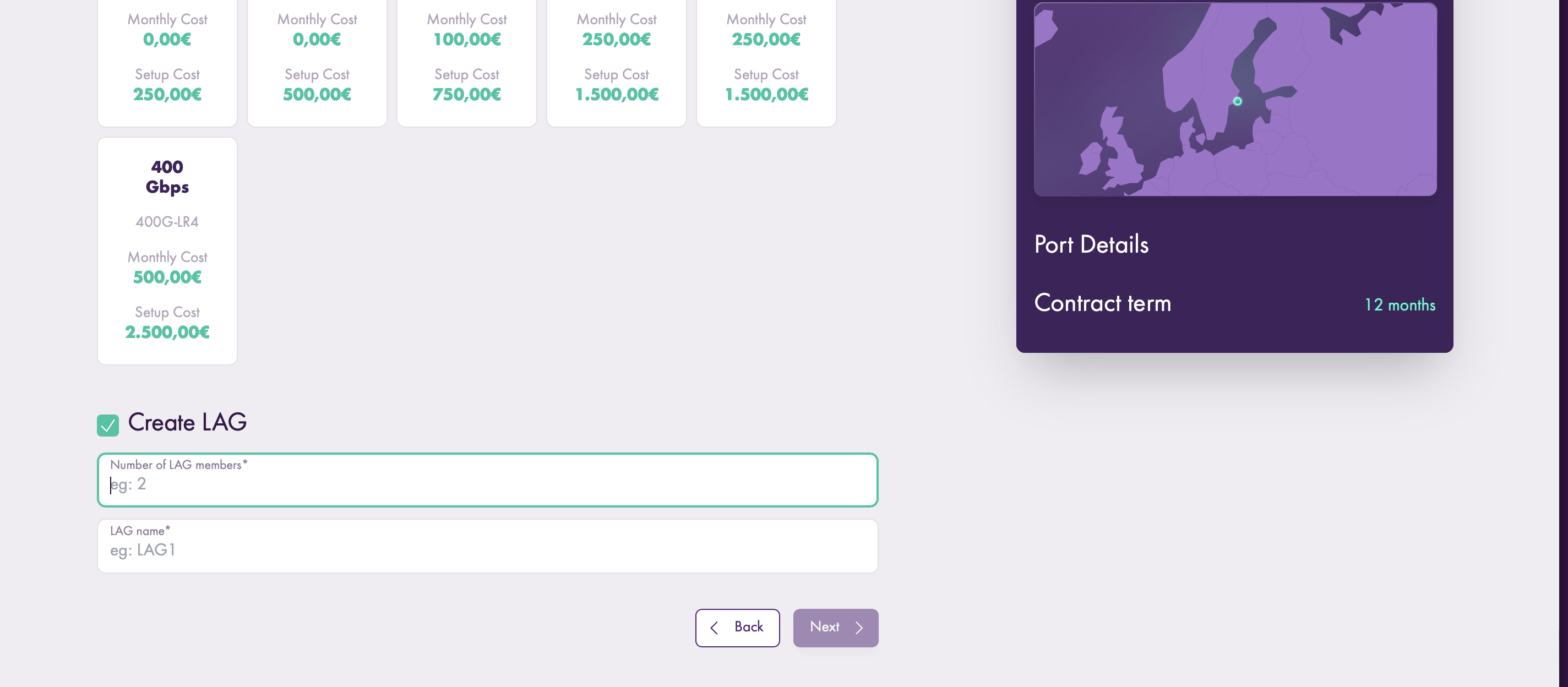
Configure your port.
Step 4
Configure your IP Access.
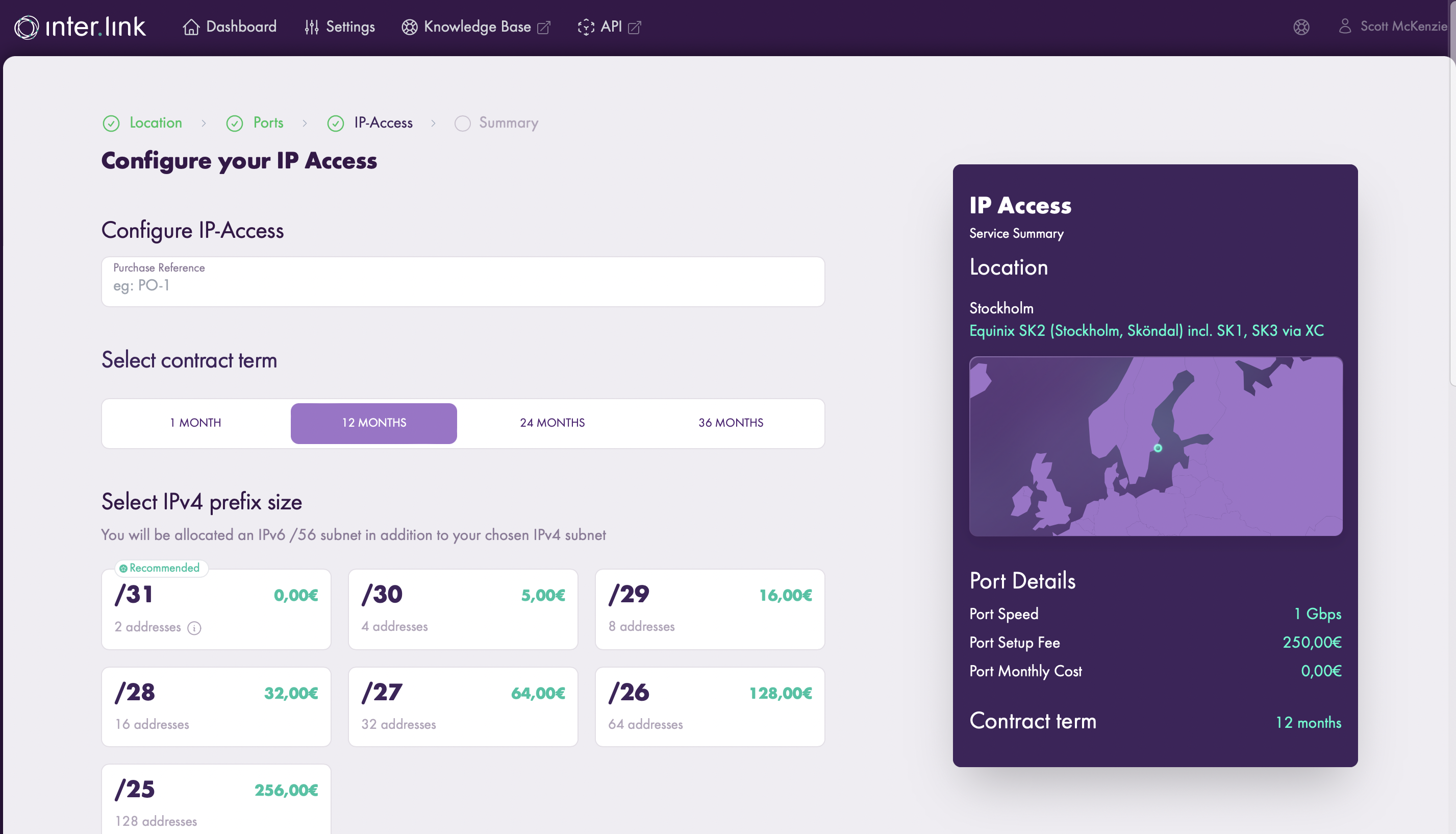

Step 5
Place your order.

Billing for IP Access
Information on Inter.link pricing can be found in the Pricing section of the knowledgebase.
Further Information
IP Access (also known as “DIA” or “Direct Internet Access”) is an industry term used to describe a business grade Internet connectivity service, as opposed to a domestic grade service. For Inter.link this means the following:

The Difference between IP Transit and IP Access
IP Access may sound similar to IP Transit but, there are some key differences. IP Transit provides features relating to advanced routing of customer traffic, which are usually consumed by larger customers with a higher traffic demand and more in-house technical skills. IP Access does not provide these advanced traffic routing features and instead offers a ready-to-go, premium Internet connection which requires minimal setup and minimal ongoing configuration.
The following table explains some of the differences between IP-Transit and IP-Access:
Technical Details
The diagram below provides an overview how the service technically works.