

Descrizione
Stop Manually Building Repetitive Pages. Start Automating Your SEO Success.
PageForge is the definitive WordPress plugin for generating massive amounts of unique, data-driven pages from a single template. It’s built for anyone who needs to scale their website’s content without scaling their workload.
Turn a simple CSV file into a powerful marketing engine. Create dedicated landing pages for every city, service, product, or keyword you target.
Why Choose PageForge?
- Save Dozens of Hours: Automate the most tedious part of SEO and content marketing. What used to take weeks of manual work now takes minutes.
- Achieve SEO Domination: Create hyper-targeted pages that rank for thousands of long-tail keywords. Cover every niche in your market with precision.
- Improve Content Quality: Use AI to generate unique content sections, titles, and meta descriptions, avoiding duplicate content issues and improving user engagement.
- Simple & Intuitive: No complex setup or coding required. If you can make a spreadsheet, you can build thousands of pages.
Who is PageForge For?
PageForge is built for smart marketers, agencies, and business owners who need to work efficiently.
- Local Businesses: A plumber can create a page for “Emergency Plumbing in {City}” for every city they serve. A real estate agent can generate pages for every neighborhood.
- Marketing & SEO Agencies: Deliver scalable, high-impact local and programmatic SEO campaigns for clients in a fraction of the time. Massively increase your agency’s profitability.
- E-commerce Stores: Generate targeted landing pages for every product category in different locations (“Buy {Product} in {City}”).
- SaaS & Tech Companies: Build landing pages targeting different industries, use cases, or competitor keywords.
- Directory & Listing Sites: Populate your entire directory from a single CSV upload, creating thousands of listings instantly.
- Affiliate Marketers: Quickly generate product review pages, comparisons, or “best of” lists from a simple spreadsheet.
Feature Breakdown
Core Generation Engine:
- Dynamic Placeholders: Use simple tokens like
{City}or{SKU}anywhere in your page—title, content, slug, SEO meta fields, and even in shortcodes. - CSV Upload: The free version comes with a powerful CSV uploader. The first row should be your headers (e.g.,
City,State,Service). - Unlimited Pages: Generate ten pages or ten thousand. There are no limits on the number of pages you can create.
- Custom Post Type Support: Generate standard Pages, Posts, or even custom post types for seamless integration with your existing site structure.
AI-Powered Content Tools (Optional):
- AI Content Generation: Use
{AI:Article}placeholders to have AI write unique content sections for every single page. - SEO Meta Generation: Automatically create unique, optimized SEO titles and meta descriptions for better click-through rates.
- SEO Audits & Planning: Get AI-driven reports on your site’s SEO and a prioritized action plan to improve your rankings.
Safe & Professional Workflows:
- Live Preview: See exactly what your pages will look like before you commit to generating hundreds of them.
- Batch Generation: Generate pages in manageable chunks on-demand. No cron jobs required for the core functionality.
Free vs Pro
Feature
Free Version
Pro Version
Unlimited Page Generation
✅
✅
CSV Import
✅
✅
Placeholders ({City}, etc.)
✅
✅
AI Content Generation
Limited
Unlimited
Schedule / Auto-Drip
❌
✅
Google Sheets Integration
❌
✅
Premium Support
❌
✅
Works With Your Favorite Page Builders
PageForge generates the core page content, which you can then edit and enhance with any page builder. It is compatible with:
- Gutenberg (Block Editor): Generated content appears as standard blocks you can edit.
- Elementor, Divi, Beaver Builder, etc.:
- Generate First, Then Edit: Generate your pages with PageForge. The content (text, titles, etc.) will be there. Then, open any page and click “Edit with Elementor/Divi” to add your advanced designs.
- Use Shortcodes: Design a layout in your page builder and save it as a template. Then, simply put the page builder’s shortcode for that template in your PageForge template. You can even use placeholders inside the shortcode! Example:
[elementor-template id="123" city="{City}"]
External Services
This plugin can connect to the following third-party services. These connections are optional and only enabled when you provide a valid API key in the plugin’s settings.
OpenAI
- Service: AI-powered text and content generation.
- Use: This service is used for the AI Content Generation, SEO Meta Generation, and SEO Audit features.
- Data Sent: When you use an AI feature, the plugin sends a prompt to the OpenAI API. This prompt may contain content from your pages, your brand context, and other settings. Your OpenAI API key is sent in the request header for authentication.
- Terms of Use: https://openai.com/policies/terms-of-use
- Privacy Policy: https://openai.com/policies/privacy-policy
Pexels
- Service: Royalty-free stock photo search.
- Use: This service is used to find and embed images in your generated content.
- Data Sent: The plugin sends a search query (e.g., “plumber in London”) to the Pexels API. Your Pexels API key is sent in the request header for authentication.
- Terms of Use: https://www.pexels.com/terms-of-service/
- Privacy Policy: https://www.pexels.com/privacy-policy/
Google Analytics
- Service: Website traffic and event tracking.
- Use: This plugin allows you to optionally provide your own Google Analytics 4 (GA4) Measurement ID and API Secret. When configured, the plugin will send events to your own GA4 property, allowing you to track plugin-related activity (e.g., how many pages are generated). This feature is for your own analysis and the plugin does not send any data to any other Google Analytics account.
- Data Sent: When you have configured your GA4 credentials, events such as
csv_uploadandgeneration_startare sent to your GA4 property. The data includes the event name, number of pages, and a hashed version of your site URL to act as a client ID. - Terms of Use: https://marketingplatform.google.com/about/analytics/terms/us/
- Privacy Policy: https://policies.google.com/privacy
Privacy
This plugin may connect to third-party APIs (e.g., OpenAI, Pexels) when configured. Data sent can include template text and mapped values needed to fulfill requests. Review and comply with your data and privacy policies.
Developer Notes
- Main plugin bootstrap: pageforge/pageforge.php
- Minimum PHP: 7.4
- Text Domain: pageforge
Screenshot
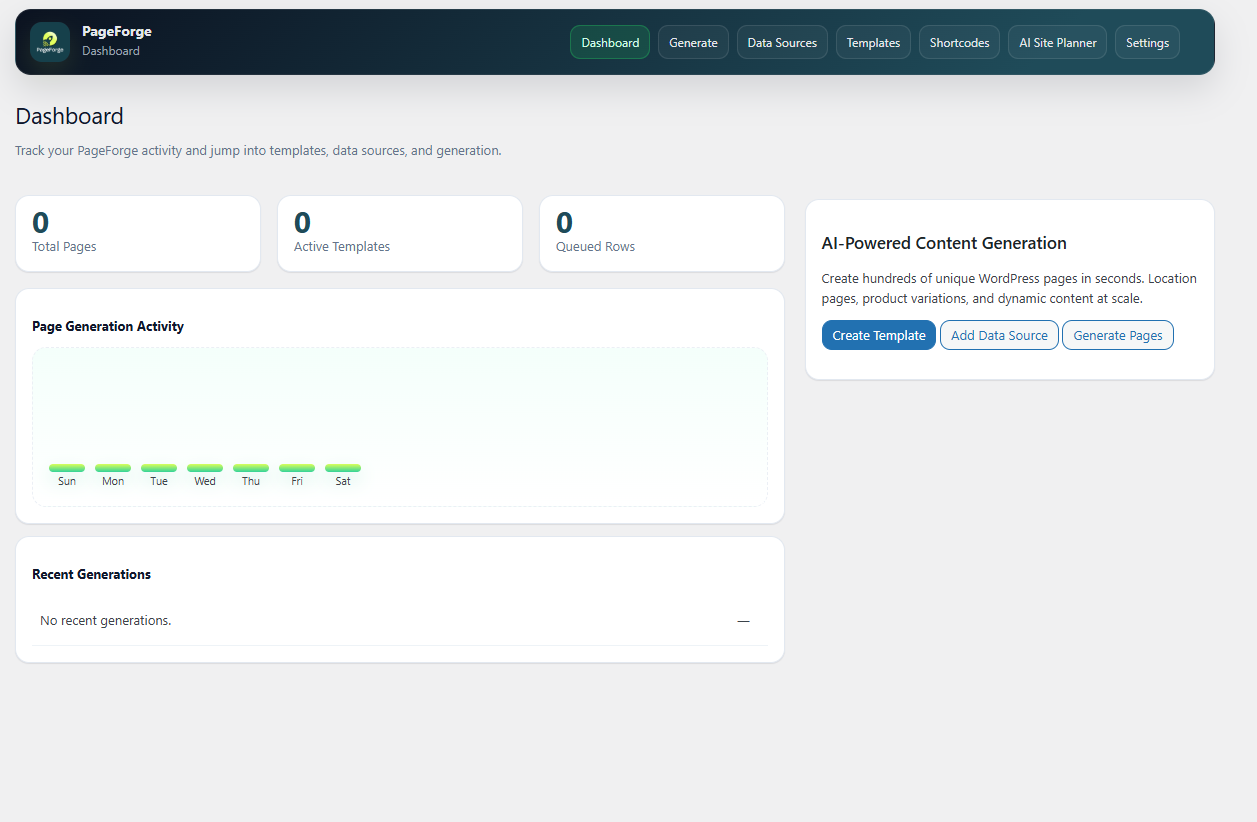
Dashboard Overview – Manage your templates and generation jobs. 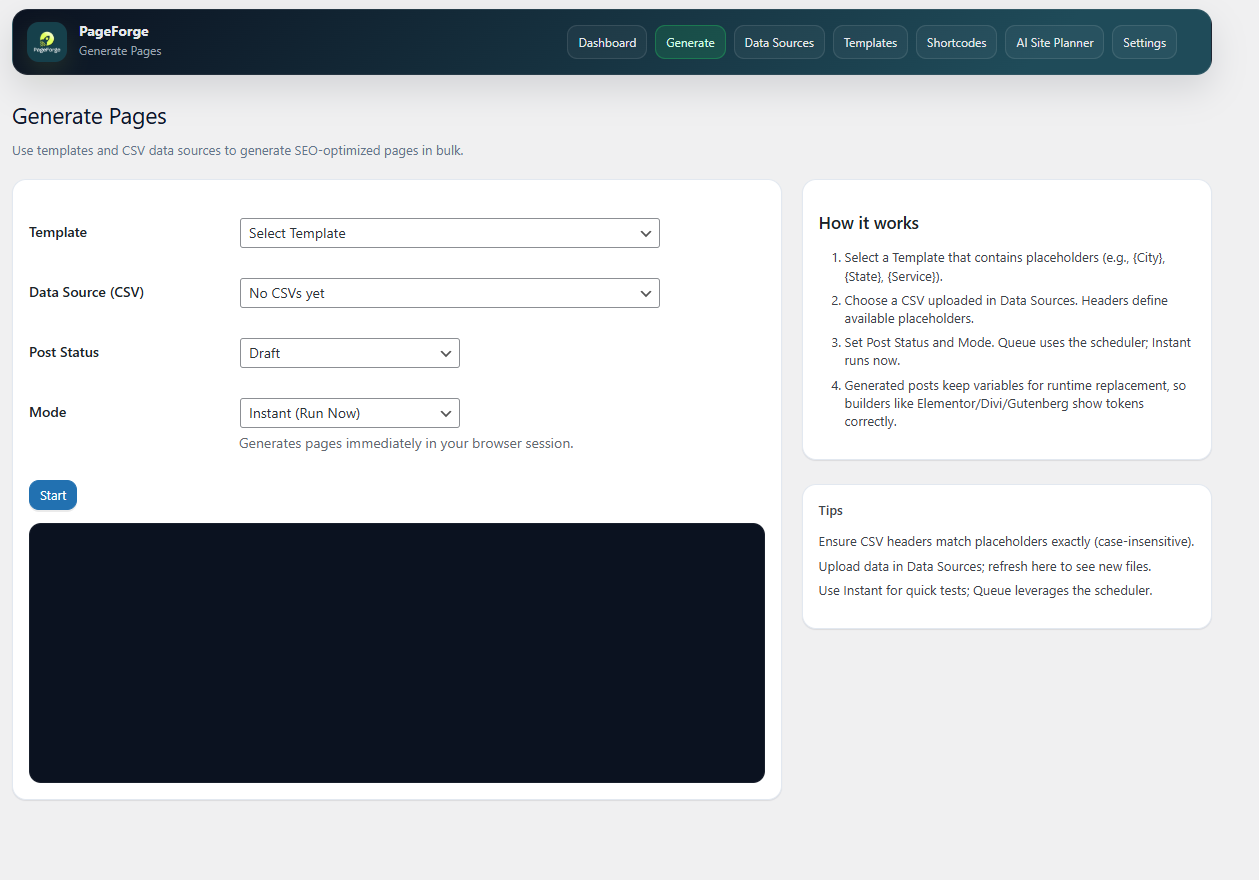
Template Editor – Easy-to-use editor with placeholder support. 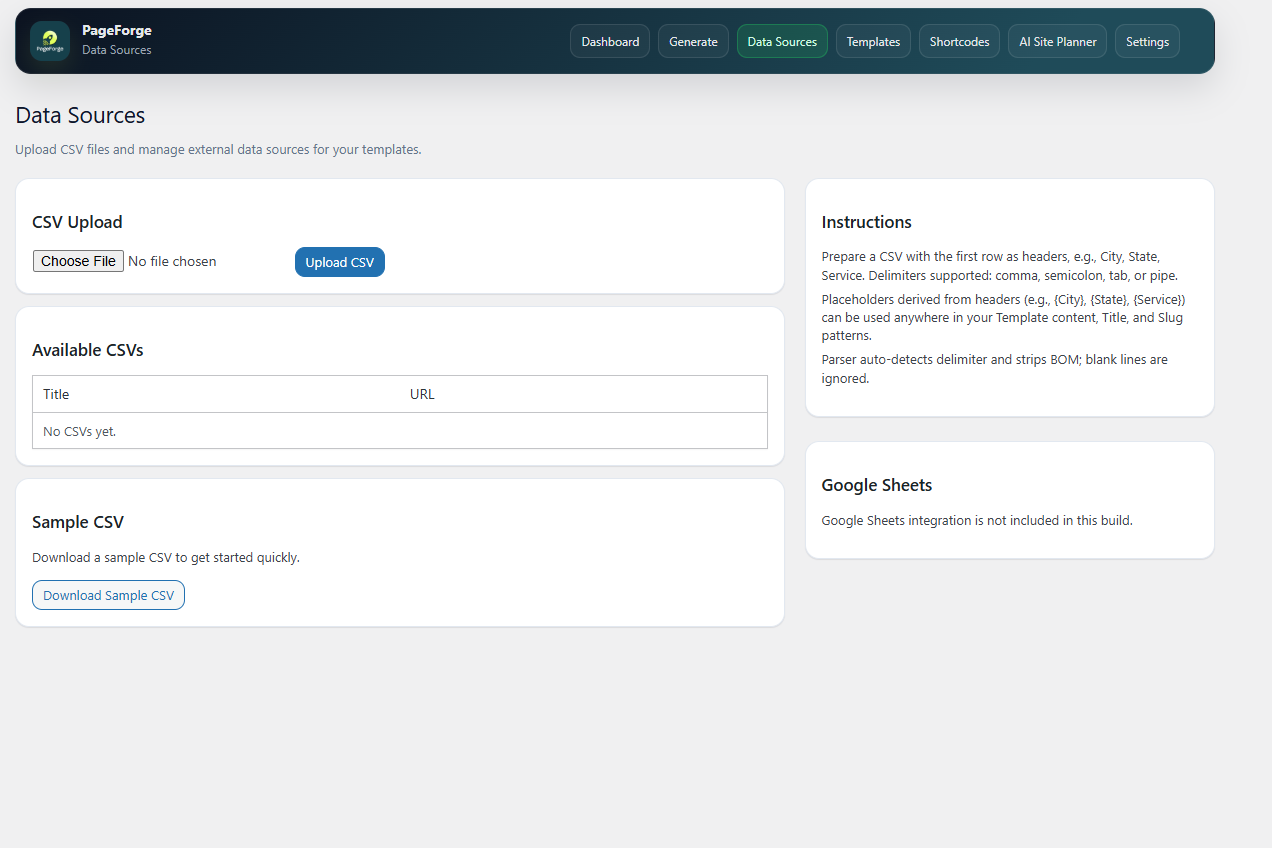
AI Settings – Configure your OpenAI API key for content generation. 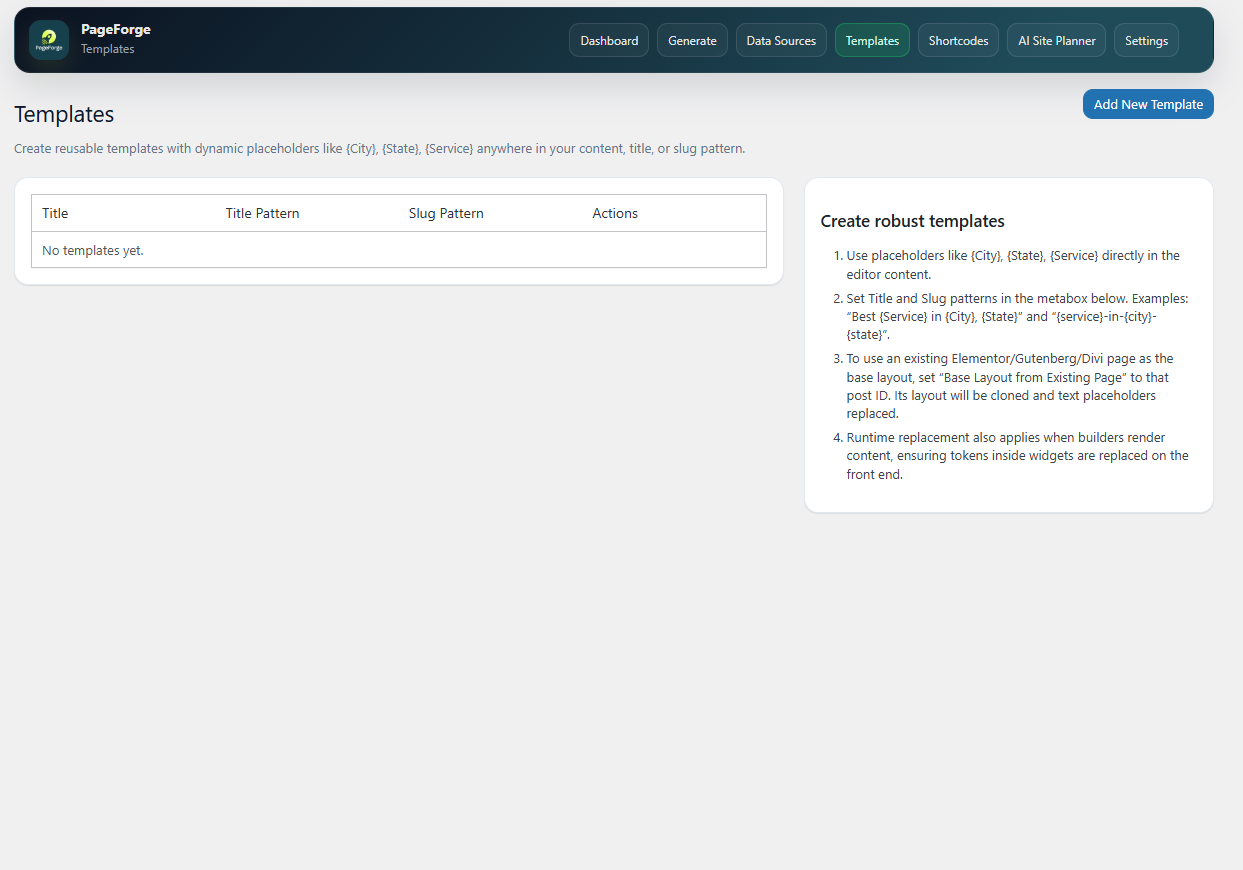
Generation Preview – See exactly what your pages will look like before publishing. 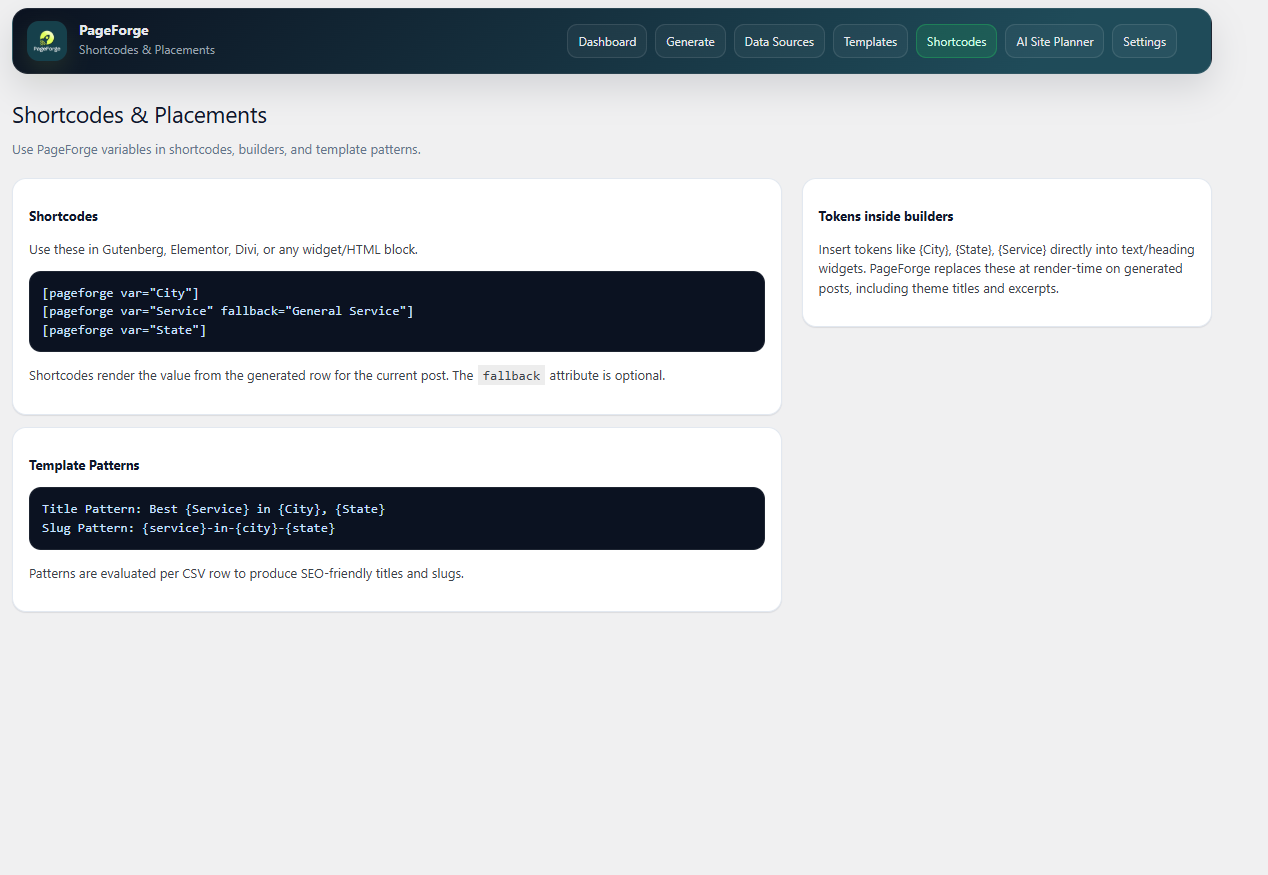
SEO Audit – Analyze your generated pages for SEO improvements. 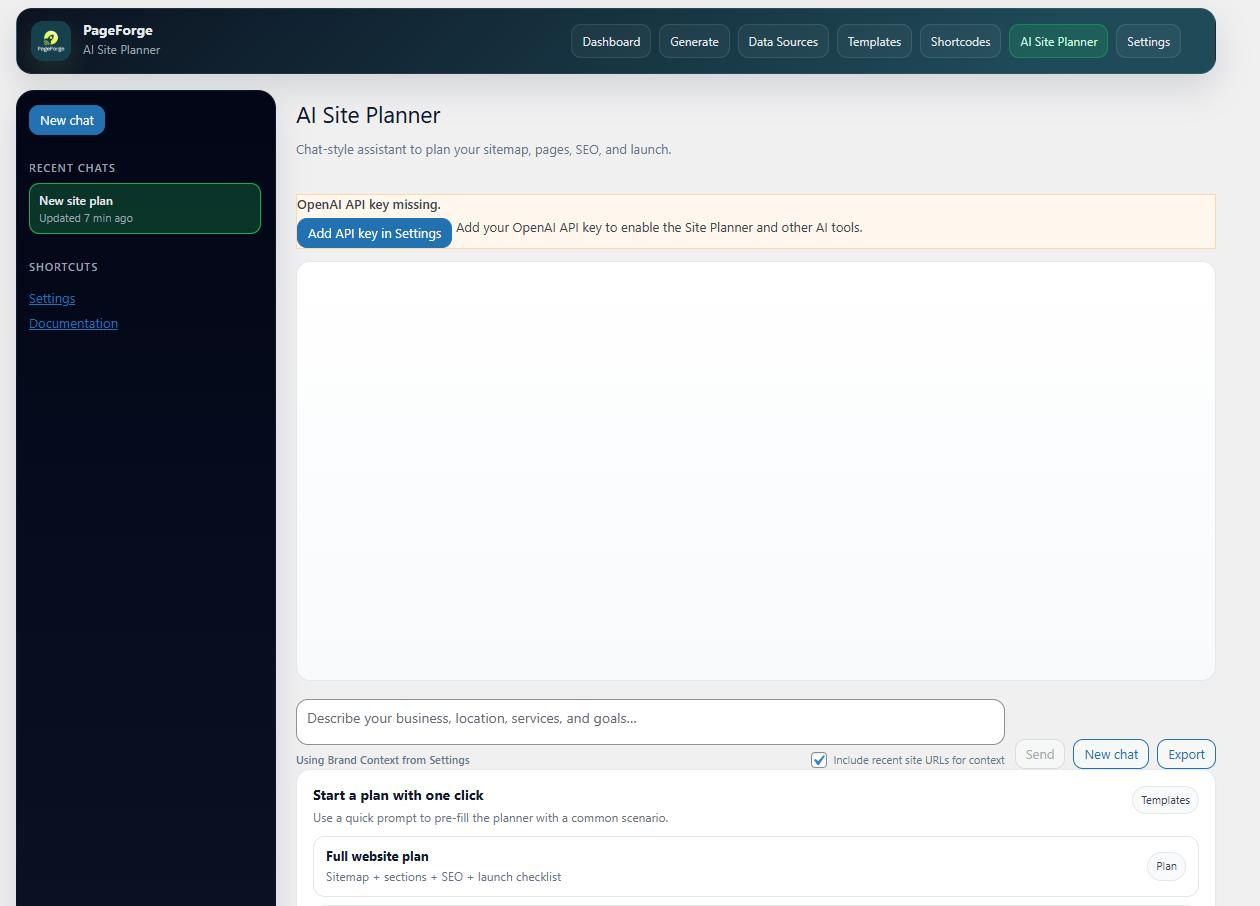
Integrations – Connect with Google Sheets and other tools. 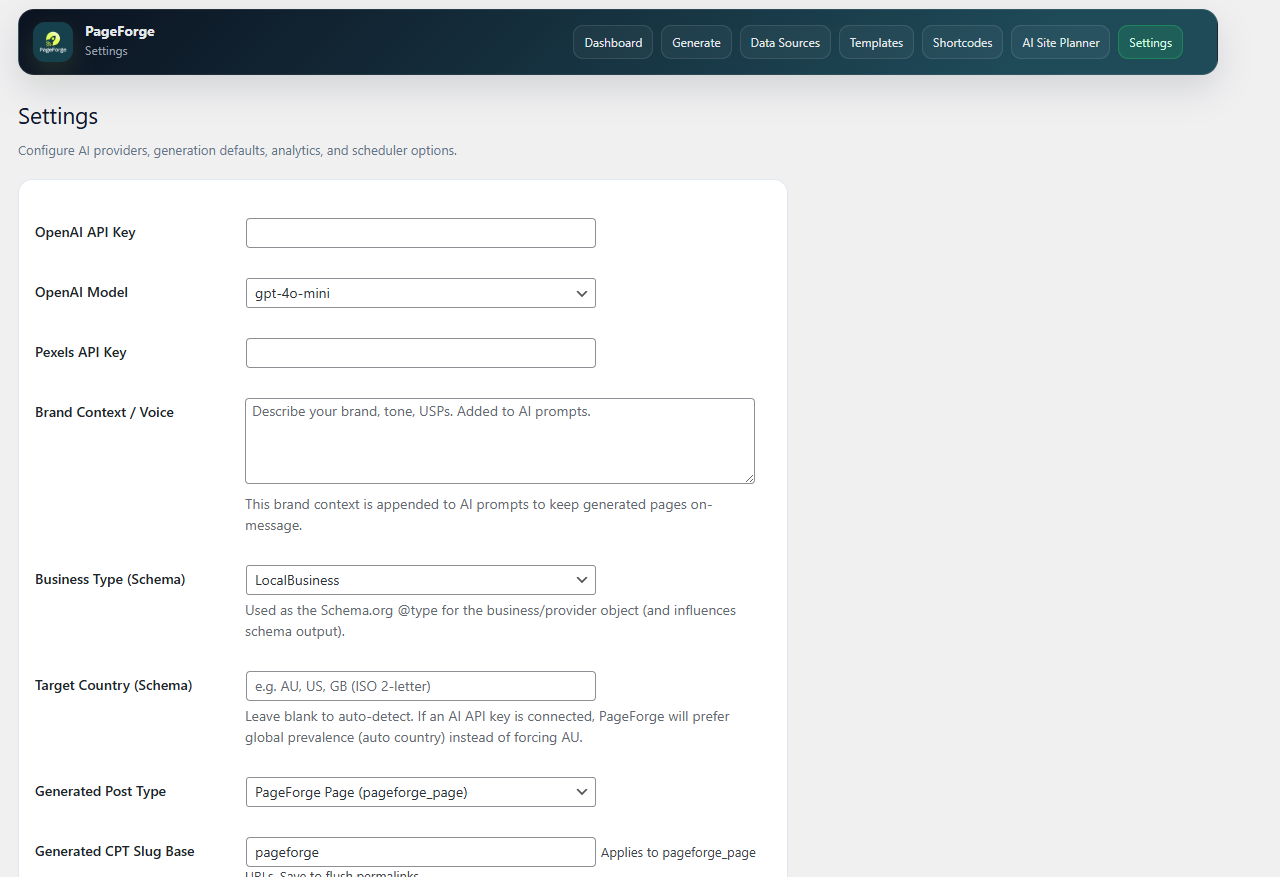
License Management – Manage your Pro license key.


Installazione
- In your WordPress admin, go to
Plugins > Add New. - Search for “PageForge”.
- Click “Install Now,” then “Activate.”
- Find the “PageForge” menu in your admin panel to get started.
FAQ
-
= 🧩 How do placeholders work? =
-
Think of them like mail merge. A placeholder like
{City}in your template gets replaced with the actual city name from each row of your CSV file. This allows you to create hundreds of unique-feeling pages from one master template. -
= 🔍 My placeholders aren’t working. What’s wrong? =
-
This is the most common issue! It’s almost always an exact-match problem. The column name in your CSV header (e.g., “city”) must exactly match the placeholder in your template (e.g., “{city}”). They are case-sensitive! Also, check for hidden spaces in your CSV headers.
-
= 🎯 Will this hurt my SEO with duplicate content? =
-
PageForge is a tool. Used correctly, it massively helps SEO. Used poorly, it can create thin content. The key is to make each page valuable. Use our AI tools to generate unique paragraphs, and add multiple columns to your CSV (
PhoneNumber,ZipCode,LocalManager) to ensure each generated page has unique, useful data. -
= 🎨 How does this work with page builders like Elementor or Divi? =
-
It works great! You can either generate the basic page content first and then design it with your page builder, or you can place page builder shortcodes directly into your PageForge template for maximum automation.
-
= 🤖 Do I need an OpenAI API key? =
-
No. The AI features are completely optional. You can generate unlimited pages from your CSV data without ever touching the AI tools. If you do want to use them, you can add your API key in
PageForge Settings. -
= ⚡ Will generating 1,000 pages slow down my website? =
-
No. The generation process happens in your admin dashboard and does not impact your live site’s speed. Once generated, the pages are standard WordPress pages that load just as fast as any other page on your site.
Recensioni

Contributi e sviluppo
“PageForge – AI-Powered Programmatic & Local SEO Page Generator” è un software open source. Le persone che hanno contribuito allo sviluppo di questo plugin sono indicate di seguito.
Collaboratori
Traduci “PageForge – AI-Powered Programmatic & Local SEO Page Generator” nella tua lingua.
Ti interessa lo sviluppo?
Esplora il codice segui il repository SVN, segui il log delle modifiche tramite RSS.
Changelog
1.0.4
- Maintenance release.
- Internal version bump.
1.0.3
- Removed custom script insertion features (HTML injection) to comply with repository guidelines.
1.0.2
- WordPress.org release
1.0.1
- Initial release with CSV support, template tokens, and AI-assisted generation.
