
説明
投稿やページに目次ブロックを追加します。TOC は、記事またはページで見つかったすべての見出しへのリンクのネストされたリストです。これを使うには、ブロックを追加して「SimpleTOC」または単に「TOC」を検索するだけです。
ブロックのサイドバーで目次の最大深度を設定することができます。「目次」という見出しを非表示にして、通常の見出しブロックを使って独自の見出しを追加することができます。
SimpleTOC がインストールされた状態の、新しい WordPress インスタンスを起動する。
User Feedback
“It is lightweight, stable, and fully compatible with WordPress Full Site Editing. A reliable solution that integrates seamlessly and performs exactly as expected.”
— @js100 on wordpress.org“Does the job perfectly, and adds no bloat.”
— @clicknathan on wordpress.org“Simple yet powerful. Great plugin that does exactly what you need.”
— @mixey on wordpress.org
Accessibility
This plugin is designed & developed for WCAG 2.2 level AA conformance. The plugin is tested with assistive technology and intended to be accessible, however some third party plugins or themes may affect the individual accessibility on a given website. If you find an accessibility issue, please let us know and we’ll try to address it promptly.
機能
- Gutenberg のために設計されています。
- 設定はゼロ: SimpleTOC ブロックを投稿に追加するだけです。
- 最小限かつ有効な HTML 出力。
- Utilizes the browser’s built-in details tag for a collapsible interface.
- アコーディオンメニューを有効にしない限り、JavaScript や CSS を一切使用しません。
- Gutenberg のネイティブグループスタイリングオプションで SimpleTOC をスタイリングします。
- テーマのスタイルを継承します。
- Smooth scrolling effect using CSS.
- Accessibility built-in by following web standards.
- Optional ARIA Label and navigation role attributes.
- 複数の言語に翻訳されています。以下を含みます: ドイツ語、日本語、中国語(繁体字)、オランダ語、ブラジルポルトガル語、フランス語、スペイン語、ラトビア語。
- Ideal for creating a Frequently Asked Questions section on your website.
カスタマイズ
- Administrators can utilize global settings to supersede the individual block settings.
- Gutenberg のグループを使って背景色や文字色を追加。
- ワイドとフルワイドのネイティブブロックに対応。
- 見出しの最大深度を制御します。
- 順序付きリスト、箇条書きリストから選択できます。リストをインデントできます。
- 見出しレベルを選択することや、段落にすることができます。
- TOC ブロックの h2 見出しを無効にして、独自の見出しを追加します。
互換性
- GeneratePress と Rank Math に対応。
- 人気の AMP プラグインに対応。
How to contribute
SimpleTOC はオープンソースで、GitHub Pages で開発されています。もしバグを見つけたり、機能のアイディアがあれば、お気軽に貢献し、プルリクエストを作成してください。
クレジット
このプラグインは、pdewouters からフォークし、Easy-Table-of-Contents のコードを使用しています。
Tom J Nowell と Sally CJ には、wordpress.stackexchange.com での私の質問をたくさん助けてもらいました。
And many more thanks to all the developers on GitHub who helped me making SimpleTOC what it is today!
紀元前100年頃、目次を発明したクイントゥス・ヴァレリウス・ソラヌスに感謝します。
スクリーンショット
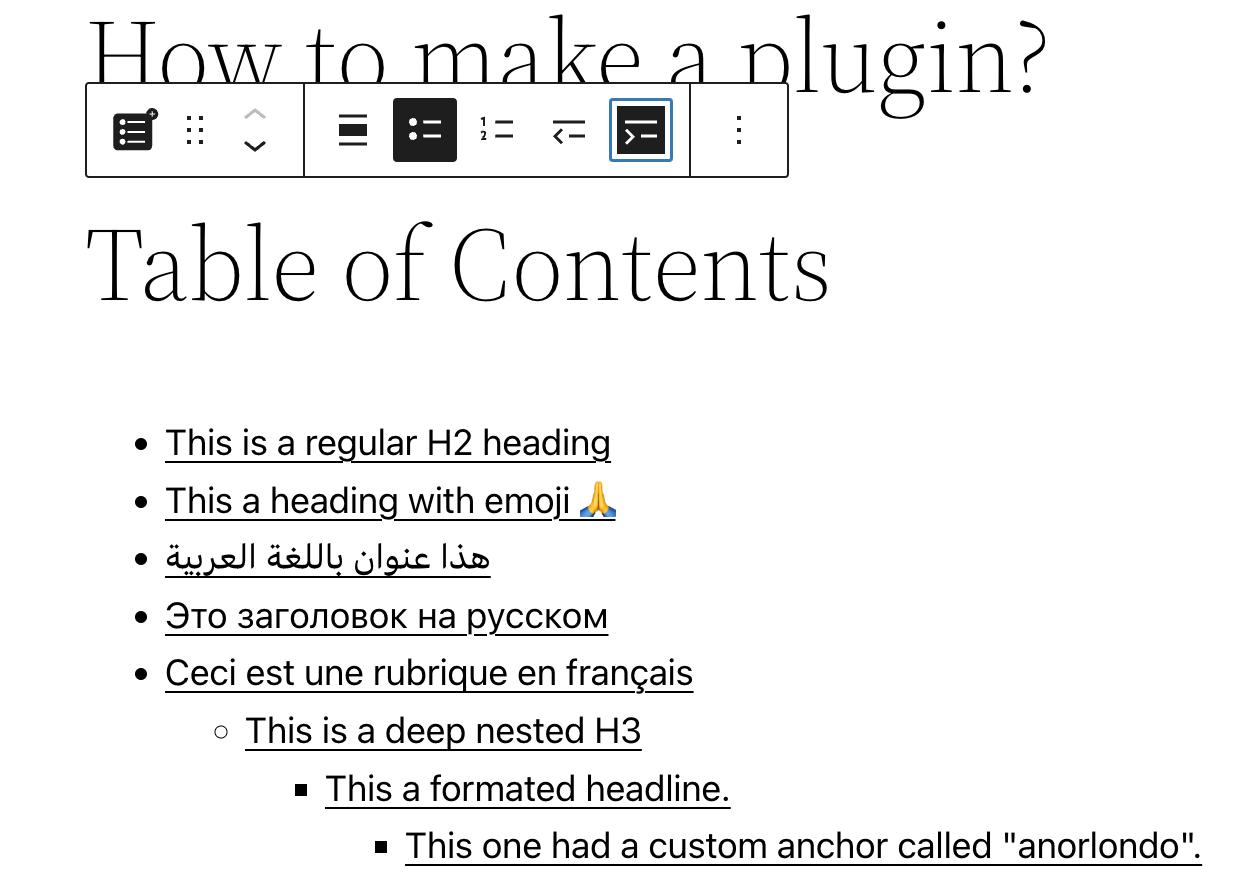
Gutenberg エディターの SimpleTOC ブロック。 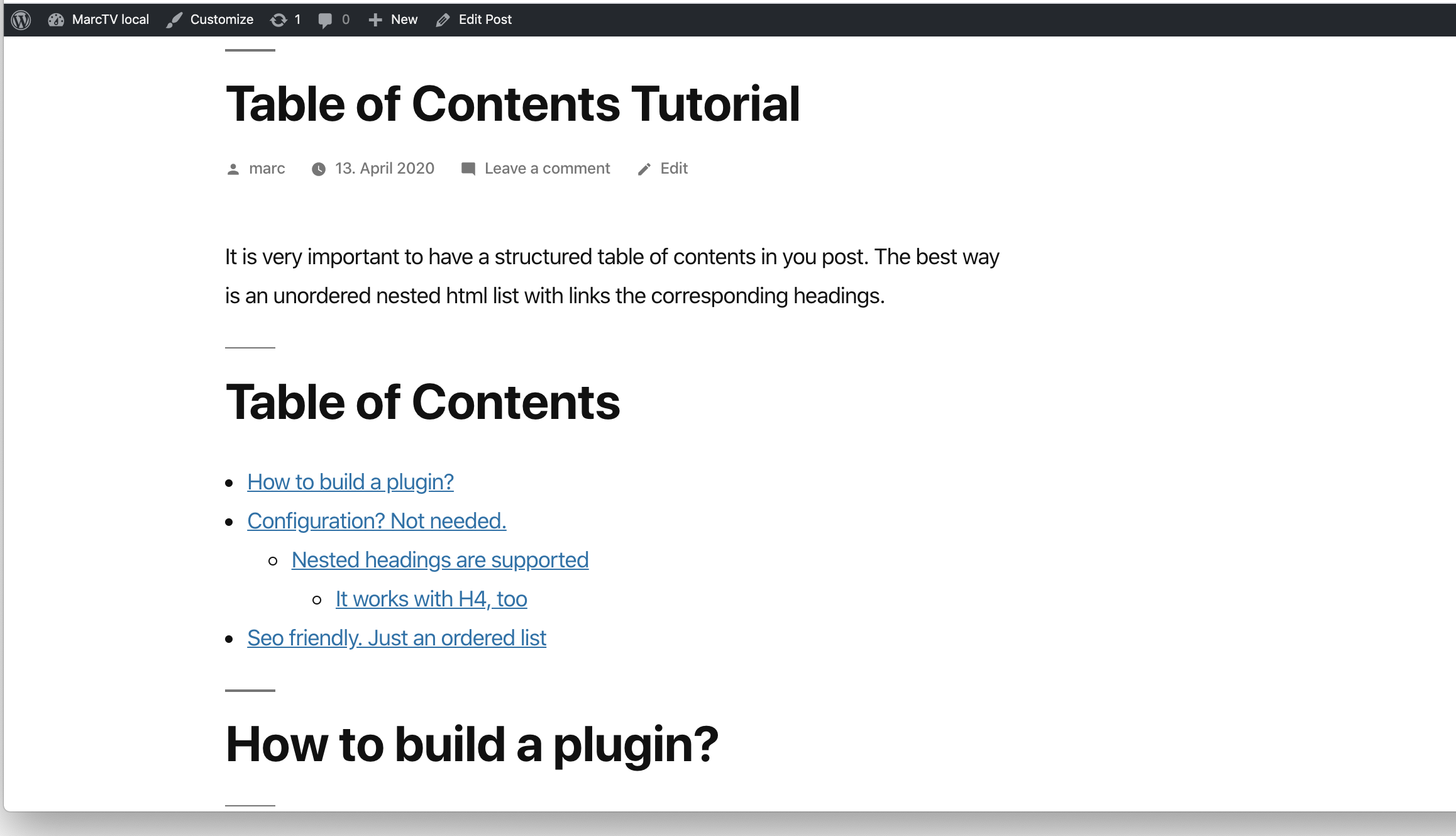
投稿内の SimpleTOC。 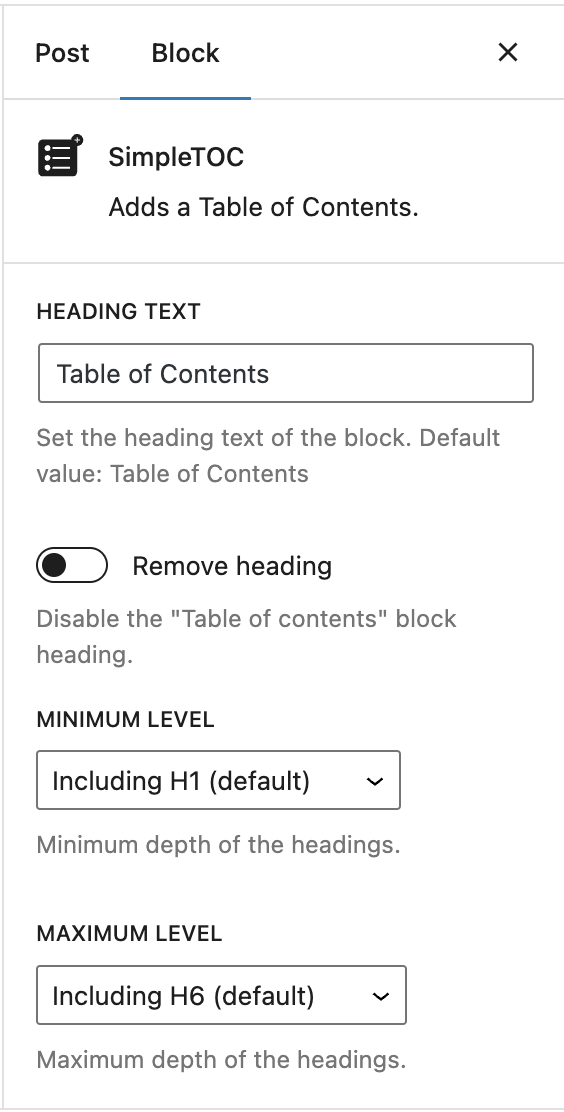
シンプルでパワフル。各目次を好きなようにカスタマイズ。 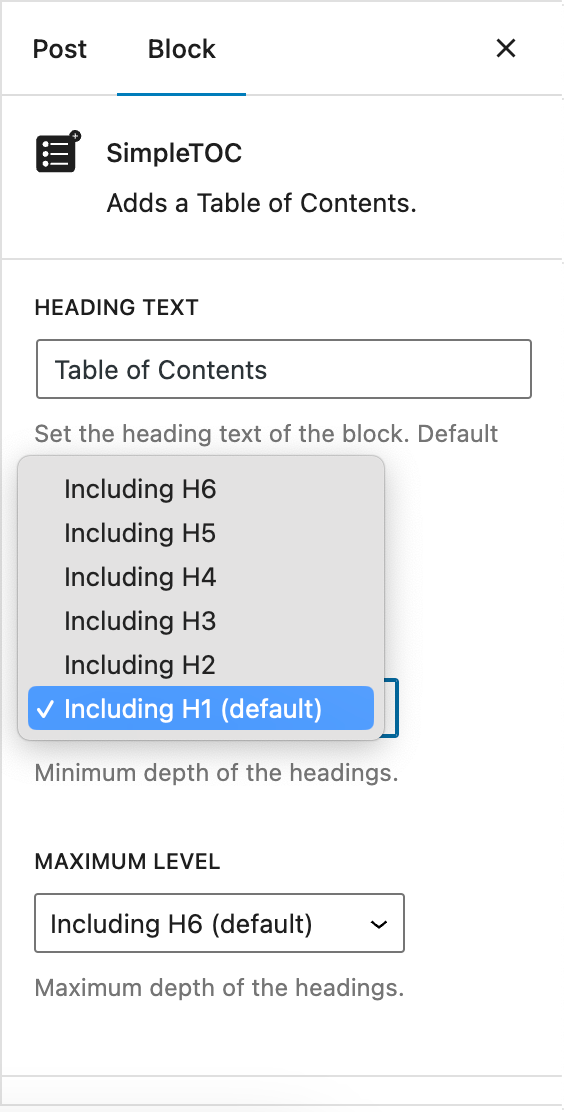
見出しの最大深度を制御します。 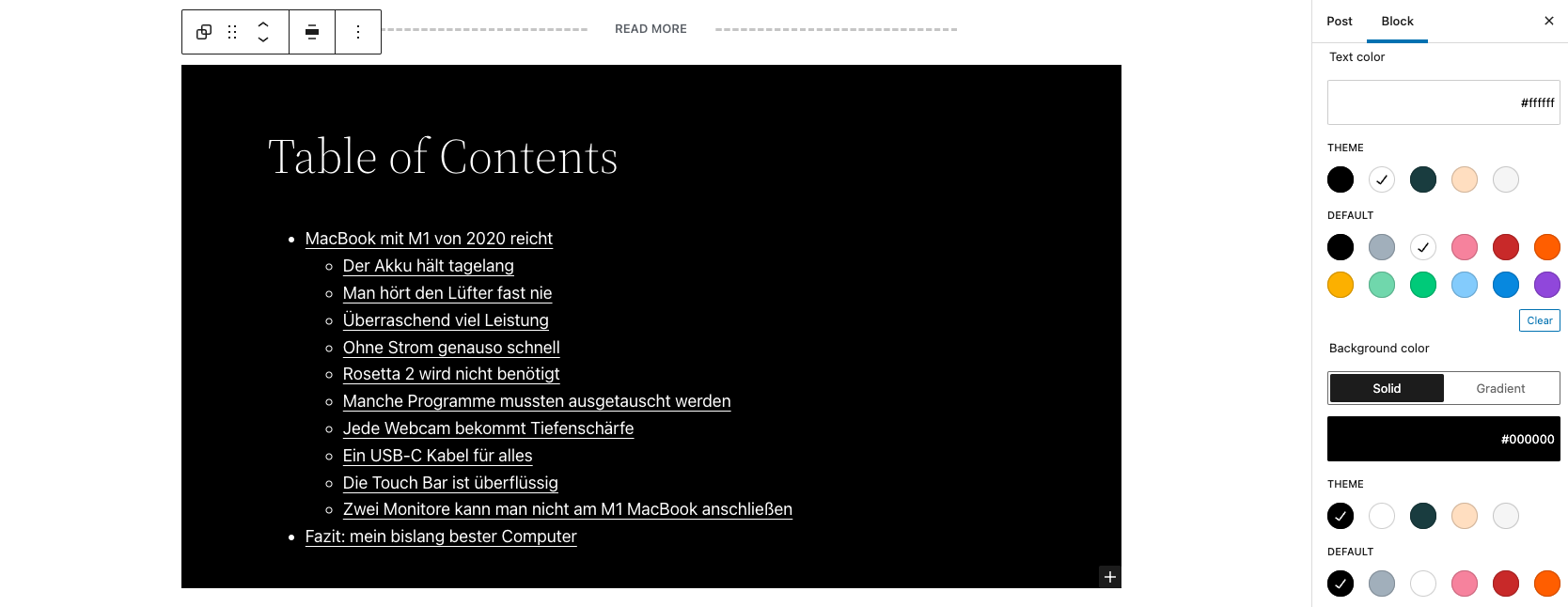
SimpleTOC styled with Gutenbergs native group styles. 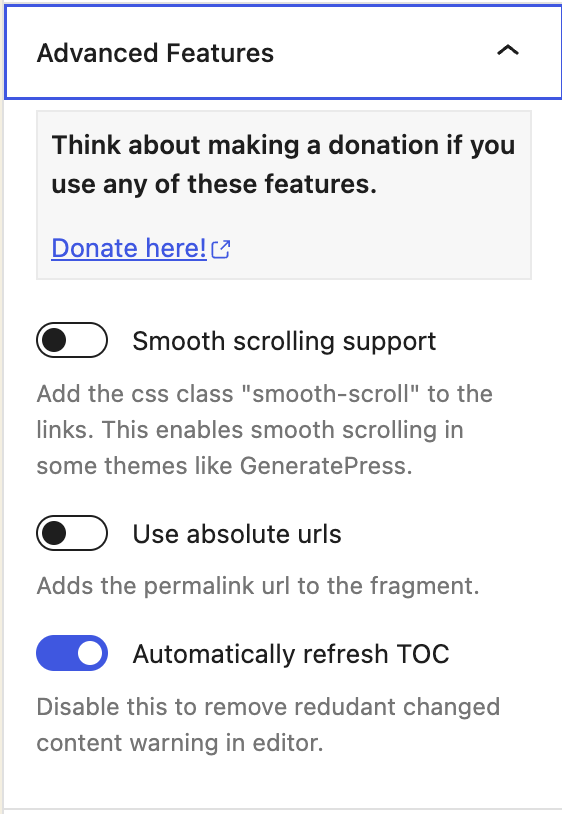
SimpleTOC Advanced 機能 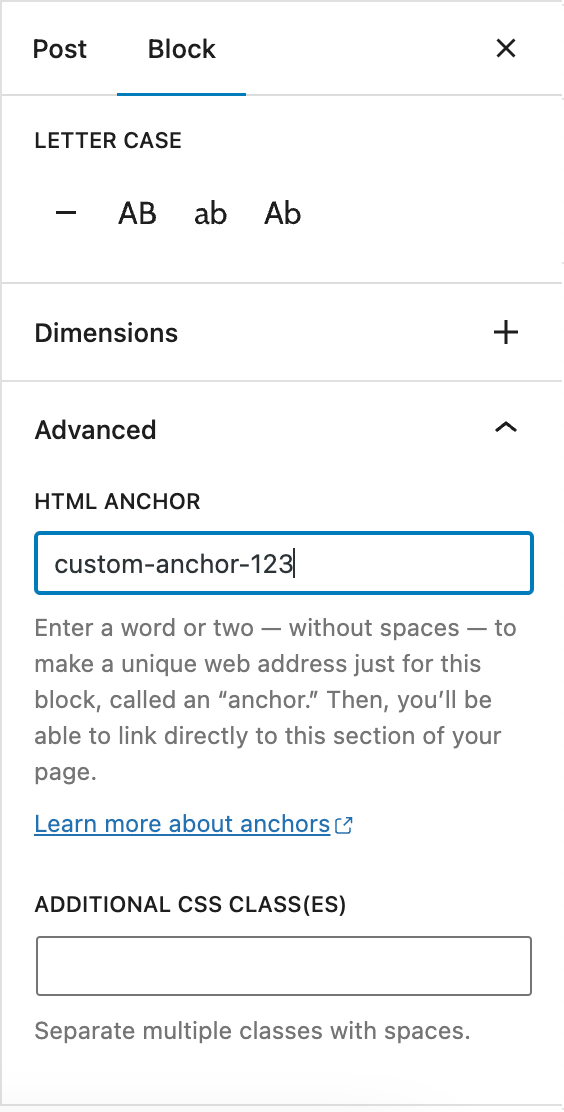
Gutenberg Heading block: Set a custom anchor 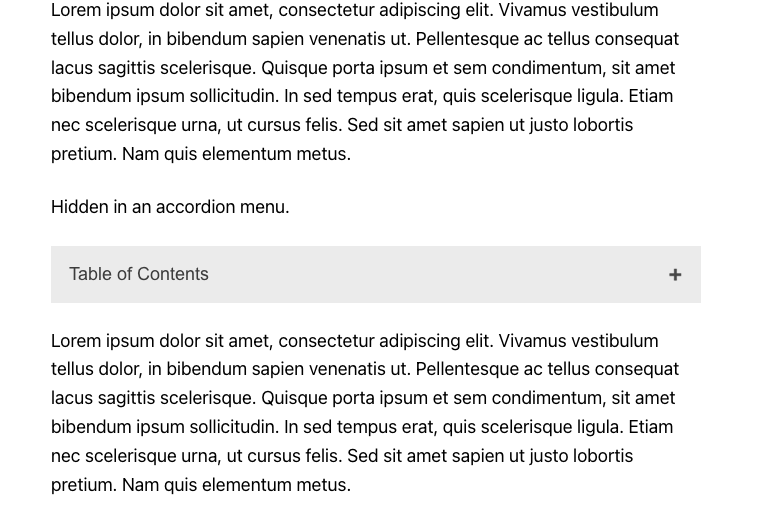
SimpleTOC hidden in the accordion menu. 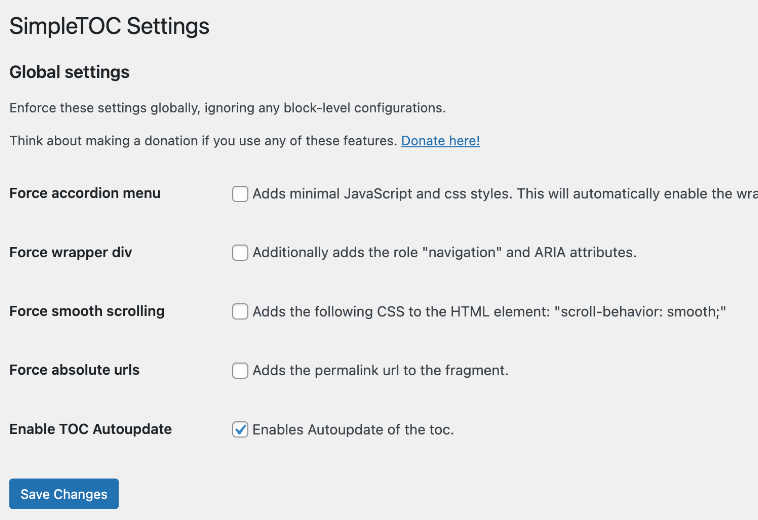
SimpleTOC global settings.


ブロック
このプラグインは1個のブロックを提供します。
- SimpleTOC Adds a Table of Contents.
インストール
SimpleTOC は WordPress の管理画面内のプラグインメニュー (プラグイン -> 新規追加) からインストールすることができます。または、WordPress.org からダウンロードし、手動でインストールすることもできます。
Gutenberg でブロックを追加し、”SimpleTOC” または単に “TOC” を検索してください。ブロックを使用する前に、コンテンツを保存してください。
FAQ
-
Configuring Global Settings in SimpleTOC
-
SimpleTOC allows you to configure global settings for your WordPress website. These settings can be enforced globally, overriding any block-level configurations that may exist. To access these settings, navigate to the SimpleTOC section of the WordPress Settings.
-
Gutenberg のグループを使って SimpleTOC に背景色を追加するにはどうすればよいですか ?
-
ブロックを選択し、コンテキストメニューから「グループ」を選択します。このグループに「背景色」、「リンク色」、「文字色」を適用します。SimpleTOC にこれらのスタイルが継承されます。このスタイルが適用されたSimpleTOC グループを、次に記事を書くときに使いたいですか ? 再利用可能なブロックに変換してください。
-
目次から一つの見出しを隠すには、どのようにすれば良いですか ?
-
If you really want to hide a single heading from the table of contents, then add the CSS class “simpletoc-hidden” to a heading block. You can find this field in the same place as the HTML anchor field: In the Block > Advanced sidebar. But first, think about the reason you would like to hide a specific heading. Maybe you would like to remove all headings of a specific depth level. Then there is an option for that in the blocks options in Gutenberg. If you think this heading should not be part of the toc perhaps it is not needed in the post itself?
-
I would like to save my SimpleTOC settings as default. Is that possible?
-
You can convert your configured SimpleTOC block into a reusable block in Gutenberg. It will keep its settings. This way, you can use your desired settings for each new post by adding the reusable block.
-
How to add a div tag wrapper to the TOC?
-
If you add a custom class to the SimpleTOC block in “Advanced” and then “Additional CSS Class(es)” a div with that class will be wrapped around the HTML output.
-
How to allow developers to exclude specific headings programmatically?
-
Use the ‘simpletoc_excluded_blocks’ filter. For example, this code will exclude heading blocks that are inside a column block.
例:
add_filter( 'simpletoc_excluded_blocks', function ( array $blocks ) { $blocks[] = 'core/column'; return $blocks; } ); -
The heavy plus character I used can not be colored with css without hacks. But you can change the icon to something else and change the color of the new icon.
.simpletoc-collapsible::after { content: "✖"; color: #e94c89; } -
すべての記事に SimpleTOC を自動的に追加するにはどうすればよいですか ?
-
I don’t see an easy solution at the moment. SimpleTOC is only a block that can be placed in your post. If there was a plugin that adds blocks to every post, then this would be the solution. I think this should be another separate plug-in to keep the code of SimpleTOC clean and … well, simple.
評価


貢献者と開発者

変更履歴
6.9.6
- Added: Coding standards cleanup with improved rules, cleaner code, safer output, and consistent naming. Thanks @ronalfy
- Added: Minimum PHP version requirement set to 7.3
6.9.4
- Added: Introduced proper PHP namespaces to avoid class and function name conflicts and improve overall code robustness. Thanks @ronalfy.
- Added: Improved sidebar sub-menu for the “Hide SimpleTOC” option
6.9.3
- Fix: Fix Multiple IDs in Table of Contents Thanks @ronalfy
- Added: Support for GenerateBlocks 2.1.0 Thanks @ronalfy
6.9.1
- Added: Support for the new V3 block api.
- Added: Tested compatibility with WordPress 6.9
6.7.3
- Added: Tested compatibility with WordPress 6.8
6.7.2
- Added: Support for GenerateBlocks 2.0. Thanks @blronaldhuereca
- Added: Included an accessibility statement in the plugin description. Thanks Gen Herres.
