

説明
🤩 Accept Stripe payments and recurring subscriptions on your WordPress using WP Simple Pay, the best Stripe payments plugin! 🚀
The Best Stripe Payment Forms and Subscription Plugin for WordPress
WP Simple Pay is the best Stripe payment forms and subscription plugin for WordPress that helps you quickly accept credit card payments, recurring subscriptions, Apple Pay, iDEAL, and other payment types on your WordPress site.
WP Simple Pay は、WordPress と Stripe をつなぐスタンドアロン の Stripe 決済プラグインです。複雑なストア設定は不要であり、WooCommerce のような eコマースプラットフォームも使用する必要はありません。わずか数ステップですぐにご利用いただけます。支払いフォームを作成するだけで、WordPress サイトで Stripe を使用したクレジットカードやその他の支払いタイプの受け付けを開始できます。
Stripe Checkout は、最高のコンバージョン率を実現するために最適化されたドロップイン式の決済フローです。デスクトップ、タブレット、モバイルのどの端末にも合うよう構築されています。Stripe Checkout ではスムーズなクレジットカード決済体験を実現するためにテストと更新が継続的に行なわれています。また、サイトに変更を加えることなく PCI DSS に準拠し、SCA にも対応しています。
✨ Stripe Checkout の支払い処理機能
- Stripe Checkout 提供の支払いフォームとの連携
- 世界中の顧客からクレジットカードやデビットカード (Visa、Mastercard、American Express、Discover、Diners など) を受け付ける
- Accept Alipay & WeChat Pay payments in Stripe from customers in China
- Accept BECS Direct Debit payments in Stripe from customers in Australia
- マレーシアの顧客から Stripe で FPX の支払いを受け取る
- ドイツの顧客から Stripe で Giropay の支払いを受け取る
- オランダの顧客から Stripe で iDEAL の支払いを受け取る
- Accept MobilePay payments in Stripe from customers in Denmark and Finland
- ポーランドの顧客から Stripe で Przelewy24 (P24) の支払いを受け取る
- Accept PromptPay payments in Stripe from customers in Thailand
- Stripe Checkout 支払いフォームのカスタムブランディング
- Stripe の顧客の請求先住所と配送先住所を収集
- Stripe Checkout の追加のカスタムフィールドを収集
- 30以上の言語、45以上の国、135以上の通貨をサポート
- 安全に支払うための、PCI に準拠し SCA に対応した支払いフォーム
- Stripe Radar を使用したスマートな不正行為対策とスパム防止
- AffiliateWP との連携
- ページビルダー (Divi、Elementor) との連携
- カスタム統合を構築するために開発者にも使いやすい設計
- 事前作成された支払いフォームのテンプレート
🔄 Subscription & Recurring Payment Features
NEW: Subscription payments are now available for ALL users – including the LITE version! 🎉
- Stripe で定期的な支払いを受け取る
- Set up membership sites and ongoing services
- Subscription plan selection in payment forms
If you need more functionality for your Stripe subscriptions, you can upgrade to WP Simple Pay Pro to get these powerful features:
- Stripe を使用したユーザー管理型サブスクリプション
- Stripe でサブスクリプション更新のリマインダーを送信する
- Custom subscription periods with Stripe
- Custom subscription cancellation messages
✨ Stripe 支払いフォームの高度な機能
Stripe 支払いフォームにさらに機能が必要な場合は、WP Simple Pay Pro にアップグレードすると、以下の強力な機能をご利用いただけます:
- サイト上の支払いフォーム (リダイレクトなし)
- ドラッグ & ドロップ型の支払いフォームビルダー
- 追加データ取得のためのカスタム支払いフォームフィールド
- モバイル向けに最適化された埋め込み型とオーバーレイの支払いフォーム
- カスタム支払いフォームを使用した Apple Pay と Google Pay のサポート
- 米国の顧客から Stripe で ACH 口座引き落とし (米国の銀行口座) を受け取る
- ヨーロッパの顧客から Stripe でSEPA 口座引き落としの支払いを受け取る
- 英国の顧客から Stripe で Bacs 自動引き落としを受け取る
- ベルギーの顧客から Stripe で Bancontact の支払いを受け取る
- マレーシアの顧客から Stripe で GrabPay の支払いを受け取る
- Klarna や Afterpay/Clearpay で「今すぐ購入し、後で支払う」を利用
- Stripe を使用したカスタムの支払い受領メール
- Allow users to specify the amount to pay (great for donations)
- Stripe のクーポンコード管理
- Stripe の税率管理
- Stripe で分割払いプランを作成して分割して支払う
- Stripe で初期設定手数料を請求する
- Stripe で無料トライアルを提供する
WP Simple Pay Pro – Stripe Payment Forms
This plugin is the lite version of the WP Simple Pay Pro plugin that comes with many payment features including user-managed subscriptions & recurring payments, custom fields, user-entered amounts, coupon codes, tax rates, alternate payment methods, ACH, direct debit, Buy Now Pay Later and tons more. Click here to purchase the best Stripe payment forms and Stripe payments plugin now!
WP Simple Pay Pro にアップグレードすることで、知識豊富なサポートチームによるマンツーマンの支援や、充実したドキュメンテーションサイトもご利用いただけます。
WP Simple Pay Lite をご利用の場合、取引ごとにかかる手数料 3%、加えて Stripe の手数料があります。 Pro にアップグレードすると、3% の追加手数料が無料になり、優先サポートが受けられます。
WP Simple Pay は Stripe パートナープログラムの認定メンバーです。このプログラムは Stripe の厳しい品質要件を満たすソフトウェアを認定するもので、WP Simple Pay と Stripe のユーザーの皆様に、支払いフォームの連携に関して両者を信頼していただくために必要な安心感を与えます。
WP Simple Pay を使用した Stripe 支払いの設定例を以下にいくつか示します。 当社の支払いフォームのテンプレートをご覧になり、実際にお試しください。
💳 支払いフォームのドラッグ & ドロップ型のビルダー
ドラッグ & ドロップで、カスタム金額入力、クーポンコードフィールド、さまざまなカスタムフィールドタイプ、サブスクリプションプラン選択、支払い概要などを追加できます。
これらのカスタム支払いフィールドに入力されたすべてのデータは、Stripe ダッシュボード内の各 Stripe 支払いレコードと一緒に「メタデータ」として保存されるため、支払いまたはサブスクリプションのプランのすべてのデータと併せて表示できます。
💳 支払いフォームの 3 つの表示タイプ
支払いフォームの表示タイプを、サイト上の埋め込み型、サイト上のオーバーレイ、Stripe Checkout から選択できます。
支払いフォームのテンプレートを確認し、比較してください:
開発者が数時間分のコストをかけて行っていたタスクを WP Simple Pay は数分で達成しました。私たちにとってこの投資は当然の選択でした。
Justin McGill、LeadFuze の創設者
💳 カスタムの支払い額を許可
1回限りの支払い額を設定するか、サイト訪問者が希望の金額を支払えるようにします。オプションで最低必要金額とデフォルト金額を設定できます。寄付に最適です !
💳 Stripe のサブスクリプションオプションの追加とカスタマイズ
支払いボタンを Stripe の個々のプランに接続したり、サイト訪問者による登録プランの選択を可能にしたりすることができます。カスタム金額オプションの追加、設定手数料の請求、無料トライアルとの連動も可能です。
サブスクリプションのテンプレートをいくつかご紹介します:
また、特定の回数の請求後にサブスクリプションを終了する分割払いプランを設定することも可能です。
💳 Stripe のクーポンコードを使用した割引の提供
Stripe ダッシュボードで追加したパーセント割引または一定額割引のクーポンコードは、支払いフォームで利用します。
サブスクリプションまたは1回限りの支払いで使用し、オプションでリアルタイムに更新される合計金額ラベルを追加できます。
💳 Stripe を使用して Apple Pay と Google Pay を受け付ける
カスタムの埋め込み型またはオーバーレイの支払いフォームで、Apple Pay、Google Pay、Microsoft Pay を使用してボタン1つで支払うオプションをサイト訪問者に提供できます。
ユーザーが、これらのオプションを利用できるブラウザと端末の組み合わせを使用している場合には、新しい支払いボタンが表示されます。
Apple Pay および Google Pay のテンプレートを確認する
💳 Stripe を使用して ACH 自動引き落としの支払いを受け取る
米国の顧客には、ACH 口座引き落としによる支払いで銀行口座から直接支払うオプションを提供し、Stripe の手数料を低く抑えることができます。Stripe での ACH 支払いの手数料は0.80% (上限5ドル) であり、月額手数料や認証手数料はかかりません。
💳 Stripe を使用して Klarna や Afterpay/Clearpay の支払いを受け取る
「今すぐ購入、後で支払う」を有効にすると、顧客はより柔軟な支払いが可能になり、欲しいものを今すぐ購入し、分割して支払うことができます。事業者は前払いで全額を受け取ることができ、不正利用から保護されます。一方顧客は初回は支払いなしか、前払い額の一部のみを支払います。手数料はかかりません。
Klarna の「今すぐ購入、後で支払う」のテンプレートを確認する Afterpay/Clearpay の「今すぐ購入、後で支払う」のテンプレートを確認する
💳 Stripe を使用して SEPA 自動引き落としの支払いを受け取る
ヨーロッパの顧客には、SEPA 口座引き落としによる支払いで銀行口座から直接支払うことで、Stripe の手数料を低く抑えられるオプションを提供します。Stripe での SEPA 決済のコストは0.8% + 30セント (上限6.00ドル) で、月額手数料や認証手数料はかかりません。
💳 Accept MobilePay Payments with Stripe
Give your customers in Denmark and Finland the ability to pay with MobilePay, a popular digital wallet that offers a quick and secure way to make payments online.
💳 Accept BECS Direct Debit Payments with Stripe
Offer your Australian customers the option to pay directly from their bank accounts. BECS Direct Debit is a popular and trusted payment method in Australia, ideal for recurring payments and subscriptions.
💳 Accept PromptPay Payments with Stripe
Enable customers in Thailand to pay instantly using their local bank app. PromptPay is a real-time payment system that provides a seamless and secure checkout experience.
💳 Accept WeChat Pay Payments with Stripe
Tap into the vast market of Chinese consumers by offering WeChat Pay. As one of China’s leading payment platforms, it allows customers to pay directly from their WeChat wallet.
💳 Stripe でカスタマイズされた支払い確認の詳細
顧客に表示されるクレジットカード支払い確認の詳細は、投稿エディター内でプレースホルダータグを使用して簡単にカスタマイズできます。
カスタマイズ可能な領収書を実際にご覧ください。
💳 Stripe のロケールと通貨の設定
Stripe は現在、30以上の言語、45以上の国、135以上の通貨をサポートしています。WP Simple Pay では、支払いフォームのロケール (言語) だけでなく、サイトの所在地に適した通貨や日付のフォーマットを設定できます。
WP Simple Pay チームは素晴らしいチームです。テクニカルサポートから機能リクエスト、頻繁な製品更新まで、提供される価値のおかげで、自社で Stripe との連携を構築するよりも大幅に節約できました。
Jon MacDonald、The Good の創設者
📧 サポートを利用する
WP Simple Pay is backed by top-notch technical support from our globally distributed full-time support team. We also have an extensive documentation site available. If you’re looking for faster support via email, we encourage you to purchase a WP Simple Pay Pro license.
スクリーンショット
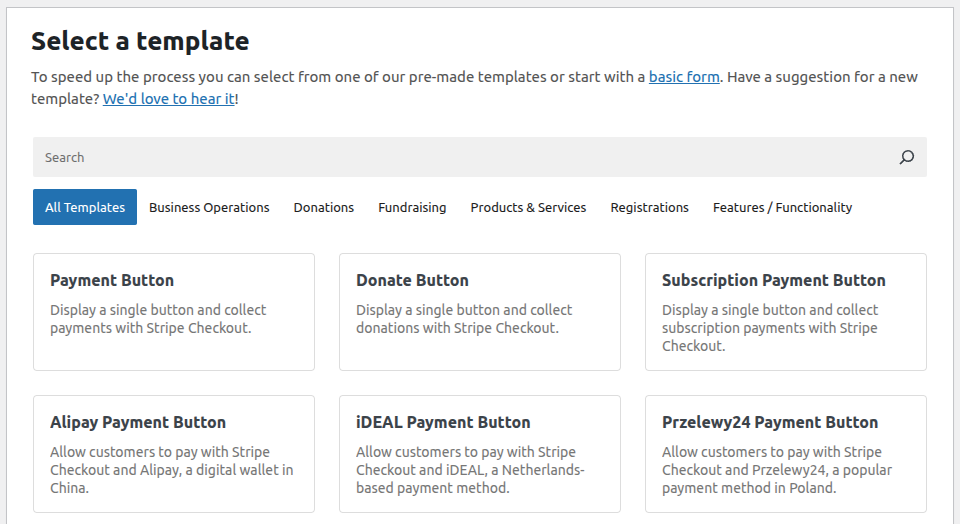
支払いフォームテンプレートの選択 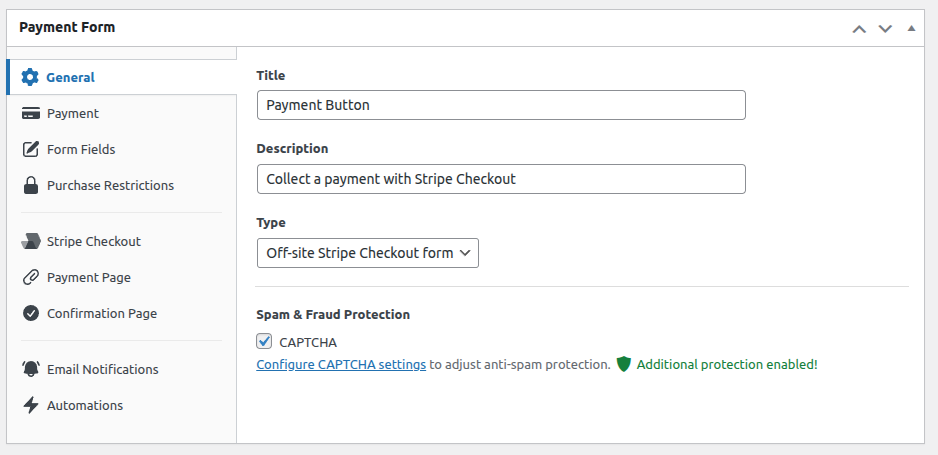
支払いフォームの設定: 一般 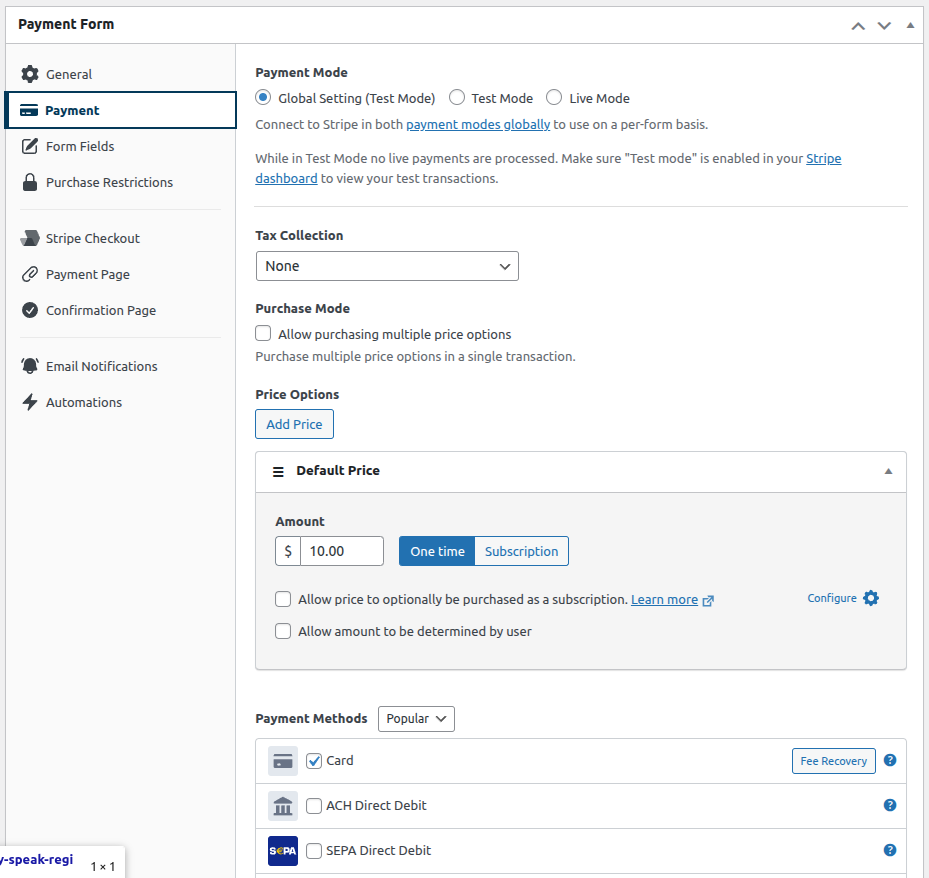
支払いフォームの設定: 金額、ボタンテキストを設定 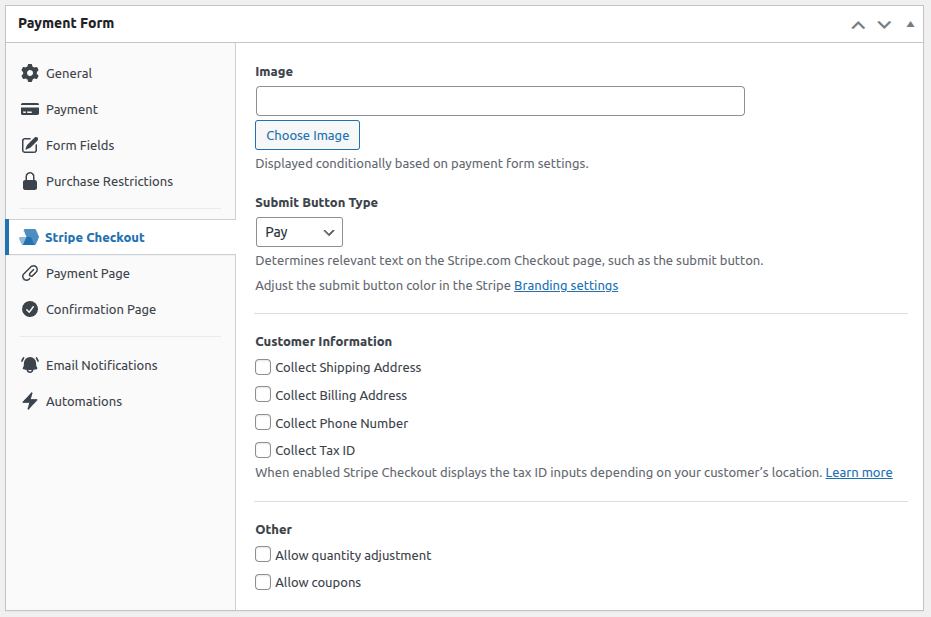
支払いフォームの設定: Stripe Checkout のオプション 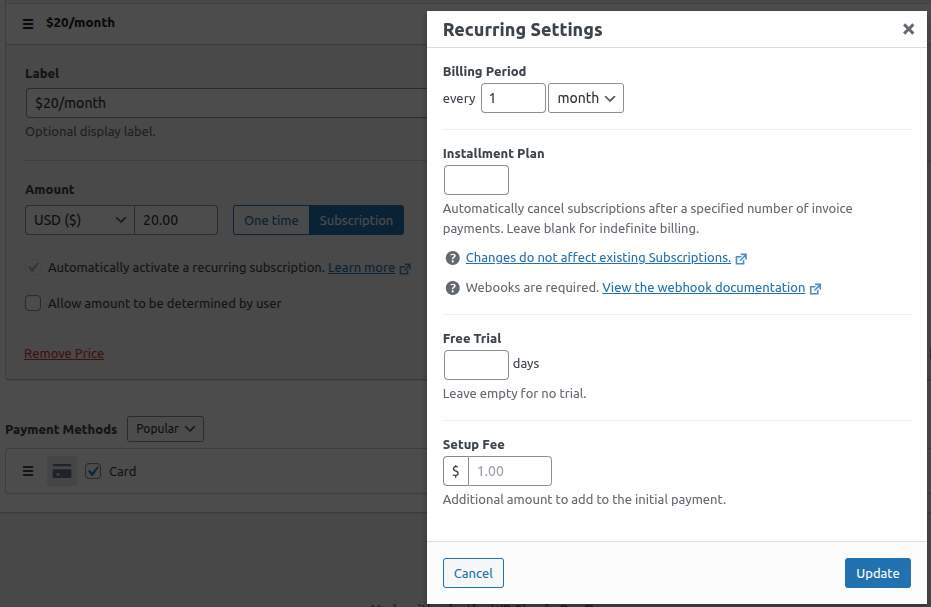
Payment form settings: Subscription options 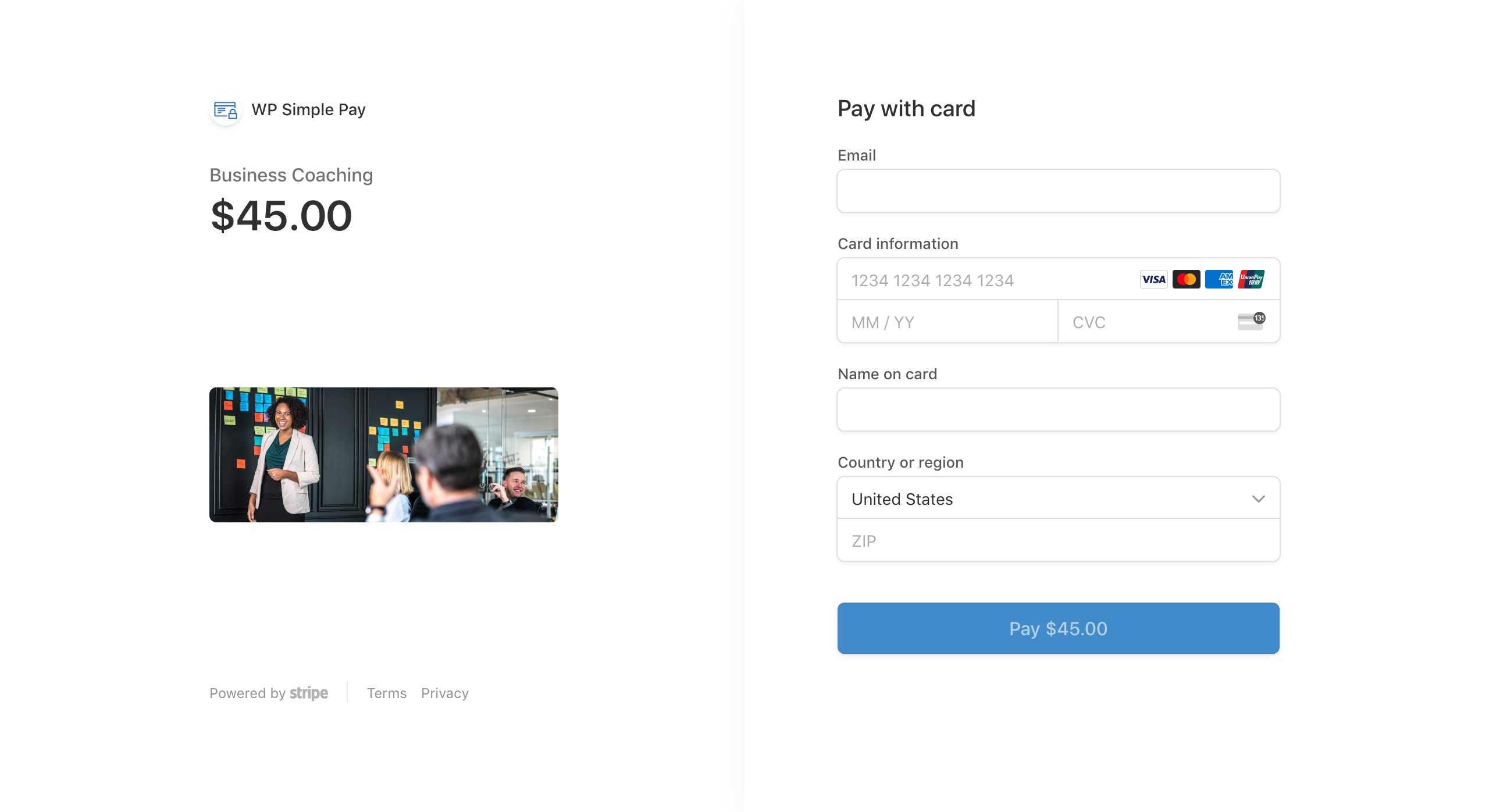
デスクトップ Stripe Checkout のサンプル 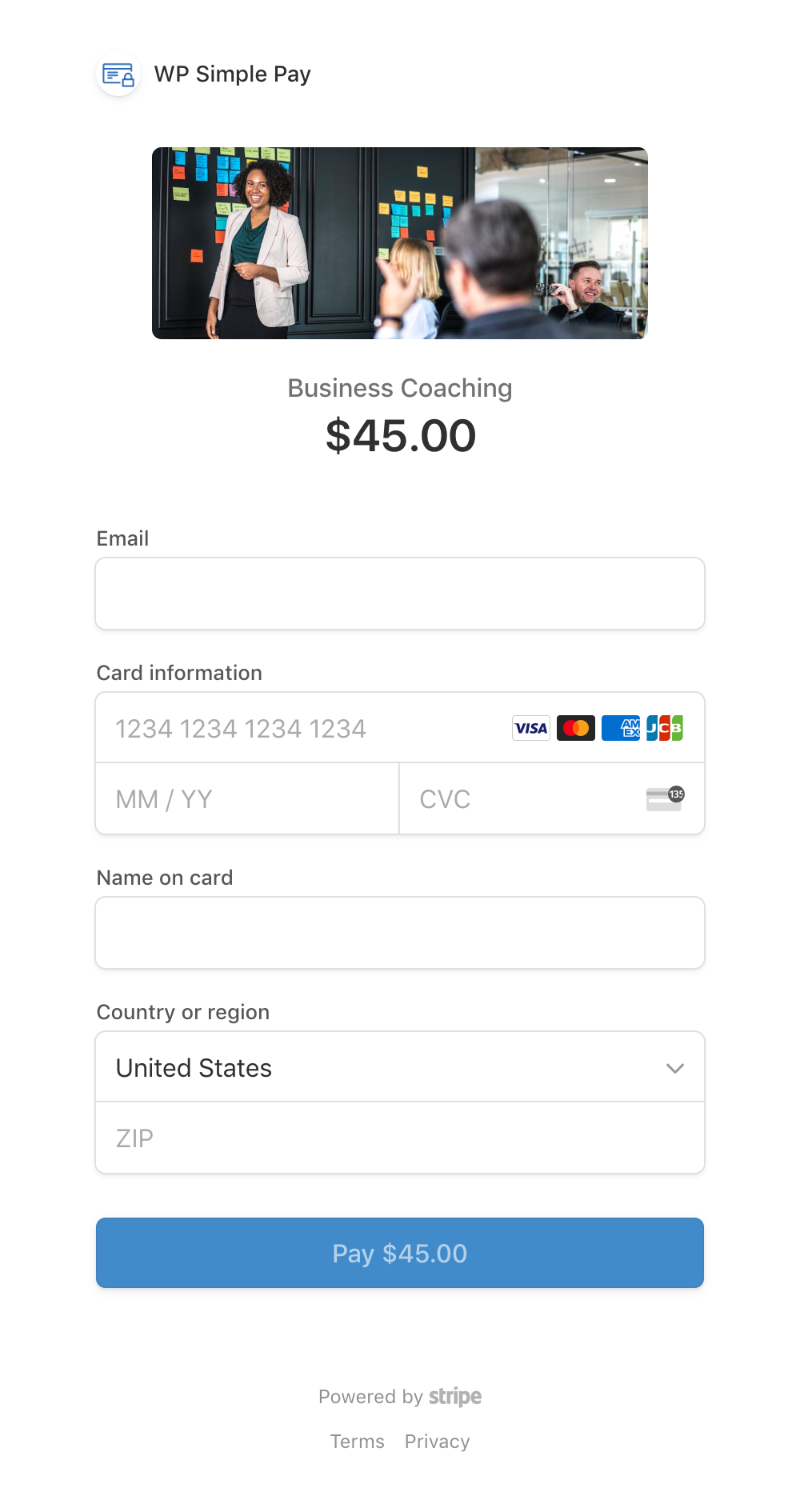
モバイル Stripe Checkout のサンプル 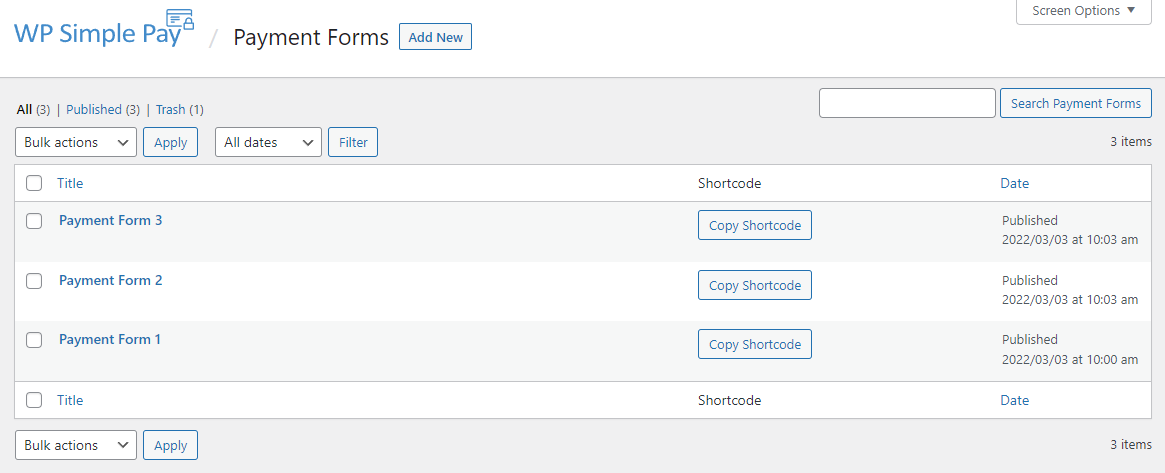
支払いフォームのリスト 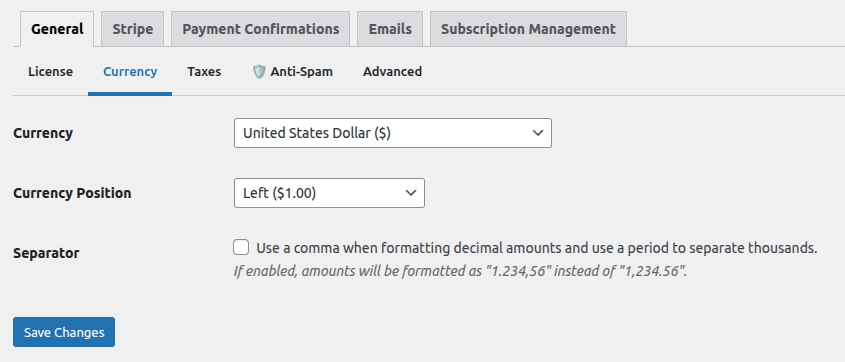
グローバル支払いフォームの設定: 通貨 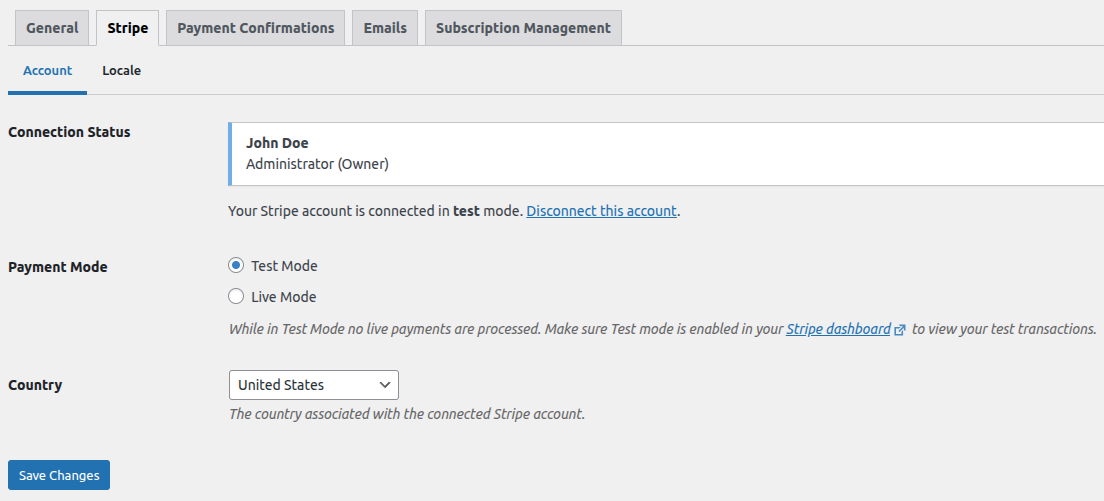
グローバル支払いフォームの設定: Stripe との接続、テストモード 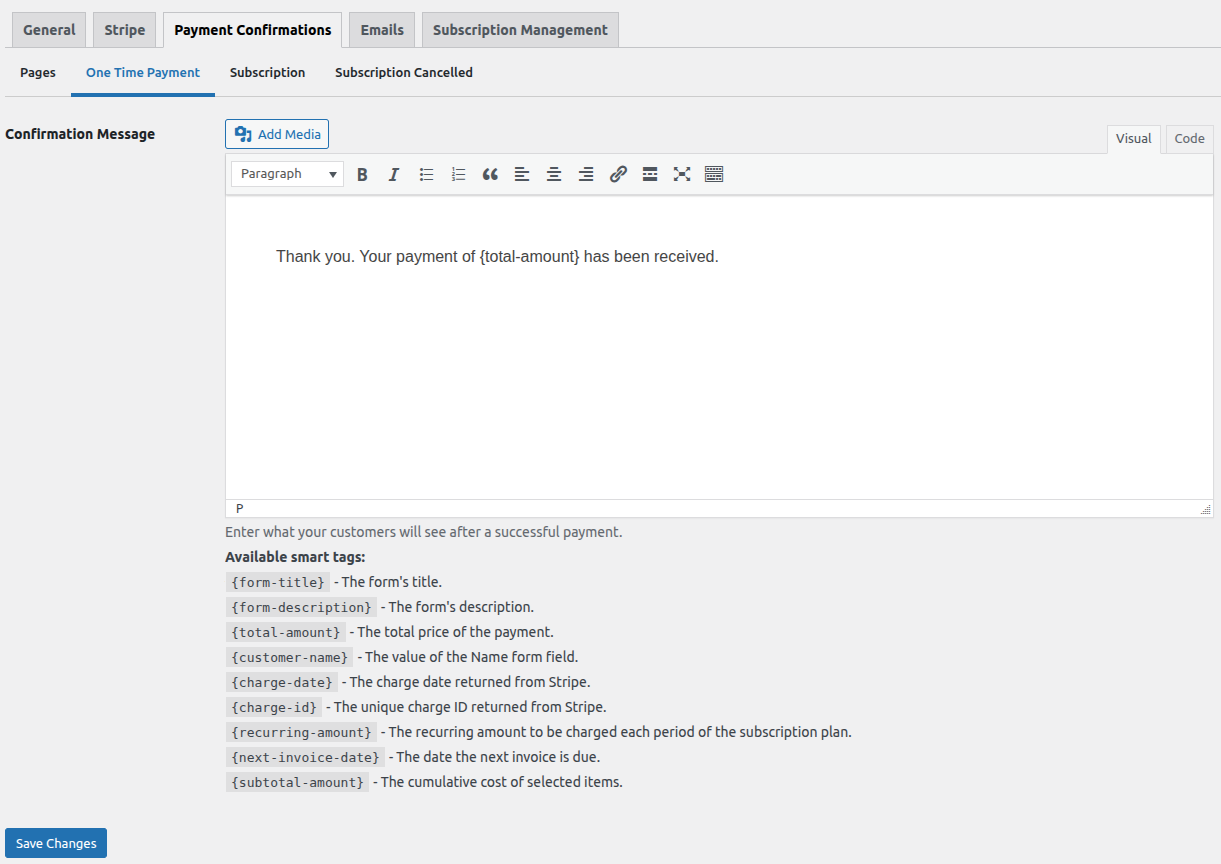
グローバル支払いフォームの設定: 支払い確認の詳細 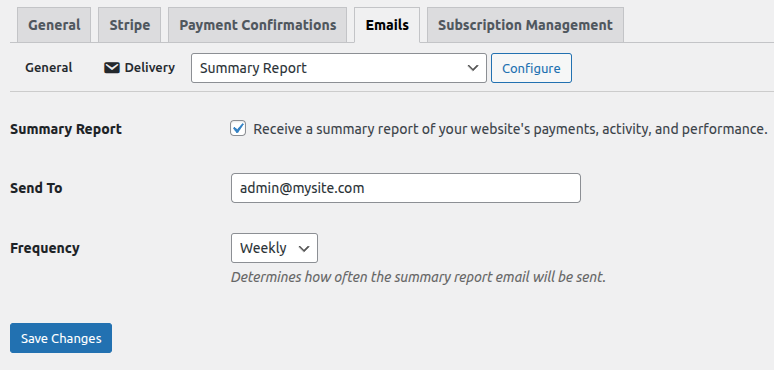
Global payment form settings: Summary report email


インストール
WP Simple Pay をインストールする最も簡単な方法は、サイトのダッシュボードから検索することです。
ステップごとの手順
- サイトのダッシュボード (例: www.yourdomain.com/wp-admin) にログインします。
- 左パネルの「プラグイン」タブをクリックし、「新規追加」をクリックします。
- “Stripe” または “WP Simple Pay” で検索すると、検索上位に当社のプラグインが見つかります。
- 「今すぐインストール」リンクをクリックしてインストールします。
- インストールが完了したら、「プラグインを有効化」をクリックします。
- ダッシュボードに新しいメニュー項目「WP Simple Pay」が表示されているはずです。
Once activated, you can immediately start creating both one-time and subscription payment forms!
If you prefer installing manually, you can download the plugin ZIP file here.
Additional documentation at wpsimplepay.com/docs.
FAQ
-
Can I accept recurring subscription payments?
-
Yes! 🔥 Subscription payments are now available for ALL users – including this lite version! 🔥 You can set up recurring billing, create membership sites, offer ongoing services, and manage subscriptions directly through Stripe. No upgrade required!
-
モバイルでのクレジットカード支払いを受け取ることはできますか ?
-
はい。Stripe Checkout はモバイルでのクレジットカード支払いを受け取るよう最適化されており、Apple Pay や Google Pay のオプションが利用可能な場合は自動的に提示されます。
-
支払いフォームを複数作成することはできますか ?
-
はい。作成できるクレジットカード支払いフォームの数に制限はなく、それぞれに固有の設定が可能です。
-
1回の支払いで回収できる金額に上限はありますか ?
-
いいえ、Stripe のクレジットカードの支払いフォームでは、処理可能な金額に制限はありません。
-
Stripe 支払いゲートウェイアドオンを購入する必要がありますか?
-
いいえ。WP Simple Pay は Stripe (Stripe のみ) にそのまますぐに接続できます。Stripe 支払いゲートウェイアドオンは必要ありません。
-
顧客から支払いデータ以外のデータも収集できますか ?
-
WP Simple Pay Pro では、支払いフォームに追加のカスタムフィールドを挿入し、Stripe の各支払いレコードに追加データを記録できます。
-
支払いフォームはどこに埋め込むことができますか ?
-
支払いフォームはショートコードで埋め込むことができ、ショートコードを設定できる場所ならどこにでも配置できます。
-
支払い回収の手数料にはどのようなものがありますか ?
-
Stripe では取引ごとの手数料が発生しますが、これは国によって異なります。 詳しくは Stripe の料金体系をご覧ください。
Stripe の料金体系に加えて、WP Simple Pay では WP Simple Pay Lite (このプラグインの無料版) で処理された取引に対して3% の追加手数料を請求します。
この3% の追加手数料は、WP Simple Pay Pro にアップグレードしていただくと不要になります。
-
サイト訪問者にクーポンコードを提供できますか ?
-
WP Simple Pay Pro では、固定金額またはパーセンテージ指定の割引コードを指定できるフィールドを追加できます。
-
顧客をサイトに留めたままで、その支払いを受け取る (サイト上の購入手続きを行う) ことはできますか ?
-
WP Simple Pay Pro は、サイト上の支払いフォームを提供しているため、顧客のサイト離脱を防ぐことができます。
-
WP Simple Pay は WooCommerce と連携していますか ?
-
WP Simple Pay はスタンドアロンの Stripe 決済プラグインであり、WooCommerce や Easy Digital Downloads などの他の決済プラグインや eコマースプラグインとは連携しません。
評価


貢献者と開発者
WP Simple Pay による Stripe 支払いフォーム – Stripe でクレジットカード決済やサブスクリプションを受け付ける はオープンソースソフトウェアです。以下の人々がこのプラグインに貢献しています。
貢献者


変更履歴
Stripe Payment Forms v4.16.1 – December 01, 2025
- New: Added a “Display Type” setting to switch the payment method layout between Tabs and Accordion.
- Update: Added the
simpay_show_card_field_labelfilter to display a label for the Card Element field. - Fix: Ensured the email field is required on all payment forms.
- Fix: Resolved an overlay modal visibility issue on payment forms.
- Fix: Corrected label visibility for custom text fields in the form builder.
- Fix: Fixed an issue where selecting multiple line items could trigger an invoice currency error.
- Fix: Missing styles for datepicker field.
Stripe Payment Forms v4.16.0 – October 30, 2025
- New: Added support for MobilePay, BECS Direct Debit, PromptPay, and WeChat Pay payment methods.
- Update: Activity & Reports – Stripe Balance component now supports Test Mode.
- Fix: Addressed an issue that incorrectly displayed an “invalid webhook” message.
- Fix: Optimized the application fee removal process for Lite to Pro upgrades to prevent unnecessary API calls.
- Dev: Updated Stripe integration for enhanced security and reliability.
Stripe Payment Forms v4.15.0 – August 13, 2025
- Update: Added more details to the System Report.
- Fix: Added support for 4-digit card numbers in the {card-last4} smart tag for Stripe Checkout one-time payments.
- Fix: Fixed incorrect frontend forms API URL when the wp-api script is deferred.
Stripe Payment Forms v4.14.3 – July 24, 2025
- Fix: Optional recurring price option.
- Fix: Restored maximum value field for custom amounts.
- Fix: Added fallbacks for legacy shared scripts.
Stripe Payment Forms v4.14.2 – July 8, 2025
- Update: Rest API active check is now more consistent to avoid conflicts.
- Fix: Unsupported parameters for multiple line items.
- Fix: Divi – payment form field sometimes not rendering in “Button”, “Pricing Table” and “Call to Action” modules.
Stripe Payment Forms v4.14.1 – July 2, 2025
- New: Subscription Payments are now available for ALL users! Yes, even those using the Lite version! This makes it easier than ever to set up recurring revenue streams, offer memberships, or sell ongoing services – no matter what plan you are on.
- New: Added a customizable “Subscription Cancelled” message. Tailor the message to match your brand’s voice!
- New: Introduced new payment form templates, including options for gift vouchers, digital courses, and physical workbooks.
- New: Activity & Reports – see Stripe Balance and “action required” Stripe Account notifications.
- New: Pricing – allow a price option to be required during a multiple item purchase.
- New: Pricing – allow a maximum amount to be set for custom amounts.
- New: Payment Methods – SEPA Direct Debit – enabled for Bulgaria.
- Update: Removed the legacy payment flow to simplify and modernize the payment experience.
- Fix: Failed payments sometimes do not redirect users to the failure page.
- Fix: PHP notice due to translations loaded too early.
- Fix: “Resend Payment Receipt” functionality now works reliably in all scenarios.
- Fix: Pricing – ensure existing Stripe plan can be imported.
- Fix: Pricing – payment forms without description.
- Fix: Legacy payment flow – ensure custom amount is properly captured with Stripe Checkout.
- Fix: Custom Fields – Date – avoid
z-indexconflicts with other libraries. - Fix: Smart Tags –
{receipt}– ensure quantity is reflected accurately in all scenarios.
Stripe Payment Forms v4.12.2 – January 9, 2025
- New: Payment Confirmations – use a dedicated confirmation page for more focused messaging.
- Fix: Smart Tags – Ensure
{payment-url}is not incorrectly escaped. - Fix: Ensure translation loading compatibility with WordPress 6.7.
- Fix: Ensure dependency directory uses the proper casing for autoloading.
- Fix: Avoid PHP 8.2 deprecation notice during installation.
- Fix: Avoid PHP 8.2 deprecation notice in form builder.
- Fix: Avoid PHP 8.2 deprecation notice in token validation.
- Fix: Avoid PHP 8.2 deprecation notice in caching layer.
Stripe Payment Forms v4.11.1 – August 15, 2024
- New: [Pro] Allow multiple price options to be purchased at once.
- Fix: Smart Tags – ensure parsing does not replace values.
Stripe Payment Forms v4.10.0 – May 14, 2024
- 新規: スマートタグ – オプションフィールドのフォールバックを提供します。
- 修正: フォームビルダー – カスタムフィールドを拡張できない場合がありました。
- 修正: センテンス内の冗長な言葉を削除しました。
- 修正: テンプレートエクスプローラー – WordPress 6.5で検索フィールドが壊れていました。
- 更新: 最低でも PHP バージョン7.2が必要になりました。
- 更新: WordPress はバージョン5.9以上であることが必要です。
Stripe Payment Forms v4.9.0 – April 2, 2024
- 新規: WP Simple Pay が10か国語に翻訳されました。
- 新規: 動的な明細書表記を Stripe には送信しません。https://support.stripe.com/questions/statement-descriptor-information
- 修正: セットアップウィザード – 完了するまで「ヘルプパネル」ポップオーバーが非表示になるようにしました。
- 修正: ブロック – 互換性を高めるために block.json を追加しました。
- 修正: CAPTCHA ドキュメンテーションを新しいタブで開くようにしました。
- 修正: 管理 –
common.jsWordPress スクリプトがエンキューされるようにしました。 - 修正: 支払いフォーム – 「無効パラメータ」REST API メッセージを改善しました。
- 修正: フォームビルダー – 「確認ページ」タブから「新規 !」を削除しました。
- 国際化: 翻訳を改善するための様々な変更。
- 開発: レガシーアクション:
simpay_subscription_createdsimpay_webhook_subscription_createdを削除しました。 - 開発: レガシーアクション:
simpay_charge_createdsimpay_webhook_payment_intent_succeededを削除しました。
