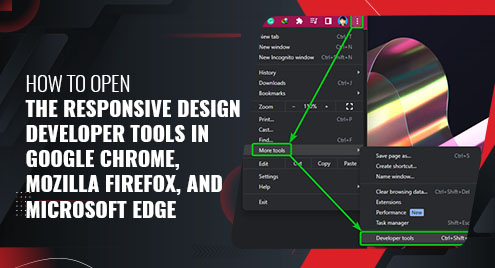
In this article, we will show you how to open the Responsive Design Developer Tools in Google Chrome, Mozilla Firefox, and Microsoft Edge.
Topic of Contents:
- Opening the Responsive Design Developer Tools in Google Chrome
- Opening the Responsive Design Developer Tools in Mozilla Firefox
- Opening the Responsive Design Developer Tools in Microsoft Edge
- Conclusion
Opening the Responsive Design Developer Tools in Google Chrome
You can access the responsive design tool from the Google Chrome developer tools.
To open the Google Chrome developer tools, press <Ctrl> + <Shift> + I or right-click (RMB) on the page and click on “Inspect”.
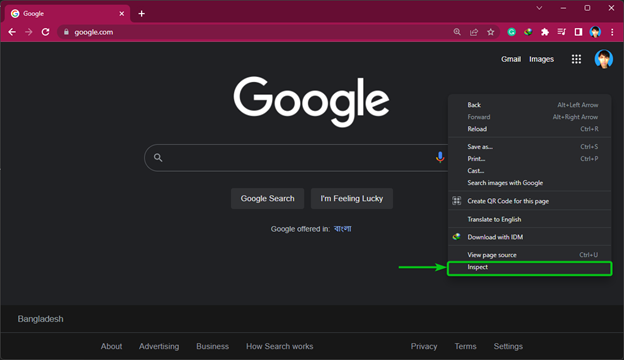
You can also click on ⋮ > More tools > Developer tools to open the developer tools in Google Chrome.
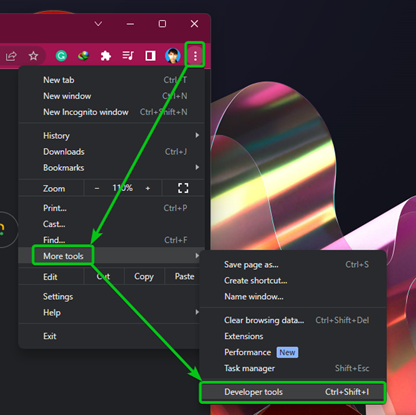
The Google Chrome developer tools should be displayed.

To open the responsive design tool, press <Ctrl> + <Shift> + M or click on the responsive design icon  from the top-left corner of the Google Chrome developer tools.

The Google Chrome responsive design tool should be opened.

Opening the Responsive Design Developer Tools in Mozilla Firefox
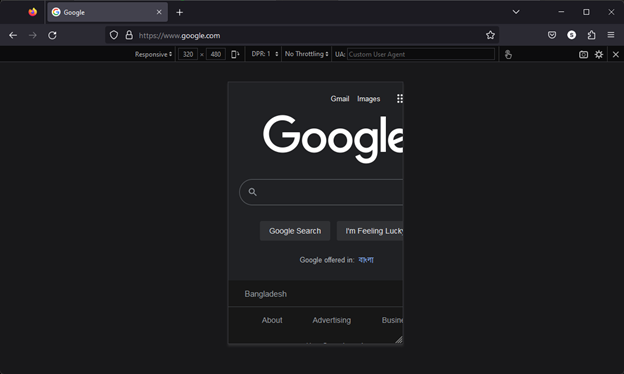
You can open the Responsive Design Developer Tool in Mozilla Firefox directly by pressing the <Ctrl> + <Shift> + M.
You can also click on the Firefox menu  (from the top-right corner) and click on More tools > Responsive Design Mode to open the RESPONSIVE DESIGN DEVELOPER TOOLS.
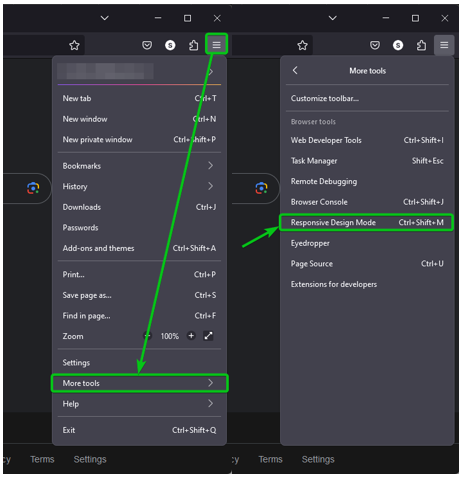
The Mozilla Firefox Responsive Design Developer Tool should be opened.
Opening the Responsive Design Developer Tools in Microsoft Edge
You can access the responsive design tool from the Microsoft Edge developer tools.
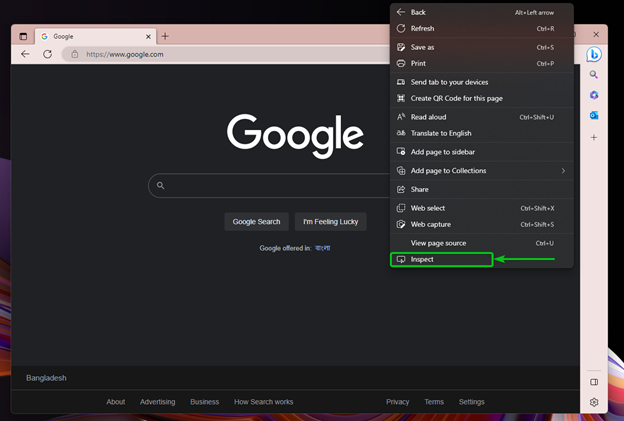
To open the Microsoft Edge developer tools, press <Ctrl> + <Shift> + I or right-click (RMB) on the page and click on “Inspect”.
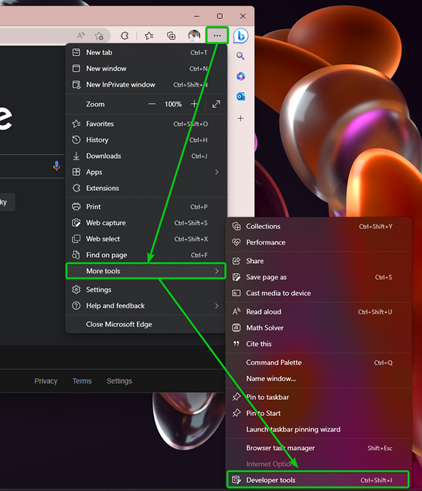
You can also click on ⋯ > More tools > Developer tools to open the developer tools in Microsoft Edge.
The Microsoft Edge developer tools should be displayed.
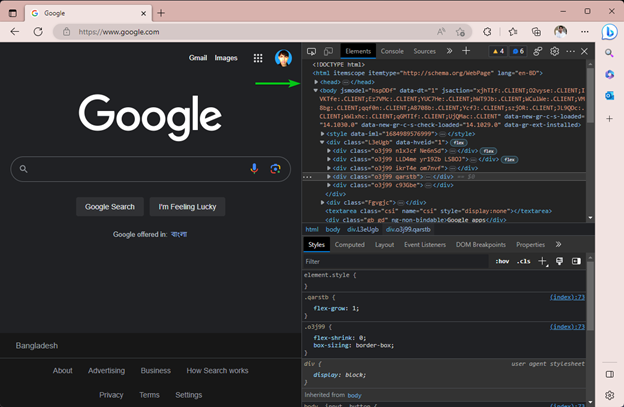
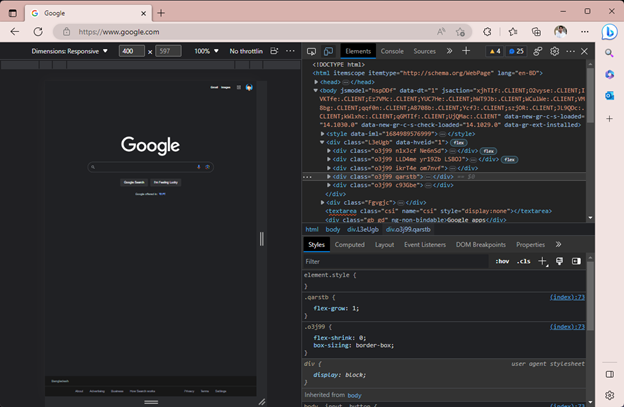
To open the responsive design tool, press <Ctrl> + <Shift> + M or click on the responsive design icon  from the top-left corner of the Microsoft Edge developer tools.

The Microsoft Edge responsive design tool should be opened.
Conclusion
We showed you how to open the Responsive Design Developer Tools in Google Chrome, Mozilla Firefox, and Microsoft Edge web browsers. The Responsive Design Developer Tools is a very useful tool for web developers.

