MacroFactor’s powerful tools for smart food logging are now available on Apple Watch, and it’s the most effortless way to track meals anywhere, from the kitchen to the café.
On the watch, MacroFactor surfaces the essentials at a glance: calories, macros, and key micronutrients. A scrollable timeline lets you review what you ate throughout the day, so you can efficiently add foods to their proper place and gain insight into your day.
Designed for approachability and precision, MacroFactor pairs a clean, glanceable interface with deep nutritional details when you want them. Voice logging, haptics, and complications – all coming to your wrist with this release. Let’s dive in!
An interactive timeline of your food intake
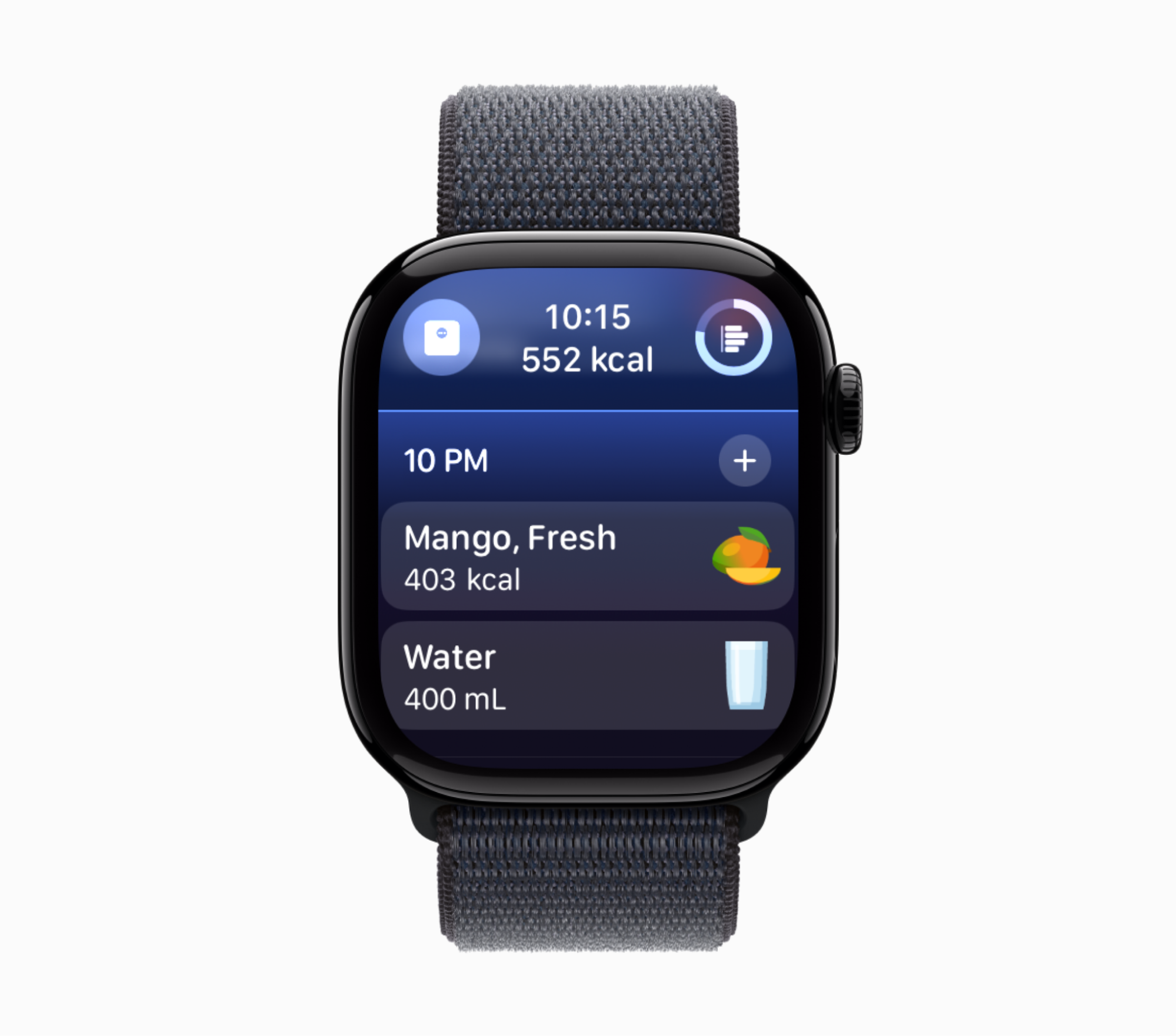
The main screen shows a timeline of your day’s food intake, centered on the current time. Tap + to log a food in the current hour, or scroll up/down to pre‑log or retro‑log meals. The timeline updates instantly as you log.
Log foods with AI — or one of seven other watch‑optimized methods
Logging with MacroFactor on watch is designed for in-the-moment speed.
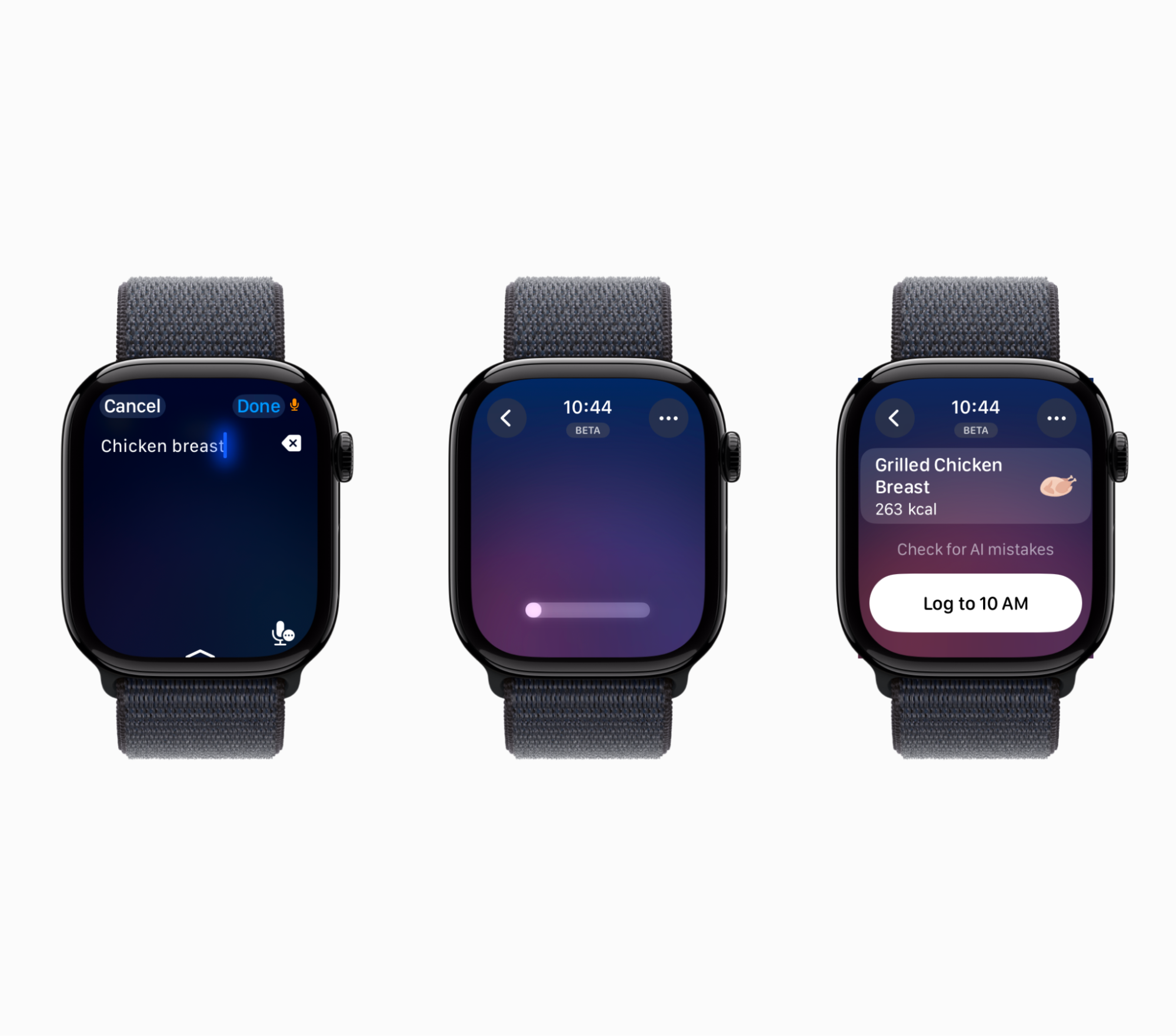
To log new foods on the go, you can speak naturally, for example “coffee with a croissant” or “chicken breast.” You’ll get an editable suggestion you can confirm in a tap.
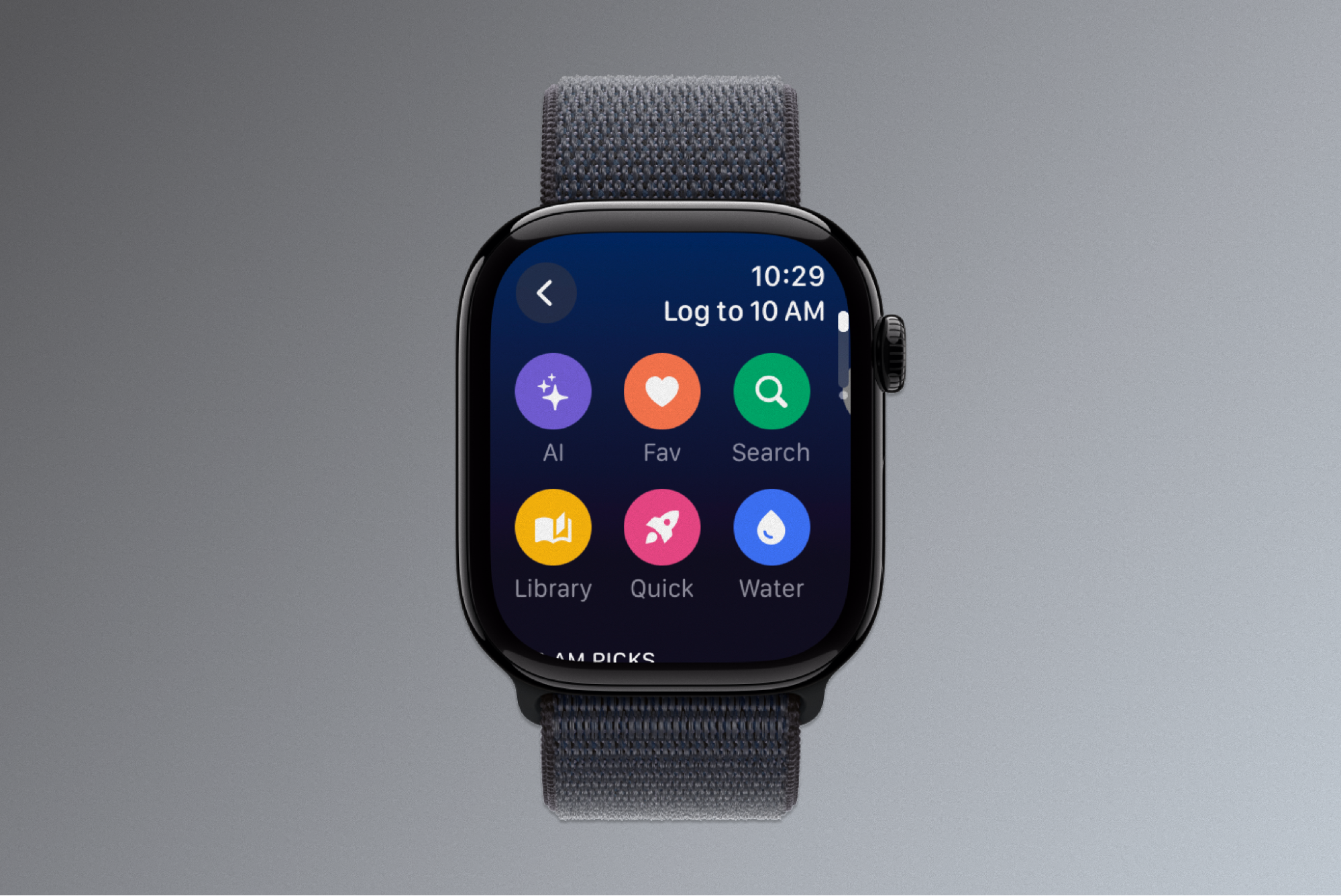
If you’ve been with MacroFactor for a while, you likely have a rich food history to lean on, and favorite go-to foods that you have previously curated in your library. You can access those from the watch logging interface and choose between your custom foods, recipes, favorites and recently logged items. Once you select a food to log, you can use our food editor to adjust the serving and quantity.
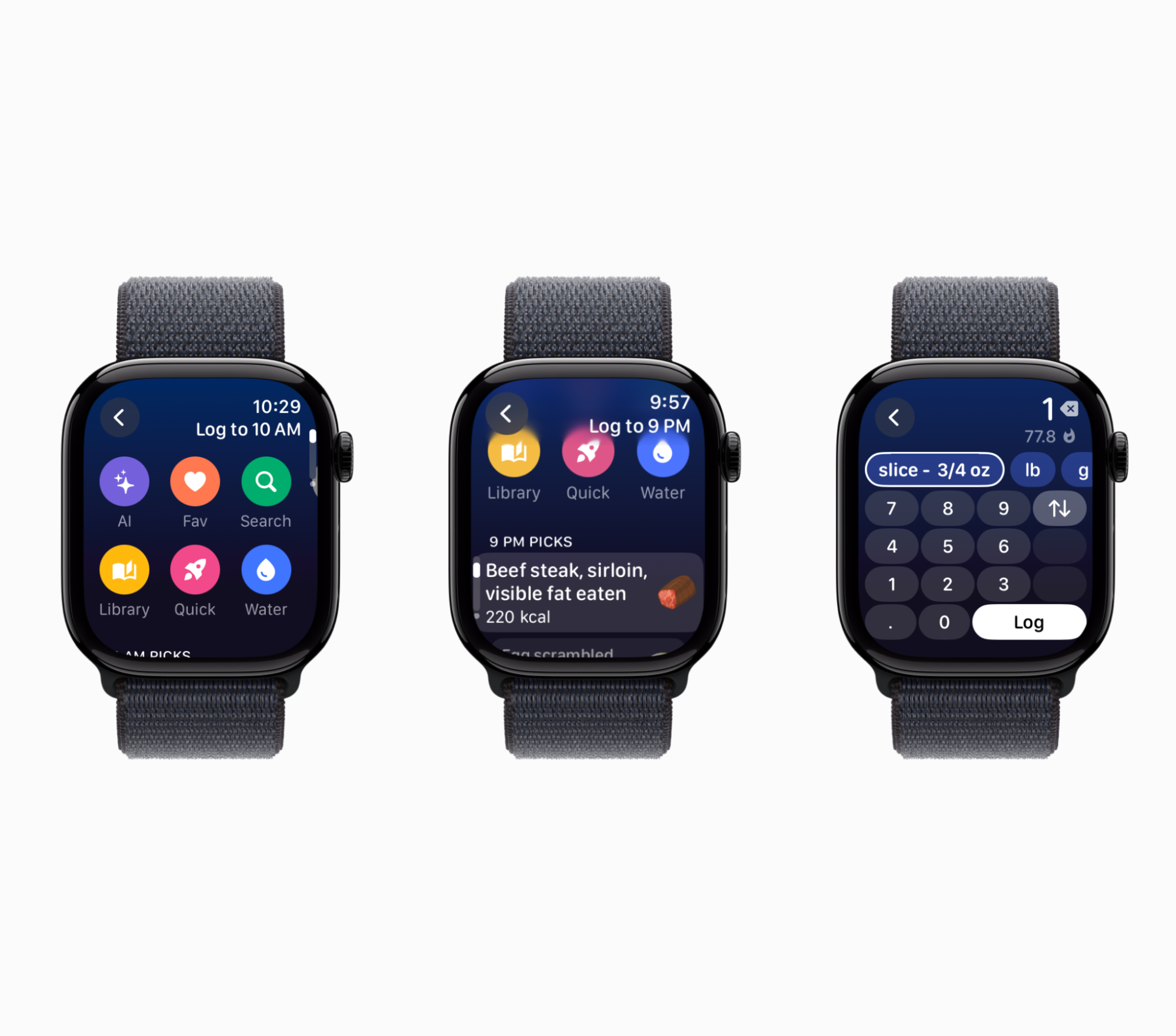
On the phone, MacroFactor is known for its fast and streamlined food logging workflows, and now we have brought that same spirit to the watch.
Inspired by the calculator, our serving and quantity selector offers rich editing in a compact interface. There is no context-switching required. One tap to change the serving, two taps to log with macros, and a direct in-line number pad to change quantity.
Delicious analytics for the current moment
Nutrient surfers unite! 🏄 MacroFactor is bringing its Nutrition Overview to the watch as well. You can see macros, vitamins, minerals, and more, and swap between Current and Remaining analytics from the top right shortcut.
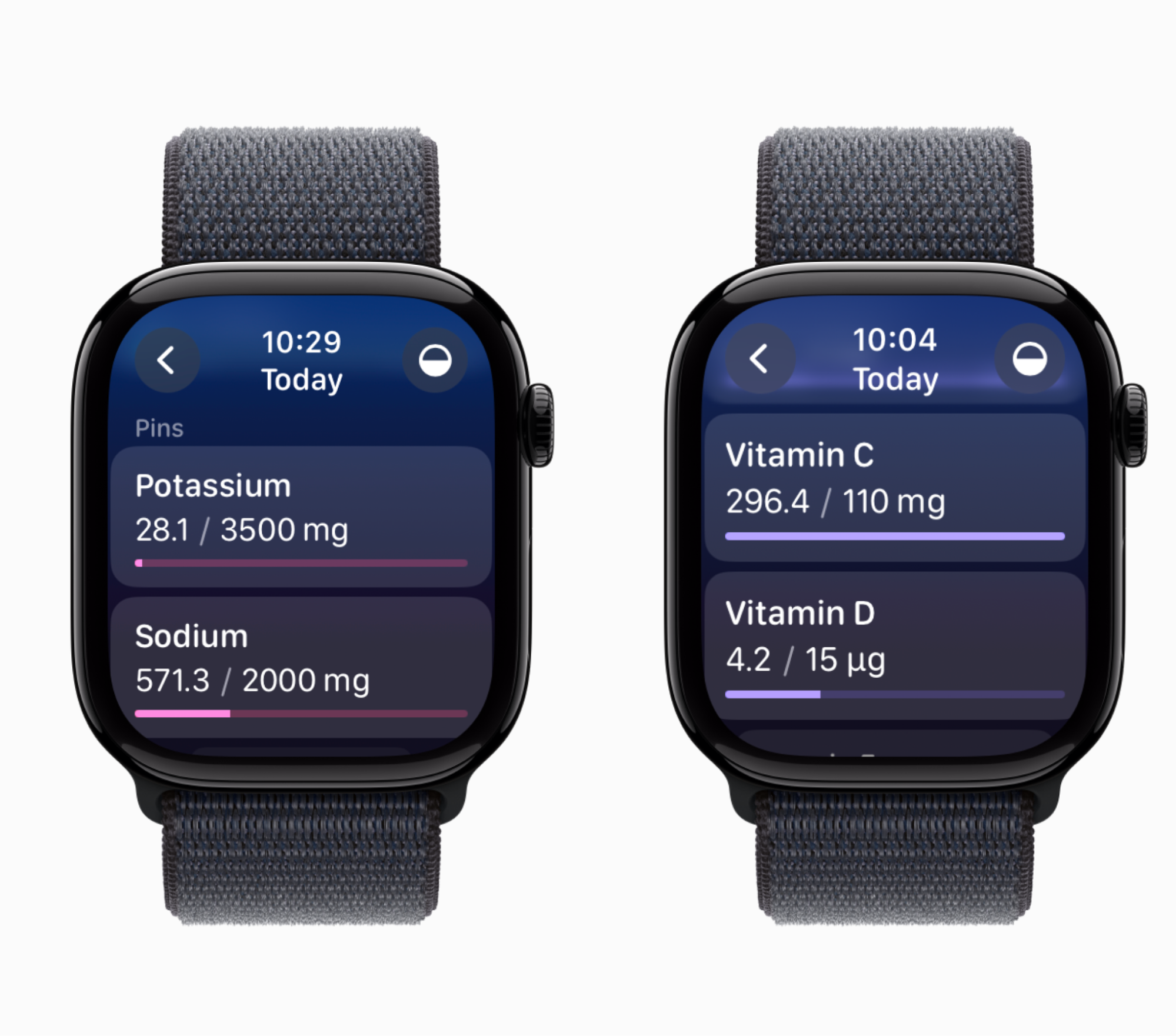
It’s perfect for quick checks while planning a meal — or just something satisfying to swipe through while you wait for the bus.
Track your weight from the gym
On the phone, MacroFactor lets you track detailed body metrics. On the watch, it’s about the core utilities. If you are at the gym weighing in, or stepping on a scale in the doctor’s office, you can quickly log your weight from the Weight experience on the watch.
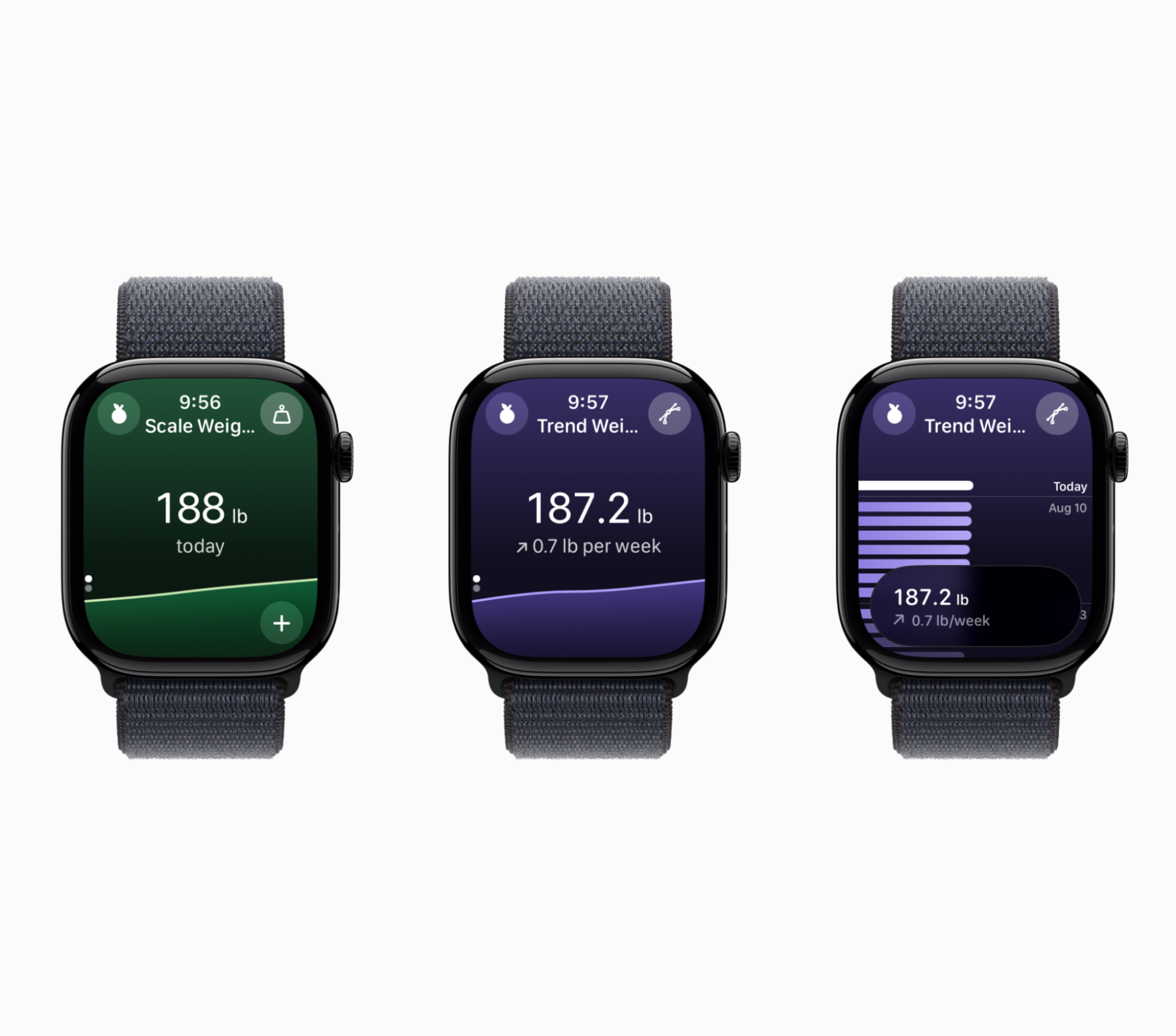
Here, you can switch between scale and trend weight views, easily see your current weight, and scroll through time, observing how your weight changed over the year.
Complications that keep you on track
Bring MacroFactor utilities to your watch face with our nutrition‑focused complications for always‑visible context. Designed for seamless integration into your life, these complications transform your watch face into a dynamic nutritional dashboard.
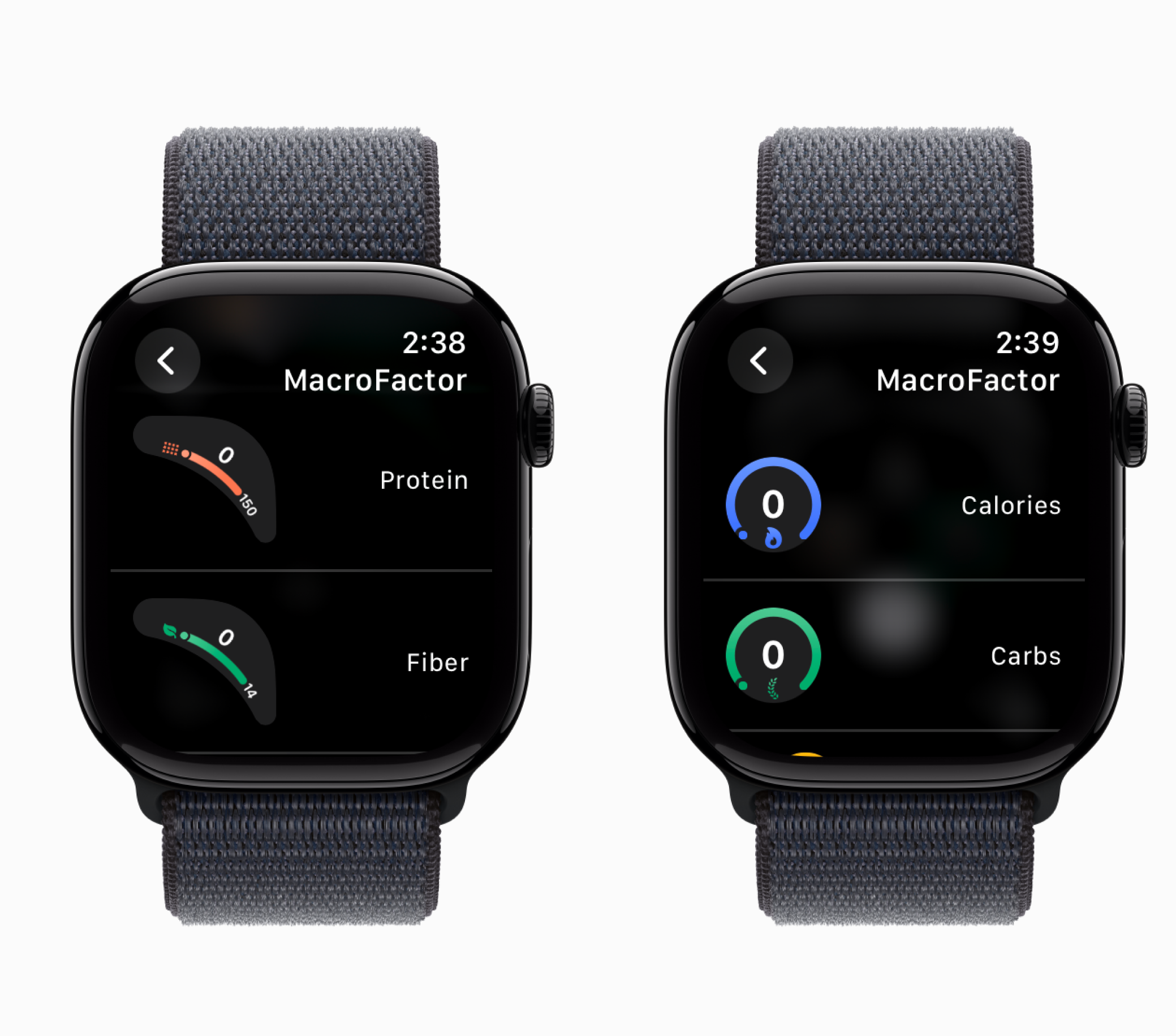
You can use gauges or progress rings for nutrients like carbs, protein, and fiber, and keep them top of mind. This isn’t just about tracking; it’s about making informed choices in the moment. Glanceable cues help you decide what to eat next and when.
Watching out for the watch?
Show us your watchface design in the MacroFactor app community on Facebook and the MacroFactor subreddit.
If you are ready to get started with MacroFactor, you can download the app now from the App Store or Google Play.
You can also learn more about macro tracking, nutrition, and physiology by reading our in-depth articles or browsing our extensive knowledge base.