TRANSACTIONAL EMAILS & SMS
Billions of transactional messages. One API.
Deliver personalized transactional emails & SMS with a 99% delivery rate and 1-second send times—plus detailed documentation that can help improve your campaigns.

-
#1
AI-powered email marketing and automations platform
-
<1 second
Delivery time-to-inbox (median)
-
157 billion
email sends per month (max)
-
>99%
email delivery rate (average)*
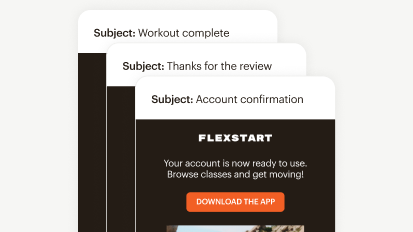


NEW: Fast, dependable transactional SMS messages
With Mailchimp’s updated transactional API, businesses can send critical 1:1 text messages via SMS as well as email.

Get started today
Premium
Scale fast with dedicated onboarding, unlimited contacts, and priority support; built for teams.
Talk to Sales You've selected more contacts than this plan allows
Save 15% on 10,000+ contacts
per month for 12 months
Then, starts at per month†
- Phone & Priority Support
- Popup Forms
- Multivariate and A/B Testing
- Enhanced marketing automation flows
- Dedicated Personalized Onboarding
- Predictive Segmentation
- Behavioral Targeting
Standard
Sell even more with personalization, optimization tools, and enhanced automations.
Contact limit exceeded You've selected more contacts than this plan allows
Free for 14 days
Then, starts at 0 per month†
per month for 12 months
Then, starts at per month†
- 24/7 Email & Chat Support
- Popup Forms
- Multivariate & A/B Testing
- Enhanced marketing automation flows
- Personalized Onboarding
- Predictive Segmentation
- Behavioral Targeting
Essentials
Send the right content at the right time with testing and scheduling features.
Contact limit exceeded You've selected more contacts than this plan allows
Free for 14 days
Then, starts at 0 per month†
per month for 12 months
Then, starts at per month†
- 24/7 Email & Chat Support
- Popup Forms
- A/B Testing
- Basic marketing automation flows
-
Personalized Onboarding
-
Predictive Segmentation
-
Behavioral Targeting
Free
Easily create email campaigns and learn more about your customers.
Contact limit exceeded You've selected more contacts than this plan allows
Limit of 250 contacts
$ 0 per month†
- Email support for first 30 days
- Popup Forms
-
A/B Testing
-
Basic marketing automation flows
-
Onboarding
-
Predictive Segmentation
-
Behavioral Targeting
†See Free Trial Terms and Offer Terms.
Overagesapply if contact or email send limit is exceeded. Free plan sending will be paused if contact or email send limit is exceeded. Learn more.
Customize your settings from start to send
-
Stay on-brand
Build emails from scratch or seamlessly import your Mailchimp templates.
-
Manage inbound email
Respond to emails with an action, like sending an RSVP or updating a to-do list.
-
Send from anywhere
Send from multiple domains or subdomains, all from one account.

Get world class support
Get in touch with our award-winning Support team for troubleshooting.
Learn more about Mailchimp transactional APIs and get started.
FAQs
-
Transaction SMS refers to automated text messages sent to subscribers based on actions they take or events related to their accounts. These messages include:
- Order confirmations
- Shipping notifications
- Appointment reminders
- Password resets
- Account alerts
Unlike promotional messages, transactional SMS provides information that customers need or requested through their interaction with your business.
-
Transactional SMS offers several advantages for businesses and customers, including:
- Immediate delivery: Messages arrive within seconds, making them ideal for time-sensitive information like delivery updates or verification codes.
- High open rates: Most people read text messages within minutes of receiving them, so your important updates actually get seen.
- Better customer experience: Customers appreciate getting relevant information when they need it, like confirmation that their order went through or a reminder about an upcoming appointment.
- Increased trust: Sending timely updates shows customers you’re on top of things and keeping them informed.
This impact varies by industry. For example:
- Healthcare providers can reduce no-shows by sending appointment reminders the day before scheduled visits.
- E-commerce businesses see fewer customer service inquiries when they send real-time shipping and delivery notifications.
- Financial services companies can improve security and reduce fraud by sending two-factor authentication codes for account access.
-
You can set up transactional SMS to send automatically when certain triggers occur. Common uses include:
- Sending order confirmations when someone makes a purchase
- Delivery notifications when items ship
- Appointment reminder the day before scheduled services
- Two-factor authentication codes for account security
The messages go out automatically based on customer actions, so you don’t have to send each one manually.
With Mailchimp, transactional SMS is set up through the Transactional API. Messages are triggered automatically based on customer actions in your system, like completing a purchase or requesting a password reset.
You can also use webhooks to track message events in real time, including when messages are sent, delivered, clicked, or if recipients unsubscribe. With this information, you have complete visibility into how your messages are performing.
-
Yes, Mailchimp offers transactional SMS capabilities. You can set up automated text messaging to send communications based on customer behavior and actions.
The feature integrates with your existing workflows, so you can manage both your marketing messages and transactional notifications from one platform.
There are a few requirements to get started. Your Mailchimp account needs to be on a Essentials plan or higher, and you’ll need to set up a text messaging credit plan with an approved sending number. Once your account is ready, you can apply for SMS access and buy credits directly in Mailchimp.
-
Yes. Mailchimp transactional email has strong deliverability performance. The platform delivers over 99% of emails successfully and operates with 99.99% uptime, so your messages reach customers when they need them most.
Speed is another major advantage. Emails typically hit the inbox in under one second, which matters when sending time-sensitive information like password resets or order confirmations.
The infrastructure can handle massive volume, too, supporting up to 157 billion emails per month, so whether you’re a startup or an enterprise, Mailchimp scales with you.
-
Yes, customers need to opt in before you can send them transactional SMS. This means they must give you explicit permission to contact them via text message, even for non-promotional messages like order confirmations or shipping updates.
It’s important to note that email consent is different from SMS consent. Even if a customer has opted in to receive emails from you, you need to obtain separate SMS consent before sending them text messages. This is required by Mailchimp’s Standard Terms of Use and applicable laws.
Getting proper opt-in is essential for several reasons:
- Legal compliance: SMS messaging regulations like the Telephone Consumer Protection Act (TCPA) in the United States and similar laws in other countries require that businesses get permission before texting customers. Without proper consent, you risk facing substantial penalties and potential lawsuits.
- Customer privacy and trust: Requiring opt-in respects your customers’ preferences and privacy. Not everyone wants to receive text messages, even for important updates, so giving them control over how you contact them builds trust.
- Better engagement: Customers who actively opt in are more likely to engage with your messages since they’ve chosen to receive them.
-
The key difference between promotional and transactional SMS comes down to purpose and content.
Promotional SMS refers to marketing messages designed to promote products, services, sales, or special offers. They’re used to drive engagement and sales.
Transactional SMS refers to messages that provide information related to a specific transaction or account activity that the customer initiated. They’re informational rather than promotional, like order confirmations or shipping updates.
For example, a text about a 20% off sale is promotional, while a text confirming that an order shipped is transactional.
-
Mailchimp transactional email is a delivery API, or application programming interface, that can deliver transactional emails to customers without you overseeing the process.
Transactional emails, also known as “triggered emails,” are one-to-one messages sent when a specific action occurs or a request is made from the contact.
For example, a customer may receive a transactional email with their order information after a purchase is complete. Other examples of transactional emails include account updates, password reminders, and notifications or alerts.
Compared to bulk marketing messages, transactional emails are only sent to one individual at a time rather than a group of people.
Typically, these emails are time-sensitive and require you to deliver messages quickly. With our transactional email service, you can automatically send messages to the recipient’s email server.
When you send a transactional email with Mailchimp, you can ensure customers receive the information they need in a timely manner.
Not only do transactional emails have the power to boost customer satisfaction, but they can also increase loyalty and engagement since they’re capable of being personalized. Remember, every interaction with a customer is an opportunity to solidify your relationship with them.
-
Our transactional email service allows you to reach customers quickly, ensuring they don’t have to wait long for relevant information to reach their inbox. You’ll also have access to email templates and our email builder to keep your transactional emails on brand.
In addition to transactional email tools, our comprehensive marketing platform can help you stay on top of analytics, allowing you to test and refine your campaigns.
The best part is that you can try our transactional email software for free before committing to it. This way, you can see if this type of email is right for your business needs. Plus, new users can take advantage of the transactional email demo and send up to 500 transactional emails for free to their verified domain.
-
To make a transactional email with Mailchimp, you’ll need Mailchimp Transactional, which is available as an add-on for legacy, Standard, and Premium plans.
Unlike Mailchimp’s marketing plans, which are priced by contact count, Mailchimp Transactional is priced by email send volume.
Pricing starts at $20 per block, with each block including 25,000 emails, and you can purchase up to 20 blocks (up to 500,000 emails per month). New users can also send up to 500 free test emails to - their own verified domain.
To get started, navigate to the Automations tab and select Transactional Email. Then, choose a plan or enter a custom block amount if you require more than three blocks. You can also choose what happens if you run low on emails. After selecting a plan, generate an API key, add a sending domain, and configure your DNS.
Once setup is complete, you can send transactional emails using the Transactional API or SMTP integration. Mailchimp Transactional includes a delivery API that lets you monitor and manage your sends.
If this sounds confusing, don’t worry. When you use Mailchimp for transactional email templates and tools, you’ll have access to our award-winning support team. Our Mailchimp Support team can assist with troubleshooting transactional email services and provide guidance on next steps.
Disclaimers:
- #1 AI-powered email marketing platform: Based on May 2025 publicly available data on number of customers of competitors that also advertise using AI to enhance their email marketing and automation products and services.
- >99% Email Delivery Rate: Data reflects email delivery rate from January 1, 2024, to December 31, 2024 and is the aggregate of all Mailchimp users across all plans.
- Transactional Email Uptime: Uptime past performance is not a guarantee of future performance and may be affected by factors outside of our control.
- SMS Marketing: SMS is available as an add-on to paid plans in select countries. Application and agreement to terms is required before purchasing credits. Messages can only be delivered to contacts in the country selected. Australia messaging available only for contacts with +61 country code. SMS credits are added to your account after purchase and approval. Credits are issued monthly and unused credits expire and do not roll over. MMS only available for Standard and Premium plans sending to US and Canada contacts. Pricing varies. Click here for details.
- Availability of features and functionality varies by plan type. For details, please view Mailchimp's various plans and pricing.
