

WP Forms

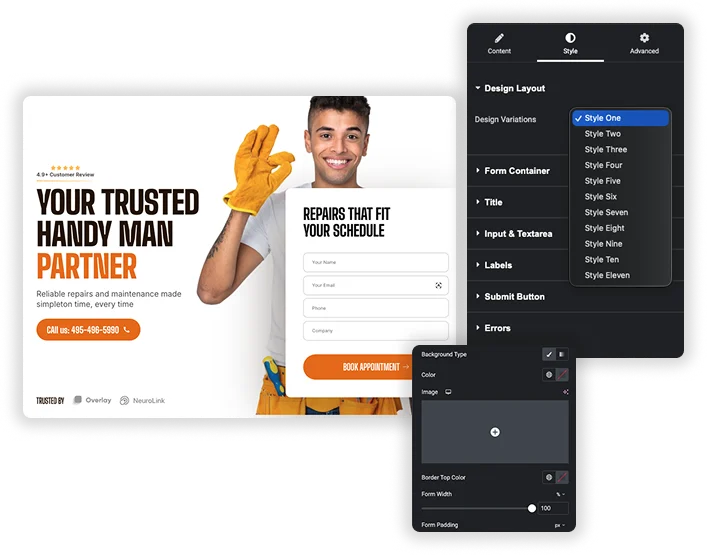
Design and display your WPForms with complete creative control, directly from the Elementor editor. This element makes it simple to select any form you’ve created and transform its appearance to perfectly match your website’s style. Choose a pre-designed layout for a quick professional look, or dive into detailed styling for labels, input fields, checkboxes, and the submit button – adjusting everything from colors and borders to spacing and fonts. It’s the perfect bridge between WPForms’ ease of use and Elementor’s design power, helping you build trust and conversion-ready forms that feel like a native part of your page.

Instant Design Presets & Layouts

Quick-Start Design Layouts

Instantly give your form a cohesive, professional appearance by selecting from a variety of pre-built style kits. This one-click solution provides an excellent foundation, saving you time and ensuring visual harmony with your site’s overall design.

  • Apply a polished, complete style to your WPForm in a single selection.
  • Maintain visual consistency across different forms on your website effortlessly.
  • Use a styled layout as a starting point and customize it to your exact brand specifications.

Field & Input Styling

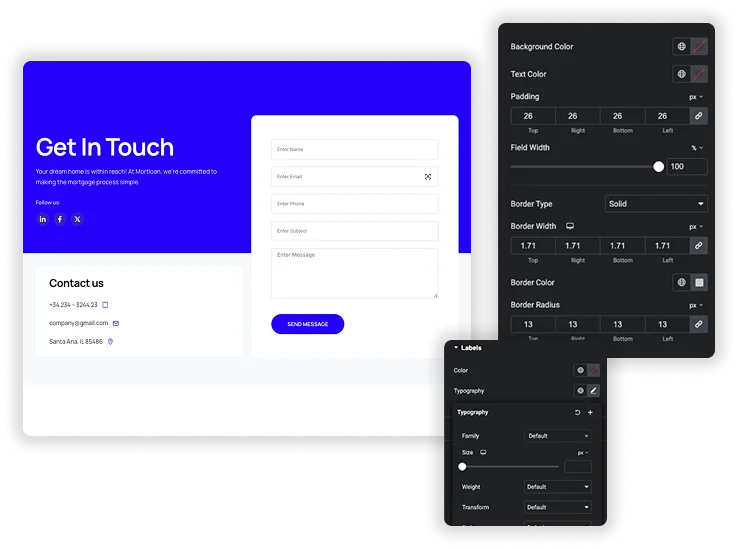
Achieve pixel-perfect control over every form element. Customize the background color, text color, border style, and rounded corners for all input fields and text areas, and fine-tune their dimensions, padding, and alignment for optimal layout and usability.

  • Design distinct visual styles for the normal and focused states of input fields.
  • Set custom widths and heights tailored for different field types (e.g., standard inputs vs. large textareas).
  • Use padding and border controls to create forms that are both aesthetically pleasing and easy to fill out.
Complete Form Container Framing
Input, Textarea & Label Styling

Custom Submit Button & User Feedback

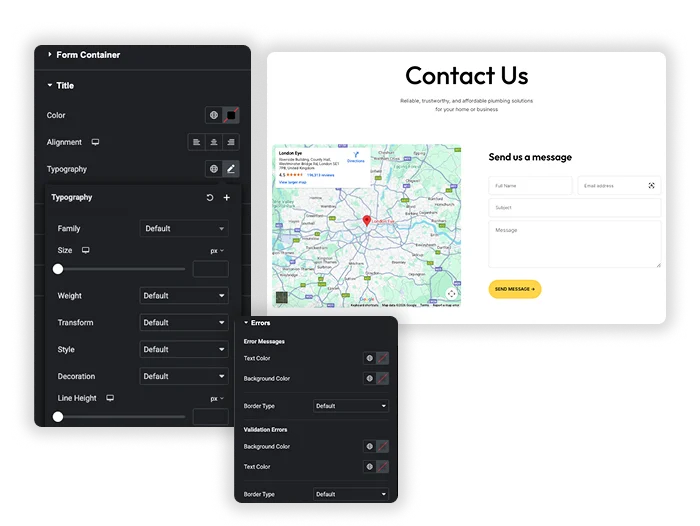
Design a compelling call-to-action button and style all system messages for clarity. Fully customize the button’s colors, size, borders, and hover effects, and ensure success confirmations and error notices are visually distinct and align with your brand.

  • Create custom button dimensions and engaging hover animations to boost clicks.
  • Ensure form feedback messages are clear, noticeable, and user-friendly.
  • Apply advanced styling like box shadows and typography controls for a polished, integrated button design.
Template Viewer
Facebook
Twitter
WhatsApp
Copy Link
Buy Now
Google Map with Contact Form
Caldera Forms
Caldera Forms
Advanced Contact Form

Frequently Asked Questions For WP Forms

Learn the most asked queries users have about WP Forms and find answers in one place.
Do I need the WPForms plugin installed?

Yes, this element integrates with the WPForms plugin. You must first install, activate, and create your forms within WPForms before you can select and style them using this Elementor widget.

Yes. This element embeds your live WPForm, so all its core functionality – including conditional logic, calculations, file uploads, and notification settings – will continue to operate normally. The styling controls only affect the visual presentation of the form.

Can I make the forms responsive on mobile devices?

Absolutely. You can use Elementor’s built-in responsive editing modes to adjust styling settings like padding, font sizes, and button width specifically for tablet and mobile views. This ensures your forms provide an excellent experience on any screen size.

The styling panel includes dedicated sections for “Errors” and “Success Message.” There, you can customize the text color, background color, and typography for these messages to ensure they are clear and match your website’s design aesthetic.

Trending Elementor Widgets & Extensions

Build sophisticated websites in less time.

WP Forms

Home Design and display your WPForms with complete creative control, directly from the Elementor editor....
View Demo

Popup Trigger

Home The Random Image widget for Elementor allows you to create a sequence of images...
View Demo

Off-Canvas Content

Home Add sleek, sliding side panels to your Elementor site without any coding. The Off-Canvas...
View Demo
Random Image Settings

Caldera Forms

Home Embed your Caldera Forms with total design freedom, right inside Elementor. This handy element...
View Demo
Random Image Settings

Gravity Forms

Home Perfectly integrate and beautifully style your Gravity Forms within the Elementor editor. This element...
View Demo

Changelogs

Home Keep your users, clients, or customers in the loop with a professional and organized...
View Demo