Good popups are helpful, and effective - not annoying
Master Addons Popup Builder gives you the flexibility to create exactly what you need. Design stunning popups visually in Elementor and control exactly when they appear and who sees them. Convert more visitors without hurting their experience.

What You Can Build ?
Page Load Trigger
Greet visitors right away. Perfect for welcome messages, urgent announcements, or a first-time offer. Set a short delay to be polite, then capture their full attention.
Scroll Trigger
Reward engagement. Show a special offer or content upgrade after a visitor scrolls a certain percentage down your page. It feels like a natural reward for their interest.
Exit Intent Trigger
Capture leaving visitors. Detect when someone is about to leave your site and present a last-chance offer or a helpful question. Turn potential exits into conversions.
Click Trigger
The most respectful popup. A lightbox, detailed info, or a form appears only when a visitor clicks a specific button or link. You give them complete control over the experience.
Inactivity Trigger
Re-engage a paused visitor. If a user stops interacting with your page for a set time, a gentle popup can ask if they need help or suggest what to do next.
Display Conditions
Show your popup exactly where it matters. Use rules to display a popup on your entire site, only on blog posts, or specifically on your pricing page. Exclude it from pages where it wouldn't make sense.
Choose Your Trigger: The "When"
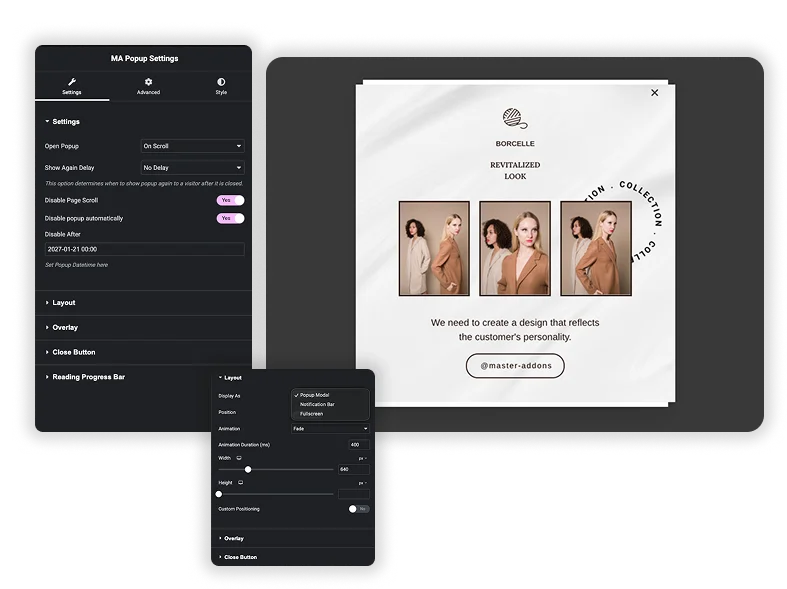
On Scroll
Show a popup after a visitor has scrolled a certain percentage of your page, proving they’re interested.
- Offer a content upgrade: After they read 70% of a post.
- Trigger a signup form: When they engage deeply.
- Set the scroll depth: Choose 25%, 50%, 70%, or 90%.
Page Load
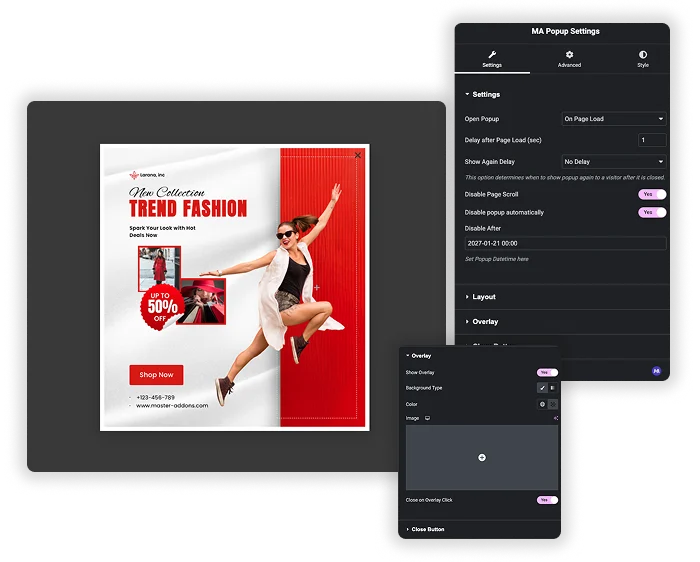
Ideal for welcome messages, urgent announcements, or initial offers. Use it sparingly for maximum impact.
- Display after a short delay: Let the page load first.
- Use for site-wide announcements: Like a sale or event.
- Best for high-intent landing pages: Where immediate action is desired.
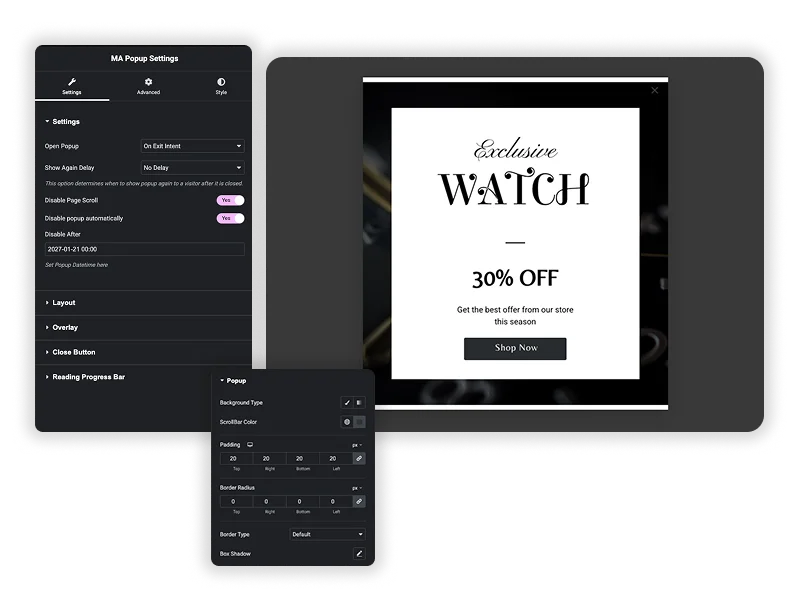
Exit Intent
Our system detects when a visitor is about to leave and shows a last-chance offer or message.
- Present a special discount: To prevent cart abandonment.
- Ask “Was this helpful?”: On documentation or blog posts.
- Capture emails gently: Before they navigate away.
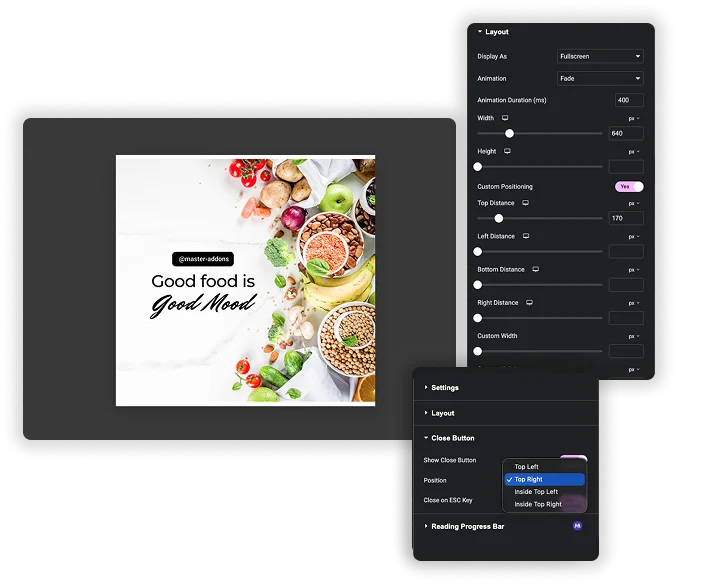
On Click
The most respectful trigger. A popup appears only when a visitor clicks a specific button, link, or image.
- Create a gallery lightbox: For image enlargements.
- Offer detailed specs: When clicking “More Info” on a product.
- Launch a video player: From a “Watch Demo” button.
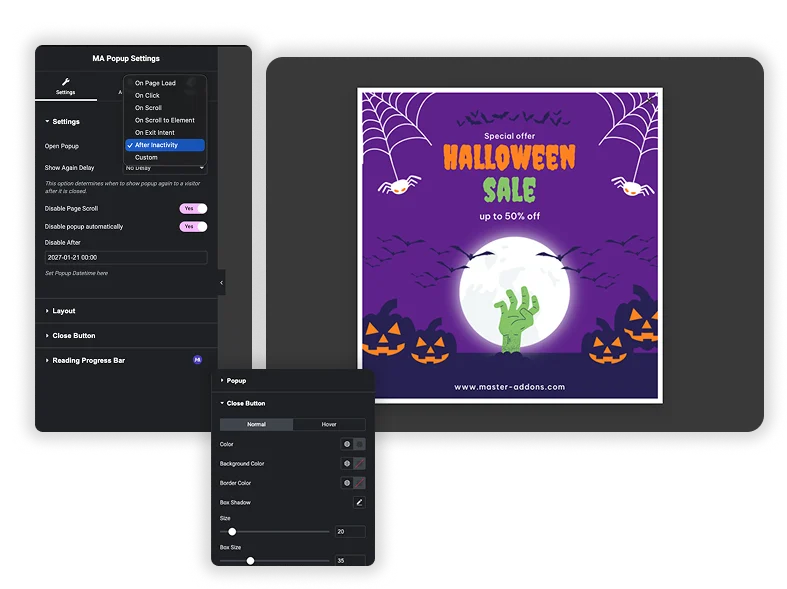
After Inactivity
If a visitor stops interacting with your page for a set time, a gentle popup can bring them back.
- Ask if they need help: On a complex service page.
- Prompt to save their progress: In a multi-step form.
- Show a related guide: After they’ve been idle reading.
It’s about control and respect for your audience.
No Coding, Just Designing
Build in Elementor as easily as you build pages. Use our popup library to import them in your editor in one click.
Precision Over Interruption
Stop guessing. Show popups only where they have context and value. Don't interrupt your visitors.
Build Once
Create one newsletter popup, then show it on posts via a "Scroll" trigger and on homepage via "Exit Intent."
Professional Results
For agencies, this means delivering marketing functionality without relying on clunky, separate plugins.