Image

Kyle Juffs

Updated 5 months ago

Advanced and Innovative Technical Computing Software

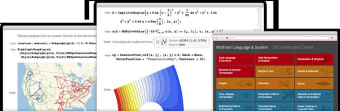
Mathematica is an extremely innovative and efficient solution for those who are looking for some of the best technical computing software on the market. Its highly integrated and intuitive design allows users to enjoy more than three decades of continuous development. This package can be used for image processing, data science, virtual visualizations and many other unique tasks.

Applications and Usability

Mathematica employs highly advanced algorithms to complete calculations in a fraction of the time that is associated with generic software platforms. Industrial-strength capabilities and a user-friendly layout will help to streamline any technical processes. This also provides a greater level of automation, ideal when tackling complex tasks or when a project needs to be completed within a relatively short amount of time. There is also the possibility to create documents within the framework of Mathematica. This is a useful function when keeping track of a task or to address coding issues.

Other Benefits and Functions

A coherent design, direct integration into the cloud and sophisticated aesthetics have helped to streamline this entire package and cut down on the learning curve. Those who are not familiar with technical computing platforms can also peruse the more than 150,000 examples which are found within a separate documentation center.


Image

Kyle Juffs

Kyle Juffs combines more than 15 years of gaming experience with a background in digital marketing. He specializes in writing about games, technology, and online marketing, producing long-form content that is both authoritative and approachable, with a focus on clarity and reader engagement.

  • Pros

    • An excellent and intuitive user interface which streamlines the production process
    • Advanced algorithmic capabilities to handle extremely complex computational tasks
  • Cons

    • This system is not designed for novices within the computing industry
    • The demonstration package will not provide access to more advanced functions
Image
 0/1

App specs

Also available in other platforms

Program available in other languages


Icon of program: Mathematica

Mathematica for PC

  • Paid
  • 3.2
    38
  • 54.7K
  • V14.2

User reviews about Mathematica

Have you tried Mathematica? Be the first to leave your opinion!

Add review

You may also like

Alternatives to Mathematica

Explore Apps

Latest articles

Laws concerning the use of this software vary from country to country. We do not encourage or condone the use of this program if it is in violation of these laws.
Softonic

Is Mathematica safe?

100/100

Score result: Clean

This file passed a comprehensive security scan using VirusTotal technology. It is safe to download.

  • Virus free
  • Spyware free
  • Malware free
  • Verified by Security Partners

    VirusTotal logo

Scan Info

Last scan
Monday, July 28, 2025
Scan provider
VirusTotal

Softonic security commitment

Mathematica has been thoroughly scanned by our advanced security systems and verified by industry-leading partners. This file comes from the official developer and has passed all our security checks, showing no signs of viruses, malware, or spyware. For more information, visit our Security and Trust Center