Build a secure digital knowledge base on your PC
Memory Layer is a premium utility app that provides a local-first environment for storing and retrieving the digital content you find online. This archive manager functions as an AI assistant that installs directly onto your computer to manage the specific articles, links, and documents you choose to archive.
Top Recommended Alternative

Designed for knowledge workers and researchers, it ensures that your saved information remains accessible in a centralized library rather than being scattered across various browser tabs or forgotten bookmarks. By focusing on local storage, it builds a personal knowledge base without relying on external cloud servers. It works quite similarly to Goodlinks.
Putting your saved articles to work
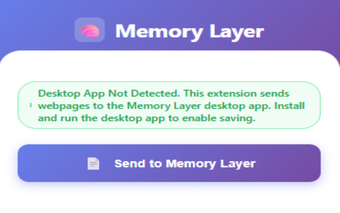
Memory Layer works by indexing the full text of every webpage or document you save through your browser extension. Instead of requiring you to sort files into folders manually, the app uses local AI to categorize your content based on its actual subject matter. This allows you to build a comprehensive library in the background while you focus on reading or completing your tasks.
You can use a one-click save button in your browser to instantly capture any link. The app uses semantic search, which means it understands the content of your saved pages rather than just looking for exact words. This allows you to find your files by searching for general ideas, even in your own words, which is easier than trying to remember an exact title.
Your data privacy is maintained because all processing happens on your local hard drive rather than on a shared server. You can also interact with your collection by asking the assistant questions to get direct answers based on your own saved sources. However, you should consider that the app is currently in Early Access and is limited to Windows 10 or 11 using the Google Chrome or Mozilla Firefox browsers.
Smart local archiving
Ultimately, Memory Layer is a practical option for anyone who wants a better way to handle a high volume of saved links. It offers a useful set of tools for managing information without the risks of data leaks associated with cloud storage. While it is still a work in progress with some platform limitations, its ability to search your history with AI makes it worth a look.