

Description
Team Showcase is a lightweight yet powerful WordPress plugin that helps you display your team members, staff, employees, board members, or speakers in a clean and professional way.
Create stunning team sections using grid, slider, list, popup, and carousel layouts — no coding required.
The plugin works with any WordPress theme and gives you full control over layout, style, and content.
Useful Links
Installation Tutorial & Demonstration
Why Choose Team Showcase?
Most team plugins only show names and images.
Team Showcase goes further.
✔ 25+ professionally designed team layouts
✔ Grid, slider, list & filterable layouts
✔ Popup member profile with full details
✔ Easy shortcode & Gutenberg support
✔ Lightweight, fast & SEO-friendly
✔ Works with any WordPress theme
Whether you need a simple team grid or an advanced interactive team section, Team Showcase gives you full control.
Key Features – Free Version
✔ Create unlimited team members
✔ Responsive grid, slider & list layouts
✔ Select team members by categories
✔ Control ordering (ASC / DESC / Custom)
✔ Popup member details (basic layout)
✔ Easy shortcode support
✔ Clean, lightweight & fast
✔ SEO-friendly HTML markup
✔ Translation ready
✔ Works with any theme
Team Member Fields
- Member Name
- Designation
- Location
- Contact Number
- Website
- Short Description
- Team Member Image
- Social Media Profiles
- Categories
- Team Member Skills
Advanced Team Member Popup
Display detailed information in a modern popup:
✔ Full description
✔ Member Information
✔ Social media links
✔ Smooth animations
✔ Member Skills
👉 Advanced popup layouts and animations are available in Pro version »
Flexible Layout Options
Choose how your team appears:
✔ Grid layout
✔ Slider / carousel layout
✔ List layout
✔ Responsive for desktop, tablet & mobile
✔ Custom column control
👉 More layouts, animations, and filters available in Pro »
Team Showcase Pro – Unlock Full Power 🚀
Upgrade to Team Showcase Pro to build premium, conversion-focused team sections.
Pro Features
🔥 25+ premium team styles
🔥 Filterable team layouts
🔥 Advanced popup templates
🔥 Team member skills with progress bars
🔥 Additional slider controls & animations
🔥 Priority support
👉 Ideal for agencies, businesses & professional websites
Who Is This Plugin For?
✔ Companies & startups
✔ Agencies & freelancers
✔ Schools & universities
✔ Corporate teams
✔ NGOs & organizations
✔ Event speakers & staff
✔ Board members & advisors
If your website needs to build trust with real people, Team Showcase is for you.
Easy to Use – No Coding Required
- Install & activate the plugin
- Add team members
- Choose a layout style
- Insert shortcode
- Done 🎉
Performance & Compatibility
✔ Lightweight & optimized
✔ Mobile-friendly layouts
✔ Compatible with all modern themes
✔ Regular updates
✔ Follows WordPress coding standards
Support & Documentation
We actively maintain this plugin and listen to user feedback.
- Documentation included
- Community support via WordPress.org
- Priority support available in Pro
👉 Upgrade to Pro for advanced features & faster support
Screenshots

screenshot-1 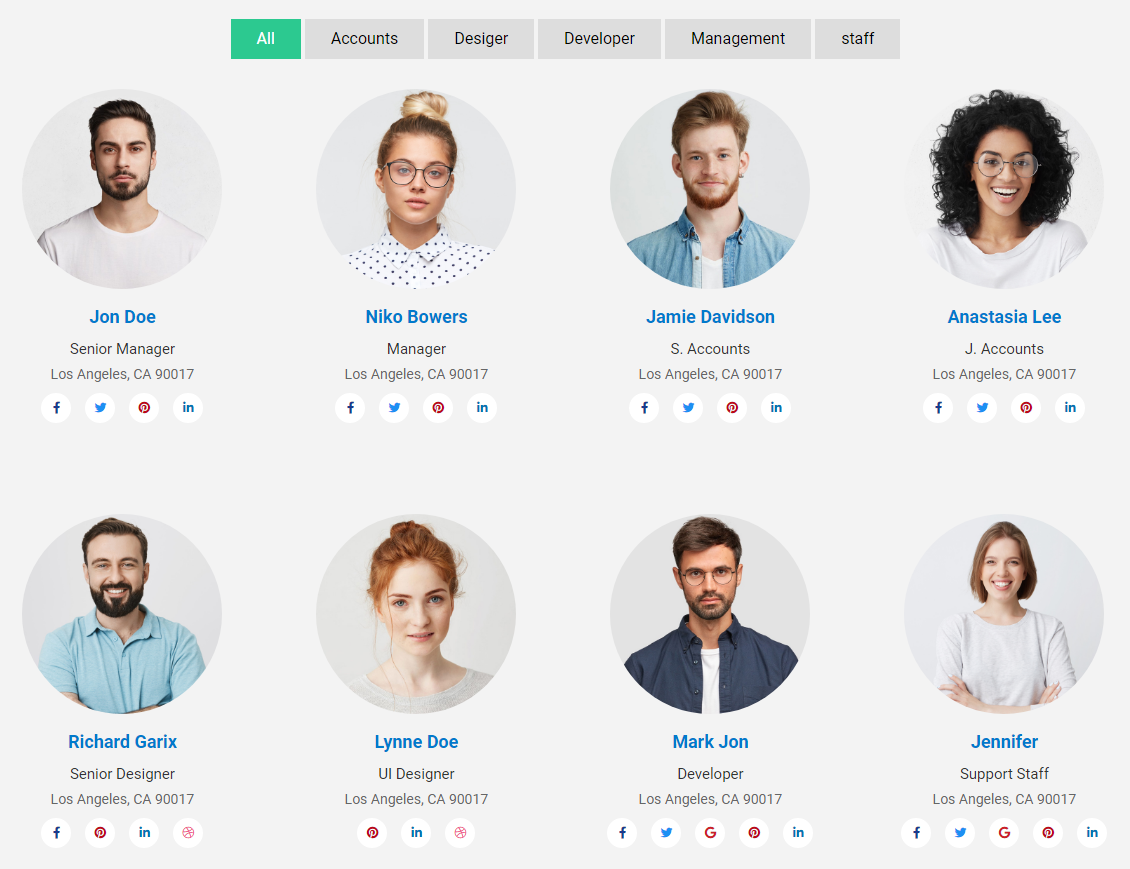
screenshot-2 
screenshot-3 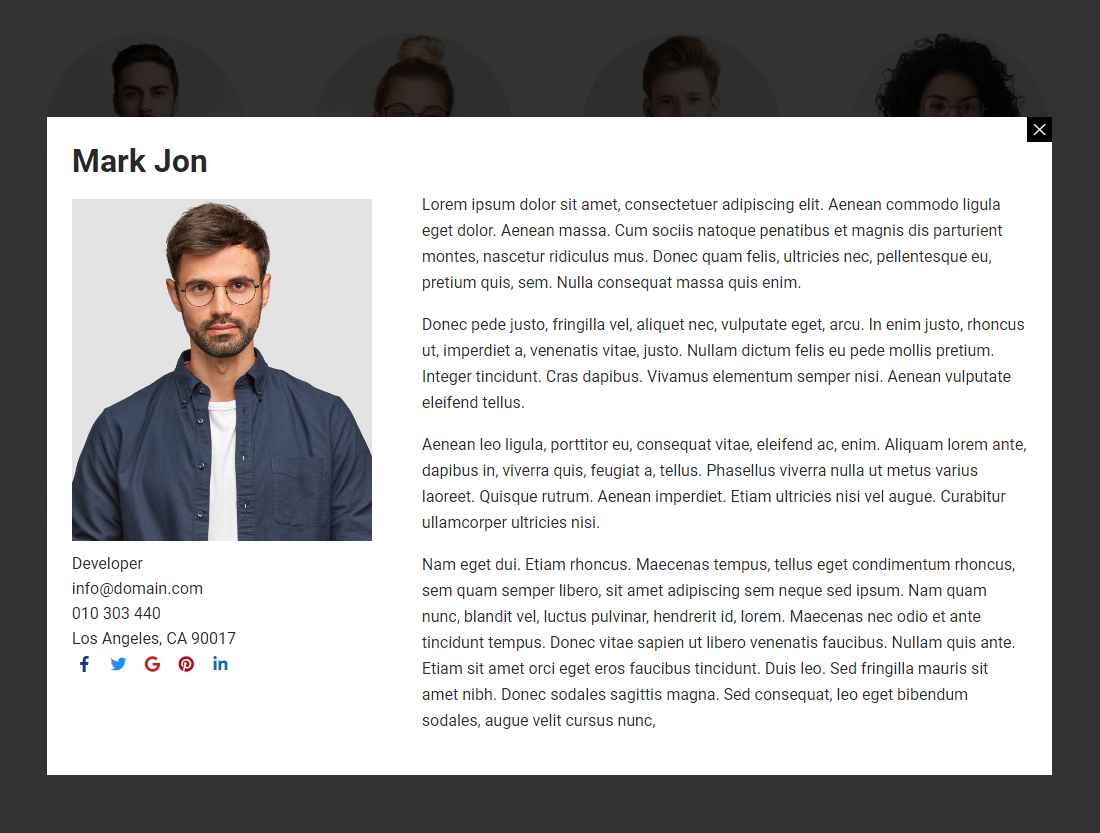
screenshot-4 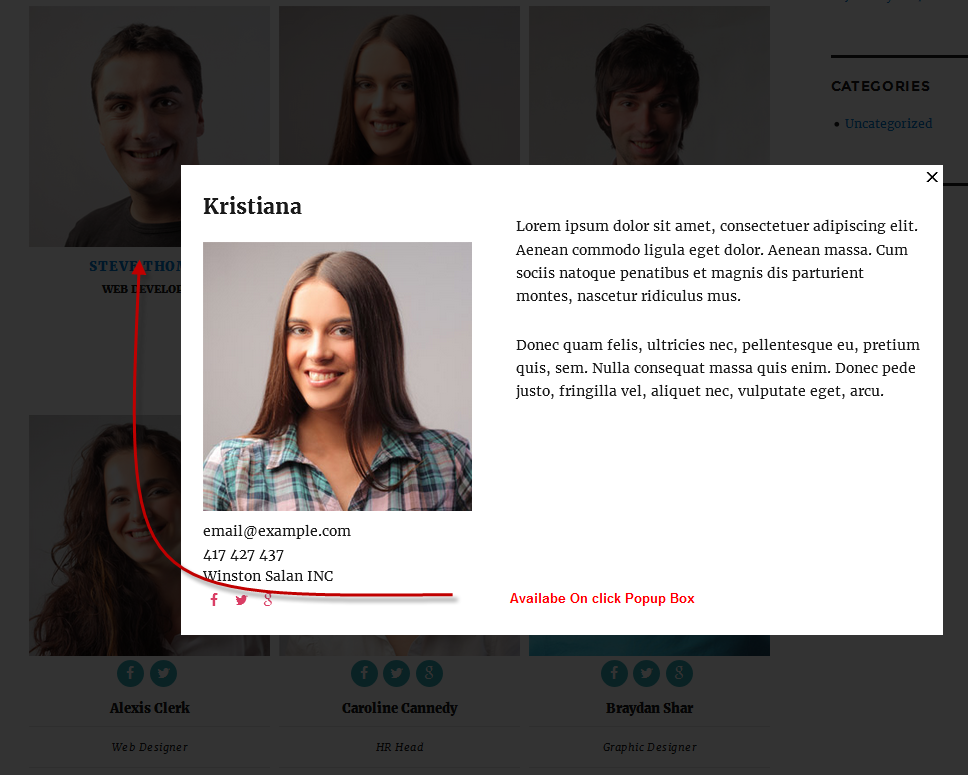
screenshot-5 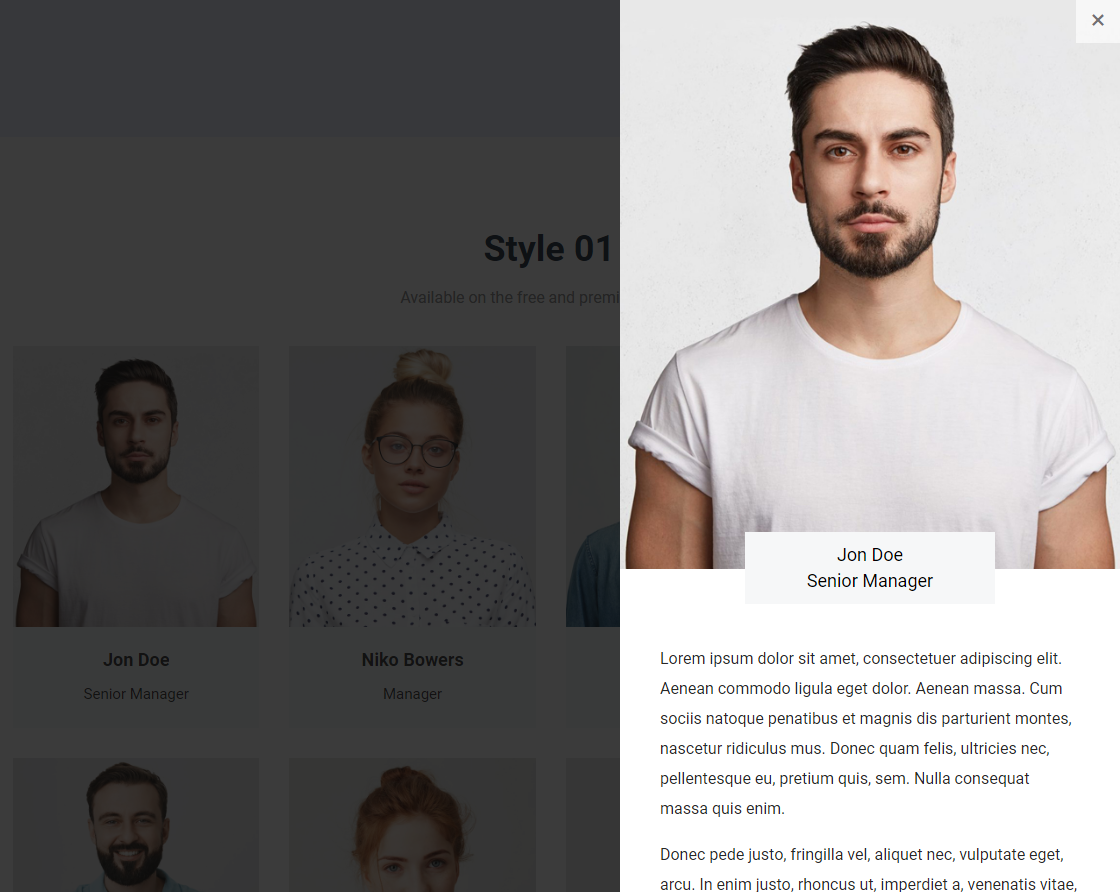
screenshot-6 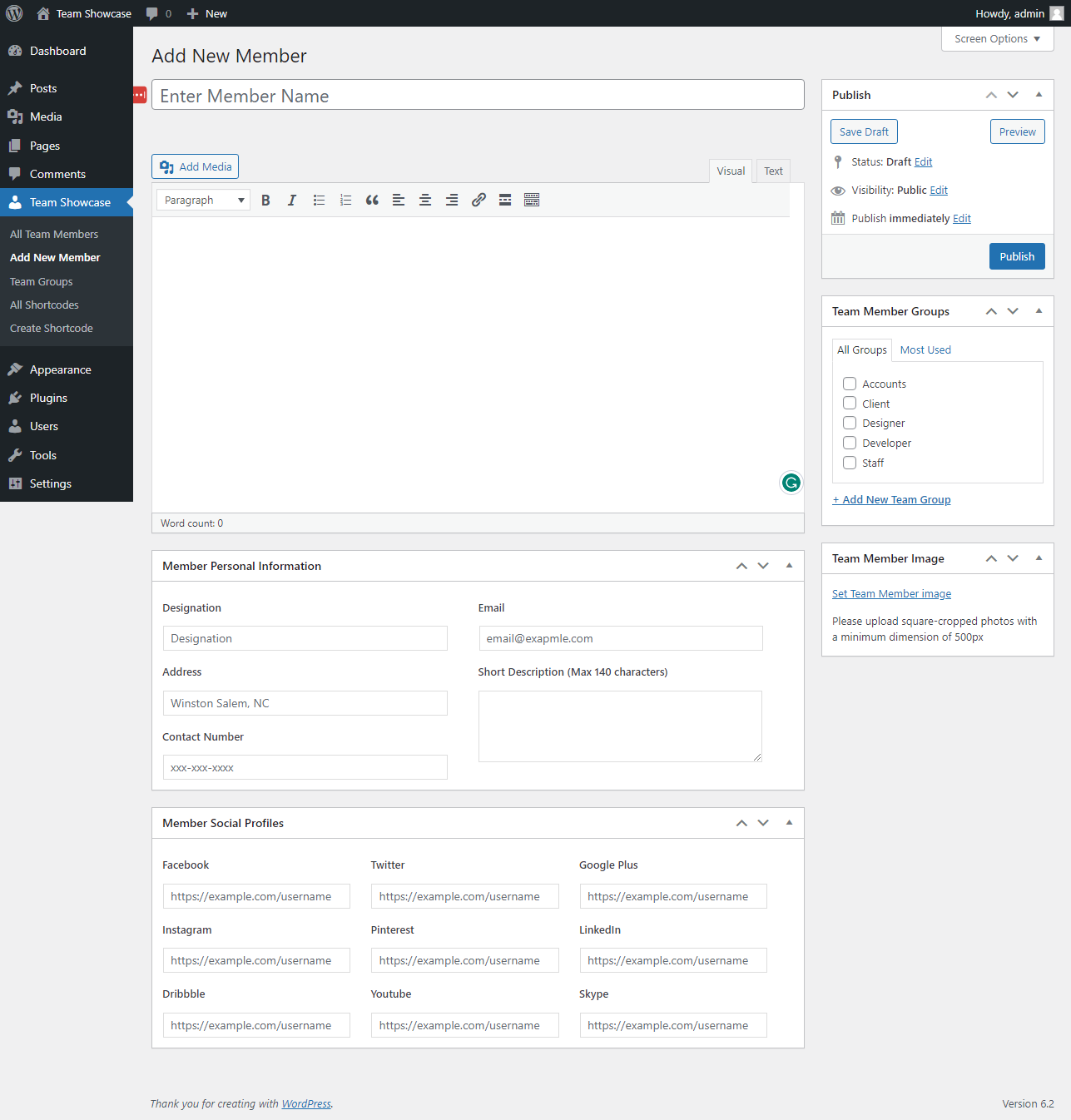
screenshot-7 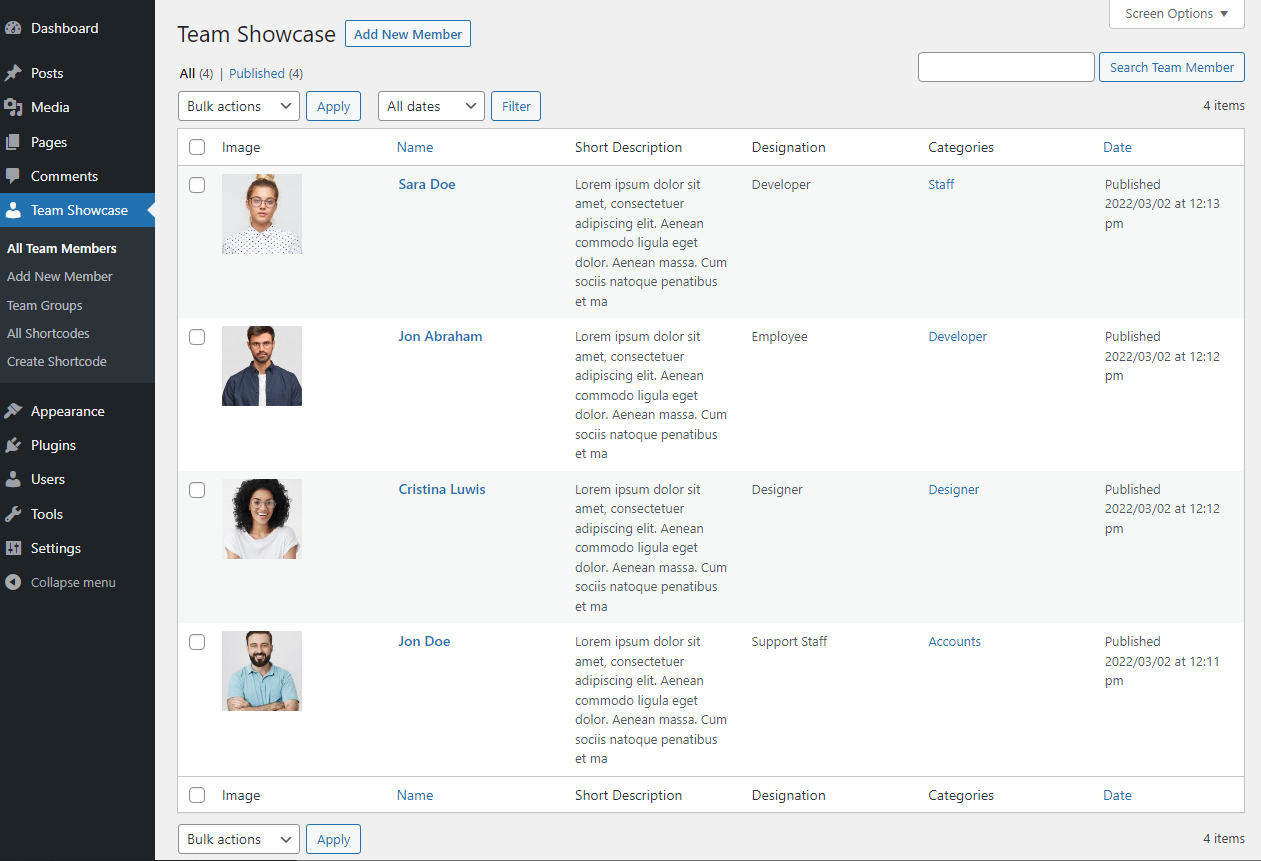
screenshot-8 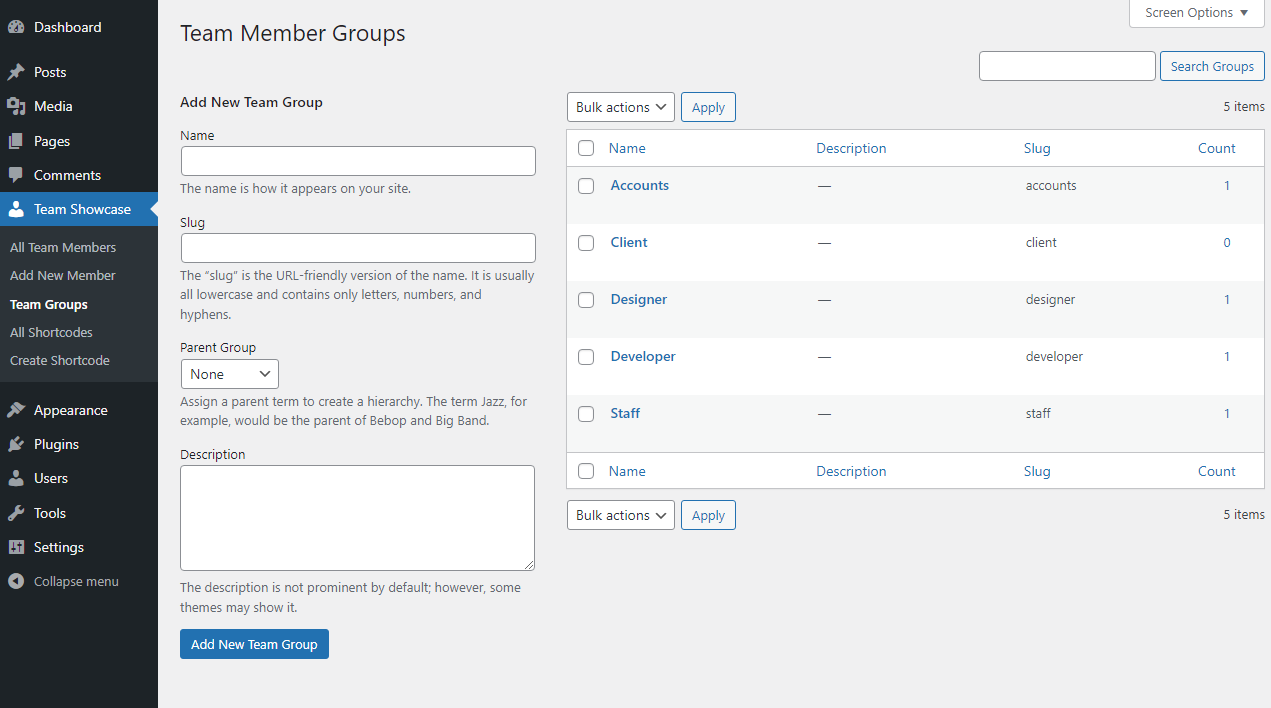
screenshot-9 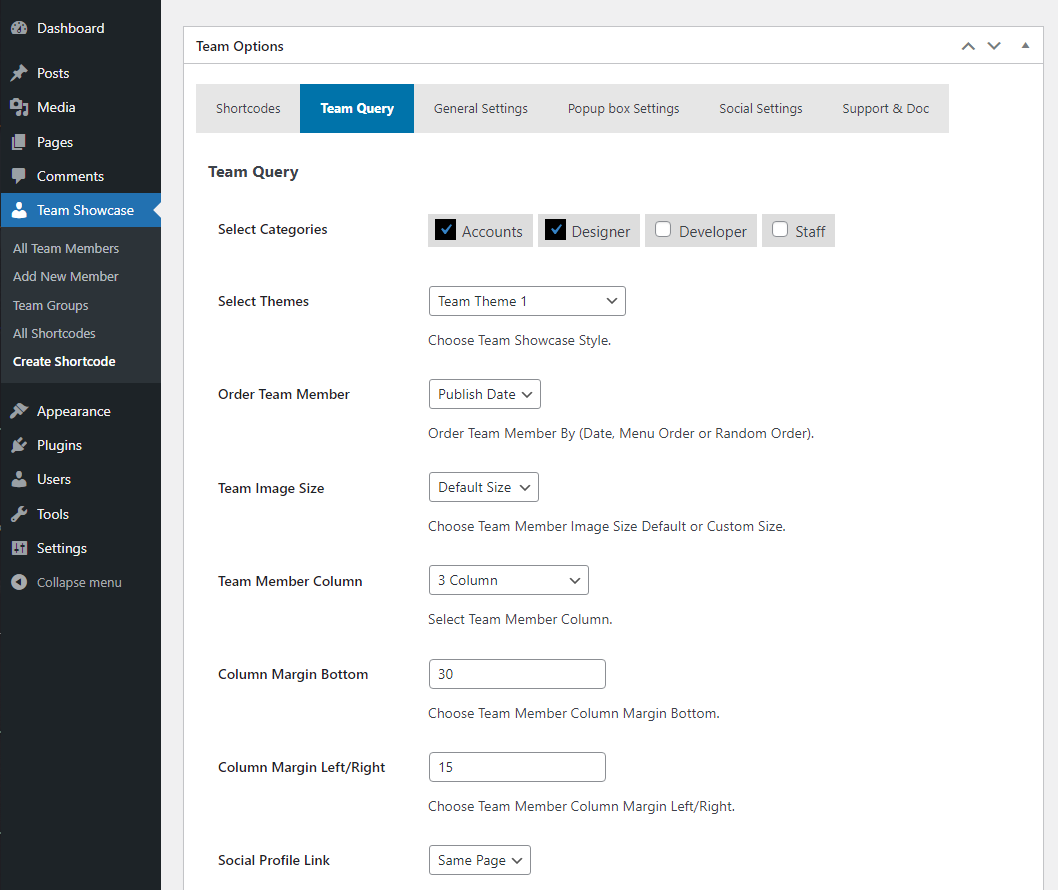
screenshot-10 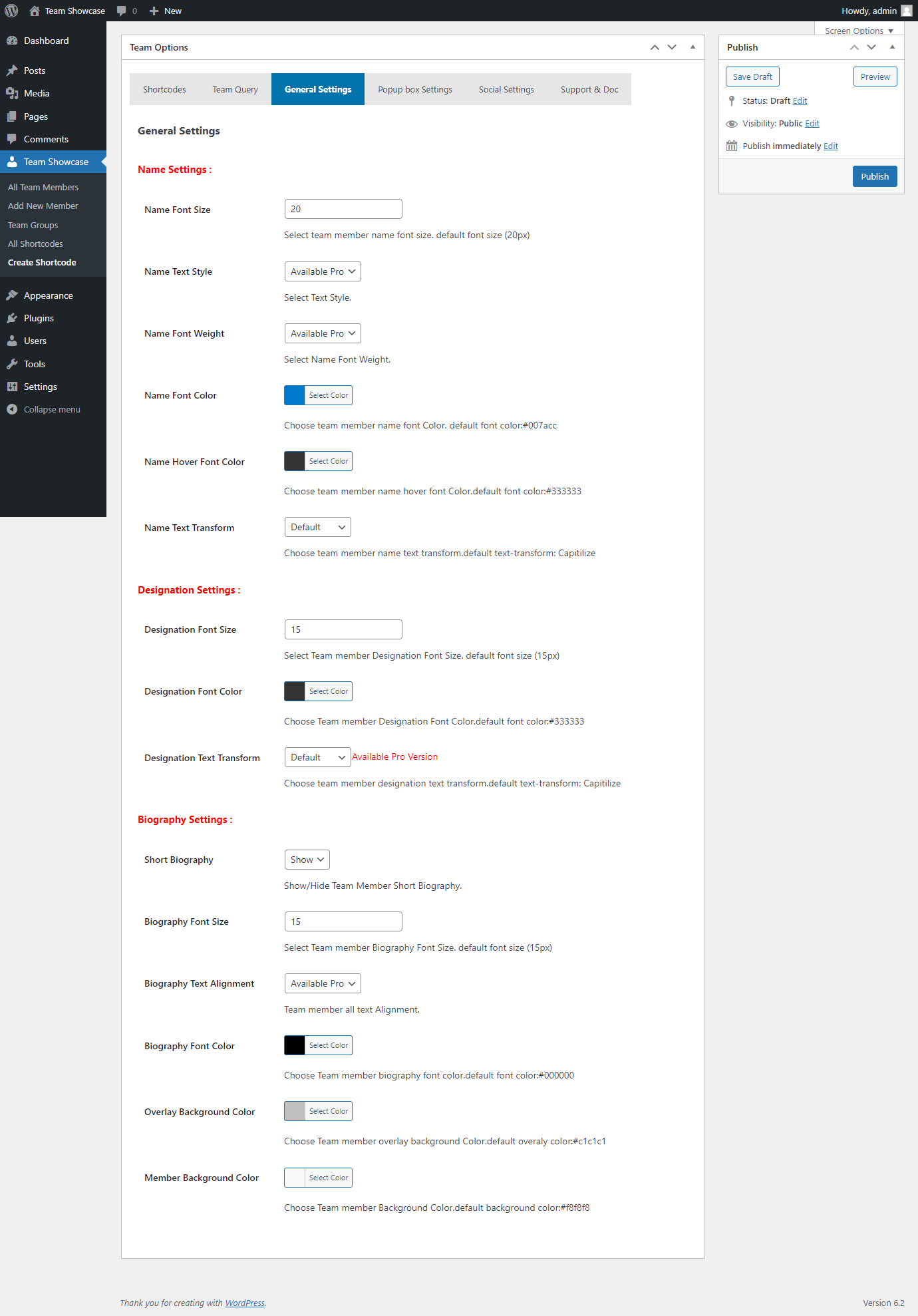
screenshot-11 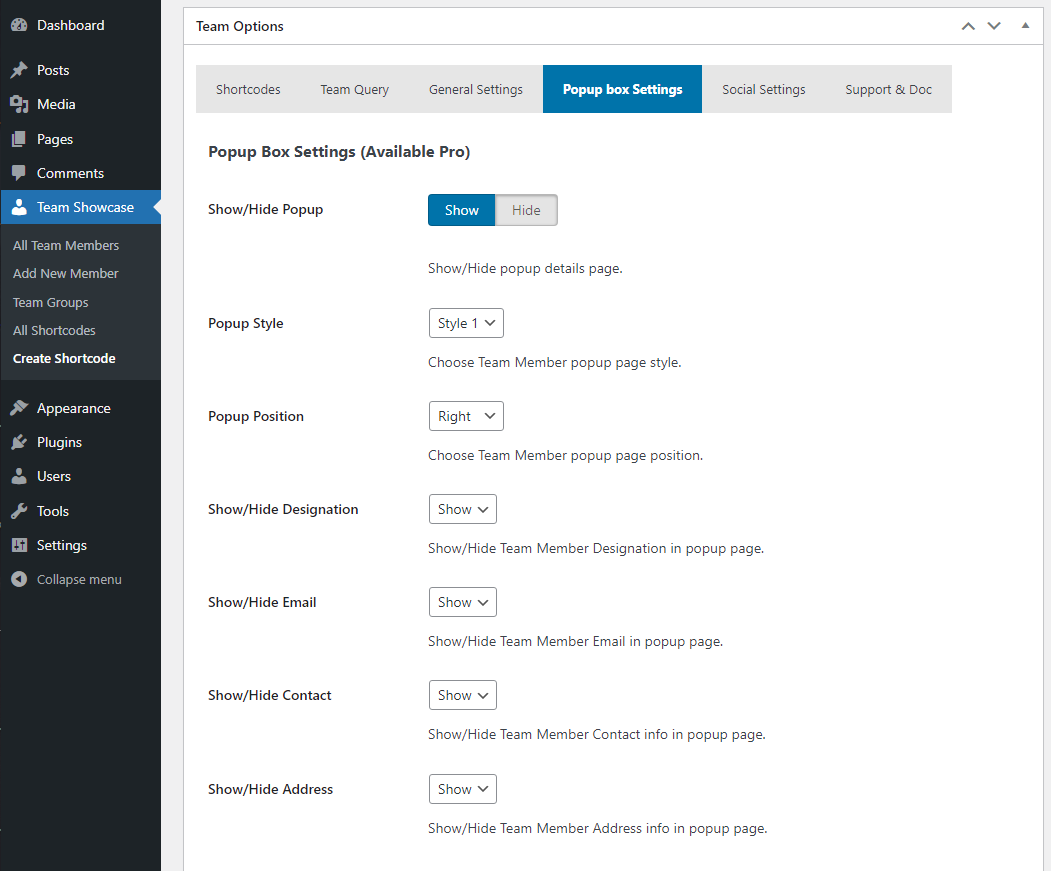
screenshot-12 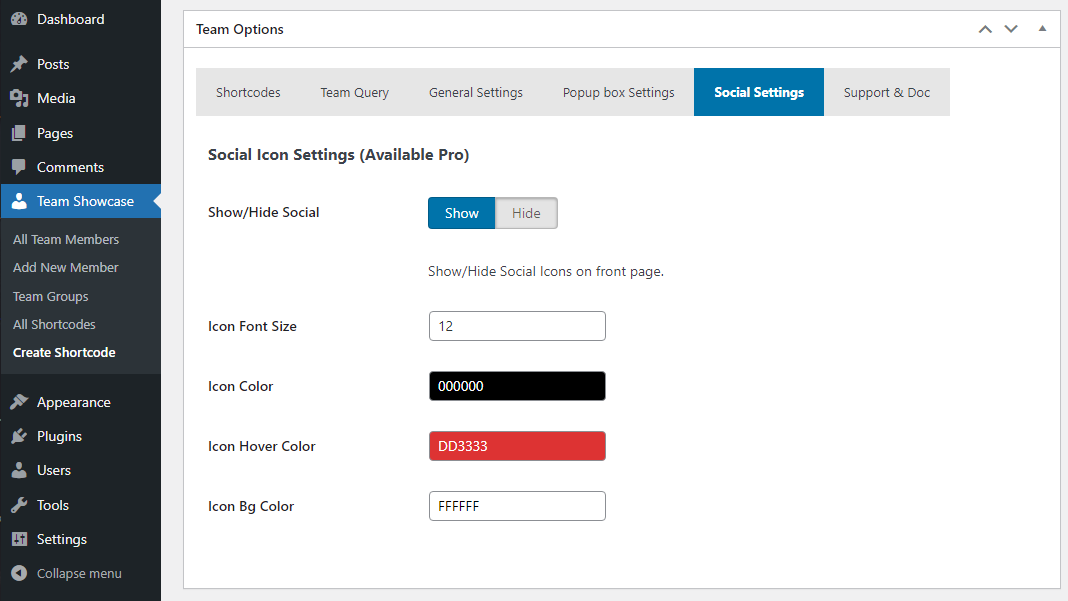
screenshot-13


Installation
- Upload the plugin files to
/wp-content/plugins/team-showcase/ - Activate the plugin through the “Plugins” screen in WordPress
- Go to Team Showcase menu
- Add your team members
- Display using shortcode
FAQ
-
Does this plugin work with any WordPress theme?
-
Yes, Team Showcase works with all WordPress themes.
-
Is coding required?
-
No, everything works via UI and shortcodes.
-
Is the plugin mobile responsive?
-
Yes, all layouts are fully responsive.
-
Can I display team members in a slider or carousel?
-
Yes, grid, slider, list, and carousel layouts are supported.
-
Does the plugin support popup member details?
-
Yes, clicking a team member opens a popup with detailed information.
-
Can I use multiple team sections on one page?
-
Yes, You can create unlimited showcases.
-
Is there a Pro version available?
-
Yes, Team Showcase Pro includes premium styles, filter layouts, advanced popups, skills, and priority support.
Reviews


Contributors & Developers
“Team Showcase – Responsive Team Members Grid, Slider & Carousel Plugin” is open source software. The following people have contributed to this plugin.
Contributors
Interested in development?
Browse the code, check out the SVN repository, or subscribe to the development log by RSS.
Changelog
3.0.0
- Fix Security Issue.
- Added New Options.
- Added New CSS.
2.9
- Fix Escaping Issue.
- Added New Options.
- Update Options Page UI.
2.8
- Fix Icon Conflict Issue.
- Fix CSS Issues.
2.7
- Check Latest Version Compatibility Issue.
- Fix CSS Issues.
- Fix Responsive Issues.
2.6
- Check Latest Version Compatibility Issue.
- Fix sanitize metabox field issue.
- Update Options page.
2.5
- Check Latest Version Compatibility Issue.
- Update Options page.
2.4
- Fix Escaping Issue.
- Added New Social Icon.
- Added Column Option for different responsive devices.
- Added More Order By Options.
- Added New Social Icon.
- Update Twitter icon to X.
- Update Options Page UI.
- Update Fontawesome latest version.
2.3
- Fix Escaping Issue.
- Added New Options.
- Update Options Page UI.
2.2
- Fix Escaping Issue.
- Update Options page.
- Update Admin Interface.
2.1
- Check Latest Version Compatibility Issue.
- Update Options page.
- Update Admin Interface.
- Added New Options.
- Added New Style.
- Update CSS.
2.0
- Added New Options.
- Fix Error Issue.
1.9
- Added New Options.
- Update Options page.
- Fix CSS Issue.
1.8
- Test with latest Version.
- Update Options page.
- Fix backend issue.
- Added New Options.
1.7
- Test with latest Version.
1.6
- Test with latest Version.
1.5
- Fix CSS Issues.
- Fix Responsive Issues.
- Update Options Page.
1.4
- Added Member Background Color Options.
- Added Social Icons.
- Added Image Size Options (Custom or Default).
- Added Menu Order Options (Date, Munu Order, Random).
- Added New Options Page.
- Added Shortcode in options page.
- Added Team Column Margin Bottom Options.
- Added Team Column Margin Left/Right Options.
- Added Team Member Name Text Transform Options.
- Added Team Member Designation Text Transform Options.
- Added Social & Popup Box Options.
- Added Help & Support Tab Options.
- Update Team Member page css.
- Update Backend Css.
- Update Options Page UI.
- Fix Menu Style Two Popup Box issues.
- Fix Responsive Issues.
- Fix Team Member default color Issues.
- Fix Team Member column height Issues.
- Fix Popup box Responsive Issues.
1.3
- Fix Css Issues.
- Update Backend UI.
- Update Team Option Page.
1.2
- Fix Css Issues.
- Update Backend UI.
- Update Team Option Page.
- Added Image Height Options.
- Fix Responsive Issues.
- remove unnecessary code.
1.1
- Fix Css Issues.
- Update Core files.
- Update Team Option Page.
- Update Admin Interface.
- Fix Responsive Issues.
- Added New Themes etc.
1.0
- Initial release
