The standard approach of most antivirus tools is to identify malware by comparing files to a database of hundreds of thousands of known threats. Consequently, as soon as a new piece of malware is identified by cybersecurity professionals, it gets added to the list and can be filtered out.
But what happens if the malware can continuously disguise itself and change its code to evade detection? This sophisticated threat is what’s known as polymorphic malware.
What is a polymorphic virus?
A polymorphic virus is a type of malware that can change, or “morph,” its code to avoid detection by most antivirus tools, making it a particularly difficult type of malware to remove. More often than not, the code of the virus is encrypted, making it difficult to even read, let alone identify its characteristics.
Polymorphic viruses are generally categorized as viruses because they rely on user action to activate and spread. Not to mention, they usually attach themselves to legitimate files or programs to slip past a user’s defenses.
Types and key features of polymorphic malware
Polymorphic malware can be divided into several categories depending on how it spreads, the damage it causes, and how it morphs its code. The following is a comprehensive list of examples:
- Polymorphic viruses: Like all viruses, polymorphic viruses attach themselves to legitimate files, mutating their code with each infection.
- Polymorphic worms: These threats propagate on their own across networks, constantly changing their code to evade detection or recognition.
- Polymorphic trojans: Designed to look and behave as legitimate software on the surface, they can evade a typical antivirus scan thanks to changes in their code or explicit user permission.
- Polymorphic ransomware: This type of malware targets user data, encrypting your personal files while changing its code on each deployment to avoid any signature-based defenses.
What makes a polymorphic virus different from other types of malware is its ability to change its code without changing its behavior or target. Other key features include:
- Code mutations: It must be capable of autonomously rewriting parts of its code during replication or execution.
- Encrypted code: The virus’s malicious logic is repeatedly encrypted and decrypted at run time to hide from real-time and static monitoring.
- Consistent target: Despite the constant changes to its code, the virus must retain its function to perform the same harmful actions.
How polymorphic malware spreads and infects systems

Regardless of its type, there’s nothing particularly special about how polymorphic malware spreads and infects devices. It follows the same logic as most other viruses, with common delivery methods including:
- Email attachments
- Malicious links
- Infected software
- Removable external storage
- Network exploitation
How polymorphic and metamorphic malware are different

If you’re familiar with the term “metamorphic malware,” you may be wondering if polymorphic malware is the same thing. Polymorphic and metamorphic malware alike rely on the same principle of changing their code to evade detection. However, they work in slightly different ways.
Polymorphic malware only changes some parts of its code using encryption, maintaining the same core logic and internal structure. Meanwhile, metamorphic malware takes its transformation a step further by rewriting its entire codebase following every replication. This includes an entirely new core logic and underlying structure, making it significantly more difficult to detect.
What a polymorphic virus does and how it behaves inside your system
Outside of its constantly changing code, a polymorphic virus behaves similarly to any other virus once it infects your system. Immediately after the initial activation, the virus loads itself into your system’s memory to establish persistence. That way, it doesn’t require a user action to launch if the device is turned off or restarted.
Then, it proceeds to replicate itself by “infecting” other executable files, making changes to its code with every new version. As a result, you may be unknowingly infecting other people in your circle with the virus simply by sending them email attachments or sharing a file over a cloud server.
Once the virus is settled in your system, it executes its payload, which can range from data theft or file encryption to installing remote-access backdoors. However, unlike traditional viruses, it’s able to do all this silently and stay hidden for a long period of time thanks to its morphing.
Why polymorphic malware is hard to detect
Traditional viruses aren’t concerned with evading detection after infecting a device. Polymorphic malware, on the other hand, is designed to evade traditional antivirus software.
How mutation helps polymorphic malware avoid signature detection
Code mutations aim to create a different signature each time, allowing polymorphic malware to bypass any signature-based detection technology. Even when a polymorphic virus is detected in one form, it can be difficult to connect it to all its other versions.
Here are some of the features that make polymorphic malware so difficult to detect:
- Constantly changing signatures: Even if the changes to the code are minimal, they’re enough to change the virus’s signature on the binary level, making any stored antivirus signature ineffective.
- Encrypted payloads: The core of the virus remains hidden and encrypted. It only decrypts itself during runtime, thus preventing static analysis from identifying it while it’s inactive or dormant.
- Variable decryption routines: Even the encryption and decryption methods of the core payload can be changed, eliminating any identifiable patterns of behavior.
When you combine these mutations, it makes it difficult for standard security tools to detect and recognize polymorphic malware as a known threat.
How polymorphic viruses trick sandbox environments
Some polymorphic viruses are sophisticated enough to detect when they’re being run inside a sandbox. Once they do, they change their behavior to suppress malicious actions or remain dormant to avoid detection. This makes the virus appear to be a harmless file or normal piece of software to the sandbox’s automated analysis.
How to detect polymorphic malware before it spreads
So, now that you know what polymorphic malware is and how it works, how do you stop it before it spreads?
In the fight against malware that can alter its own code, one of the strongest tools is behavior-based detection. Rather than looking for the virus itself, behavior-based detection searches for the signs or “footprints” left by a virus as it executes on a device.
Alternatively, a strong antimalware tool can catch the virus in its early stages. For example, while the signature of the virus might not be known after it changes its code, the first stage might be. And if the malware downloads itself through a known script, it can be detected and stopped before it executes. In both cases, your best defense is a combination of comprehensive system scanning and round-the-clock, real-time antivirus protection.
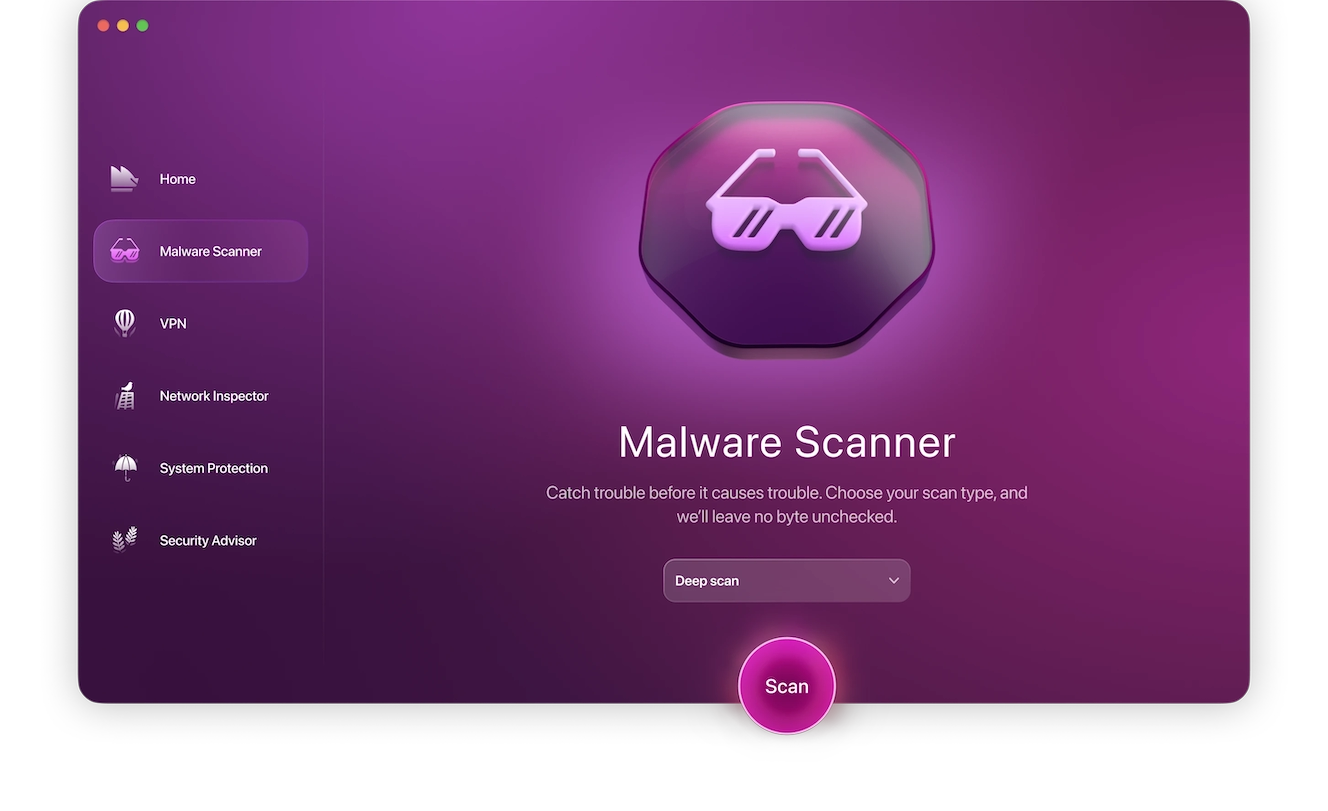
Moonlock is an antivirus solution that offers both of these features. Sign up for a 7-day free trial of Moonlock to run your first Deep Scan, and then enable Real-Time Protection to obtain round-the-clock system monitoring as a defense against polymorphic malware.
The evolving threat of polymorphic malware in 2026
Cybersecurity professionals aren’t the only ones relying on AI to develop features. In 2026, criminals are also using AI when creating malware that they sell and distribute on the online black market.
More sophisticated polymorphic malware can learn from unsuccessful screening attempts, relying on AI-driven dynamic code mutations to optimize its disguise. AI can also enable the virus to make smarter decisions, such as knowing when to stay dormant, how to spread, which payload to deploy, and when. As a result, the polymorphic malware becomes adaptive, not just evasive.
Real-life instances of polymorphic virus attacks
Polymorphic viruses are nothing new. To date, they’ve been used in countless real-world attacks thanks to their ability to avoid detection and spread themselves with minimal user assistance.
Some examples of real-world instances of polymorphic virus attacks include:
- Storm Worm: One of the first large-scale polymorphic malware attacks in 2007 is estimated to have spread to around 8% of devices worldwide. Sand Worm was an email-distributed trojan that changed its appearance every 30 minutes and turned the victim’s device into a bot.
- Emotet malware campaigns: A more recent example from 2023, the Emotet malware is a polymorphic banking trojan that spreads via phishing emails and malicious links that launch the payload once clicked. Instead of individual users, Emotet targets banks and government offices, resulting in data breaches and disruptions of critical services.
Essential tips to prevent polymorphic malware infections
Polymorphic malware is designed to evade the detection of specialized antivirus tools. Your best chance of preventing infection is to utilise behavior-based protection and practice online hygiene and safety daily. Here’s what you can do:
- Be cautious with email attachments and downloads.
- Keep your OS and software up to date.
- Enable network and endpoint monitoring.
- Restrict user privileges to reduce malware mobility.
Combining security tools with user awareness can significantly reduce the risk of malware infection of any kind, including polymorphic malware. Overall, your best bet is to educate yourself on the capabilities of polymorphic malware and observe cybersecurity best practices.