

Description
ExpirePress is a lightweight yet powerful WordPress post scheduler designed to automate content management through smart expiration actions. With ExpirePress, you can automatically expire posts and control exactly what happens to your content at a scheduled date and time.
Perfect for blogs, news websites, business sites, and eCommerce stores, ExpirePress helps you keep your website clean, relevant, and up to date — without manual intervention.
You can auto expire posts and apply content actions such as changing post status, updating titles, modifying categories, or hiding content from search and sitemaps.
Key Fatures
Flexible ExpirePress Actions
– Set post status to Draft, Trash, Delete Permanently, or Private
– Password-protect or unprotect posts
– Change post categories
– Update post titles
– Hide posts from XML sitemaps
– Exclude posts from site search results
Post Scheduling & Automation
– Schedule expiration by date and time
– Automate content lifecycle management
– Ideal for temporary, seasonal, or time-limited content
User-Friendly Interface
– Configure expiration settings directly from the post editor
– No complex setup or configuration required
Supports Multiple Post Types
– Works with standard posts
– Fully compatible with custom post types
Reliable & Compatible
– Lightweight and performance-friendly
– Tested with modern WordPress versions (6.6+)
– Compatible with Gutenberg and common plugins
Customization & Developer Hooks
ExpirePress is built with developers in mind and provides custom hooks and filters for extending functionality.
You can:
– Add or remove expiration actions
– Register custom expiration behaviors
– Control how new actions are saved
– Modify expiration logic programmatically
Hooks are available for:
– Registering new expiration actions
– Handling data saving when a custom action is added
– Extending existing expiration workflows
This makes ExpirePress easy to integrate into custom projects, advanced workflows, or third-party plugins.
Full developer documentation is available at:
https://www.wp-sqr.com/
Common Use Cases
- Automatically expire outdated blog posts
- Manage seasonal or promotional content
- Clean up expired announcements or offers
- Control visibility of old content without deleting it
- Automate content workflows in WordPress
ExpirePress gives you full control over post scheduling, auto expiration, and content automation — all in one simple plugin.
Troubleshooting
- Ensure the ExpirePress plugin is activated and your WordPress version is at least 5.2.
- Deactivate other plugins to check for conflicts.
Screenshots
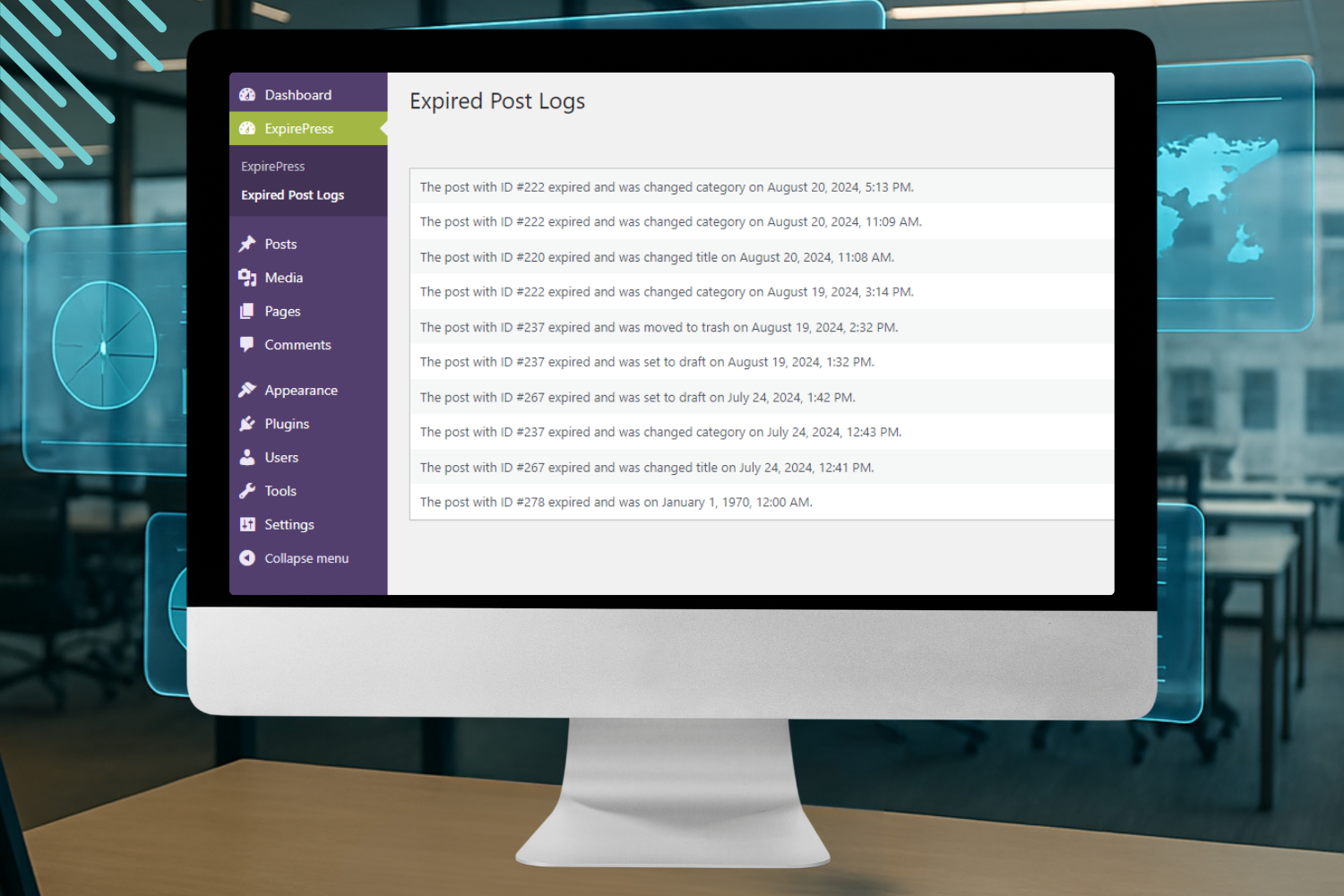
Dashboard Overview 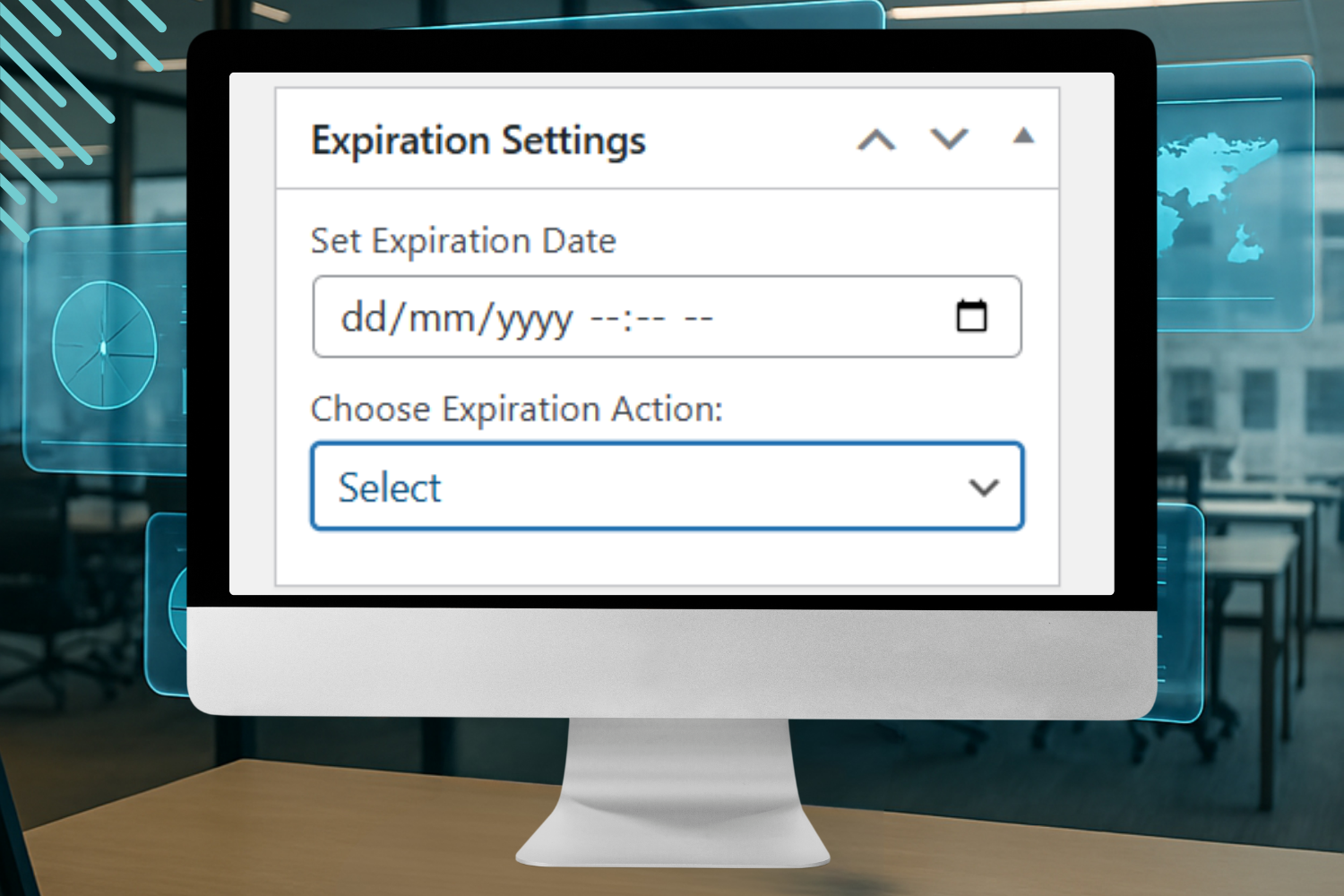
Expiration Settings 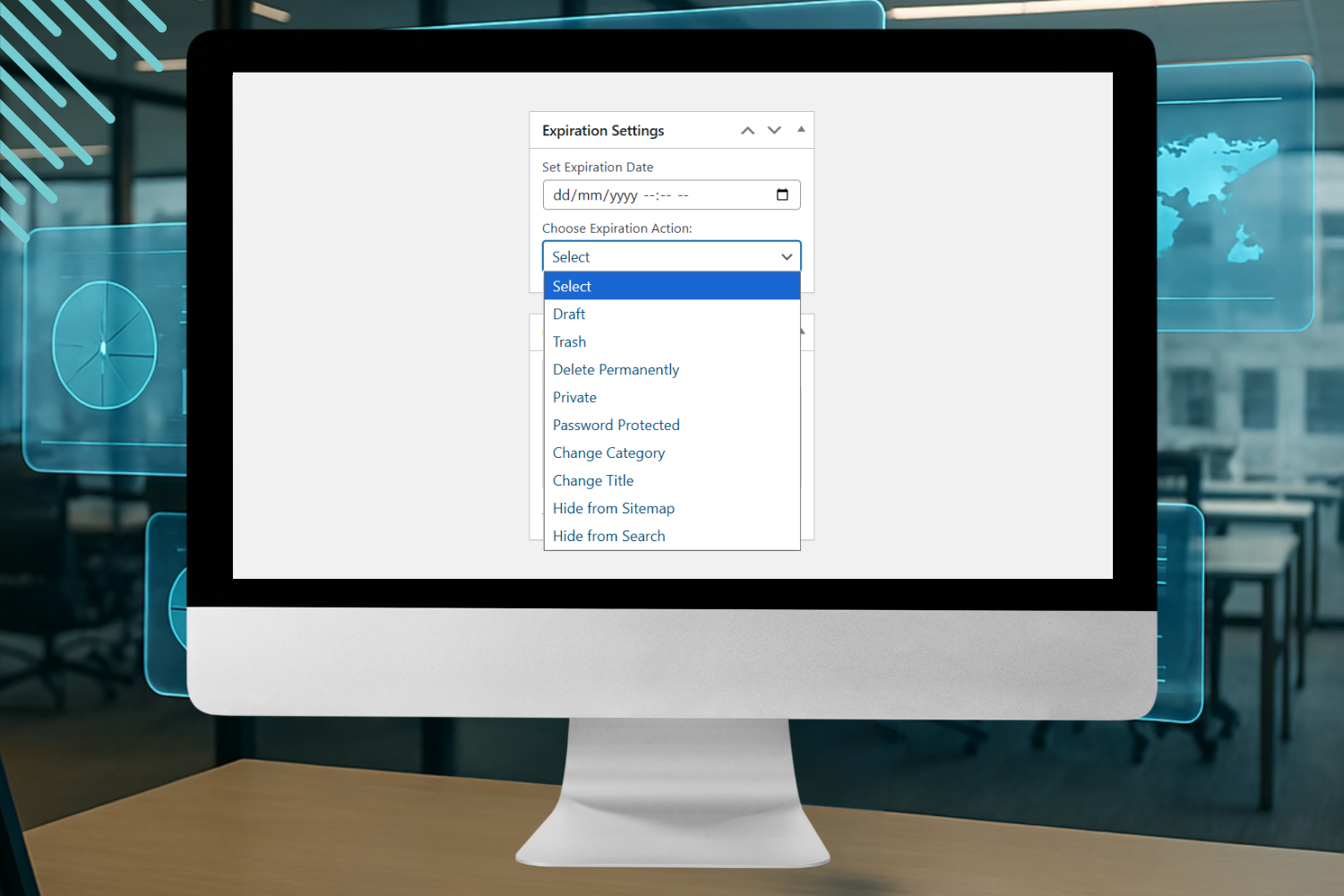
ExpirePress Actions


Installation
- Upload the
expirepressfolder to the/wp-content/plugins/directory. - Activate the plugin through the ‘Plugins’ menu in WordPress.
- Configure your expiration settings in the Post Editor Page.
FAQ
-
Can I set different expiration actions for different post types?
-
Yes, ExpirePress supports custom post types and allows you to set specific actions for each post type.
-
Is there documentation available?
-
Yes, you can find detailed documentation on our website at ExpirePress Documentation.
Reviews
There are no reviews for this plugin.
Contributors & Developers
“ExpirePress – Automatic Post Scheduler for WordPress” adalah perisian sumber terbuka. Orang-orang berikut telah menyumbang kepada pemalam ini.
Penyumbang
Translate “ExpirePress – Automatic Post Scheduler for WordPress” into your language.
Berminat dalam pembangunan?
Layari kod, periksa repositori SVN, atau langgani log pembangunan dengan RSS.
Changelog
1.0.4
- Performance improvements
- Compatibility updates
1.0.3
- Minor improvements, bug fixes, and compatibility updates.
1.0.2
- Resolved conflict with ACF and Gutenberg.
1.0.0
- Initial release
