
Beskrivelse
Displays your Twitter timeline in the sidebar of your blog. The plugin is widget ready and comes with many configuration options! Because every theme brings their very special style, Twitterwidget has very little preset css. Please see the css file twitterwidget.css to set collors, borders etc.
Check out more WordPress Plugins and lustige videos brought to you by Grobekelle.
Skjermbilder
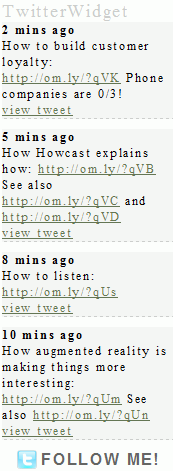
TwitterWidget injected to the blogs sidebar via widget 
TwitterWidget injected to the blogs sidebar via widget (german translation) 
admin panel


Installasjon
- Unpack the zipfile twitterwidget-X.y.zip
- Upload folder
twitterwidgetto the/wp-content/plugins/directory - Activate the plugin through the ‘Plugins’ menu in WordPress
- Go to settings -> TwitterWidget and type in your username etc.
- Make sure that the
cachedirectory inside the plugin folder is writeable - Place
<?php if(function_exists('twitterwidget_display')) twitterwidget_display(); ?>in your template or use the sidebar widgets.
Ofte stilte spørsmål
- Does this plugin comes with a «follow me» button?
-
Yes it does. Please go to settings -> Twitterwidget to enable/disable this feature
- Does this plugin caches the tweets?
-
Yes, a Tweet gets cached for 2 minutes!
Vurderinger
Det er ingen omtaler av denne utvidelsen.
Bidragsytere og utviklere
«TwitterWidget» er programvare med åpen kildekode. Følgende personer har bidratt til denne utvidelsen:
Bidragsytere
Oversett “TwitterWidget” til ditt språk.
Interessert i utvikling?
Bla gjennom koden, sjekk ut SVN-repositoriet, eller abonner på utviklingsloggen med RSS.
Endringslogg
- v0.2 24.06.2010 minor xhmtl fixes
- v0.1 13.07.2009 initial release
