Gratis online PDF-tools
WPS Office®
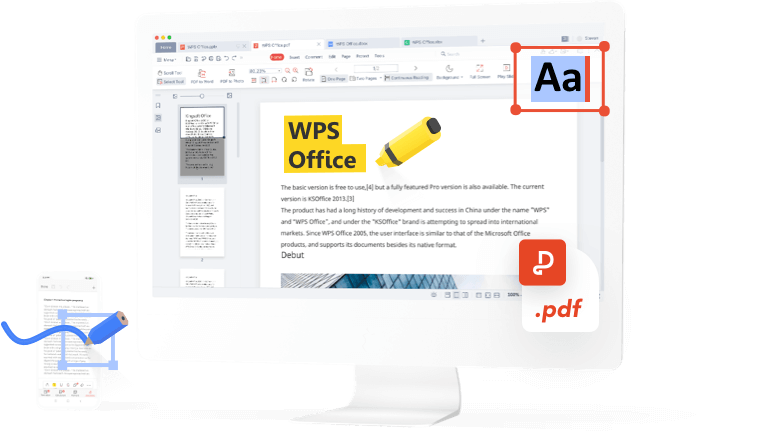
De beste online PDF-editor, converter, samenvoeger, formulierinvuller en organisator voor het eenvoudig bewerken van pagina's, tekst of lay-out in PDF-documenten. Net zo makkelijk als in Word, maar dan GRATIS en binnen enkele seconden. desc2
Bewerk, onderteken en converteer PDF's – alles in één app!
Toegang tot alle PDF-tools en bewerk Word-, Excel- en PPT-bestanden eenvoudig.
Gratis download
Download WPS Office en bewerk PDF-bestanden
Download WPS Office voor uitgebreide PDF-beheerfuncties, waaronder OCR (scannen en converteren van afbeeldingen), toevoegen van watermerken en e-handtekeningen, en het omzetten van PDF naar afbeelding.

Gratis download voor pc

WPS Office voor Windows
Download de WPS Office Desktop Editor voor een lichtgewicht PDF-tool die complete oplossingen biedt voor al uw PDF-gerelateerde taken.
Gratis download
5,3M / 26 feb. 2025

WPS Office voor Mac
WPS Office, volledig compatibel met het macOS-systeem op Mac en geschikt voor zowel Intel- als Apple-chips, helpt u eenvoudig PDF's te bewerken.
Gratis download
982 KB / 24 feb. 2025

WPS Office voor Linux
WPS Office is een gratis kantoorpakket dat Linux ondersteunt. Download de WPS Office-app om altijd toegang te hebben tot PDF-tools.
Gratis download

 Deb-pakket Rpm-pakket
Gratis download voor pc

WPS Office voor Android
Google Play Best of 2015


WPS Office voor iOS
App Store Best of 2015


Over WPS PDF
WPS PDF is een handige alles-in-één online PDF-tool. Het is gemakkelijk om PDF-bestanden te bewerken, converteren en beheren, je kunt het gratis proberen. Voor efficiënte PDF-verwerking, gebruik WPS PDF.
WPS PDF is ook compatibel met diverse bestandsformaten, waaronder Adobe PDF. PDF is nu geïntegreerd in de WPS Office-applicatie, waardoor je gezamenlijk PDF-bestanden kunt bekijken, annoteren en bewerken.
WPS PDF is ook compatibel met diverse bestandsformaten, waaronder Adobe PDF. PDF is nu geïntegreerd in de WPS Office-applicatie, waardoor je gezamenlijk PDF-bestanden kunt bekijken, annoteren en bewerken.
PDF-gids - Gebruiksaanwijzing
Een PDF-bestand converteren


Een PDF-bestand bewerken
Een PDF-bestand ordenen
WPS PDF-blog
De PDF-blog biedt u een uitgebreid inzicht in het gebruik van PDF-tools, geeft u snel toegang tot softwarenieuws, adviseert over verschillende soorten kantoorsoftware die het downloaden waard zijn en informeert u over PDF-versie-updates.
Meer artikelen >
 Software News
Get the Free Key for WPS Premium and Download WPS Office Right Now
As a both lightweight and powerful office suite, WPS Office has become more and more popular and competitive among its competitors. WPS Office has provided free access to its four programs which are rolled in one place, namely, Writer, Presentation, Spreadsheet, and PDF. In the free standard version of WPS Office, users can enjoy all basic functions that meet their demand for daily work and study with high compatibility with different file formats, systems and devices. Basic Informatio.... How To Tutorials
Quick Overview of WPS File and How to Convert WPS to Word for Free
WPS is a file format, similar to text documents, created by Microsoft Works Word Processor. This file is homogeneous to the Doc files created by Microsoft Word, but with limited composition options, and didn’t allow macros to be inserted in the document. This type of format was terminated in 2006 by Microsoft, with (*.doc) being the new format having newfangled formatting options. In 2009 Microsoft announced the retirement of Microsoft Works, with Works 9 being the last version. In the.... How To Tutorials
Introduction to WPS File Format - Best Solution on How to Convert WPS to PDF for Free
Are you looking for convenient ways to convert WPS to PDF? If yes, this article is for you; continue reading to find the solution. First, we'll have a look at the WPS file format. WPS file is a text document same as docx, but it's the production of Microsoft Works word processor, thus lacking in some of the advanced formatting options and macros that are included in general Word documents. Since 2006 Microsoft works processor has terminated the creation of such files and retired in 200....

