

Description
A great way to display numbers in a fun and interesting way. Display statistics about your services/ company or yourself. For example, display your YouTube channel’s total subscribers, Followers, Number of employees, Number of Products ETC
Features
Themes & Layouts
- 15 ready-made counter themes (12 premium + 3 free)
- Multiple modern counter layouts with one-click theme switching
- Fully responsive grid-based layout
- Responsive column control (desktop, tablet, mobile)
- Custom column and row gap control
Counter Items
- Add unlimited counters
- Per-counter background customization
- Per-counter border control (theme-based)
- Per-counter shadow and hover shadow (premium themes)
- Per-counter width and height control
Number Animation Types
- Classic number animation
- Rolling number animation
- Bounce animation
- Fade animation
- Slide animations (Up, Down, Left, Right)
- Pulse animation
- Flip animation
- Typewriter animation
Animation Triggers
- Trigger animation when visible (default)
- Trigger animation on page load
- Trigger animation on click
- Trigger animation on hover
- Custom trigger using CSS selector (ID or class)
Animation Controls
- Global animation duration control
- Global animation delay control
- Per-counter stagger delay
- Repeat animation on scroll
- Reverse count support
- Rolling stagger modes (per counter, per digit)
Easing Options
- Linear easing
- Ease-in easing
- Ease-out easing
- Ease-in-out easing
Number Formatting
- Start and end number control per counter
- Prefix support before number
- Suffix support after number
- Thousands separator selection
- Decimal number support (global)
- Smooth animated decimal transitions
Icon Features
- Font Awesome icon support
- Icon position control (top or inline with label)
- Icon size control
- Icon color customization
- Icon background control (premium themes)
- Icon container width, height, padding, and border (premium)
- Icon bounce animation on counter completion
Typography Controls
- Responsive number typography
- Responsive label typography
- Responsive sub-label typography
Labels & Content
- Primary label text per counter
- Optional sub-label text
- Label and sub-label color control
- Toggle label and sub-label visibility
Container Styling
- Global counters background control
- Global counters padding control
- Individual counter padding control
- Text alignment control
- Optimized for Gutenberg editor
- Frontend-safe rendering with smooth animations
How to Use
- Install and activate the Counters Block plugin.
- Open the Gutenberg editor.
- Add Counters Block from the block inserter.
- Customize counters, animations, icons, and layouts from the right-side settings panel.
- Publish and enjoy smooth animated counters 🎉
- For installation help click on Installation Tab
Free vs Premium
The free version includes essential counter layouts and animations.
Premium themes unlock:
– Advanced counter designs
– Hover shadows and icon backgrounds
– Enhanced visual styling
– Premium-ready layouts for landing pages and businesses
Feedback & Support
Did you find a bug or have a feature request?
📧 Send feedback
Support forum:
https://wordpress.org/support/plugin/counters-block/
Check out the Parent Plugin of this plugin-
B Blocks – A blocks collection and page building tool for Gutenberg.
Check out our other WordPress Plugins-
Html5 Video Player – Display videos as single and playlist in multiple skins.
PDF Poster – Display/Embed PDF files with different styles.
Html5 Audio Player – Listen audios with awesome visuals.
StreamCast – Customizable radio player with different skins.
3D Viewer – Embed 3D models and 3D products with interaction.
Advanced Post Block – Show posts and custom posts in different layouts.
Screenshots
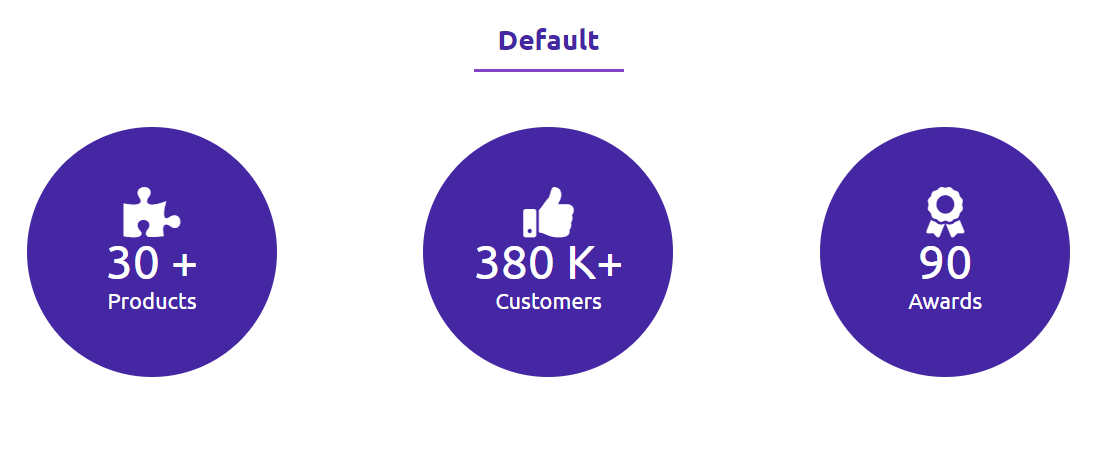
Default Counters 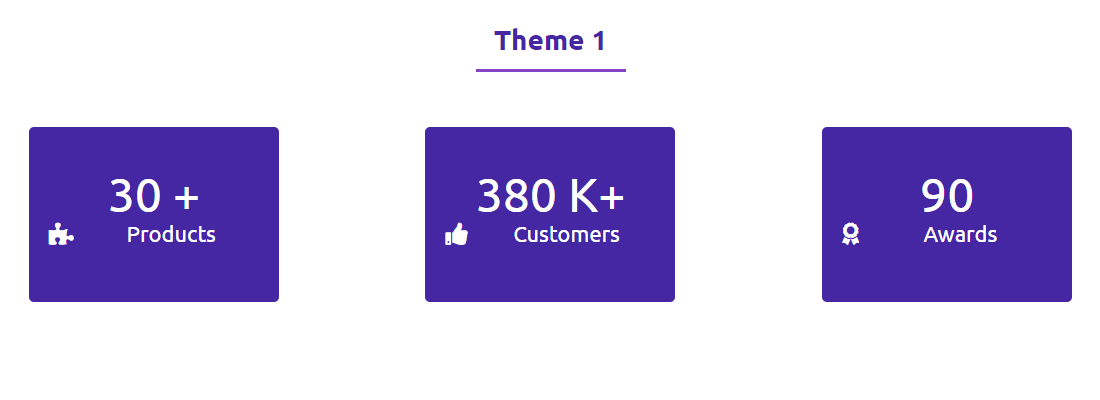
Theme 1 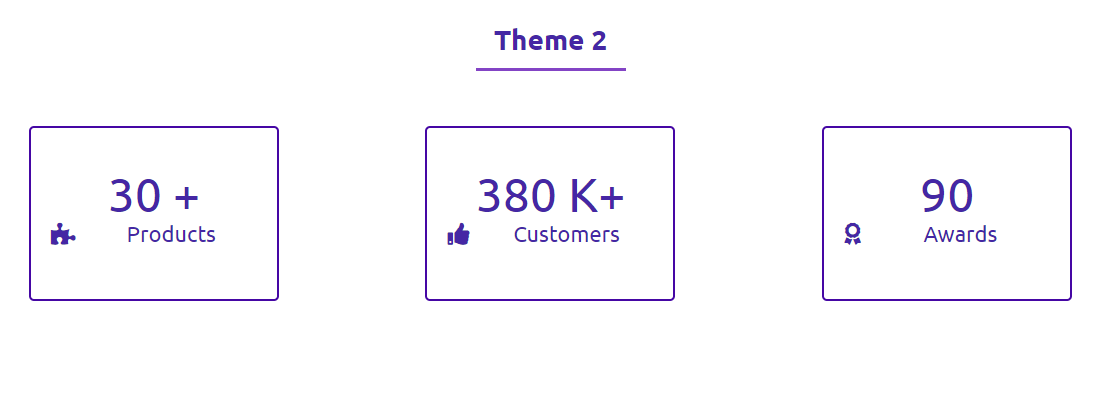
Theme 2 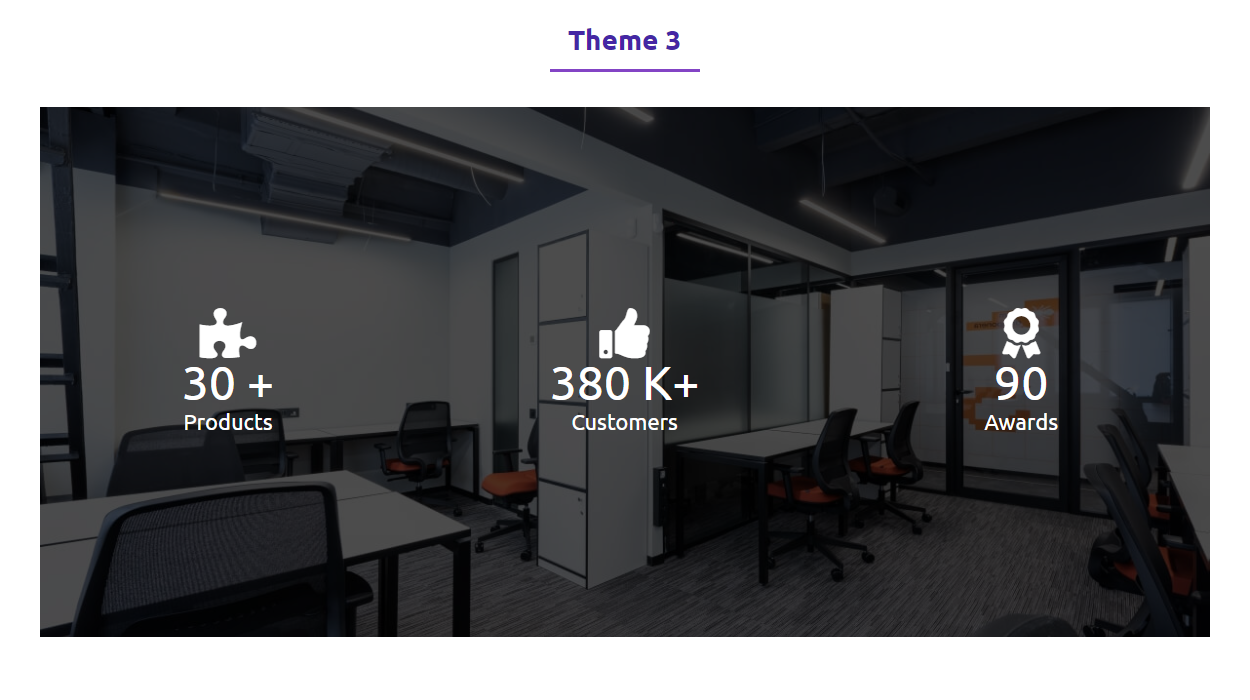
Theme 3


Blocks
This plugin provides 1 block.
- Counters Display Number as animated counter.
Installation
From Gutenberg Editor:
- Go to the WordPress Block/Gutenberg Editor
- Search For Counters Block
- Click on the Counters Block to add the block
Download & Upload:
- Download the Counters Block plugin (.zip file)
- In your admin area, go to the Plugins menu and click on Add New
- Click on Upload Plugin and choose the
counters-block.zipfile and click on Install Now - Activate the plugin and Enjoy!
Manually:
- Download and upload the Counters Block plugin to the
/wp-content/plugins/directory - Activate the plugin through the Plugins menu in WordPress
Is Counters Block free?
Yes. The plugin includes free features with optional premium themes.
Does it work with any WordPress theme?
Yes, it works with all standard WordPress themes.
Is it responsive?
Absolutely. All layouts and typography are responsive.
Can I use multiple counters on one page?
Yes, unlimited blocks and counters are supported.
Where can I get support?
You can post your questions on the support forum here
Reviews


Contributors & Developers
“Counters Block – Animated Number Counters for Stats and Goals” is open source software. The following people have contributed to this plugin.
Contributors


Translate “Counters Block – Animated Number Counters for Stats and Goals” into your language.
Interested in development?
Browse the code, check out the SVN repository, or subscribe to the development log by RSS.
Changelog
2.0.0 – Major Release
- 🚀 Added 15 counter themes (12 premium + 3 free)
- 🎞 Multiple new animation types and triggers
- 🎯 Advanced animation controls & easing options
- 🎨 Per-counter styling (background, shadow, sizing)
- 🧩 Improved Gutenberg editor experience
- ⚡ Performance and rendering optimizations
1.1.4 – 4 Nov 2025
- Fix Issues
- Update Icon Library v7.1.0
1.1.3 – 17 Feb 2024
- Improve security
1.1.2 – 3 Oct 2024
- Fix pattern issue
1.1.1 – 6 May 2024
- Add separators in the number.
- Update icon library
1.1.0
- Fix script not loaded
1.0.9
- Counter starts when visible
1.0.8
- Reduce asset loads
1.0.7
- Add translate feature
1.0.6
- Fix HTML Render
1.0.5
- Reduce PHP Code
- Performance Improvement
1.0.4
- Reduce PHP Code
- Typography fix
1.0.2
- Performance upgrade
1.0.1
- Fix text-align
- Performance Upgrade
1.0.0
- Initial Release.
